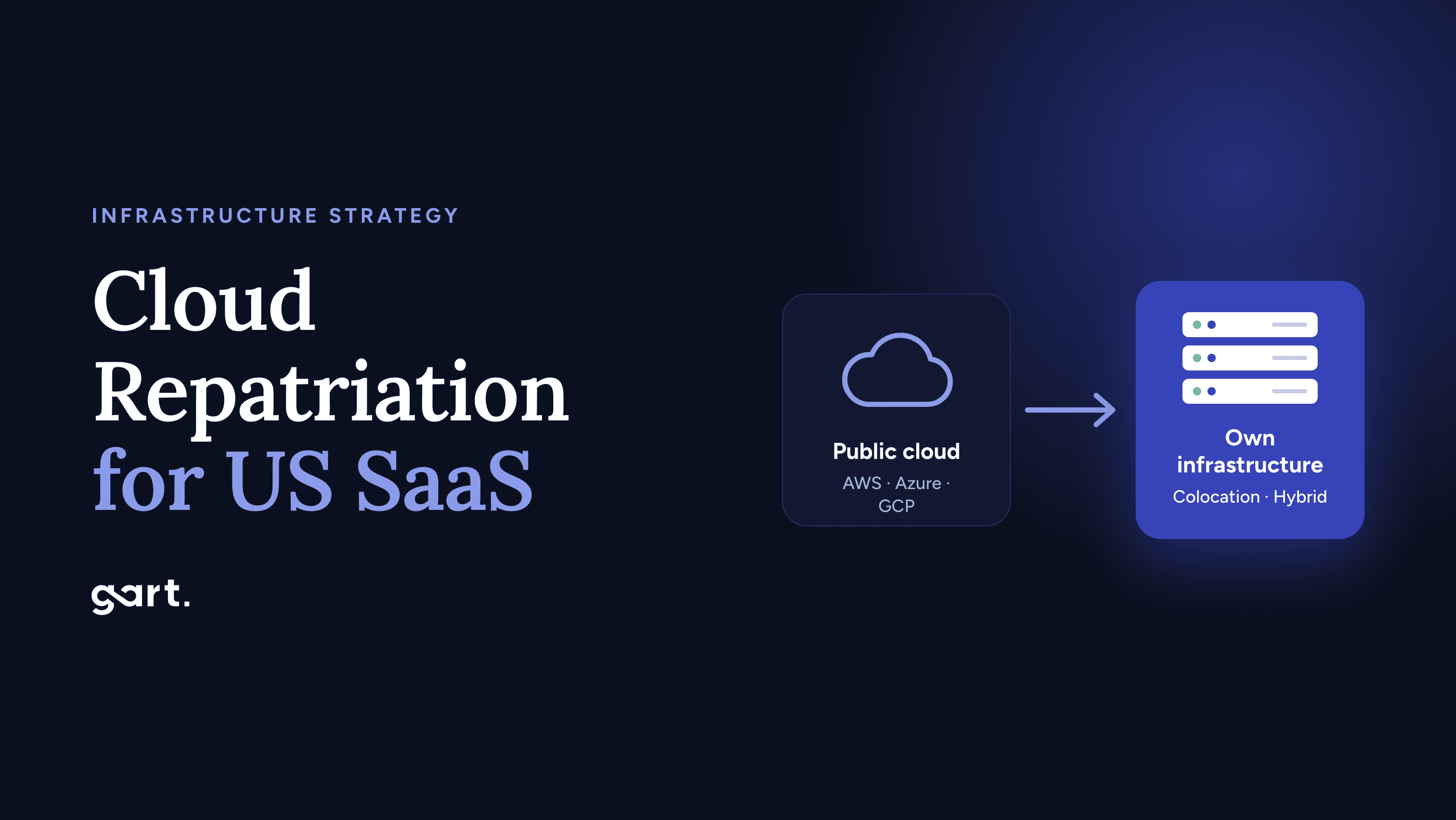
Most US SaaS teams that ask "should we leave AWS?" are really asking three smaller questions: is our bill high for structural reasons or just untidy, can our product live without the AWS services we depend on, and where would we actually go. This guide answers those questions with three real cloud repatriation cases, a weighted decision matrix you can score in 20 minutes, and an honest look at AWS to Hetzner economics after Hetzner's 2026 price increases.
If you need the background on why repatriation is happening at all, start with our explainer on cloud repatriation and the hidden cost of elasticity. This article is the next step: the decision for a US-based SaaS company.
Key takeaways
Leaving AWS pays off when spend is steady and concentrated in "premium" lines: managed databases, provisioned IOPS, egress, NAT. It rarely pays off for spiky, serverless-heavy products or bills under roughly $5K/month.
Real results vary widely by path. 37signals cut about $2M a year by moving compute to owned servers. Gart's US client FluentU reached a projected ~78% lower steady-state infrastructure cost moving from AWS to Hetzner.
Hetzner is not the same bargain it was in 2025. Its June 15, 2026 repricing raised CPX and CCX cloud lines by 113–175%. Dedicated servers and the CX/CAX lines are where the economics still hold.
US SaaS has extra constraints: Hetzner's US locations (Ashburn, Hillsboro) are cloud-only, with no dedicated servers or Object Storage, and Hetzner does not advertise SOC 2 reports or HIPAA BAAs.
Hybrid is the most common winning answer. Keep the edge, identity, and spiky services on AWS; move the steady core.
Why US SaaS repatriation is a different decision
Most cloud repatriation stories come from Europe, where data sovereignty and GDPR give teams a second reason to move. US SaaS companies usually have only one reason, gross margin, and several reasons to stay put:
Your customers are in North AmericaA server in Falkenstein or Helsinki adds a transatlantic round trip (typically around 80–100 ms to the US East Coast) to every uncached request. That is fine for async workloads and a problem for chatty APIs.
Your buyers send security questionnairesEnterprise procurement teams ask for SOC 2 Type II, and healthcare buyers ask for a HIPAA Business Associate Agreement. Your SOC 2 covers your controls, but you will need to explain your subprocessors, and AWS is the easy answer.
Your contracts may assume AWSSavings Plans, an Enterprise Discount Program, or AWS Marketplace co-sell revenue can make leaving expensive in ways your bill doesn't show.
Your team was hired for AWSRunning PostgreSQL replication, backups, and on-call for bare metal is a different skill set from clicking "Multi-AZ" in RDS.
None of these blocks repatriation. They change which version of it makes sense, and that is what the matrix below is for.
What changed in 2026
Two forces now pull in opposite directions.
Leaving AWS got cheaper: the egress waiver removed the "exit tax" that used to cost large data holders six figures (AWS waived roughly $250,000 in egress for 37signals alone).
Arriving at Hetzner got more expensive: after an across-the-board increase of roughly 30–37% on April 1, 2026, Hetzner repriced its cloud lines again on June 15, 2026, citing a "massive increase in procurement costs" for RAM, NVMe, and GPUs.
Hetzner cloud plan (DE/FI, €/month)Before June 15, 2026AfterChangeCCX23 (dedicated vCPU)31.4985.99+173%CCX33 (dedicated vCPU)62.49138.49+122%CPX42 (AMD shared)25.4969.49+173%CAX41 (ARM shared)31.4940.99+30%CX53 (Intel shared)22.4929.49+31%
What this means for an AWS to Hetzner business case: any model built before mid-2026 on CPX or CCX pricing is now wrong, often by more than 2x on compute. Existing instances keep their old price, but new orders and any resize pay the new rate. The economics still work, but they now depend on which Hetzner products you use. Dedicated root servers, ARM (CAX), and Intel shared (CX) lines carry much more of the savings than they did a year ago.
For US SaaS this matters twice over. Hetzner's US locations offer only its AMD shared and AMD dedicated-vCPU cloud types, which are the CPX and CCX families hit hardest in June. Hetzner prices its US locations separately from Europe, so check the current US price list before modeling a US-hosted footprint.
Three cloud repatriation cases, and what each one proves
Each case below took a different path, and each one teaches a different lesson.
Three cloud repatriation cases, and what each one proves
Each case below took a different path, and each one teaches a different lesson.
US SaaS · AWS → owned hardware in colocation
Case 1: 37signals (Basecamp, HEY), the large-scale full exit
Starting point: an AWS bill of more than $3.2M per year, including 18 PB in S3.
What they did: they bought about $700K of Dell servers for compute and moved off AWS compute first, which saved about $2M per year. They then spent $1.5M on Pure Storage arrays (operating cost under $200K per year) to bring the 18 PB home, with a further expected saving of about $1.3M per year. AWS waived about $250K in egress fees, and the company says it needed no extra staff.
What it proves: at multi-million-dollar scale with a steady, predictable workload, owning hardware beats renting it by a wide margin. What it doesn't prove: that a $40K/month SaaS can copy the playbook. 37signals had a seasoned ops team and a product built on a simple, portable Rails stack.
US public SaaS · AWS S3 → custom storage
Case 2: Dropbox, repatriating only the storage tier
Starting point: the bulk of user file storage on AWS S3.
What they did: built its own storage system, Magic Pocket, and moved most user data into its own data centers. Its 2018 S-1 filing attributed about $74.6M in savings over two years to this infrastructure optimization.
What it proves: you don't have to move everything. Repatriating the single most expensive, most predictable tier captures most of the value. Dropbox kept a portion of its storage on AWS rather than forcing a total exit.
US mid-market SaaS · AWS → Hetzner · Gart Solutions client
Case 3: FluentU, an AWS to Hetzner move at the scale most SaaS teams operate
Starting point: FluentU, a Maryland-based language-learning platform (web app, mobile apps, Chrome extension, blog), ran on EC2, RDS, ElastiCache, CloudFront, S3, NFS, and SQS. The verified AWS baseline was $9,318.15/month, and 65% of it ($6,071.87) was RDS, driven by Multi-AZ instance classes and provisioned IOPS.
What we did: moved application servers, self-managed database servers, and shared NFS storage to Hetzner, defined in Terraform, with data replicated through AWS DMS change data capture. CloudFront stayed in place and was re-pointed at the Hetzner origin, so the move was hybrid by design.
What went wrong (and why it matters): the first live cutover was aborted because CDC latency kept rising and table diffs remained. A schema comparison across 1,474 tables found 1,464 column-metadata differences and 1,179 missing target indexes. We rebuilt the target and added a hard schema gate before the next attempt. Core production went live on Hetzner on July 3, 2026. The final content sync ran about 2.5 hours behind a maintenance page.
Result: a combined AWS + Hetzner steady state of about $2,029–$2,059/month, roughly 78% below baseline (about $87K saved per year), projected to reach about 83% once old backup retention expires.
What it proves: a sub-$10K/month US SaaS can repatriate profitably when the bill is dominated by a managed-database premium. It also proves that the database cutover, not the servers, is where these projects succeed or fail. Read the full FluentU AWS to Hetzner case study.
Not sure if your AWS bill is structural or just untidy?
Gart's Cloud Exit Assessment maps every AWS line item to one of three paths: optimize in place, move to a hybrid setup, or repatriate. You get a cost model built on current 2026 pricing, not last year's.
Get a cloud exit assessment
The pattern across all three: none of them moved because "cloud is expensive." Each one found a specific, steady, oversized line item (compute at scale, object storage, managed databases) and moved that first. That is the logic the decision matrix encodes.
The "leave AWS" decision matrix
Score your company from 1 to 5 on each of the eight criteria below. A 5 means the criterion points toward leaving AWS, and a 1 means it points toward staying. Multiply each score by its weight, add the results, and divide by 5 to get an index between 20 and 100.
#CriterionWeightScore 5: favors leaving AWSScore 1: favors staying1Steady-state AWS spend15Over $50K/month (3 = $10–30K)Under $5K/month: engineering time will eat the savings2Workload predictability15Baseline load within ~30% of peak, year-roundLarge seasonal or event spikes you rely on autoscaling for3"Premium" share of the bill15Over 50% in managed DBs, provisioned IOPS, egress, NAT GatewayMostly right-sized EC2 already on Savings Plans4Portability of your stack15Containers, PostgreSQL/MySQL, Redis, S3-compatible APIsDeep use of Lambda, DynamoDB, Kinesis, Cognito, Step Functions5Compliance fit10SOC 2 on your own controls; no HIPAA, FedRAMP, or AWS-specific contract termsHIPAA BAA, FedRAMP, or enterprise contracts that name AWS6Latency and geography10Async or batch-heavy, CDN-cacheable, or customers outside North AmericaReal-time, chatty APIs serving US users with tight latency SLAs7Ops capability10In-house Linux, DB, and on-call skills, or a managed partnerNo one owns backups, patching, or 3 a.m. incidents today8Commitment exposure10Savings Plans or EDP expiring within 6–12 months; no Marketplace co-sellMulti-year EDP, fresh Savings Plans, or meaningful AWS Marketplace revenue
How to read your result:
Worked example (hypothetical): a Series B US B2B SaaS spending $28K/month (score 3), with steady load (4), 55% of spend in RDS and NAT (5), containers on PostgreSQL but Cognito for auth (3), SOC 2 only (4), US customers on a latency-sensitive dashboard (2), a three-person platform team (3), and a Savings Plan expiring in 8 months (4). The weighted index is (45 + 60 + 75 + 45 + 40 + 20 + 30 + 40) ÷ 5 = 71. That is borderline full exit, but the low latency score is a red flag. The sensible move is hybrid, with the core in a US region or with the latency-sensitive API kept on AWS.
Hard stops. Treat any of these as an automatic "not now," regardless of score: an unresolved HIPAA BAA requirement for production PHI, a FedRAMP obligation, an EDP with a large unmet spend commitment, or no one who can own database operations.
Where to go: destination fit for US SaaS
"Leave AWS" is not one destination. Here is how the realistic options compare for a company whose customers are mostly in the US.
FactorStay & optimize AWSHybrid: AWS edge + Hetzner coreHetzner EU (dedicated servers)Hetzner US (cloud only)US colocation / owned hardwareCost reduction potentialModerate (rightsizing, commitments)High on moved workloadsHighest per coreModerate after 2026 repricingHigh at scale, CapEx up frontLatency to US usersBestGood (edge stays local)Transatlantic hopGood (VA, OR)Best (you choose the site)Managed servicesFull catalogKeep what you needMinimal, you run itMinimal; no Object Storage in USNone, you run everythingOps burdenLowMediumHighMedium-highHighest (hardware lifecycle)Attestations for buyersSOC 2, HIPAA BAA, FedRAMPMixed: document bothISO 27001, BSI C5 Type 2Same company-level certificationsDepends on the facilitySpeed to add capacityMinutesMinutes (burst to AWS)Hours to daysMinutesWeeksBest fitSpiky, serverless, small billsMost US SaaS at $10K–$100K/monthBatch, async, data processing, EU customersUS-facing apps on CX/CAX-friendly workloads$1M+/year steady workloadswhere to migrate
Two Hetzner details catch US teams off guard. First, Ashburn and Hillsboro are cloud-only: you can't order dedicated root servers there, and Object Storage isn't offered in the US, so the cheapest Hetzner products are only available in Germany and Finland. Second, traffic between Hetzner's US and EU network zones is billed as regular internet traffic, so a split-region design needs its own bandwidth line in the model.
On compliance, Hetzner holds ISO/IEC 27001 and a BSI C5 Type 2 attestation, but it says it focuses on ISO 27001 instead of SOC 2 and does not mention HIPAA. For many B2B buyers an ISO 27001 subprocessor is fine. For healthcare PHI, plan to keep that workload on a provider that signs a BAA.
If the matrix and this table point you toward AWS to Hetzner, our step-by-step AWS to Hetzner migration guide covers the execution: service mapping, the parallel build, dual-writes, and cutover.
The costs that don't show up on the Hetzner price list
Most repatriation business cases that disappoint get the server price right and miss everything around it. Add these lines before you compare totals:
The double-run period. You pay for both environments for weeks or months. FluentU's AWS bill only fell 49.7% in the first post-cutover month because of cleanup and retained snapshots.
Database operations. Replacing RDS means owning replication, failover, point-in-time recovery, patching, and tested restores. This is the work the managed-DB premium was paying for.
Backups and disaster recovery off-provider. A single-provider setup without a second location is a regression from Multi-AZ. Budget for a second site or provider.
Observability and security tooling that CloudWatch, GuardDuty, and IAM gave you by default.
On-call and runbooks, either internal hours or a managed SRE contract.
Repricing risk. Hetzner changed prices four times in 2026. Model a 30% buffer on compute and recheck before every resize.
Remaining AWS commitments. Unused Savings Plans or EDP shortfalls are sunk costs you still pay.
A credible model shows three numbers: today's AWS cost, the target steady-state cost including the lines above, and the one-time migration cost. It then calculates payback in months. If payback runs past 18 months, optimize AWS first and revisit.
How to decide in 90 days without betting the company
This is a decision process, not a migration plan.
Days 1–20: Get the real baseline. Export 12 months of Cost and Usage Reports. Tag spend by workload, not by service. Identify the three biggest steady line items, as FluentU's RDS turned out to be.
Days 21–40: Score the matrix with the people who own each criterion: finance for commitments, security for compliance, engineering for portability. Disagreements are the useful output.
Days 41–70: Run a pilot on one non-critical, steady workload, such as a worker pool, a reporting database replica, or a blog. Measure actual cost, latency, and ops hours.
Days 71–90: Build the go/no-go model with current 2026 pricing, the hidden-cost lines, and payback. Decide between optimize, hybrid, and full exit. Only then plan the migration itself.
Repatriate with a team that has done it, including the aborted cutover
Gart Solutions plans and runs AWS exits for SaaS companies in the US and Europe, from the first cost audit to the final DNS switch and the on-call afterwards.
~78%
lower steady-state infrastructure cost for FluentU after moving from AWS to Hetzner
$87K/yr
projected savings on a $9.3K/month starting AWS bill
6 months
from first audit to production on Hetzner, with a schema-gated cutover and validated restores
We'll tell you if leaving AWS isn't worth it. Sometimes the right answer is a cleaner AWS bill.
Explore cloud migration services

SaaS is a thriving business model, providing entrepreneurs with quality code and scalability without financial risk. To fully tap into its potential, pairing it with DevOps is essential for efficient processes and infrastructure-ready solutions.
[lwptoc]
As a DevOps expert, we explain the technical and practical reasons for embracing DevOps and why DevOps outsourcing is a smart investment for the future.
What is DevOps?
DevOps, which stands for the convergence of development (Dev) and operations (Ops), represents an organizational approach that expedites application development and streamlines the maintenance of existing deployments. This paradigm not only unites development and operations (DevOps) but also encompasses QA (QAOps), security (DevSecOps), processes, and tools.
DevOps is fundamentally centered on "driving business transformation," as articulated by one of its authorities, Robert Stroud. The implementation of DevOps practices through specialized software solutions constitutes a comprehensive strategy to boost productivity without compromising quality. This set of principles and methodologies aids companies in continuously delivering services or products, thereby reducing the software development lifecycle.
From a more abstract perspective, DevOps can be defined as an interdisciplinary community of practice with a focus on the construction, advancement, and operation of adaptable and agile systems at any scale. The emphasis on quality and service within DevOps draws inspiration from Lean and Agile methodologies.
Why SaaS Needs DevOps
SaaS and DevOps are like a dynamic duo, and there are several compelling reasons why SaaS absolutely needs DevOps. Here are three key reasons, along with a couple more:
Cloud Convenience
Scalability
SaaS applications often run in cloud environments. DevOps practices help SaaS companies take full advantage of the cloud's scalability, enabling them to seamlessly handle varying workloads and efficiently allocate resources.
Infrastructure as Code (IaC) manages resources like servers and networks through machine-readable files. Integrating SaaS-managed DevOps brings expert skills without long-term high costs. IaC allows replicating and customizing infrastructure efficiently.
Resource Optimization
DevOps allows for the efficient management of cloud resources, ensuring that SaaS providers only pay for what they use and avoid unnecessary costs.
Global Availability
DevOps facilitates the deployment of SaaS applications across multiple regions and data centers, ensuring global availability and low latency for users worldwide.
Microservice architecture as the default for SaaS products
Modularity
Many SaaS platforms are built using microservices to break down complex applications into smaller, manageable components. DevOps supports the development, deployment, and scaling of these microservices independently, promoting agility and flexibility.
Although monolithic architecture remains the go-to choice for numerous enterprise-level software solutions, SaaS product development necessitates the adoption of a microservices architecture. The decoupling of services in microservices accelerates the growth of potentially expansive products with scalability goals, all while minimizing resource consumption and operational disruptions.
The transition from monolithic systems to microservices is an inexorable trend within the realm of SaaS. These products cater to a vast user base and simply cannot tolerate downtime. Hence, they demand seamless scalability, as well as the implementation of multi-region and multi-currency payment systems.
Continuous Integration/Continuous Deployment (CI/CD)
Microservices benefit greatly from CI/CD pipelines, which DevOps excels at. This allows SaaS companies to rapidly deploy updates to specific microservices without affecting the entire application.
Serverless Agility
Efficient Resource Management
Serverless computing abstracts infrastructure management, but it requires precise resource allocation. DevOps helps optimize serverless application functions, ensuring they run efficiently and cost-effectively.
Rapid Development
DevOps practices like automated testing and deployment are crucial for serverless applications, enabling quick iterations and reducing time-to-market for new features or enhancements.
Continuous Improvement
Feedback Loops
DevOps establishes feedback loops that collect user insights and operational data. SaaS companies can use this feedback to continuously improve their products, aligning development efforts with customer needs.
Innovation Acceleration
DevOps fosters a culture of innovation by encouraging experimentation, which is particularly important in the rapidly evolving SaaS landscape.
Security and Compliance
DevSecOps
DevOps extends to DevSecOps, where security is integrated into the development process. In the SaaS world, where data security and compliance are paramount, this approach ensures that security measures are consistently applied.
In essence, DevOps is the driving force behind the agility, scalability, and efficiency that SaaS companies require to succeed in a competitive and ever-changing industry. Whether in the cloud, with microservices, or leveraging serverless technology, DevOps is the linchpin for SaaS excellence.
Three Groups of Benefits of DevOps for a SaaS company
Let's categorize the advantages of DevOps into three groups: Business Benefits, Cultural Benefits, and Technical Advantages. These categories help highlight the diverse benefits that DevOps brings to a SaaS company, encompassing not only technical improvements but also cultural and business advantages.
Business Benefits
Faster Time to Market
Accelerating development and deployment processes allows SaaS companies to launch new features and updates quickly, gaining a competitive edge.
Cost Efficiency
DevOps reduces operational expenses through automation, efficient resource utilization, and improved scalability, leading to cost savings.
Customer Satisfaction
Enhanced application stability and reliability, as well as faster issue resolution, contribute to higher customer satisfaction and retention rates.
Cultural Benefits
Improved Collaboration
DevOps fosters collaboration and knowledge sharing between teams, breaking down silos and promoting a culture of teamwork.
Continuous Learning and Improvement
DevOps encourages a culture of continuous improvement and learning, empowering teams to evolve and adapt.
Ownership and Accountability
DevOps practices instill a sense of ownership and accountability among team members, leading to a shared responsibility for product quality.
Technical Advantages
Enhanced Stability and Reliability
Automation and continuous monitoring improve the technical stability and reliability of SaaS applications.
Security Integration
DevOps integrates security practices (DevSecOps) into development processes, strengthening the security posture of SaaS platforms.
Scalability
DevOps enables seamless scalability to handle increased user loads and rapid growth without service disruptions.
Data-Driven Decision-Making
DevOps tools provide valuable data and insights for informed technical decisions and optimizations.
When is the Right Time to Enlist DevOps Expertise?
DevOps specialists are essential right from the project's inception, offering valuable assistance in various aspects. They can tailor environments for development, testing, and deployment, as well as provide insights into efficient server architecture.
The tasks range from architectural redesign, DNS and database management, server migration, to problem-solving in case of system failures. DevOps plays a pivotal role throughout the project lifecycle, delivering value at various stages.
The scope of DevOps involvement in a project is vast, and here are scenarios illustrating when and how SaaS businesses can benefit:
At the Project's Start
During Sprint Zero, DevOps specialists assist in defining the technology stack and architecture for future SaaS functionality. Experts set up distinct testing and production environments.
For Ongoing Projects
In existing projects, DevOps begins by assessing the system and its documentation. This includes tasks like configuring CI/CD, which involves identifying technologies, exploring databases, and reviewing network and server configurations. This phase is essential for identifying areas that require improvement and may take a few hours to a couple of days, depending on the situation.
DevOps engineers automate infrastructure management using Infrastructure as Code (IaC), streamlining the development process for SaaS companies.
DevOps consulting extends to optimizing server performance, providing insights into options, benchmarks, costs, and risks.
Continuous server monitoring ensures prompt responses to system conditions such as processor load and server space availability.
Case Studies
Read more: Optimizing Costs and Operations for Cloud-Based SaaS E-Commerce Platform
Why SaaS Companies Should Contemplate Outsourcing DevOps to Gart
SaaS companies should seriously consider outsourcing their DevOps needs to Gart for several compelling reasons.
Outsourcing DevOps to a specialized provider like Gart Solutions offers numerous benefits. First and foremost, it allows SaaS companies to tap into the expertise and experience of seasoned DevOps professionals who are well-versed in the latest industry trends and best practices.
Gart can help streamline and optimize your development and operations processes, leading to faster time-to-market for new features and improvements. They can also ensure the reliability, security, and scalability of your SaaS platform, which are paramount in retaining and attracting customers.
Cost-efficiency is another significant advantage of outsourcing DevOps. By partnering with Gart, SaaS companies can reduce operational costs associated with maintaining an in-house DevOps team and infrastructure.
Moreover, outsourcing to a specialized DevOps provider allows SaaS companies to focus on their core business activities while leaving the technical intricacies to experts. This frees up internal resources and enables the company to allocate more time and effort to product development and customer satisfaction.
In summary, outsourcing DevOps to Gart is a strategic move that empowers SaaS companies to stay competitive, reduce costs, enhance efficiency, and ultimately deliver a better experience to their customers.
Contact us now to get started on your journey to DevOps excellence!
SOC (Service Organization Control) audits are a way to show that your internal processes are up to standard—whether it's managing financial data or protecting sensitive information like customer privacy.
SOC 2 compliance is a set of guidelines that helps companies manage and protect customer data. It's especially important for businesses that offer services to other companies, like those in IT and cloud services.
If your business handles sensitive information, SOC 2 compliance audit is crucial. Preparing for a SOC 2 audit means following clear steps to make sure your data protection measures are working effectively.
In today’s digital age, being SOC 2 compliant shows your customers that you prioritize data security, building trust and confidence in your business.
What is SOC 2?
SOC 2 (System and Organization Controls 2) is a set of compliance standards developed by the American Institute of Certified Public Accountants (AICPA). It is aimed at service organizations that store customer data in the cloud.The audit assesses a company’s systems and processes based on five trust service criteria: security, availability, processing integrity, confidentiality, and privacy.
Unlike other frameworks that are rigid, SOC 2 is flexible and allows companies to select which trust service criteria they need to focus on, depending on their operational needs.
Trust Services Criteria
SOC 2 focuses on five key trust services criteria:
Security: Ensuring that systems are protected against unauthorized access (both physical and digital).
Availability: Making sure systems are available for operation and use as expected.
Confidentiality: Protecting sensitive information from unauthorized access.
Processing Integrity: Ensuring that data processing systems operate correctly, delivering accurate results.
Privacy: Protecting personal information collected and ensuring it is used appropriately.
Out of these five criteria, security is the only mandatory one. However, most organizations also focus on availability and confidentiality, as they are critical for maintaining customer trust.
Pre-Audit Preparations
Defining the Audit Scope
The first step in preparing for a SOC 2 audit is clearly defining the scope. This scope outlines the specific systems and processes that will be evaluated. It is essential to ensure that the defined information system – infrastructure, software, people, data, and processes – still meets the current business needs. If there have been changes, adjustments to the scope may be necessary.
Control Customization
SOC 2 allows organizations to customize controls based on their operational environment. For example, if your organization has shifted from a waterfall to an agile development process, the controls should reflect this change. Ensuring that controls align with how the business operates helps auditors understand your environment better, leading to a smoother audit process.
Team Readiness
Preparing the internal team for the audit is crucial. Assigning clear roles, setting agendas, and conducting control spot-checks beforehand can save time and ensure that everyone knows what is expected during the audit. Key personnel must understand their roles in explaining controls, providing evidence, and participating in system walkthroughs.
Ask how Gart Solutions can help you with SOC 2 compliance.
Contact us today.
SOC 2 Audit Process
The SOC 2 audit is not a one-size-fits-all. Organizations can choose which of the trust service criteria they want to be audited on. This flexibility allows businesses to tailor their audit based on specific operational needs. For example, an e-commerce platform might focus on security and availability, while a healthcare provider might prioritize security and confidentiality.
The audit process itself involves several steps:
Documentation: It is essential to document all processes and policies. Auditors will review this documentation to verify that security measures are in place and that they are being followed. For example, if a company states that it conducts annual access reviews for AWS, it must provide evidence that these reviews actually took place.
Audit Execution: Auditors will examine the company’s controls to ensure compliance. This can involve reviewing data logs, verifying access permissions, and conducting interviews with key personnel.
Audit Types:
Type 1 Audit: A snapshot of the organization’s compliance at a specific point in time.
Type 2 Audit: Reviews the operational effectiveness of controls over a period, typically 12 months.
*The key difference between Type I and Type II audits is time. A Type I audit checks if the controls you have in place are working at a single point in time. A Type II audit goes further by testing whether those controls actually worked over a longer period, usually at least six months. Both SOC 1 and SOC 2 audits can come in either Type I or Type II formats, which is why it can get confusing.
Critical Controls for SOC 2 Compliance
SOC 2 compliance requires several key controls across the organization. Some of the most important include:
Access Controls: Implementing principles like "least privilege," where only necessary personnel have access to sensitive data. Multi-factor authentication is also required for accessing sensitive systems like cloud services.
Encryption: Both encryption at rest (data stored) and encryption in transit (data moving between systems) are crucial. Encryption protects sensitive information from unauthorized access.
Change Management: In software companies, it’s important to maintain strict version control and require independent approval of changes. This ensures that code changes are securely managed and that no unauthorized changes affect the system.
Post-Audit Steps
Reviewing the System DescriptionAfter the audit fieldwork is completed, the next step is reviewing the system description. This section of the SOC 2 report details the organization’s systems and processes. It must be reviewed annually to ensure that it reflects any changes in the company’s operations. The system description can be lengthy, often around 30 pages, so early preparation is necessary.
Maintaining Compliance for Future AuditsOnce the initial audit is done, it is important to establish an ongoing compliance program. This includes regular control checks, ensuring that controls continue to operate as expected. For example, if a control requires quarterly user access reviews, these must be conducted regularly. Assigning responsibility for each control ensures accountability and reduces the risk of future non-compliance.
Audit Closure and Next StepsOnce the audit is complete, it is essential to schedule a closeout meeting with the auditor to discuss improvements and plan for future audits. This meeting should also cover how to use the SOC 2 report for business purposes, such as sharing it with stakeholders or using it as a marketing tool to demonstrate compliance. Additionally, preparing for the next year’s audit by scheduling key dates and responsibilities is recommended.
SOC 2 Audit Checklist
SOC-2-Audit-ChecklistDownload
Human Factors in SOC 2 Compliance
While SOC 2 compliance focuses heavily on technical controls, human factors also play a critical role. Processes like employee onboarding and offboarding must be managed consistently to ensure that no unauthorized individuals gain access to systems. For instance, an overlooked background check due to an HR error could compromise compliance.
Automation tools, such as Secureframe, are invaluable in mitigating risks associated with human error. By automating reminders for critical processes (like access reviews or background checks), companies can reduce the chance of non-compliance due to manual oversights.
SOC 1 vs. SOC 2
SOC 1 audits, also known as SSAE16 audits, look at how well your company controls financial reporting. SOC 2 audits focus on other important aspects like security, system availability, data processing accuracy, confidentiality, and privacy. Think of it like comparing apples to oranges—they’re both fruit but serve different needs.
Key differences between SOC 2 and ISO 27001
Table
AspectSOC 2ISO 27001DefinitionSet of audit reports based on Trust Service Criteria (TSC)Standard for an Information Security Management System (ISMS)Geographical ApplicabilityPrimarily used in the United StatesInternationally recognizedIndustry ApplicabilityService organizations across various industriesOrganizations of any size or industryComplianceAttested by a Certified Public Accountant (CPA)Certified by an accredited ISO certification bodyFocusProves security level of systems against static principles and criteriaDefines, implements, operates, controls, and improves overall securityReport TypesType 1 and Type 2 reportsCertification audit and surveillance auditsPurposeValidates internal controls related to information systemsEstablishes and maintains an ISMS
Conclusion
SOC 2 compliance is essential for organizations that handle sensitive data, particularly in the B2B sector. Achieving SOC 2 certification not only demonstrates that a company takes security seriously but also enables it to expand its business by selling to larger, security-conscious clients. SOC 2 is more than just a compliance program; it is a powerful tool for fostering customer trust and enhancing business opportunities.
How can Gart Solutions help with SOC 2 compliance?
Gart Solutions offers:
Gap assessments and remediation
Secure cloud infrastructure setup
Automated evidence collection
Policy documentation support
Post-audit compliance maintenanceOur team helps you streamline the entire SOC 2 journey and stay ready for future audits.