Key Takeaways
Rightsizing compute alone reduces cloud costs by 20–40% in most environments — yet most teams skip it after initial setup.
Unmanaged data transfer and forgotten storage account for nearly 35% of unnecessary cloud spend in our optimization projects — more than idle compute.
Reserved Instances are not always the best choice: in fast-growing SaaS environments, Savings Plans outperform traditional RIs due to changing workload patterns.
Kubernetes clusters without cost controls are one of the fastest-growing sources of cloud waste in 2025–2026.
A FinOps governance model reduces cost drift by up to 60% over 12 months compared to ad-hoc optimization.
Cloud costs are the second-largest operational expense for most engineering-led companies — and the fastest-growing. According to the FinOps Foundation, organizations waste on average 32% of their cloud spend. That's not a vendor problem. It's a governance and execution problem.
I'm Roman Burdiuzha, co-founder and CTO at Gart Solutions, and I've personally led cloud cost optimization projects across 50+ environments — AWS, Azure, GCP, and hybrid — for SaaS, healthcare, fintech, and enterprise clients. The patterns are consistent, and the fixes are specific.
This guide goes beyond the standard "rightsize your VMs" advice. I'll share what we actually find when we audit cloud environments, which optimization levers deliver the most impact, and how to build a FinOps culture that prevents costs from growing back.
In this post, I'll share some practical tips to help you maximize the value of your cloud investments while minimizing unnecessary expenses.
[lwptoc]
Main Components of Cloud Costs — and What You're Likely Underestimating
Most cloud cost discussions focus on compute. In our experience, compute is rarely where the biggest leaks are. Here's what the full picture looks like:
Cost ComponentDescription% of Total Bill (Avg.)Optimization PotentialCompute (VMs / EC2 / Nodes)Virtual machines, container nodes, serverless invocations40–55%High (20–40% savings)StorageObject storage, block volumes, backups, snapshots15–25%High (30–60% with lifecycle policies)Data TransferEgress to internet, cross-region, cross-AZ10–20%Often overlooked; 25–40% reducibleDatabase ServicesManaged RDS, Aurora, Cosmos DB, BigQuery10–18%Medium–HighNetworkingLoad balancers, NAT gateways, VPNs, CDN5–10%Often invisible; NAT gateways are a frequent culpritKubernetes / Container OrchestrationControl plane, node groups, cluster autoscaling5–15% (growing fast)High with proper bin-packingUnused/Forgotten ResourcesUnattached EBS, idle load balancers, stale snapshots8–15%Near-total elimination possibleMain Components of Cloud Costs — and What You're Likely Underestimating
💡 From the Field — Roman Burdiuzha, CTO, Gart Solutions
"In our optimization work, the biggest source of waste isn't compute. Unmanaged data transfer and forgotten storage consistently account for nearly 35% of unnecessary cloud spend — more than idle VMs. Teams focus on rightsizing servers because it's visible in the dashboard. The egress bills hide in a line item most engineers don't open."
What a Cloud Cost Optimization Consulting Engagement Looks Like
Gart Solutions runs cloud cost optimization as a structured, time-boxed engagement rather than an open-ended advisory relationship — most clients start with a 2-week cloud cost audit before committing to implementation work.
Week 1: Discovery and waste detection. Pulling billing data, tagging coverage, and utilization metrics across every account to identify zombie resources, oversized instances, and untracked spend.
Week 2: Savings roadmap. A prioritized, quantified list of recommendations (rightsizing, commitment discounts, architecture changes) ranked by savings-to-effort ratio, not just a generic checklist.
Implementation (optional). Clients can take the roadmap to their own team or have Gart implement the highest-priority items directly, including setting up ongoing FinOps monitoring so savings don't silently erode over the following quarters.
Clients typically uncover 20-40% in recoverable cloud costs during the audit phase alone — before any architectural changes are made.
Step 1: Identify and Eliminate Zombie Resources
Before you optimize what's running, you need to eliminate what shouldn't be running at all. Zombie resources — orphaned compute, unattached disks, forgotten snapshots — are the lowest-hanging fruit in any cloud cost audit.
Cloud Waste Detection Framework
Resource TypeCommon Waste PatternDetection MethodPotential SavingsEBS Volumes (AWS)Unattached disks from terminated instancesAWS Cost Explorer → filter by "unattached"5–15% of storage billEC2 / VMsIdle instances (<5% CPU over 14 days)AWS Compute Optimizer / Azure Advisor10–30% of compute billSnapshotsNever deleted; retained indefinitelyScript: age > 90 days with no policy5–20% of storage billLoad BalancersPointing to no healthy targets (legacy environments)Check target group health metrics3–10% of networking billElastic IPs (AWS)Reserved but unattached to running instancesFilter: "not associated" in EC2 consoleMinor but easy winNAT GatewaysPer-GB processed data charge; often abused for internal trafficReview VPC Flow Logs; use VPC endpoints instead5–25% of networking billManaged DatabasesDev/test RDS instances running 24/7Tag review: environment=dev + always-on schedule10–40% of DB billCloud Waste Detection Framework
How to Run a Zombie Resource Audit (4-Step Process)
Enable tagging enforcement.Without tags, there's no way to identify resource ownership. Set mandatory tags:env,team,project,cost-center. Resources without these tags should trigger an alert.
Run idle resource detection.AWS Compute Optimizer, Azure Advisor, and Google Cloud Recommender all provide out-of-the-box idle resource flagging. Schedule a weekly review.
Audit snapshots and backups.Write a simple script (or use AWS Data Lifecycle Manager) to flag snapshots older than 90 days that have no attached policy.
Implement a "delete on idle" policy for dev/test.Environments that show zero connections for 72+ hours should auto-stop. Implement this using AWS Instance Scheduler or Azure DevTest Labs.
Potential Savings 15–35% of total bill
Implementation Difficulty Low
Time to Impact 1–2 weeks
Tools AWS Compute Optimizer, Azure Advisor, GCP Recommender
Step 2: Rightsizing — The #1 Lever Most Teams Misuse
Rightsizing is the practice of matching instance type and size to actual workload requirements. According to the FinOps Foundation, the average cloud environment runs at 14% CPU utilization. Most teams over-provision at initial deployment and never revisit.
How to Rightsize Effectively
The most common mistake is rightsizing once and treating it as done. Workloads change. A SaaS product that needed an r5.4xlarge at launch may only need an r5.xlarge 18 months later after engineering optimizations. We recommend a quarterly rightsizing review as part of your FinOps cycle.
AWS Rightsizing
Use AWS Compute Optimizer — it analyzes 14 days of CloudWatch metrics and recommends specific instance type changes, including cross-family migrations (e.g., from general-purpose M-series to compute-optimized C-series). Average savings from following these recommendations: 21–35% on compute.
Refer to the AWS Well-Architected Framework — Cost Optimization Pillar for the official decision framework.
Azure Rightsizing
Azure Advisor provides size recommendations under the "Cost" tab. Enable Azure Hybrid Benefit to reuse existing Windows Server and SQL Server licenses — this alone can reduce VM costs by up to 40% for Windows workloads without changing any infrastructure.
GCP Rightsizing
Google Cloud's Active Assist Recommender surfaces idle VM recommendations. Pair rightsizing with Committed Use Discounts (CUDs) — GCP's equivalent of Reserved Instances — for 1-year (37% off) or 3-year (55% off) commitments on Compute Engine.
🔍 What We See in Practice
"In 9 out of 10 environments we audit, the dev/staging infrastructure is provisioned at near-production scale. Downsizing dev environments to burstable instances (T3/T4g on AWS, B-series on Azure) typically saves $2,000–$15,000/month with zero impact on developer productivity."
Potential Savings 20–40% of compute bill
Implementation Difficulty Medium
Time to Impact 2–4 weeks
Step 3: Commitment Discounts — Reserved Instances vs. Savings Plans
This is one of the most nuanced decisions in cloud cost optimization. The right answer depends on your workload growth trajectory, not just your current usage.
AWS: Reserved Instances vs. Savings Plans
DimensionReserved Instances (RIs)Compute Savings PlansCommitment typeSpecific instance family, size, regionDollar amount per hour (flexible)FlexibilityLow (convertible RIs help but are complex)High (applies across EC2, Lambda, Fargate)Max discountUp to 72% (1yr, all upfront)Up to 66% (1yr, all upfront)Best forStable, predictable workloads on specific instance typesFast-growing SaaS, variable instance mixRiskStranded capacity if workloads changeSlight discount gap vs. RIsAWS: Reserved Instances vs. Savings Plans
💡 Contrarian Take — From 50+ Projects
"Reserved Instances are not always the best choice. In fast-growing SaaS environments, Savings Plans consistently outperform traditional RI strategies because your instance mix changes as you scale. We've seen companies with stranded RIs costing them more than they saved. Unless your workload is stable and well-defined, start with Savings Plans."
Azure: Reserved Instances + Hybrid Benefit
Azure Reserved VM Instances offer discounts of up to 72% versus pay-as-you-go for 3-year terms. Stack this with Azure Hybrid Benefit (bring your own Windows/SQL license) and you can achieve blended savings of 55–80% on eligible workloads. See the Azure Hybrid Benefit documentation for eligibility.
GCP: Committed Use Discounts
GCP's Committed Use Discounts apply to specific amounts of vCPU and memory. Unlike AWS, GCP also offers automatic sustained use discounts — if you run an instance for more than 25% of a month, GCP automatically applies a discount of up to 30%, with no commitment required.
Potential Savings 30–72% vs. on-demand
Implementation Difficulty Low-Medium
Time to ImpactImmediate after purchase
Step 4: Spot and Preemptible Instances — Where They Work and Where They Fail
Spot instances (AWS), preemptible VMs (GCP), and Spot VMs (Azure) offer discounts of up to 90% versus on-demand pricing. But using them incorrectly costs more than you save.
Workloads That Are a Good Fit for Spot
Batch data processing jobs (ETL, ML training, image processing)
CI/CD build agents (stateless, interruptible)
Big data analytics (Spark, Hadoop on EMR)
Rendering and media encoding pipelines
Non-production test environments
Workloads That Are NOT a Good Fit
Stateful databases or caches
Long-running, stateful microservices without checkpointing
Any workload with a strict SLA under 99.9%
Production API servers without session externalization
Production-Grade Spot Architecture
The right pattern for using spot in production is a mixed instance group: use Spot for the majority of capacity (60–80%), with On-Demand or Reserved instances as a baseline (20–40%). This is natively supported via AWS Auto Scaling Groups, Azure VMSS, and GCP Managed Instance Groups.
Potential SavingsUp to 90% vs. on-demand (60–80% realistically for mixed fleets)
Implementation DifficultyMedium-High
Risk Interruption; requires fault-tolerant architecture
Step 5: Kubernetes Cost Optimization — The Emerging Frontier
If your organization runs Kubernetes, this is now one of your most important optimization areas. Kubernetes makes it easy to over-provision resources — and most teams do. Namespace-level visibility doesn't come for free, and without it, containers silently consume capacity that no one claims.
The Four Kubernetes Cost Levers
1. Set Accurate Resource Requests and Limits
The #1 source of Kubernetes waste: pods with overestimated resource requests. Kubernetes schedules based on requests, not actual usage. If a pod requests 4 CPU but only uses 0.3 CPU, you're paying for 4 CPU of node capacity. Use CNCF-recommended tooling like Vertical Pod Autoscaler (VPA) to automatically right-size requests based on observed usage.
2. Cluster Autoscaler and Karpenter (AWS)
Cluster Autoscaler adds and removes nodes based on pending pod scheduling. Karpenter (AWS-native) goes further: it provisions nodes just-in-time with the exact instance type needed for pending workloads, then consolidates underloaded nodes automatically. Teams using Karpenter report 20–40% additional savings over Cluster Autoscaler alone.
3. Namespace-Level Cost Allocation
Use tools like OpenCost (CNCF project) or Kubecost to allocate costs by namespace, team, and workload. Without this, you have no visibility into which teams or services are driving Kubernetes spend. Implement chargeback or showback policies to create accountability.
4. Bin-Packing and Node Pool Optimization
Right-size your node pools. A cluster running many small pods on large nodes wastes capacity. Segment workloads by resource profile: compute-intensive (C-series), memory-intensive (R-series), and general-purpose (M/N-series). Use node affinity and taints to route workloads to appropriately sized pools.
📊 What We See in Kubernetes Audits
"In Kubernetes environments we audit, the average resource utilization is 18% CPU and 25% memory relative to cluster capacity. The biggest lever is almost always resource request rightsizing — not the cluster autoscaler settings. Fix the requests first, then tune the autoscaler."
Potential Savings30–60% of Kubernetes infrastructure cost
Implementation DifficultyHigh
Time to Impact2–6 weeks
Step 6: Storage Lifecycle and Data Transfer — The Hidden Cost Drivers
Storage and data transfer are the "silent" cost categories that grow unchecked while engineering teams focus on compute. In fast-growing companies, storage costs compound: they never go down, and without lifecycle policies, they accelerate.
Storage Optimization: Lifecycle Policies First
Cloud providers offer intelligent tiering that automatically moves data between storage classes based on access frequency:
ProviderHot TierCool / InfrequentArchiveTypical Savings vs. HotAWS S3S3 StandardS3 Standard-IA / Intelligent-TieringS3 Glacier / Deep ArchiveUp to 95% (Glacier Deep Archive)Azure BlobHotCoolArchiveUp to 90% (Archive tier)GCP Cloud StorageStandardNearline / ColdlineArchiveUp to 94% (Archive)Storage Optimization: Lifecycle Policies First
Quick win: Enable S3 Intelligent-Tiering for any bucket containing data older than 30 days that you don't actively manage. It requires zero code changes and typically reduces S3 costs by 20–40% within 90 days.
Data Transfer: The Overlooked Multiplier
AWS, Azure, and GCP all charge for data leaving the cloud (egress). Within the cloud, cross-AZ data transfer has a per-GB charge that is easy to miss at scale.
Most common data transfer waste patterns:
Services in different AZs communicating over private IPs (charged cross-AZ)
S3 data being read by EC2 in a different region
NAT Gateway processing charges for traffic that could use VPC Endpoints
Database reads going through Application Load Balancers unnecessarily
Fix: Enable VPC Endpoints for S3 and DynamoDB (free on AWS). This routes traffic within the AWS network and eliminates NAT Gateway processing charges for those services — a change that takes 10 minutes and saves thousands of dollars per month in high-egress environments.
Potential Savings30–60% of storage; 25–40% of data transfer
Implementation DifficultyLow–Medium
Time to Impact1–3 weeks
Step 7: FinOps Governance — How to Prevent Cost Drift
The reason cloud costs grow back after optimization is governance failure — not technical failure. Without a FinOps model, every new deployment is an uncontrolled cost event. The FinOps Foundation defines three stages of cloud financial maturity:
FinOps Maturity StageCharacteristicsWhere Most Companies AreCrawlBasic tagging, cost alerts, monthly review meetings~60% of organizationsWalkRI/Savings Plan coverage >70%, chargeback by team, weekly reporting~30% of organizationsRunReal-time cost allocation, automated anomaly detection, cloud unit economics~10% of organizationsFinOps Governance — How to Prevent Cost Drift
The Minimum Viable FinOps Model
You don't need a full FinOps team to start. Here's what we implement for mid-size engineering organizations as a minimum effective governance model:
Cloud Tagging Strategy. Enforce tags: team,env,project,cost-center. Use AWS Service Control Policies (SCPs), Azure Policy, or GCP Organization Policies to block resource creation without mandatory tags. No tags = no deployment.
Weekly Cost Review Cadence. A 30-minute weekly review with the engineering lead and finance stakeholder reviewing the previous week's cost delta. The goal is to catch anomalies within 7 days, not at month-end.
Budget Alerts with Escalation. Set alerts at 80% and 100% of monthly budget for each cost center. Route to Slack or email. Include an escalation path — who is responsible for investigation within 24 hours?
Anomaly Detection. AWS Cost Anomaly Detection (free), Azure Cost Management anomaly alerts, or Google Cloud Billing Budget alerts provide automated anomaly detection. Configure them. They catch accidental resource launches that would otherwise appear only at month-end.
Cloud Unit Economics. Define a cost-per-unit metric for your product: cost per active user, cost per API call, cost per transaction processed. Track this metric monthly. When your revenue grows faster than your cloud cost-per-unit, you have a healthy scaling model.
Multi-Account Cost Governance
If you operate across multiple AWS accounts or Azure subscriptions, consolidated billing and AWS Organizations / Azure Management Groups are essential. Use cost allocation tags at the management account level to see spend by account, region, and service in a single view. This is especially important for MSPs and companies with dev/staging/production account separation.
Cost Drift ReductionUp to 60% over 12 months vs. ad-hoc approach
Implementation DifficultyMedium
Time to Value30–60 days to establish; ongoing
Step 8: Serverless and Multi-Cloud Cost Strategy
Serverless: True Cost-Per-Use, With Caveats
Serverless computing (AWS Lambda, Azure Functions, GCP Cloud Run) offers genuine pay-per-execution billing — you pay only when code runs. For event-driven, low-to-medium throughput workloads, this is often 60–80% cheaper than always-on compute. But serverless has hidden costs at scale:
Cold start latency requires mitigation strategies (provisioned concurrency adds cost)
High-throughput Lambda at millions of requests/day can exceed EC2 cost — run the math before assuming serverless is cheaper
Data transfer from Lambda still incurs egress charges — serverless doesn't eliminate networking costs
Multi-Cloud Cost Arbitrage
True multi-cloud cost arbitrage — placing workloads on the cheapest provider dynamically — is operationally complex and usually not worth the engineering investment for most companies. The better approach is strategic multi-cloud placement: use each provider where it has a genuine advantage.
ProviderStrongest Cost-Efficiency AreasAWSSpot Instances for batch compute; S3 at scale; broadest RI/SP optionsAzureHybrid Benefit for existing Windows/SQL licenses; M365-integrated workloadsGCPBigQuery for analytics; sustained-use discounts without commitment; Preemptible VMsMulti-Cloud Cost Arbitrage
Real-World Case Studies: Measurable Outcomes
Case Study 1: AWS Cost Optimization for an Entertainment SaaS Platform
Context: A mid-size entertainment software platform running on AWS with $180,000/month cloud spend. The environment had grown organically over 5 years with no formal cost governance.
Findings from audit:
38% of EC2 instances were oversized by at least 2 sizes (CPU utilization <8%)
$22,000/month in unattached EBS volumes and unused snapshots
No Reserved Instance coverage (100% on-demand)
Dev environment running 24/7 at production scale
Actions taken:
Rightsized EC2 fleet: migrated from M5.4xlarge to M5.xlarge for 60% of instances
Automated dev environment shutdown (8pm–8am weekdays; full shutdown weekends)
Purchased 1-year Compute Savings Plans at 55% coverage
Implemented S3 Intelligent-Tiering for media assets bucket (1.2PB)
Eliminated unattached EBS and legacy snapshots
Results: 41% reduction in monthly cloud spend within 60 days. Monthly bill went from $180,000 to $106,000. Annualized saving: $888,000.
Case Study 2: Azure Cost Optimization for a Software Development Company
Context: A software development company with 120 developers running Azure at $45,000/month, experiencing 25% month-over-month cost growth with no visibility into which projects were driving spend.
Findings from audit:
No tagging — impossible to attribute costs to projects or teams
Windows VMs not using Azure Hybrid Benefit (all had eligible licenses)
SQL Server managed instances running at <20% utilization
Multiple abandoned resource groups from completed projects
Actions taken:
Enforced mandatory tagging policy via Azure Policy
Enabled Azure Hybrid Benefit across all eligible VMs and SQL instances (38% of fleet)
Rightsized SQL Managed Instances; moved two to elastic pools
Deleted abandoned resource groups after ownership review
Implemented project-level cost centers with weekly reporting to team leads
Results: 33% cost reduction within 45 days. Bill reduced from $45,000 to $30,000/month. Month-over-month growth stabilized to <5%. Full cost visibility achieved for the first time.
Case Study 3: Kubernetes Cost Optimization for a Cloud-Native SaaS
Context: A SaaS company running 8 Kubernetes clusters across AWS EKS with $95,000/month in infrastructure costs. Engineering team reported the clusters felt "too expensive" but couldn't identify where the spend was going.
Findings from audit:
Average cluster utilization: 17% CPU, 23% memory
Pod resource requests set to "defaults" — 2 CPU, 4GB memory per pod, regardless of workload
No Cluster Autoscaler; node counts static
All nodes on On-Demand; no Spot integration
Actions taken:
Deployed Vertical Pod Autoscaler in recommendation mode; rightsized all pod requests
Implemented Karpenter; consolidated from 8-node clusters to 4-5 nodes
Migrated batch workloads and CI/CD agents to Spot node groups
Deployed OpenCost for namespace-level cost attribution
Results: 48% reduction in Kubernetes infrastructure cost. Bill reduced from $95,000 to $49,000/month within 90 days.
Main Components of Cloud Costs
ComponentDescriptionCompute InstancesCost of virtual machines or compute instances used in the cloud.StorageCost of storing data in the cloud, including object storage, block storage, etc.Data TransferCost associated with transferring data within the cloud or to/from external networks.NetworkingCost of network resources like load balancers, VPNs, and other networking components.Database ServicesCost of utilizing managed database services, both relational and NoSQL databases.Content Delivery Network (CDN)Cost of using a CDN for content delivery to end users.Additional ServicesCost of using additional cloud services like machine learning, analytics, etc.Table Comparing Main Components of Cloud Costs
Are you looking for ways to reduce your cloud operating costs? Look no further! Contact Gart today for expert assistance in optimizing your cloud expenses.
10 Cloud Cost Optimization Strategies
Here are some key strategies to optimize your cloud spending:
Analyze Current Cloud Usage and Costs
Analyzing your current cloud usage and costs is an essential first step towards optimizing your cloud operating costs. Start by examining the cloud services and resources currently in use within your organization. This includes virtual machines, storage solutions, databases, networking components, and any other services utilized in the cloud. Take stock of the specific configurations, sizes, and usage patterns associated with each resource.
Once you have a comprehensive overview of your cloud infrastructure, identify any resources that are underutilized or no longer needed. These could be instances running at low utilization levels, storage volumes with little data, or services that have become obsolete or redundant. By identifying and addressing such resources, you can eliminate unnecessary costs.
Dig deeper into your cloud costs and identify the key drivers behind your expenditure. Look for patterns and trends in your usage data to understand which services or resources are consuming the majority of your cloud budget. It could be a particular type of instance, high data transfer volumes, or storage solutions with excessive replication. This analysis will help you prioritize cost optimization efforts.
During this analysis phase, leverage the cost management tools provided by your cloud service provider. These tools often offer detailed insights into resource usage, costs, and trends, allowing you to make data-driven decisions for cost optimization.
Optimize Resource Allocation
Optimizing resource allocation is crucial for reducing cloud operating costs while ensuring optimal performance.
Leverage Autoscaling
Adopt Reserved Instances
Utilize Spot Instances
Rightsize Resources
Optimize Storage
Assess the utilization of your cloud resources and identify instances or services that are over-provisioned or underutilized. Right-sizing involves matching the resource specifications (e.g., CPU, memory, storage) to the actual workload requirements. Downsize instances that are consistently running at low utilization, freeing up resources for other workloads. Similarly, upgrade underpowered instances experiencing performance bottlenecks to improve efficiency.
Take advantage of cloud scalability features to align resources with varying workload demands. Autoscaling allows resources to automatically adjust based on predefined thresholds or performance metrics. This ensures you have enough resources during peak periods while reducing costs during periods of low demand. Autoscaling can be applied to compute instances, databases, and other services, optimizing resource allocation in real-time.
Reserved instances (RIs) or savings plans offer significant cost savings for predictable or consistent workloads over an extended period. By committing to a fixed term (e.g., 1 or 3 years) and prepaying for the resource usage, you can achieve substantial discounts compared to on-demand pricing. Analyze your workload patterns and identify instances that have steady usage to maximize savings with RIs or savings plans.
For workloads that are flexible and can tolerate interruptions, spot instances can be a cost-effective option. Spot instances are spare computing capacity offered at steep discounts (up to 90% off on AWS) compared to on-demand prices. However, these instances can be reclaimed by the cloud provider with little notice, making them suitable for fault-tolerant, interruptible tasks.
When optimizing resource allocation, it's crucial to continuously monitor and adjust your resource configurations based on changing workload patterns. Leverage cloud provider tools and services that provide insights into resource utilization and performance metrics, enabling you to make data-driven decisions for efficient resource allocation.
Implement Cost Monitoring and Budgeting
Implementing effective cost monitoring and budgeting practices is crucial for maintaining control over cloud operating costs.
Take advantage of the cost management tools and features offered by your cloud provider. These tools provide detailed insights into your cloud spending, resource utilization, and cost allocation. They often include dashboards, reports, and visualizations that help you understand the cost breakdown and identify areas for optimization. Familiarize yourself with these tools and leverage their capabilities to gain better visibility into your cloud costs.
Configure cost alerts and notifications to receive real-time updates on your cloud spending. Define spending thresholds that align with your budget and receive alerts when costs approach or exceed those thresholds. This allows you to proactively monitor and control your expenses, ensuring you stay within your allocated budget. Timely alerts enable you to identify any unexpected cost spikes or unusual patterns and take appropriate actions.
Set a budget for your cloud operations, allocating specific spending limits for different services or departments. This budget should align with your business objectives and financial capabilities. Regularly review and analyze your cost performance against the budget to identify any discrepancies or areas for improvement. Adjust the budget as needed to optimize your cloud spending and align it with your organizational goals.
By implementing cost monitoring and budgeting practices, you gain better visibility into your cloud spending and can take proactive steps to optimize costs. Regularly reviewing cost performance allows you to identify potential cost-saving opportunities, make informed decisions, and ensure that your cloud usage remains within the defined budget.
Remember to involve relevant stakeholders, such as finance and IT teams, to collaborate on budgeting and align cost optimization efforts with your organization's overall financial strategy.
Use Cost-effective Storage Solutions
To optimize cloud operating costs, it is important to use cost-effective storage solutions.
Begin by assessing your storage requirements and understanding the characteristics of your data. Evaluate the available storage options, such as object storage and block storage, and choose the most suitable option for each use case. Object storage is ideal for storing large amounts of unstructured data, while block storage is better suited for applications that require high performance and low latency. By aligning your storage needs with the appropriate options, you can avoid overprovisioning and optimize costs.
Implement data lifecycle management techniques to efficiently manage your data throughout its lifecycle. This involves practices like data tiering, where you classify data based on its frequency of access or importance and store it in the appropriate storage tiers. Frequently accessed or critical data can be stored in high-performance storage, while less frequently accessed or archival data can be moved to lower-cost storage options. Archiving infrequently accessed data to cost-effective storage tiers can significantly reduce costs while maintaining data accessibility.
Cloud providers often provide features such as data compression, deduplication, and automated storage tiering. These features help optimize storage utilization, reduce redundancy, and improve overall efficiency. By leveraging these built-in optimization features, you can lower your storage costs without compromising data availability or performance.
Regularly review your storage usage and make adjustments based on changing needs and data access patterns. Remove any unnecessary or outdated data to avoid incurring unnecessary costs. Periodically evaluate storage options and pricing plans to ensure they align with your budget and business requirements.
Employ Serverless Architecture
Employing a serverless architecture can significantly contribute to reducing cloud operating costs.
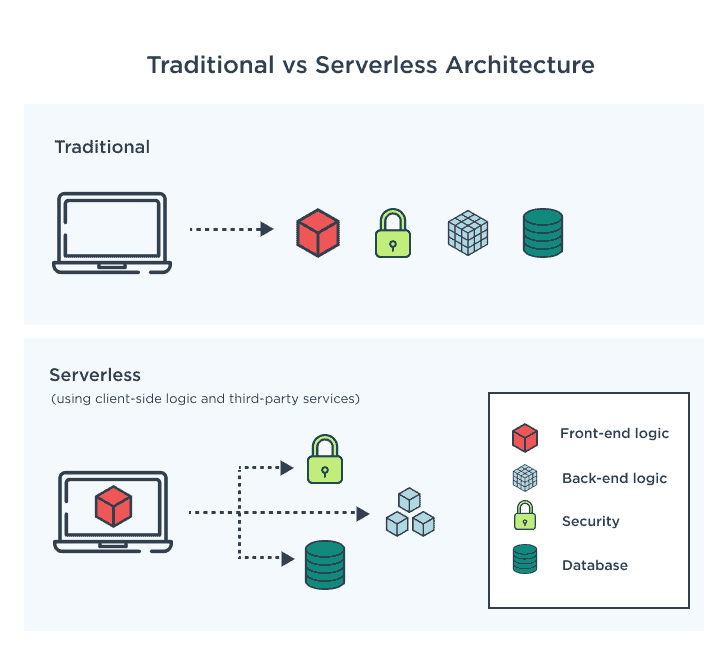
Embrace serverless computing platforms provided by cloud service providers, such as AWS Lambda or Azure Functions. These platforms allow you to run code without managing the underlying infrastructure. With serverless, you can focus on writing and deploying functions or event-driven code, while the cloud provider takes care of resource provisioning, maintenance, and scalability.
One of the key benefits of serverless architecture is its cost model, where you only pay for the actual execution of functions or event triggers. Traditional computing models require provisioning resources for peak loads, resulting in underutilization during periods of low activity. With serverless, you are charged based on the precise usage, which can lead to significant cost savings as you eliminate idle resource costs.
Serverless platforms automatically scale your functions based on incoming requests or events. This means that resources are allocated dynamically, scaling up or down based on workload demands. This automatic scaling eliminates the need for manual resource provisioning, reducing the risk of overprovisioning and ensuring optimal resource utilization. With automatic scaling, you can handle spikes in traffic or workload without incurring additional costs for idle resources.
When adopting serverless architecture, it's important to design your applications or functions to take full advantage of its benefits. Decompose your applications into smaller, independent functions that can be executed individually, ensuring granular scalability and cloud cost optimization.
Consider Multi-Cloud and Hybrid Cloud Strategies
Considering multi-cloud and hybrid cloud strategies can help optimize cloud operating costs while maximizing flexibility and performance.
Evaluate the pricing models, service offerings, and discounts provided by different cloud providers. Compare the costs of comparable services, such as compute instances, storage, and networking, to identify the most cost-effective options. Take into account the specific needs of your workloads and consider factors like data transfer costs, regional pricing variations, and pricing commitments. By leveraging competition among cloud providers, you can negotiate better pricing and optimize your cloud costs.
Analyze your workloads and determine the most suitable cloud environment for each workload. Some workloads may perform better or have lower costs in specific cloud providers due to their specialized services or infrastructure. Consider factors like latency, data sovereignty, compliance requirements, and service-level agreements (SLAs) when deciding where to deploy your workloads. By strategically placing workloads, you can optimize costs while meeting performance and compliance needs.
Adopt a hybrid cloud strategy that combines on-premises infrastructure with public cloud services. Utilize on-premises resources for workloads with stable demand or data that requires local processing, while leveraging the scalability and cost-efficiency of the public cloud for variable or bursty workloads. This hybrid approach allows you to optimize costs by using the most cost-effective infrastructure for different aspects of your data processing pipeline.
Automate Resource Management and Provisioning
Automating resource management and provisioning is key to optimizing cloud operating costs and improving operational efficiency.
Infrastructure-as-code (IaC) tools such as Terraform or CloudFormation allow you to define and manage your cloud infrastructure as code. With IaC, you can express your infrastructure requirements in a declarative format, enabling automated provisioning, configuration, and management of resources. This approach ensures consistency, repeatability, and scalability while reducing manual efforts and potential configuration errors.
Automate the process of provisioning and deprovisioning cloud resources based on workload requirements. By using scripting or orchestration tools, you can create workflows or scripts that automatically provision resources when needed and release them when they are no longer required. This automation eliminates the need for manual intervention, reduces resource wastage, and optimizes costs by ensuring resources are only provisioned when necessary.
Auto-scaling enables your infrastructure to dynamically adjust its capacity based on workload demands. By setting up auto-scaling rules and policies, you can automatically add or remove resources in response to changes in traffic or workload patterns. This ensures that you have the right amount of resources available to handle workload spikes without overprovisioning during periods of low demand. Auto-scaling optimizes resource allocation, improves performance, and helps control costs by scaling resources efficiently.
It's important to regularly review and optimize your automation scripts, policies, and configurations to align them with changing business needs and evolving workload patterns. Monitor resource utilization and performance metrics to fine-tune auto-scaling rules and ensure optimal resource allocation.
Optimize Data Transfer and Bandwidth Usage
Optimizing data transfer and bandwidth usage is crucial for reducing cloud operating costs.
Analyze your data flows and minimize unnecessary data transfer between cloud services and different regions. When designing your architecture, consider the proximity of services and data to minimize cross-region data transfer. Opt for services and resources located in the same region whenever possible to reduce latency and data transfer costs. Additionally, use efficient data transfer protocols and optimize data payloads to minimize bandwidth usage.
Employ content delivery networks (CDNs) to cache and distribute content closer to your end users. CDNs have a network of edge servers distributed across various locations, enabling faster content delivery by reducing the distance data needs to travel. By caching content at edge locations, you can minimize data transfer from your origin servers to end users, reducing bandwidth costs and improving user experience.
Implement data compression and caching techniques to optimize bandwidth usage. Compressing data before transferring it between services or to end users reduces the amount of data transmitted, resulting in lower bandwidth costs. Additionally, leverage caching mechanisms to store frequently accessed data closer to users or within your infrastructure, reducing the need for repeated data transfers. Caching helps improve performance and reduces bandwidth usage, particularly for static or semi-static content.
Evaluate Reserved Instances and Savings Plans
It is important to evaluate and leverage Reserved Instances (RIs) and Savings Plans provided by cloud service providers.
Analyze your historical usage patterns and identify workloads or services with consistent, predictable usage over an extended period. These workloads are ideal candidates for long-term commitments. By understanding your long-term usage requirements, you can determine the appropriate level of reservation coverage needed to optimize costs.
Reserved Instances (RIs) and Savings Plans are cost-saving options offered by cloud providers. RIs allow you to reserve instances for a specified term, typically one to three years, at a significantly discounted rate compared to on-demand pricing. Savings Plans provide flexible coverage for a specific dollar amount per hour, allowing you to apply the savings across different instance types within the same family. Evaluate your usage patterns and purchase RIs or Savings Plans accordingly to benefit from the cost savings they offer.
Cloud usage and requirements may change over time, so it is crucial to regularly review your reserved instances and savings plans. Assess if the existing reservations still align with your workload demands and make adjustments as needed. This may involve modifying the reservation terms, resizing or exchanging instances, or reallocating savings plans to different services or instance families. By optimizing your reservations based on evolving needs, you can ensure that you maximize cost savings and minimize unused or underutilized resources.
Continuously Monitor and Optimize
Monitor your cloud usage and costs regularly to identify opportunities for cloud cost optimization. Analyze resource utilization, identify underutilized or idle resources, and make necessary adjustments such as rightsizing instances, eliminating unused services, or reconfiguring storage allocations. Continuously assess your workload demands and adjust resource allocation accordingly to ensure optimal usage and cost efficiency.
Cloud service providers frequently introduce new cost optimization features, tools, and best practices. Stay informed about these updates and enhancements to leverage them effectively. Subscribe to newsletters, participate in webinars, or engage with cloud provider communities to stay up to date with the latest cost optimization strategies. By taking advantage of new features, you can further optimize your cloud costs and take advantage of emerging cost-saving opportunities.
Create awareness and promote a culture of cost consciousness and cloud cost Optimization across your organization. Educate and train your teams on cost optimization strategies, best practices, and tools. Encourage employees to be mindful of resource usage, waste reduction, and cost-saving measures. Establish clear cost management policies and guidelines, and regularly communicate cost-saving success stories to encourage and motivate cost optimization efforts.
Real-World Results
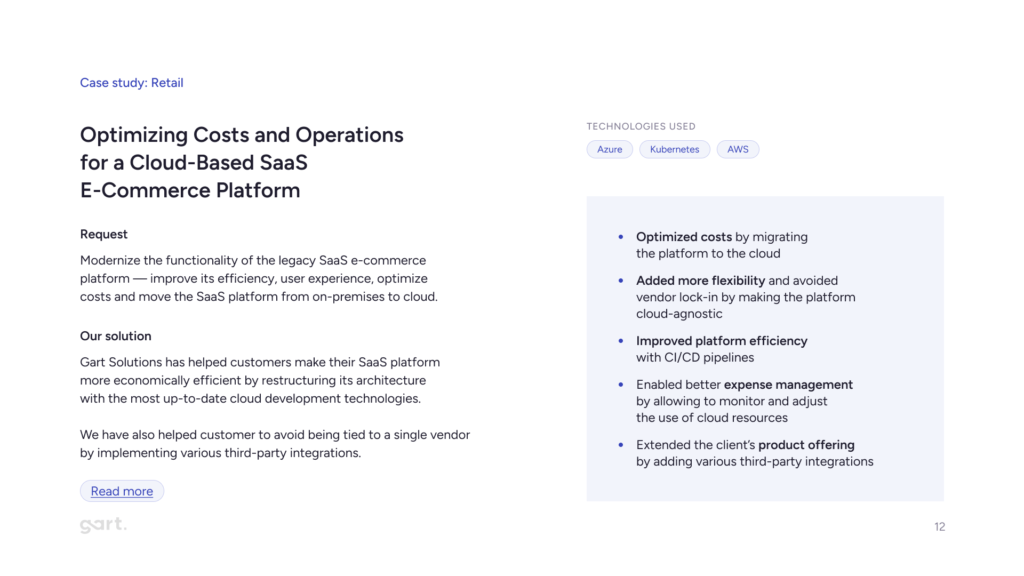
Beyond the Spot VM and storage examples above, Gart's AWS cost optimization and CI/CD automation work for an entertainment software platform combined several of these strategies (rightsizing, commitment discounts, pipeline efficiency) into a single engagement — a useful reference for what a combined, multi-strategy engagement looks like in practice rather than any single tactic applied alone.
Conclusion: Cloud Cost Optimization
By taking a proactive approach to cloud cost optimization, businesses can not only reduce their expenses but also enhance their overall cloud operations, improve scalability, and drive innovation. With careful planning, monitoring, and optimization, businesses can achieve a cost-effective and efficient cloud infrastructure that aligns with their specific needs and budgetary goals.
Elevate your business with our Cloud Consulting Services! From migration strategies to scalable infrastructure, we deliver cost-efficient, secure, and innovative cloud solutions. Ready to transform? Contact us today.
Author Fedir
Fedir Kompaniiets
Co-founder & CEO, Gart Solutions · Cloud Architect & DevOps Consultant
Fedir is a technology enthusiast with over a decade of diverse industry experience. He co-founded Gart Solutions to address complex tech challenges related to Digital Transformation, helping businesses focus on what matters most — scaling. Fedir is committed to driving sustainable IT transformation, helping SMBs innovate, plan future growth, and navigate the "tech madness" through expert DevOps and Cloud managed services. Connect on LinkedIn.

At Gart, we recognize the paramount importance of maintaining a secure and compliant environment while harnessing the scalability and agility of cloud infrastructure. This realization has led us to adopt the Policy as Code approach, a transformative methodology that empowers us to define, enforce, and manage policies governing our IT systems and operations through code.
[lwptoc]
In this comprehensive exploration of the Policy as Code approach, we will delve deep into its core principles, practical implementation, and its profound impact on enhancing security and compliance in our DevOps and cloud-centric workflows.
Understanding the Policy as Code Approach
As a DevOps expert and cloud architect deeply entrenched in the ever-evolving world of IT, I've had the privilege of witnessing the transformative power of the Policy as Code approach. It's a paradigm shift that has not only shaped our operations at Gart but is reshaping the industry as a whole. Let's delve into a fundamental understanding of this approach, explore its key principles and benefits, and compare it to traditional policy management methods.
Policy as Code, often abbreviated as PaC, is a contemporary methodology that reimagines the way policies governing IT systems and operations are defined and enforced. At its core, it's about translating these policies into machine-readable code, making them integral to the very fabric of your IT infrastructure. This approach hinges on the use of declarative languages, such as Rego in the case of the popular Open Policy Agent (OPA), to express policies in a manner that computers can understand and apply consistently.
Key Principles and Benefits of Implementing the Policy as Code Approach
Immutable Policies
In the Policy as Code approach, policies are treated as immutable code artifacts. This ensures that policy changes are versioned, tracked, and auditable, aligning with modern DevOps practices.
Automated Enforcement
Automation lies at the heart of PaC. Policies are automatically enforced in the deployment pipeline, reducing the room for human error and ensuring consistent compliance.
Shift-Left Approach
PaC encourages the integration of policy definition and enforcement as early as possible in the software development lifecycle, fostering a "shift-left" culture of security and compliance.
Scalability and Flexibility
With PaC, policies can be dynamically adjusted to adapt to the ever-changing IT landscape, ensuring that they remain relevant and effective.
Enhanced Collaboration
PaC promotes collaboration between development, security, and operations teams, fostering a shared responsibility for policy management.
Audit Trail
Every policy change and enforcement action leaves a clear audit trail, simplifying compliance reporting and incident response.
Real-time Compliance Monitoring
PaC enables real-time monitoring of policy compliance, allowing for immediate remediation of policy violations.
Comparison with Traditional Policy Management Approaches
Traditionally, policy management relied heavily on documentation and manual audits. Traditional approaches were heavily reliant on human interpretation and enforcement, which introduced the potential for errors and inconsistency.
Traditional methods were often reactive, addressing policy violations after they occurred, rather than preventing them in real-time.
As IT environments grew in complexity, manual policy management became increasingly burdensome and prone to oversight.
Traditional methods struggled to scale with the dynamic nature of modern IT operations.
In contrast, the Policy as Code approach addresses these limitations by codifying policies, automating enforcement, and aligning with the principles of DevOps. It's a paradigm shift that empowers organizations to embrace security and compliance as integral components of their IT infrastructure, driving efficiency, consistency, and resilience in an ever-evolving digital landscape.
Compliance Policies as a Prime Use Case for Policy as Code (PaC)
The Policy as Code approach is a versatile framework that can be tailored to a wide range of use cases. It not only bolsters security and compliance but also enhances the reliability and efficiency of IT operations, especially when integrated seamlessly with Infrastructure as Code practices.
Industry-Specific Standards (e.g., PCI DSS, NIST)
Different industries have unique compliance standards. Whether it's the Payment Card Industry Data Security Standard (PCI DSS) for financial services or the National Institute of Standards and Technology (NIST) framework for cybersecurity, Policy as Code provides a structured approach to implementing and maintaining these standards. It allows organizations to stay compliant while also simplifying audit processes.
Regulatory Compliance (e.g., GDPR, HIPAA)
Adhering to ever-evolving regulatory mandates like GDPR and HIPAA is a complex endeavor. Policy as Code simplifies compliance by translating these regulations into executable code. This ensures that data handling practices, consent management, and security controls comply with legal requirements, reducing the risk of non-compliance fines and penalties.
? Here's a short example of Policy as Code (PaC) for HIPAA compliance based on the case study of CI/CD Pipelines and Infrastructure for an E-Health Platform
In the context of our E-Health Platform project, ensuring compliance with HIPAA regulations is of paramount importance to protect patient health information (PHI). To achieve this, we've implemented Policy as Code (PaC) to codify and enforce key HIPAA compliance policies within our CI/CD pipelines and infrastructure.
Policy 1: Access Control for PHI
package hipaa_policies
deny[msg] {
input.resource == "PHI"
input.user.role != "Authorized"
msg = "Unauthorized access to PHI detected."
}
This policy ensures that only authorized users with the appropriate role can access PHI. If an unauthorized user attempts to access PHI, this policy will deny access and generate an alert.
Policy 2: Encryption of PHI in Transit
package hipaa_policies
deny[msg] {
input.resource == "PHI"
not input.data.is_encrypted
msg = "Unencrypted transmission of PHI detected."
}
This policy checks that PHI is always transmitted in an encrypted form. If unencrypted transmission is detected, it triggers a denial and notification.
Policy 3: Data Masking for Dev and Test Environments
package hipaa_policies
deny[msg] {
input.environment == "Dev"
input.resource == "PHI"
not input.data.is_masked
msg = "Unmasked PHI in Dev environment violates HIPAA compliance."
}
In compliance with HIPAA standards, this policy mandates data masking for PHI in non-production environments (Dev and Test). If unmasked PHI is found in these environments, it will be flagged as non-compliant.
Infrastructure as Code (IaC) and its Synergy with the Policy as Code Approach
Infrastructure as Code (IaC) is the practice of defining and managing infrastructure through code. PaC and IaC are natural allies, and their synergy unlocks powerful capabilities:
Consistent Infrastructure Policies
PaC can be used to define and enforce policies for infrastructure resources created through IaC. For example, you can ensure that all cloud instances have encryption enabled or that specific security groups are applied uniformly.
Automated Remediation
PaC can automatically remediate policy violations in the infrastructure. If an IaC deployment violates a security policy, PaC can detect it and trigger corrective actions, minimizing manual intervention.
Policy-Driven Scaling
When combined, PaC and IaC enable policy-driven scaling. For instance, policies can dictate auto-scaling rules based on resource utilization, ensuring infrastructure adapts to demand while adhering to security and compliance requirements.
Harnessing Policy as Code (PaC) for Security Policies
Access Control: In the modern digital landscape, controlling who has access to critical resources is paramount. Policy as Code allows organizations to codify access control policies, defining who can access what resources and under what conditions. This fine-grained control minimizes the risk of unauthorized access and data breaches.
Authentication and Authorization: Policy as Code extends its reach to authentication and authorization processes. Through code, organizations can specify how users authenticate, what actions they're authorized to perform, and enforce these policies consistently across their IT ecosystem.
Data Protection: Protecting sensitive data is a top priority for organizations. PaC enables the creation of policies that govern data protection, ensuring encryption, masking, or redaction of sensitive information in accordance with regulatory requirements and internal security standards.
Tools and Technologies for the Policy as Code Approach
When diving into the world of Policy as Code (PaC), understanding the tools that enable its implementation is crucial. PaC tools provide the framework and engine for defining, enforcing, and managing policies as code. Here's a brief introduction to some of the popular PaC tools:
Open Policy Agent (OPA): OPA is an open-source, general-purpose policy engine that has become a cornerstone of PaC. It uses a policy language called Rego to define policies and is highly extensible, making it suitable for a wide range of use cases.
Rego is a declarative policy language used with OPA. It allows you to express complex policies in a readable and maintainable manner. Rego policies are easy to version control, test, and integrate into various systems.
Developed by HashiCorp, Sentinel is a policy as code framework designed specifically for their infrastructure provisioning tool, Terraform. It enables users to define and enforce policies to ensure infrastructure compliance and security.
One of the strengths of Policy as Code is its compatibility with infrastructure provisioning tools like Terraform and Kubernetes. Integrating PaC with these tools enhances the control and security of infrastructure deployments:
PaC can be integrated into Terraform pipelines using tools like Sentinel to enforce policies during infrastructure provisioning. This ensures that infrastructure configurations align with defined policies before deployment.
Kubernetes supports PaC through tools like OPA Gatekeeper. With Gatekeeper, you can validate Kubernetes configurations against policies before they are applied, preventing misconfigurations and security risks.
Policy as Code (PaC) for CI/CD
In the world of modern software development and deployment, Continuous Integration/Continuous Deployment (CI/CD) pipelines are at the heart of efficient and rapid software delivery. Here, we explore how the Policy as Code approach seamlessly integrates with CI/CD workflows, enhancing security and compliance while streamlining the development process.
Key Benefits of PaC for CI/CD
Automated Compliance
PaC allows organizations to automate compliance checks at every stage of the CI/CD pipeline. This ensures that software and infrastructure adhere to security and regulatory standards without manual intervention.
Real-time Policy Validation
PaC tools provide real-time validation of policies, allowing issues to be detected and addressed immediately, reducing the risk of security vulnerabilities or compliance violations going unnoticed.
Policy as Code Templates
PaC enables the creation of reusable policy templates, making it easier to enforce consistent policies across different projects and environments.
Shift-Left Security
PaC encourages a "shift-left" approach to security and compliance, where policy checks are integrated into the early stages of development. This reduces the likelihood of costly issues arising later in the pipeline.
Audit Trail
PaC maintains a comprehensive audit trail, providing visibility into policy enforcement, violations, and remediation actions. This documentation is invaluable for compliance reporting and audits.
Different stages of the deployment pipeline require unique policy checks to ensure that software is developed, tested, and deployed securely and in compliance with organizational standards. We delve into the importance of policy enforcement at each stage of the pipeline.

By treating infrastructure as software code, IaC empowers teams to leverage the benefits of version control, automation, and repeatability in their cloud deployments.
This article explores the key concepts and benefits of IaC, shedding light on popular tools such as Terraform, Ansible, SaltStack, and Google Cloud Deployment Manager. We'll delve into their features, strengths, and use cases, providing insights into how they enable developers and operations teams to streamline their infrastructure management processes.
IaC Tools Comparison Table
IaC ToolDescriptionSupported Cloud ProvidersTerraformOpen-source tool for infrastructure provisioningAWS, Azure, GCP, and moreAnsibleConfiguration management and automation platformAWS, Azure, GCP, and moreSaltStackHigh-speed automation and orchestration frameworkAWS, Azure, GCP, and morePuppetDeclarative language-based configuration managementAWS, Azure, GCP, and moreChefInfrastructure automation frameworkAWS, Azure, GCP, and moreCloudFormationAWS-specific IaC tool for provisioning AWS resourcesAmazon Web Services (AWS)Google Cloud Deployment ManagerInfrastructure management tool for Google Cloud PlatformGoogle Cloud Platform (GCP)Azure Resource ManagerAzure-native tool for deploying and managing resourcesMicrosoft AzureOpenStack HeatOrchestration engine for managing resources in OpenStackOpenStackInfrastructure as a Code Tools Table
Exploring the Landscape of IaC Tools
The IaC paradigm is widely embraced in modern software development, offering a range of tools for deployment, configuration management, virtualization, and orchestration. Prominent containerization and orchestration tools like Docker and Kubernetes employ YAML to express the desired end state. HashiCorp Packer is another tool that leverages JSON templates and variables for creating system snapshots.
The most popular configuration management tools, namely Ansible, Chef, and Puppet, adopt the IaC approach to define the desired state of the servers under their management.
Ansible functions by bootstrapping servers and orchestrating them based on predefined playbooks. These playbooks, written in YAML, outline the operations Ansible will execute and the targeted resources it will operate on. These operations can include starting services, installing packages via the system's package manager, or executing custom bash commands.
Both Chef and Puppet operate through central servers that issue instructions for orchestrating managed servers. Agent software needs to be installed on the managed servers. While Chef employs Ruby to describe resources, Puppet has its own declarative language.
Terraform seamlessly integrates with other IaC tools and DevOps systems, excelling in provisioning infrastructure resources rather than software installation and initial server configuration.
Unlike configuration management tools like Ansible and Chef, Terraform is not designed for installing software on target resources or scheduling tasks. Instead, Terraform utilizes providers to interact with supported resources.
Terraform can operate on a single machine without the need for a master or managed servers, unlike some other tools. It does not actively monitor the actual state of resources and automatically reapply configurations. Its primary focus is on orchestration. Typically, the workflow involves provisioning resources with Terraform and using a configuration management tool for further customization if necessary.
For Chef, Terraform provides a built-in provider that configures the client on the orchestrated remote resources. This allows for automatic addition of all orchestrated servers to the master server and further customization using Chef cookbooks (Chef's infrastructure declarations).
Optimize your infrastructure management with our DevOps expertise. Harness the power of IaC tools for streamlined provisioning, configuration, and orchestration. Scale efficiently and achieve seamless deployments. Contact us now.
Popular Infrastructure as Code Tools
Terraform
Terraform, introduced by HashiCorp in 2014, is an open-source Infrastructure as Code (IaC) solution. It operates based on a declarative approach to managing infrastructure, allowing you to define the desired end state of your infrastructure in a configuration file. Terraform then works to bring the infrastructure to that desired state. This configuration is applied using the PUSH method. Written in the Go programming language, Terraform incorporates its own language known as HashiCorp Configuration Language (HCL), which is used for writing configuration files that automate infrastructure management tasks.
Download: https://github.com/hashicorp/terraform
Terraform operates by analyzing the infrastructure code provided and constructing a graph that represents the resources and their relationships. This graph is then compared with the cached state of resources in the cloud. Based on this comparison, Terraform generates an execution plan that outlines the necessary changes to be applied to the cloud in order to achieve the desired state, including the order in which these changes should be made.
Within Terraform, there are two primary components: providers and provisioners. Providers are responsible for interacting with cloud service providers, handling the creation, management, and deletion of resources. On the other hand, provisioners are used to execute specific actions on the remote resources created or on the local machine where the code is being processed.
Terraform offers support for managing fundamental components of various cloud providers, such as compute instances, load balancers, storage, and DNS records. Additionally, Terraform's extensibility allows for the incorporation of new providers and provisioners.
In the realm of Infrastructure as Code (IaC), Terraform's primary role is to ensure that the state of resources in the cloud aligns with the state expressed in the provided code. However, it's important to note that Terraform does not actively track deployed resources or monitor the ongoing bootstrapping of prepared compute instances. The subsequent section will delve into the distinctions between Terraform and other tools, as well as how they complement each other within the workflow.
Real-World Examples of Terraform Usage
Terraform has gained immense popularity across various industries due to its versatility and user-friendly nature. Here are a few real-world examples showcasing how Terraform is being utilized:
CI/CD Pipelines and Infrastructure for E-Health Platform
For our client, a development company specializing in Electronic Medical Records Software (EMRS) for government-based E-Health platforms and CRM systems in medical facilities, we leveraged Terraform to create the infrastructure using VMWare ESXi. This allowed us to harness the full capabilities of the local cloud provider, ensuring efficient and scalable deployments.
Implementation of Nomad Cluster for Massively Parallel Computing
Our client, S-Cube, is a software development company specializing in creating a product based on a waveform inversion algorithm for building Earth models. They sought to enhance their infrastructure by separating the software from the underlying infrastructure, allowing them to focus solely on application development without the burden of infrastructure management.
To assist S-Cube in achieving their goals, Gart Solutions stepped in and leveraged the latest cloud development techniques and technologies, including Terraform. By utilizing Terraform, Gart Solutions helped restructure the architecture of S-Cube's SaaS platform, making it more economically efficient and scalable.
The Gart Solutions team worked closely with S-Cube to develop a new approach that takes infrastructure management to the next level. By adopting Terraform, they were able to define their infrastructure as code, enabling easy provisioning and management of resources across cloud and on-premises environments. This approach offered S-Cube the flexibility to run their workloads in both containerized and non-containerized environments, adapting to their specific requirements.
Streamlining Presale Processes with ChatOps Automation
Our client, Beyond Risk, is a dynamic technology company specializing in enterprise risk management solutions. They faced several challenges related to environmental management, particularly in managing the existing environment architecture and infrastructure code conditions, which required significant effort.
To address these challenges, Gart implemented ChatOps Automation to streamline the presale processes. The implementation involved utilizing the Slack API to create an interactive flow, AWS Lambda for implementing the business logic, and GitHub Action + Terraform Cloud for infrastructure automation.
One significant improvement was the addition of a Notification step, which helped us track the success or failure of Terraform operations. This allowed us to stay informed about the status of infrastructure changes and take appropriate actions accordingly.
Unlock the full potential of your infrastructure with our DevOps expertise. Maximize scalability and achieve flawless deployments. Drop us a line right now!
AWS CloudFormation
AWS CloudFormation is a powerful Infrastructure as Code (IaC) tool provided by Amazon Web Services (AWS). It simplifies the provisioning and management of AWS resources through the use of declarative CloudFormation templates. Here are the key features and benefits of AWS CloudFormation, its declarative infrastructure management approach, its integration with other AWS services, and some real-world case studies showcasing its adoption.
Key Features and Advantages:
Infrastructure as Code: CloudFormation enables you to define and manage your infrastructure resources using templates written in JSON or YAML. This approach ensures consistent, repeatable, and version-controlled deployments of your infrastructure.
Automation and Orchestration: CloudFormation automates the provisioning and configuration of resources, ensuring that they are created, updated, or deleted in a controlled and predictable manner. It handles resource dependencies, allowing for the orchestration of complex infrastructure setups.
Infrastructure Consistency: With CloudFormation, you can define the desired state of your infrastructure and deploy it consistently across different environments. This reduces configuration drift and ensures uniformity in your infrastructure deployments.
Change Management: CloudFormation utilizes stacks to manage infrastructure changes. Stacks enable you to track and control updates to your infrastructure, ensuring that changes are applied consistently and minimizing the risk of errors.
Scalability and Flexibility: CloudFormation supports a wide range of AWS resource types and features. This allows you to provision and manage compute instances, databases, storage volumes, networking components, and more. It also offers flexibility through custom resources and supports parameterization for dynamic configurations.
Case studies showcasing CloudFormation adoption
Netflix leverages CloudFormation for managing their infrastructure deployments at scale. They use CloudFormation templates to provision resources, define configurations, and enable repeatable deployments across different regions and accounts.
Yelp utilizes CloudFormation to manage their AWS infrastructure. They use CloudFormation templates to provision and configure resources, enabling them to automate and simplify their infrastructure deployments.
Dow Jones, a global news and business information provider, utilizes CloudFormation for managing their AWS resources. They leverage CloudFormation to define and provision their infrastructure, enabling faster and more consistent deployments.
Ansible
Perhaps Ansible is the most well-known configuration management system used by DevOps engineers. This system is written in the Python programming language and uses a declarative markup language to describe configurations. It utilizes the PUSH method for automating software configuration and deployment.
What are the main differences between Ansible and Terraform? Ansible is a versatile automation tool that can be used to solve various tasks, while Terraform is a tool specifically designed for "infrastructure as code" tasks, which means transforming configuration files into functioning infrastructure.
Use cases highlighting Ansible's versatility
Configuration Management: Ansible is commonly used for configuration management, allowing you to define and enforce the desired configurations across multiple servers or network devices. It ensures consistency and simplifies the management of configuration drift.
Application Deployment: Ansible can automate the deployment of applications by orchestrating the installation, configuration, and updates of application components and their dependencies. This enables faster and more reliable application deployments.
Cloud Provisioning: Ansible integrates seamlessly with various cloud providers, enabling the provisioning and management of cloud resources. It allows you to define infrastructure in a cloud-agnostic way, making it easy to deploy and manage infrastructure across different cloud platforms.
Continuous Delivery: Ansible can be integrated into a continuous delivery pipeline to automate the deployment and testing of applications. It allows for efficient and repeatable deployments, reducing manual errors and accelerating the delivery of software updates.
Google Cloud Deployment Manager
Google Cloud Deployment Manager is a robust Infrastructure as Code (IaC) solution offered by Google Cloud Platform (GCP). It empowers users to define and manage their infrastructure resources using Deployment Manager templates, which facilitate automated and consistent provisioning and configuration.
By utilizing YAML or Jinja2-based templates, Deployment Manager enables the definition and configuration of infrastructure resources. These templates specify the desired state of resources, encompassing various GCP services, networks, virtual machines, storage, and more. Users can leverage templates to define properties, establish dependencies, and establish relationships between resources, facilitating the creation of intricate infrastructures.
Deployment Manager seamlessly integrates with a diverse range of GCP services and ecosystems, providing comprehensive resource management capabilities. It supports GCP's native services, including Compute Engine, Cloud Storage, Cloud SQL, Cloud Pub/Sub, among others, enabling users to effectively manage their entire infrastructure.
Puppet
Puppet is a widely adopted configuration management tool that helps automate the management and deployment of infrastructure resources. It provides a declarative language and a flexible framework for defining and enforcing desired system configurations across multiple servers and environments.
Puppet enables efficient and centralized management of infrastructure configurations, making it easier to maintain consistency and enforce desired states across a large number of servers. It automates repetitive tasks, such as software installations, package updates, file management, and service configurations, saving time and reducing manual errors.
Puppet operates using a client-server model, where Puppet agents (client nodes) communicate with a central Puppet server to retrieve configurations and apply them locally. The Puppet server acts as a repository for configurations and distributes them to the agents based on predefined rules.
Pulumi
Pulumi is a modern Infrastructure as Code (IaC) tool that enables users to define, deploy, and manage infrastructure resources using familiar programming languages. It combines the concepts of IaC with the power and flexibility of general-purpose programming languages to provide a seamless and intuitive infrastructure management experience.
Pulumi has a growing ecosystem of libraries and plugins, offering additional functionality and integrations with external tools and services. Users can leverage existing libraries and modules from their programming language ecosystems, enhancing the capabilities of their infrastructure code.
There are often situations where it is necessary to deploy an application simultaneously across multiple clouds, combine cloud infrastructure with a managed Kubernetes cluster, or anticipate future service migration. One possible solution for creating a universal configuration is to use the Pulumi project, which allows for deploying applications to various clouds (GCP, Amazon, Azure, AliCloud), Kubernetes, providers (such as Linode, Digital Ocean), virtual infrastructure management systems (OpenStack), and local Docker environments.
Pulumi integrates with popular CI/CD systems and Git repositories, allowing for the creation of infrastructure as code pipelines.
Users can automate the deployment and management of infrastructure resources as part of their overall software delivery process.
SaltStack
SaltStack is a powerful Infrastructure as Code (IaC) tool that automates the management and configuration of infrastructure resources at scale. It provides a comprehensive solution for orchestrating and managing infrastructure through a combination of remote execution, configuration management, and event-driven automation.
SaltStack enables remote execution across a large number of servers, allowing administrators to execute commands, run scripts, and perform tasks on multiple machines simultaneously. It provides a robust configuration management framework, allowing users to define desired states for infrastructure resources and ensure their continuous enforcement.
SaltStack is designed to handle massive infrastructures efficiently, making it suitable for organizations with complex and distributed environments.
The SaltStack solution stands out compared to others mentioned in this article. When creating SaltStack, the primary goal was to achieve high speed. To ensure high performance, the architecture of the solution is based on the interaction between the Salt-master server components and Salt-minion clients, which operate in push mode using Salt-SSH.
The project is developed in Python and is hosted in the repository at https://github.com/saltstack/salt.
The high speed is achieved through asynchronous task execution. The idea is that the Salt Master communicates with Salt Minions using a publish/subscribe model, where the master publishes a task and the minions receive and asynchronously execute it. They interact through a shared bus, where the master sends a single message specifying the criteria that minions must meet, and they start executing the task. The master simply waits for information from all sources, knowing how many minions to expect a response from. To some extent, this operates on a "fire and forget" principle.
In the event of the master going offline, the minion will still complete the assigned work, and upon the master's return, it will receive the results.
The interaction architecture can be quite complex, as illustrated in the vRealize Automation SaltStack Config diagram below.
When comparing SaltStack and Ansible, due to architectural differences, Ansible spends more time processing messages. However, unlike SaltStack's minions, which essentially act as agents, Ansible does not require agents to function. SaltStack is significantly easier to deploy compared to Ansible, which requires a series of configurations to be performed. SaltStack does not require extensive script writing for its operation, whereas Ansible is quite reliant on scripting for interacting with infrastructure.
Additionally, SaltStack can have multiple masters, so if one fails, control is not lost. Ansible, on the other hand, can have a secondary node in case of failure. Finally, SaltStack is supported by GitHub, while Ansible is supported by Red Hat.
SaltStack integrates seamlessly with cloud platforms, virtualization technologies, and infrastructure services.
It provides built-in modules and functions for interacting with popular cloud providers, making it easier to manage and provision resources in cloud environments.
SaltStack offers a highly extensible framework that allows users to create custom modules, states, and plugins to extend its functionality.
It has a vibrant community contributing to a rich ecosystem of Salt modules and extensions.
Chef
Chef is a widely recognized and powerful Infrastructure as Code (IaC) tool that automates the management and configuration of infrastructure resources. It provides a comprehensive framework for defining, deploying, and managing infrastructure across various platforms and environments.
Chef allows users to define infrastructure configurations as code, making it easier to manage and maintain consistent configurations across multiple servers and environments.
It uses a declarative language called Chef DSL (Domain-Specific Language) to define the desired state of resources and systems.
Chef Solo
Chef also offers a standalone mode called Chef Solo, which does not require a central Chef server.
Chef Solo allows for the local execution of cookbooks and recipes on individual systems without the need for a server-client setup.
Benefits of Infrastructure as Code Tools
Infrastructure as Code (IaC) tools offer numerous benefits that contribute to efficient, scalable, and reliable infrastructure management.
IaC tools automate the provisioning, configuration, and management of infrastructure resources. This automation eliminates manual processes, reducing the potential for human error and increasing efficiency.
With IaC, infrastructure configurations are defined and deployed consistently across all environments. This ensures that infrastructure resources adhere to desired states and defined standards, leading to more reliable and predictable deployments.
IaC tools enable easy scalability by providing the ability to define infrastructure resources as code. Scaling up or down becomes a matter of modifying the code or configuration, allowing for rapid and flexible infrastructure adjustments to meet changing demands.
Infrastructure code can be stored and version-controlled using tools like Git. This enables collaboration among team members, tracking of changes, and easy rollbacks to previous configurations if needed.
Infrastructure code can be structured into reusable components, modules, or templates. These components can be shared across projects and environments, promoting code reusability, reducing duplication, and speeding up infrastructure deployment.
Infrastructure as Code tools automate the provisioning and deployment processes, significantly reducing the time required to set up and configure infrastructure resources. This leads to faster application deployment and delivery cycles.
Infrastructure as Code tools provide an audit trail of infrastructure changes, making it easier to track and document modifications. They also assist in achieving compliance by enforcing predefined policies and standards in infrastructure configurations.
Infrastructure code can be used to recreate and recover infrastructure quickly in the event of a disaster. By treating infrastructure as code, organizations can easily reproduce entire environments, reducing downtime and improving disaster recovery capabilities.
IaC tools abstract infrastructure configurations from specific cloud providers, allowing for portability across multiple cloud platforms. This flexibility enables organizations to leverage different cloud services based on specific requirements or to migrate between cloud providers easily.
Infrastructure as Code tools provide visibility into infrastructure resources and their associated costs. This visibility enables organizations to optimize resource allocation, identify unused or underutilized resources, and make informed decisions for cost optimization.
Considerations for Choosing an IaC Tool
When selecting an Infrastructure as Code (IaC) tool, it's essential to consider various factors to ensure it aligns with your specific requirements and goals.
Compatibility with Infrastructure and Environments
Determine if the IaC tool supports the infrastructure platforms and technologies you use, such as public clouds (AWS, Azure, GCP), private clouds, containers, or on-premises environments.
Check if the tool integrates well with existing infrastructure components and services you rely on, such as databases, load balancers, or networking configurations.
Supported Programming Languages
Consider the programming languages supported by the IaC tool. Choose a tool that offers support for languages that your team is familiar with and comfortable using.
Ensure that the tool's supported languages align with your organization's coding standards and preferences.
Learning Curve and Ease of Use
Evaluate the learning curve associated with the IaC tool. Consider the complexity of its syntax, the availability of documentation, tutorials, and community support.
Determine if the tool provides an intuitive and user-friendly interface or a command-line interface (CLI) that suits your team's preferences and skill sets.
Declarative or Imperative Approach
Decide whether you prefer a declarative or imperative approach to infrastructure management.
Declarative tools focus on defining the desired state of infrastructure resources, while imperative Infrastructure as Code tools allow more procedural control over infrastructure changes.
Consider which approach aligns better with your team's mindset and infrastructure management style.
Extensibility and Customization
Evaluate the extensibility and customization options provided by the IaC tool. Check if it allows the creation of custom modules, plugins, or extensions to meet specific requirements.
Consider the availability of a vibrant community and ecosystem around the tool, providing additional resources, libraries, and community-contributed content.
Collaboration and Version Control
Assess the tool's collaboration features and support for version control systems like Git.
Determine if it allows multiple team members to work simultaneously on infrastructure code, provides conflict resolution mechanisms, and supports code review processes.
Security and Compliance
Examine the tool's security features and its ability to meet security and compliance requirements.
Consider features like access controls, encryption, secrets management, and compliance auditing capabilities to ensure the tool aligns with your organization's security standards.
Community and Support
Evaluate the size and activity of the tool's community, as it can greatly impact the availability of resources, forums, and support.
Consider factors like the frequency of updates, bug fixes, and the responsiveness of the tool's maintainers to address issues or feature requests.
Cost and Licensing
Assess the licensing model of the IaC tool. Some Infrastructure as Code Tools may have open-source versions with community support, while others offer enterprise editions with additional features and support.
Consider the total cost of ownership, including licensing fees, training costs, infrastructure requirements, and ongoing maintenance.
Roadmap and Future Development
Research the tool's roadmap and future development plans to ensure its continued relevance and compatibility with evolving technologies and industry trends.
By considering these factors, you can select Infrastructure as Code Tools that best fits your organization's needs, infrastructure requirements, team capabilities, and long-term goals.