A failed SOC 2 audit rarely shows up as a single bad number on an invoice. It shows up as a re-audit fee, a remediation sprint that pulls three engineers off the roadmap for a quarter, and a stalled enterprise deal where the buyer's security team just went quiet. Technically, SOC 2 examinations don't issue a pass/fail grade — but a qualified or adverse opinion carries nearly all the same consequences as failing outright, and most engineering leaders only learn what those consequences cost after the report lands. If you want a second set of eyes on your control gaps before that happens, Gart Solutions' compliance audit team can walk your environment against SOC 2's Trust Services Criteria in a single engagement.
Every CTO who has scoped a SOC 2 engagement has heard some version of the same reassurance from a vendor or an auditor: "most companies pass." What that framing leaves out is what happens to the ones that don't — or, more precisely, the ones whose auditor comes back with a qualified opinion, an adverse opinion, or a disclaimer because the evidence simply wasn't there. This article breaks down what a failed SOC 2 audit actually costs in dollars and time, why it happens, and the specific, unglamorous practices that keep it from happening to you.
Can You Actually "Fail" a SOC 2 Audit?
Strictly speaking, no — a SOC 2 examination isn't graded pass or fail. Instead, the auditor issues one of four report opinions defined under the American Institute of CPAs' attestation standards. An unqualified (clean) opinion means your system description is fair and your controls were suitably designed and operating effectively. Everything below that is where "failed SOC 2" becomes the practical, if not technically accurate, way engineering and sales teams describe the outcome, per the AICPA's official audit and assurance guidance on SOC engagements.
Opinion typeWhat it meansPractical business impactUnqualifiedControls were suitably designed and operated effectively; no material exceptionsThe report you actually wanted — usable in enterprise sales and vendor security reviewsQualifiedA material description misstatement or control deficiency exists, but it isn't pervasive — often phrased "except for…"Sales and security teams typically won't accept it as a clean attestation; remediation and a re-test are expectedAdverseMaterial, pervasive control failures — the system does not operate as describedFunctionally unusable for enterprise procurement; signals a fundamental gap in the control environmentDisclaimer of opinionThe auditor couldn't gather enough evidence to form an opinion at allNo usable report is produced; the engagement effectively has to restart once evidence gaps are closedCan You Actually "Fail" a SOC 2 Audit?
Any outcome below "unqualified" is what this article means by a failed SOC 2 audit — and the consequences scale with how far down that table you land.
The Real Price Tag: What a Failed SOC 2 Audit Actually Costs
The direct costs of a failed SOC 2 audit stack on top of, not instead of, the money you already spent on the original engagement. A typical Type II audit fee runs $20,000–$60,000 depending on scope and firm tier, and that money is gone whether the opinion comes back clean or qualified — auditors bill for the work performed, not the outcome. A qualified or adverse opinion then adds three more line items: remediation labor to close the control gaps, a follow-up assessment or full re-audit once the fixes are in place, and — in many Type II cases — a partial or full restart of the observation window, because "operating effectively" has to be demonstrated over months, not proven retroactively in a single week.
That sequencing is what makes remediation so much more expensive after the fact than before it. Fixing a control gap discovered during a readiness assessment is a planning problem; fixing the same gap after an auditor has already flagged it during fieldwork is a fire drill, typically costing two to three times more in engineering time and consulting fees, according to Coalfire's breakdown of hidden SOC 2 costs — because it happens under a deadline, with an auditor waiting, instead of on your team's own schedule.
Cost driverDone right the first timeAfter a qualified or adverse opinionReadiness / gap assessment$5,000–$25,000, on your own timelineSame work, but compressed and reactive — often 2–3× the labor costFormal audit engagement$20,000–$60,000, paid oncePaid again in full or in part for the re-audit or bridge letterRemediation laborFolded into normal sprint planningDedicated fire-drill sprint, frequently senior engineers pulled off the roadmapObservation windowStandard 6–12 month Type II periodPartial or full restart possible if the control wasn't operating for the required durationSales pipelineReport ready when procurement asks for itDeals stall or get re-scoped while prospects wait for a clean reportThe Real Price Tag: What a Failed SOC 2 Audit Actually Costs
Beyond the Invoice: The Hidden Costs of a Failed Audit
The line items above are the easy ones to put in a spreadsheet. The costs that don't show up on an invoice are usually larger:
Stalled revenue. Enterprise buyers increasingly treat a clean SOC 2 report as a procurement gate, not a nice-to-have. When the report you hand over is qualified — or you have no report at all while remediation is underway — security review doesn't fail outright, it just stops moving. Deals that could have closed in weeks sit in limbo for a full quarter or more while your team fixes what the auditor found.
Engineering opportunity cost. Remediation sprints pull senior engineers — usually the ones who own identity, infrastructure, or platform — off product work for weeks at a time, at exactly the moment a "fire drill" mentality makes that work more expensive per hour.
Renewed customer scrutiny. Existing customers who received your prior report, or who are mid-renewal, may ask pointed questions when a new report comes back qualified instead of clean — turning a compliance exercise into an account-management problem.
Auditor and market reputation. Some firms won't re-engage a client whose prior report was adverse without a fresh readiness assessment first, adding another cycle before the re-audit can even begin.
Compounding timeline risk. Because SOC 2 Type II tests operating effectiveness over months, a control that starts working in month two of a restarted observation window still needs to run cleanly for the rest of that window — there's no way to compress the calendar with more budget.
Why SOC 2 Audits Fail: The Most Common Root Causes
Qualified and adverse opinions rarely trace back to one dramatic security failure. They almost always trace back to the same short list of unglamorous, process-level gaps, most of them concentrated in access control (CC6) and evidence collection:
Offboarding lag. An employee is terminated in the HR system, but their access to AWS, the production database, or a SaaS admin console stays active for days or weeks — the single most common exception auditors cite. Our guide to running access reviews without spreadsheets covers the process fix for this specifically.
Access reviews that exist on paper but not in practice. A documented review policy that wasn't actually performed — or was performed but not signed off and logged — fails the operating-effectiveness test even when the underlying access is fine.
Missing or inconsistent evidence. Controls that genuinely worked all year but were never documented consistently leave auditors unable to sample a representative period, which is functionally the same problem as the control not working at all.
Uncontrolled change management. Production changes pushed without a documented approval and testing trail violate CC8.1 even when the change itself was reasonable and safe.
Scope creep mid-engagement. Adding systems, vendors, or Trust Services Categories after the observation period has started means some of that scope was never actually tested for the full window.
The pattern underneath all five: access governance is consistently the discipline with the largest gap between "we have a policy" and "we can prove the policy ran," which is exactly the distinction the NIST SP 800-53 access control family (AC-2, account management) is built to enforce through documented, auditable review cycles rather than one-time configuration.
How to Avoid a Failed SOC 2 Audit
None of the fixes below are exotic. They're the same operational discipline that separates a stress-free renewal from a fire drill, and every one of them is cheaper to build in month one than to retrofit in the week before an auditor's exit interview:
Run a readiness assessment before the formal engagement. A gap assessment costs a fraction of a failed audit and tells you, on your own timeline, exactly which controls an auditor would flag — before you're paying for auditor hours to discover the same thing.
Automate provisioning and deprovisioning. Tying access changes to your identity provider instead of manual tickets closes the single most common exception — offboarding lag — automatically and evidences itself.
Assign a named control owner for every requirement. "IT handles access reviews" isn't an owner; a specific person accountable for running and signing off each review, every quarter, is.
Collect evidence continuously, not right before the audit. Screenshots, logs, and approval records gathered monthly avoid the scramble that produces incomplete or non-representative samples during fieldwork.
Run a mock audit or bridge review mid-period. Checking in at the midpoint of a Type II observation window catches a control that quietly stopped operating with enough runway left to fix it before the real audit.
Freeze scope once the observation window starts. Add new systems, vendors, or Trust Services Categories to the next audit period, not the one already in progress.
Our step-by-step SOC 2 preparation guide walks through this process end to end if you're starting from scratch rather than recovering from a qualified opinion. And if access governance specifically is your weak point — it usually is — the IT infrastructure audit checklist and a focused quick-wins IT audit are both faster starting points than a full readiness engagement.
What to Do If You've Already Received a Qualified or Adverse Opinion
If the report already landed and it wasn't clean, the recovery playbook is narrower than most teams expect, but it works the same way every time: triage the specific exceptions the auditor cited, fix the underlying process rather than just the sampled instance, and re-run the control long enough to prove it before going back to the auditor. Trying to negotiate the opinion itself, or arguing the finding was a one-off, rarely moves the outcome — auditors are testing a period of time, not a single snapshot.
Companies whose access-control gaps are the specific issue often benefit from comparing frameworks at this stage too: some prospects will accept an ISO 27001 certification as an interim signal of security maturity while a SOC 2 remediation is underway, since the two frameworks share 70–80% of the same underlying access controls. It's not a substitute for the SOC 2 report your buyers actually asked for, but it can keep a stalled deal from going fully cold while remediation runs its course. The official ISO/IEC 27001:2022 standard outlines what that certification requires if it's worth evaluating in parallel.
Longer term, a full security audit paired with an infrastructure audit is the fastest way to confirm the fix addressed the root cause and not just the specific sample the auditor flagged — the last thing any team wants is to pay for a re-audit and land a second qualified opinion on a different control.
Gart Solutions
Find Your Gaps Before the Auditor Does
Gart Solutions runs SOC 2 readiness and gap assessments that mirror what a real auditor tests — access control, change management, evidence collection, and monitoring — so control gaps get fixed on your schedule, not the auditor's. Our infrastructure, DevSecOps, and IT audit teams handle everything from readiness scoping to remediation and audit-ready evidence collection, for SOC 2 and adjacent frameworks like ISO 27001 and NIS2.
SOC 2 Readiness Assessments
Compliance Audits
Security Audits
DevSecOps Consulting
IAM & Access Control Design
8.2
avg. MTTR reduction (×)
40+
compliance & security audits delivered
50+
engineers across compliance & DevSecOps teams
Book a SOC 2 readiness assessment →
Roman Burdiuzha
Co-founder & CTO, Gart Solutions · Cloud Architecture Expert
Roman has 15+ years of experience in DevOps and cloud architecture, with prior leadership roles at SoftServe and lifecell Ukraine. He co-founded Gart Solutions, where he leads cloud transformation and infrastructure modernization engagements across Europe and North America. In one recent client engagement, Gart reduced infrastructure waste by 38% through consolidating idle resources and introducing usage-aware automation. Read more on Startup Weekly.
You might also like
IT Infrastructure Audit: Process, Examples, Cost, and ROI
What Is DevSecOps? A Guide to Securing Modern Applications
What Is DevSecOps Consulting? Security Built Into Every Stage of Delivery
NIS2 Compliance: How Gart Solutions Gets You Ready
Role-Based Access Control in Your CI/CD Pipeline: DevSecOps Best Practices
Least-Privilege Access: A Practical Playbook for Lean IT Teams
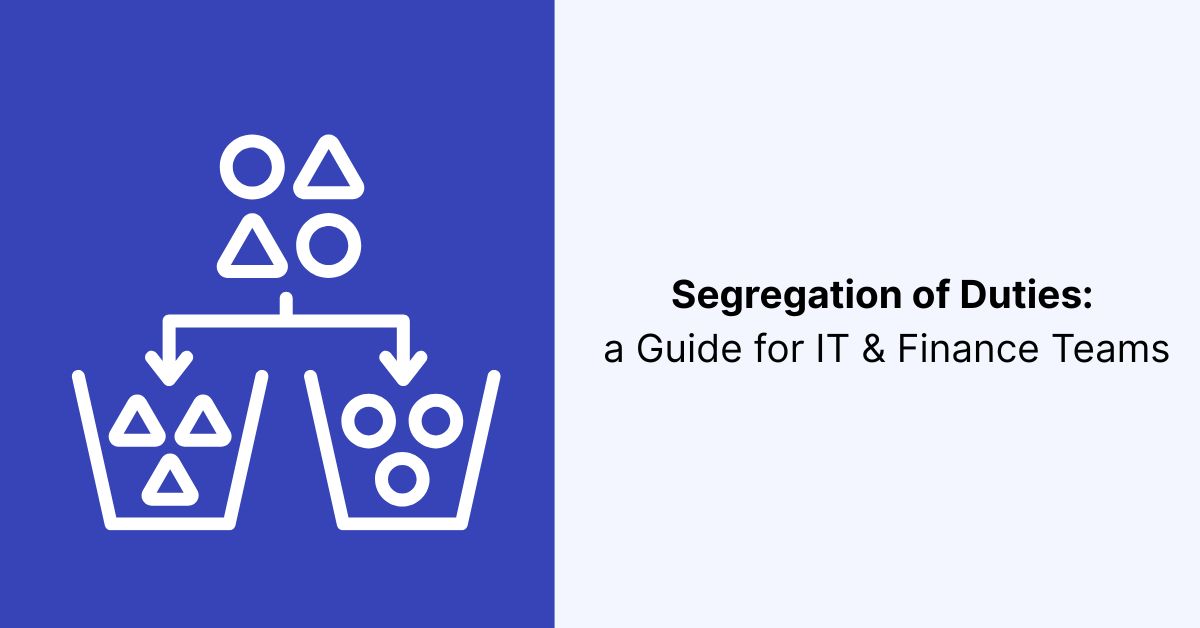
Segregation of duties — often shortened to SoD, and sometimes searched as "segregation of duties IT" when the conflict lives in a system rather than a paper approval — is the control principle that no single person should be able to initiate, approve, execute, and record the same transaction end to end. It sounds like an accounting textbook rule until you find it in production: the same engineer who wrote a database migration also has the production credentials to run it unreviewed, or the same finance user who creates a new vendor in the ERP also has the rights to approve that vendor's first invoice. Gart's compliance audit team flags a segregation-of-duties gap in almost every IT-and-finance-systems review — not because anyone did anything wrong, but because access accumulated faster than anyone redesigned the controls around it.
This guide is written for the two teams that actually own the problem together: IT and security teams who control system access, and finance and controllership teams who own the transactions that access touches. It covers what segregation of duties means in practice, real examples from both finance and IT, how the major frameworks (SOX, SOC 2, ISO 27001, NIS2) treat it, and how to implement it — including what to do when a small team genuinely can't segregate everything.
Every segregation-of-duties framework — SOX, COSO, SOC 2, ISO 27001 — reduces to this same triangle: authorization, execution or custody, and recording or reconciliation should sit with different people.
What Is Segregation of Duties?
Segregation of duties (also called separation of duties) is an internal control principle that splits a business-critical process across at least two people so that no one individual can both create and conceal an error or a fraudulent transaction. The classic breakdown, going back to COSO's Internal Control — Integrated Framework, splits any transaction into three incompatible functions: authorization (approving that something should happen), custody or execution (carrying it out or holding the asset), and recording or reconciliation (logging it and later verifying it happened correctly). COSO treats segregation of duties as one of the core control activities built into well-designed processes — and explicitly notes that where it isn't practical, management needs to select an alternative, or "compensating," control instead.
In finance, this triangle is familiar: the person who creates a vendor record shouldn't be the person who approves that vendor's payment. In IT, the same triangle applies to systems rather than paper — the person who writes and merges code shouldn't also be the only person who can push it to production unreviewed, and the person who grants a user's access shouldn't be the same person who signs off on that access during an audit. Both are the identical control, applied to a different kind of transaction.
Why Segregation of Duties Matters for IT and Finance Teams
Segregation of duties doesn't assume anyone on the team is dishonest. It assumes that concentrated, unreviewed control is a risk regardless of intent — a single point of failure that can produce an honest mistake, a hidden error, or, in the worst case, fraud that goes undetected because the person who could catch it is the same person who created it. That risk is not theoretical: the ACFE's 2024 Report to the Nations found that a lack of internal controls was cited as a contributing weakness in 32% of investigated occupational fraud cases, with a median loss of $145,000 per case and a median detection time of a full year — the exact window an unreviewed, unsegregated process gives an error or a fraudulent transaction to compound before anyone notices.
⚠️ The risk usually isn't malicious — it's structuralMost segregation-of-duties gaps we find in audits weren't created on purpose. A small team member picked up a second responsibility during a hiring gap, an ERP role template was cloned instead of scoped, or a CI/CD pipeline shipped with one broad "admin" role because nobody had time to design three narrower ones. The gap persists not because anyone is exploiting it, but because nobody owns closing it.
For IT specifically, segregation of duties is also a named control family inside NIST SP 800-53's AC-5 control, which frames it as reducing "the potential for abuse of authorized privileges" and helping prevent malicious activity without requiring collusion between multiple people — a useful reminder that SoD raises the bar even against a single bad actor, since it forces coordination with someone else to override it.
Segregation of Duties in IT: Examples and a Conflict Matrix
A segregation-of-duties matrix is simply a table that lists incompatible role pairings — the combinations that should never sit with one person — so that access reviews and role design have a concrete standard to check against, rather than a vague sense that "this seems like a lot of access." The table below covers the pairings we see most often on both the finance and the IT segregation of duties side of an engagement:
DomainIncompatible pairingWhy it's a risk if combinedFinance — procure to payCreating a vendor record + approving that vendor's invoiceEnables a fictitious vendor to be created and paid without independent reviewFinance — journal entriesPreparing a journal entry + posting/approving itRemoves the second set of eyes that catches misclassified or manipulated entries before they hit the ledgerFinance — payrollSetting payroll amounts + releasing the payroll runOne person could set and pay an inflated or fictitious amount with no independent checkIT — software deliveryMerging code + deploying to productionUnreviewed code can reach production without a second engineer verifying the changeIT — identity & accessProvisioning user access + approving that same access in a reviewSelf-approved access removes the independent check that access reviews exist to provideIT — security administrationAdministering security controls + administering the audit logs that record their useAllows evidence of misuse to be altered or deleted by the same person who could misuse the controlSegregation of Duties in IT: Examples and a Conflict Matrix
The pattern across every row is the same: whoever can create or execute a transaction should not also be the one who can authorize it or verify it after the fact. Gart's RBAC in CI/CD pipelines guide goes deeper on the IT delivery row specifically — including how to enforce a "four-eyes" production-deployment rule at the platform level rather than relying on convention — if that's the conflict you're solving for first.
How Segregation of Duties Maps to SOX, SOC 2, ISO 27001, and NIS2
Segregation of duties shows up, in some form, in nearly every major compliance framework — but none of them hand you a ready-made matrix. Each one expects the organization to define its own incompatible-duty pairs based on its actual processes and systems, then produce evidence that those pairs are enforced or compensated for.
FrameworkHow it treats segregation of dutiesSOX Section 404Doesn't name SoD as a specific rule, but auditors treat inadequate segregation of duties as one of the most common drivers of an internal-control-over-financial-reporting material weakness, especially in smaller finance teams where one person handles multiple stages of a transactionSOC 2Trust Services Criteria CC5.1-CC6 expect logical access and control activities to be assigned so that incompatible functions — like access provisioning and access approval — aren't concentrated in one roleISO/IEC 27001Annex A control 5.3, "Segregation of duties," requires conflicting duties and areas of responsibility to be separated to reduce opportunities for unauthorized or unintentional modification or misuse of the organization's assetsNIS2 (EU)Doesn't define SoD directly but requires access control and identity management as baseline cyber-hygiene measures for in-scope entities, typically implemented by mapping to ISO 27001/27002 controls — see Gart's NIS2 compliance overview for how that mapping usually works in practiceHow Segregation of Duties Maps to SOX, SOC 2, ISO 27001, and NIS2
The consistent thread across all four: whatever the specific clause number, an auditor doesn't want a policy document that says duties are segregated — they want to see the actual role design, the access that enforces it, and, where a gap exists, a documented compensating control. That evidence bar is exactly what Gart's SOC 2 preparation guide and ISO 27001 overview walk through in more detail for each framework individually.
How to Implement Segregation of Duties Without Slowing Teams Down
The biggest objection to segregation of duties, especially from smaller IT and finance teams, is that it sounds like it doubles the work. In practice, most of the friction comes from bolting SoD onto an existing process as an afterthought rather than designing roles around it from the start:
Inventory the transactions that actually carry risk. Start with the processes where an error or a fraudulent action would matter — vendor payments, payroll, journal entries, production deployments, privileged access grants — rather than trying to segregate every low-stakes task on day one.
Map who currently touches each stage of those transactions. For each risky process, list who can authorize it, who can execute it, and who records or reconciles it. This is where most conflicts surface immediately — usually in ERP role templates and CI/CD permissions that were cloned rather than scoped.
Build a segregation-of-duties matrix for your own systems. Use the table above as a starting structure, then add the specific role names from your ERP, identity provider, and deployment pipeline so the matrix maps to real, checkable permissions instead of abstract functions.
Enforce the split in the system, not just the policy. A written policy that says "the same person shouldn't approve their own payments" is easy to violate under deadline pressure. Role-based access control, mandatory second approvals, and branch-protection rules that block self-merging enforce the same rule automatically.
Log every override. Emergencies happen — someone occasionally needs to act outside their normal role. The control that matters isn't preventing every exception; it's making sure every exception is logged, time-boxed, and reviewed afterward.
Review the matrix against actual access on a recurring cycle. Role design decays as people change jobs and systems change permissions models. A segregation-of-duties matrix is only as good as the last time someone checked it against reality — which is exactly what a recurring access review process is built to catch.
When You Can't Fully Segregate: Compensating Controls
Small teams run into a real constraint: with three people on finance or two engineers on-call, perfect segregation of duties across every transaction isn't always physically possible. Frameworks account for this — COSO explicitly allows an alternative control where segregation "is not practical" — but the alternative has to be a genuine, documented control, not silence. Common compensating controls include:
Independent post-transaction review. If one person must both create and approve a transaction, a second person — even someone outside the immediate process, like a controller or an engineering lead — reviews a sample of those transactions after the fact.
Mandatory dual authorization above a threshold. Full segregation on every transaction may not be feasible, but requiring a second approver above a defined dollar amount or a defined access sensitivity level narrows the exposure to where it matters most.
System-enforced logging with independent audit access. If the same person must execute and record a transaction, at minimum the log of that action should be tamper-evident and reviewable by someone who wasn't involved in creating it.
Time-boxed exception access. Temporary elevated access — for an incident, a migration, a small-team gap — should expire automatically and generate a review, rather than becoming permanent standing access nobody revisits.
The goal of a compensating control isn't to make the gap disappear on paper — it's to make sure the gap can't be exploited or overlooked silently, which is the same standard an auditor applies when deciding whether a documented workaround is acceptable or a genuine deficiency.
Common Segregation of Duties Mistakes
Most segregation-of-duties programs don't fail because the concept is misunderstood — they fail on a handful of predictable execution gaps:
Treating it as a one-time project instead of an ongoing control. A segregation-of-duties matrix built for one audit and never revisited drifts out of sync with reality within months, as roles, systems, and org charts change.
Designing the matrix around job titles instead of actual system permissions. Two people with the same title can hold very different access in an ERP or cloud console. The matrix has to be checked against real entitlements, not assumed from a title.
Only looking at finance systems and missing IT. Segregation of duties in IT security — who can grant access, who can approve it, who can audit it — carries the same risk as a finance conflict, but it's frequently left out of the review because it's owned by a different team.
No compensating control when segregation genuinely isn't possible. Silently accepting a gap in a small team, without an independent review or a logged exception process, is the version of the mistake auditors flag as a material weakness rather than an accepted limitation.
IT Audit & Compliance Services
Not sure where your segregation-of-duties gaps actually are?
Gart Solutions audits your finance and IT systems together — ERP roles, identity and access management, and CI/CD permissions — builds a segregation-of-duties matrix mapped to your real access, and designs compensating controls where full segregation isn't feasible, so your next SOX, SOC 2, ISO 27001, or NIS2 review holds up under scrutiny.
IT Audit Services
Compliance Audit
Security Audit
Infrastructure Audit
DevSecOps Consulting
Access Governance
Talk to an audit specialist
Explore our compliance audit services →
You might also like
IT Infrastructure Audit Explained: Process, Real Examples, Cost & ROI
ISO 27001 vs SOC 2: Which Access Controls Do You Actually Need?
Least-Privilege Access: A Practical Playbook for Lean IT Teams
Why Quarterly Access Reviews Fail (and How to Fix It)
The Real Cost of a Failed SOC 2 Audit (and How to Avoid One)
Roman Burdiuzha
Co-founder & CTO, Gart Solutions · Cloud Architecture Expert
Roman has 15+ years of experience in DevOps and cloud architecture, with prior leadership roles at SoftServe and lifecell Ukraine. He co-founded Gart Solutions, where he leads cloud transformation and infrastructure modernization engagements across Europe and North America. In one recent client engagement, Gart reduced infrastructure waste by 38% through consolidating idle resources and introducing usage-aware automation. Read more on Startup Weekly.
Every audit season, the same file resurfaces: a bloated spreadsheet with one tab per system, colored cells for "approved," and a manager who hasn't opened it since the last audit. Learning how to run a user access review without spreadsheets isn't about finding a fancier template — it's about replacing a process that was never designed to scale past a handful of systems and a few dozen employees. If you're the one chasing down sign-offs every quarter, or the one explaining to an auditor why three ex-employees still show "active" in a system nobody remembers to check, Gart's compliance audit team sees this exact bottleneck across almost every engagement — and it's fixable without buying an enterprise IGA platform on day one.
This guide walks through why spreadsheet-based reviews break down, what a modern access review process looks like instead, how often to run one by risk tier, and where to draw the line between what should be automated and what still needs a human decision.
Result: hours per cycle, reviewers only see what changed, audit trail is a byproduct — not a scramble.The spreadsheet version isn't just slower — it's stale the moment it's filed. The automated version keeps its own audit trail as a side effect of running.
What a User Access Review Actually Checks
A user access review is the process of confirming, system by system and person by person, that everyone's current access still matches their current job — no more, no less. In practice that means pulling every account, role, and permission across your critical systems, matching each one against the person's actual responsibilities today (not the responsibilities they had when the access was granted), and making an explicit decision for every entry: keep it, downgrade it, or revoke it.
The review exists to catch three specific failure modes that accumulate quietly in any growing organization: privilege creep (employees who change roles but keep accumulating old permissions instead of shedding them), orphaned accounts (access left active after someone leaves or a contractor's engagement ends), and excess standing access (admin-level permissions granted for a one-time task and never revoked). None of these show up as an incident on their own — they're the precondition that turns a single stolen password into a much larger breach, which is exactly why Verizon's 2026 Data Breach Investigations Report puts the number of corporate users reusing an already-exposed password at roughly four in ten — access reviews are one of the few controls that catch the damage before that reused password becomes a working credential inside your systems.
Why Spreadsheet-Based Access Reviews Break Down
Spreadsheets aren't a bad tool for a five-person startup with three SaaS logins. They become a liability at a very specific, predictable point: once the number of systems, users, and role changes exceeds what one person can manually cross-reference inside a review window. Past that point, the same problems show up in almost every organization we audit:
📉 The review becomes a snapshot of last quarter, not this oneExporting access into a spreadsheet freezes it at the moment of export. Every role change, offboarding, or new hire that happens during the two-to-four weeks it takes to collect sign-offs is invisible to the review — which means the "completed" review is already out of date before anyone files it.
Beyond staleness, three more issues compound: there's no single source of truth once the file is emailed to five different managers, each keeping their own copy; there's no reliable evidence trail showing who actually reviewed which row and when, which is precisely what a security audit or SOC 2 assessor asks to see; and reviewers default to rubber-stamping "approve all" on long lists because reading 400 rows of raw permission names with no context about actual usage is not a task a manager can realistically do well in the fifteen minutes they've allotted for it.
How to Run a User Access Review Without Spreadsheets: Step by Step
Removing the spreadsheet doesn't require ripping out your entire identity stack on day one. It means restructuring the process so data collection, routing, and evidence capture happen automatically, and the only manual step left is the actual judgment call a human has to make anyway.
Inventory every system that holds an access decision. Start with a real list — cloud consoles, source control, CI/CD, databases, SaaS admin panels, VPN, and any internal tooling with role-based permissions. Most organizations underestimate this list by half; shadow SaaS and forgotten admin panels are where stale access hides longest.
Pull entitlement data directly from each system's API or SSO provider, not a manual export. Most identity providers (Okta, Entra ID, Google Workspace) and major cloud platforms expose an API or a native access-review feature that reads current group membership and role assignments in real time, eliminating the export-then-email step entirely.
Route each access decision to the person who actually knows the answer. A centralized IT team rarely knows whether a specific engineer still needs production database access — their manager or the system owner does. Automated routing sends each reviewer only the entitlements they're actually qualified to judge, instead of one giant undifferentiated list.
Surface usage data alongside each entitlement, not just the permission name. "Has write access to the billing database" is hard to judge in isolation. "Has write access to the billing database, last used 214 days ago" makes the decision almost automatic — this single change is what turns a rubber-stamp exercise into a real review.
Auto-approve birthright access, and only surface exceptions and changes since the last cycle. If someone's access was already reviewed and hasn't changed, re-certifying it from scratch every quarter is wasted reviewer attention. Mature programs certify only what's new, changed, or flagged as anomalous — role outliers, separation-of-duties conflicts, dormant accounts, and access that doesn't match the person's department.
Capture the decision, the reviewer, and the timestamp automatically, in the same system. This is the evidence an auditor asks for — not a policy document saying reviews happen, but a record of the specific decision made on a specific entitlement by a specific person on a specific date.
Execute revocations immediately, and verify they took effect. A "revoke" decision that sits in a spreadsheet for two weeks before IT actions it is functionally the same as no decision at all. Closing the loop — confirming the access was actually removed — is the step most manual processes skip.
None of these steps require a full identity governance platform to start. Many teams begin with scripts against their SSO provider's API and a lightweight workflow tool, then graduate to a dedicated access-review or IGA product once the entitlement volume justifies it. What matters is removing the manual export-email-chase cycle, not which specific tool replaces it — Gart's infrastructure audit engagements typically start by mapping exactly this: which systems can already feed a review automatically, and which still need the plumbing built.
How Often to Review Access, by Risk Tier
Review frequency isn't one-size-fits-all, and treating every system on the same quarterly calendar wastes reviewer attention on low-risk access while under-reviewing the accounts that matter most. Risk-based cadence is also what most frameworks actually expect once you read past the headline "periodic review" language in NIST SP 800-53's AC-2 account management control, which leaves the exact interval to the organization's own risk determination rather than mandating a fixed number.
Access tierRecommended cadenceTypical spreadsheet failure modePrivileged / admin (root, domain admin, production DB write)Monthly, or continuous with automated flagsAdmin lists go stale fastest; a single missed cycle can leave standing root access unreviewed for a full quarterStandard business systems (CRM, finance tools, internal apps)QuarterlyLargest row count, most likely to get "approve all" treatment under time pressureService accounts & API keysQuarterly, with automated dormancy alertsNo human owner to chase for sign-off, so these are the rows most often skipped entirelyLow-risk / read-only (internal wikis, reporting dashboards)Semi-annual to annualRarely the actual risk, but often consumes disproportionate review time on a flat spreadsheet
What to Automate vs. What Still Needs a Human
Removing spreadsheets doesn't mean removing judgment — it means reserving human attention for the decisions that actually need it, and letting the process handle everything else. A well-built review workflow should automate:
Data collection and formatting. Pulling current entitlements from every system and normalizing them into one reviewable list — the part spreadsheets require someone to do by hand every single cycle.
Routing and reminders. Sending each entitlement to the correct reviewer automatically and escalating overdue items, rather than one person manually emailing and re-emailing managers.
Evidence capture. Logging who decided what, and when, in a format an auditor can query directly instead of a screenshot of a spreadsheet tab.
Anomaly flagging. Surfacing separation-of-duties conflicts, dormant accounts, and role outliers automatically, so reviewers spend their time on the entries that are actually unusual.
What should stay human: the actual certify-or-revoke decision on any entitlement flagged as an exception, sign-off from the system owner who understands business context a script can't infer, and the judgment call on ambiguous cases — a contractor whose engagement was extended verbally but not yet in the HR system, for example. Automation should narrow what a human has to look at, not replace the look itself.
How Access Reviews Map to SOC 2, ISO 27001, and NIS2
Every major security framework requires some form of periodic access review — the specific language differs, but auditors are checking for the same underlying evidence: a documented, repeatable process with named reviewers, dated decisions, and proof that revocations were actually executed. Microsoft's Entra ID Governance documentation frames this well as confirming that "the right people have the right access to the right resources" on an ongoing basis — a vendor-neutral definition that maps cleanly onto every framework below, regardless of which tooling actually runs the review.
FrameworkWhat it expects from access reviewsSOC 2Trust Services Criteria CC6.1-CC6.3 require restricting logical access to authorized personnel and demonstrating periodic review of that access, with evidence of both the review and any resulting removalsISO/IEC 27001Annex A access control clauses require documented, periodic review of user access rights, tied to the organization's own risk assessment rather than a fixed universal intervalNIS2 (EU)Requires access control and identity management as part of baseline cyber-hygiene measures for in-scope entities, typically implemented by mapping to ISO 27001/27002 controls — see Gart's NIS2 compliance overview for how this applies beyond obviously regulated sectorsPCI DSS / HIPAABoth mandate documented periodic review of user access to cardholder data or protected health information, typically at minimum every six months for standard access and more frequently for privileged accounts
The consistent thread across every framework: a policy stating that access reviews happen is not evidence. Auditors ask for the actual review — reviewer name, date, decision, and the resulting action — which is exactly what a spreadsheet struggles to preserve reliably across cycles and what an automated process generates as a natural byproduct of running.
Where Access Review Projects Go Wrong
Most failed access-review programs don't fail because a tool was missing — they fail on process and ownership problems that a new platform alone won't fix:
No clear owner per system. If it's unclear whose job it is to review a given system's access, the review either doesn't happen or defaults to IT rubber-stamping decisions they don't have the business context to make.
Reviewing everything with equal weight. Treating a read-only wiki account the same as a production database admin role burns reviewer attention on low-risk items and increases the odds that high-risk access gets the same fifteen-second glance.
Automating collection but not remediation. Some teams automate the data pull and routing, then let "revoke" decisions sit in a ticket queue for weeks. The review only reduces risk once the access is actually removed and that removal is verified.
Treating the review as a compliance checkbox rather than a security control. Programs built purely to satisfy an auditor tend to under-invest in the parts — usage data, anomaly flags — that make the review actually catch something. Gart's SOC 2 preparation guide covers this distinction in more depth: passing the audit and reducing real access risk are related but not identical goals.
Access Governance & Compliance Audit
Still running access reviews out of a spreadsheet?
Gart Solutions audits your current access review process, maps every system that needs to feed it, and designs the automated workflow — API-driven entitlement collection, risk-based routing, and audit-ready evidence capture — so your next SOC 2, ISO 27001, or NIS2 review is a formality instead of a fire drill.
IT Audit Services
Compliance Audit
Security Audit
Infrastructure Audit
DevSecOps Consulting
IT Infrastructure Consulting
Talk to an audit specialist
Explore our IT audit services →
Roman Burdiuzha
Co-founder & CTO, Gart Solutions · Cloud Architecture Expert
Roman has 15+ years of experience in DevOps and cloud architecture, with prior leadership roles at SoftServe and lifecell Ukraine. He co-founded Gart Solutions, where he leads cloud transformation and infrastructure modernization engagements across Europe and North America. In one recent client engagement, Gart reduced infrastructure waste by 38% through consolidating idle resources and introducing usage-aware automation. Read more on Startup Weekly.