ISO 27001 vs SOC 2 usually gets answered as "it depends on your customers" — SOC 2 for the US, ISO 27001 for everyone else — and that's true as far as it goes. But the question engineering leaders actually need answered is narrower: which specific access controls will an auditor test, and can one control set satisfy both? The short version: roughly 70–80% of the access-control work overlaps, but each framework wants that work documented differently. If you're mapping this out before an audit, Gart Solutions' compliance audit team can tell you in one session exactly which gaps are framework-specific and which are shared.
Every engineering leader who has been asked "are you SOC 2 or ISO 27001 compliant?" by a prospect's security team knows the question is really a proxy for something else: can we trust who has access to our data, and can you prove it? Both frameworks answer that question, but they test it through different lenses — one through a period-of-time attestation, the other through a certified management system. Understanding exactly where they overlap and where they diverge is what keeps a compliance program from turning into two parallel, redundant projects.
ISO 27001 vs SOC 2 at a Glance
Before the detail, here's the comparison in one table — the version most people searching "ISO 27001 vs SOC 2" actually want first:
DimensionISO 27001SOC 2What you getA certificate confirming your ISMS conforms to ISO/IEC 27001:2022An auditor's attestation report on your controls (Type I or Type II)Issued byAccredited certification body (e.g., BSI, LRQA, DEKRA)Licensed CPA firm, per AICPA standardsGeographyRecognized globally; strongest in EU, UK, APAC, Middle EastDe facto standard for U.S. and North American buyersStructure93 Annex A controls across 4 themes, scoped via a Statement of Applicability5 Trust Services Categories; only Security (the Common Criteria) is mandatoryAssessment stylePoint-in-time conformance audit against the management systemType I = point-in-time design check; Type II = 6–12 months of operating evidenceValidity3 years, with annual surveillance audits in betweenTypically re-issued every 12 monthsReport visibilityPublic-facing certificate (a logo you can display)Confidential report shared under NDA with customers/prospectsISO 27001 vs SOC 2
What Is ISO 27001?
ISO/IEC 27001 is an international standard, maintained jointly by ISO and the IEC, that specifies the requirements for building, operating, and continually improving an Information Security Management System — the documented, risk-based process an organization uses to manage information security on an ongoing basis, not a one-time checklist. Certification confirms that your ISMS conforms to the standard: you've identified your information security risks, selected and implemented controls to address them (drawn from Annex A's 93 controls, organized into Organizational, People, Physical, and Technological themes), documented why each applicable control exists in a Statement of Applicability, and committed to reviewing the whole system on a fixed cadence.
A first-time certification runs through a two-stage external audit — Stage 1 checks your documentation is complete, Stage 2 tests whether the ISMS is actually operating as designed — after which the certificate is valid for three years, with annual surveillance audits in between to confirm the system is still functioning. Unlike SOC 2, ISO 27001 doesn't lock you into one country's audit standard: the same certification is recognized by procurement teams and regulators across the EU, UK, Middle East, and Asia-Pacific, which is why it tends to matter more the further your customer base sits from North America.
What Is SOC 2?
SOC 2 (System and Organization Controls 2) is an attestation framework defined by the AICPA's Trust Services Criteria and delivered by a licensed CPA firm, not a certification body. Rather than certifying a management system, a SOC 2 report is the auditor's own opinion — did the organization's controls exist, and did they operate effectively, against whichever of the five Trust Services Categories the company chose to scope in: Security (mandatory for every report, also called the "Common Criteria"), Availability, Processing Integrity, Confidentiality, and Privacy.
There are two report types, and mixing them up is the single most common SOC 2 misunderstanding: a Type I report is a snapshot — it confirms controls are designed appropriately as of one date — while a Type II report is what most enterprise buyers actually require, confirming those same controls operated effectively across an observation window, typically six to twelve months. Because SOC 2 tests operating effectiveness over time rather than certifying a management system, the report itself carries no multi-year validity — it's reissued roughly annually, and a lapsed report is treated by most procurement teams as equivalent to no report at all. Our step-by-step SOC 2 preparation guide walks through the full audit-readiness process if you're just starting that path, and our breakdown of why SOC 2 audits fail covers the evidence gaps that most often derail a Type II window.
ISO 27001 vs. SOC 2: What Each One Actually Certifies
The single most useful thing to internalize before comparing individual controls: SOC 2 is an attestation, and ISO 27001 is a certification. A SOC 2 report is an independent auditor's opinion, issued after they test whether your controls operated effectively over a defined period (typically 6–12 months for a Type II report). An ISO 27001 certificate, by contrast, confirms that your Information Security Management System (ISMS) — the documented, risk-based process for managing security on an ongoing basis — conforms to the official ISO/IEC 27001:2022 standard, re-verified through annual surveillance audits and a full recertification every three years.
That distinction cascades into everything else. SOC 2 asks, "did your access controls actually work, consistently, over the last year?" ISO 27001 asks, "do you have a management system that identifies access-related risks, treats them, and reviews the treatment on a schedule?" A company can pass one and fail the other for reasons that have nothing to do with the strength of its actual access controls — usually because the documentation trail doesn't tie back to a Statement of Applicability or risk treatment plan the way ISO auditors expect.
If you're earlier in the decision and haven't picked a framework yet, our dedicated guides go deeper on each: preparing for a SOC 2 audit and why ISO 27001 matters for growing companies. This article assumes you already know you need one or both, and want the access-control specifics.
Access Control Requirements Side by Side
SOC 2's access-control requirements live almost entirely in CC6 (Logical and Physical Access Controls), one of the nine Common Criteria every SOC 2 report must address regardless of which Trust Services Categories you scope in. ISO 27001's equivalent requirements are spread across Annex A.5 (Organizational Controls) and Annex A.8 (Technological Controls), per the AICPA's Trust Services Criteria and the 2022 revision of the ISO standard, respectively. Here's how the two map onto each other in practice:
RequirementSOC 2 (CC6)ISO 27001:2022 (Annex A)Governing clauseCC6.1–CC6.8, Logical and Physical Access ControlsA.5.15–A.5.18 (access control, identity management, access rights), A.8.2–A.8.5 (privileged access, restriction, authentication)Multi-factor authenticationExpected wherever risk warrants it; tested as an operating control over the report periodRequired under A.8.5 (secure authentication) as part of the ISMS-documented policyLeast privilege / RBACCC6.3 — access restricted based on job role and functionA.5.15, A.5.18 — access rights granted per documented access control policyAccess reviewsTested as operating effectively across the audit period (evidence of periodic review required)Required on a defined schedule, tied back to the risk treatment plan and management reviewJoiner-Mover-Leaver processCC6.2 — provisioning and deprovisioning of credentialsA.5.16, A.5.18 — identity lifecycle management under the ISMSPrivileged access managementCovered within CC6.1/CC6.3 as elevated-risk accessA.8.2 — dedicated control for privileged access rightsEvidence styleOperating-effectiveness evidence sampled across a 6–12 month periodPoint-in-time conformance to the ISMS, verified via annual surveillance auditsAccess Control Requirements Side by Side
What SOC 2 Actually Requires for Access Controls
SOC 2's CC6 criteria are deliberately outcome-focused rather than prescriptive — the standard doesn't mandate a specific tool or exact review cadence, but auditors will expect to see evidence that access is provisioned based on role, reviewed periodically, and revoked promptly when someone changes roles or leaves. In practice, that means an auditor sampling your environment over the report period wants to see: registered and authorized user accounts before credentials are issued (CC6.2), access removed within a reasonable window of offboarding, and network segmentation or encryption protecting data in transit and at rest for anything access-controlled (CC6.6–CC6.7).
The practical trap teams fall into is treating CC6 as a one-time configuration exercise rather than an operating control. Because SOC 2 Type II tests effectiveness over months, not a single snapshot, an access review policy that exists on paper but wasn't actually run in month four of the audit period will fail the test even if the policy document itself looks perfect.
What ISO 27001 Actually Requires for Access Controls
ISO 27001's access control requirements ask for the same underlying discipline — least privilege, MFA, timely deprovisioning — but wrap it in a formal management system. A.5.15 requires a documented access control policy; A.5.16 and A.5.18 require identity and access-rights processes that tie back to defined roles; A.8.2 singles out privileged access as needing dedicated controls; and A.8.5 requires secure authentication mechanisms appropriate to the risk. The distinguishing requirement, per the official ISO/IEC 27001:2022 standard, is that every one of these controls must trace back to your organization's risk assessment, appear (or be justifiably excluded) in your Statement of Applicability, and get revisited during scheduled management reviews.
This is where the "ISO 27001 is more work" reputation comes from — not because the individual technical controls are harder to implement, but because the standard requires you to show why each control exists in relation to a specific identified risk, not just that the control is switched on. NIST's own access control catalog, SP 800-53 Revision 5, documents a similar principle in its AC control family: access controls are only as strong as the governance process that assigns and reviews them, regardless of which standard is doing the certifying.
The Access Controls You Actually Need, Regardless of Framework
Strip away the audit terminology and both frameworks are testing the same underlying security hygiene. If you build these seven controls properly, you've satisfied roughly 70–80% of the access-control requirements for either standard — the remaining work is documentation and evidence, not new technical controls:
Multi-factor authentication everywhere it matters — every admin console, VPN, production system, and identity provider login, not just customer-facing accounts.
Role-based access control built on least privilege — permissions assigned to roles, not individuals, with no standing access to production beyond what a role genuinely requires. Our deep-dive on RBAC in CI/CD pipelines covers this at the deployment-pipeline layer specifically.
A documented Joiner-Mover-Leaver process — access granted on day one, adjusted automatically on role changes, and revoked same-day on offboarding, with an audit trail proving it happened.
Scheduled access reviews — quarterly at minimum for privileged accounts, with sign-off from the resource owner, not just IT.
Privileged access management (PAM) — a separate, more tightly monitored tier for admin and root-level credentials, ideally with just-in-time elevation instead of standing privilege.
Centralized access logging and monitoring — every authentication and authorization event captured somewhere an auditor (and your own incident responders) can actually query it.
Encryption tied to access boundaries — data at rest and in transit protected in a way that reinforces, rather than substitutes for, the access control layer.
None of this is exotic — it's the same discipline good DevSecOps practice already asks for. Our guide to DevSecOps covers how to bake these controls into delivery pipelines rather than bolting them on before an audit.
Building One Control Set for Both Frameworks
Because the technical overlap is so high, the efficient path for most companies pursuing both certifications isn't building two access control programs — it's building one and mapping it to two sets of evidence requirements. A single access review process can satisfy SOC 2's operating-effectiveness test and ISO 27001's scheduled-review requirement, provided you keep the documentation trail both auditors need:
Write one access control policy, but explicitly reference both the SOC 2 Trust Services Criteria and your ISO 27001 Statement of Applicability inside it, so either auditor can trace the same document to their standard.
Automate provisioning and deprovisioning through your identity provider rather than ticket-based manual processes — this is the single highest-leverage control for passing both CC6.2 and A.5.16 cleanly. Practices like policy as code let you enforce and evidence this automatically rather than after the fact.
Run access reviews on a fixed quarterly cadence and retain the sign-off records — SOC 2 auditors will sample across the report period, ISO auditors will check the schedule was actually followed.
Tie every control back to a documented risk, even the ones you're implementing "because SOC 2 asked for it" — this single habit is what makes the same control set defensible under ISO 27001's ISMS requirements without extra work later.
Centralize evidence collection — screenshots, logs, and approval records stored once, tagged against both frameworks' control IDs, rather than gathered separately for each audit cycle.
Companies expanding into the EU should also factor in NIS2, which leans on many of the same access-control fundamentals for organizations providing digital infrastructure or services in scope — another reason to build the control set once, well, rather than framework-by-framework.
Cost Comparison: What Each Framework Actually Costs in 2026
Cost is the question most competing comparisons answer vaguely — actual pricing depends heavily on company size, scope, and how mature your controls already are going in. Based on typical first-year totals reported across accredited certification bodies and audit firms in 2026 (audit fees plus reasonable implementation/prep cost, before any GRC tooling subscription), here's a realistic range by company size:
Company sizeISO 27001 (first-year, implementation + certification audit)SOC 2 Type II (first-year, prep + audit)Startup / SMB (<50 employees)$25,000 – $60,000$20,000 – $45,000Mid-market (50–250 employees)$45,000 – $100,000$35,000 – $75,000Enterprise (250+ employees)$80,000 – $200,000+$65,000 – $150,000+Cost Comparison: What Each Framework Actually Costs in 2026
Two cost dynamics are worth planning around rather than being surprised by. First, ISO 27001's first-year cost usually runs somewhat higher than SOC 2's at a comparable company size, mostly because building a complete ISMS and Statement of Applicability from scratch is more upfront documentation work than scoping and preparing for an attestation — but ISO's costs flatten out more in years two and three, since only lighter surveillance audits are due until the three-year recertification. Second, SOC 2 doesn't have that grace period: because a Type II report is refreshed roughly annually, its cost repeats at close to full weight every year, which narrows the multi-year cost gap between the two frameworks more than a first-year comparison alone suggests.
Timeline: How Long Each Certification Actually Takes
Framework / report typeTypical timelineSOC 2 Type I4–8 weeks prep, then a point-in-time audit — fastest path to a first reportSOC 2 Type II4–8 weeks prep + a 6–12 month observation window before the report is issuedISO 27001 (first certification)3–6 months to build the ISMS, then a two-stage audit — 6–12 months total is typical end to endISO 27001 (ongoing)Annual surveillance audits (lighter scope) + full recertification every 3 yearsTimeline: How Long Each Certification Actually Takes
The practical read: if a deal is closing in the next quarter and the prospect needs proof of security controls fast, a SOC 2 Type I report is the quickest credible artifact you can produce. If the requirement is a multi-year commitment or an international contract, budgeting for ISO 27001's longer runway up front avoids a scramble later — sequencing is covered in more depth in our guide to why ISO 27001 matters for growing companies.
Which Framework Should You Choose?
The honest answer is "it depends who's asking" — use these four signals, in order, to make the call:
Your customer base is mostly U.S.-based
Start with SOC 2. It's the default expectation in American enterprise procurement, and Type I gives you a credible artifact within weeks.
You sell into the EU, UK, or APAC
Prioritize ISO 27001. It's the internationally portable certification those buyers recognize immediately, and it often satisfies procurement checklists SOC 2 alone won't clear.
You're pre-revenue or very early-stage
A SOC 2 Type I report is usually the fastest, cheapest way to unblock your first few enterprise deals without committing to a multi-year ISMS build.
You're regulated, or in a data-sensitive industry
Consider both from the start — healthcare, fintech, and public-sector-adjacent vendors are increasingly asked for ISO 27001 and SOC 2 as separate, non-substitutable requirements.
What Changed for ISO 27001 and SOC 2 in 2026
Two dated facts matter for anyone comparing these frameworks right now, and neither shows up in most existing "ISO 27001 vs SOC 2" comparisons written before this year:
The ISO 27001:2022 transition deadline has closed. Per the International Accreditation Forum's three-year transition rule, every organization holding an ISO 27001 certificate had until 31 October 2025 to move from the 2013 revision to ISO/IEC 27001:2022, confirmed by accredited certification bodies including LRQA. That means every currently valid ISO 27001 certificate in the market is on the 2022 revision — if a vendor shows you documentation still referencing the 2013 control set, either it has lapsed or it's out of date, which is worth checking directly in vendor due diligence.
SOC 2 didn't get a new official version, but audits got heavier. The AICPA hasn't issued a full new revision of the Trust Services Criteria for 2026, but auditors are applying existing guidance more strictly — particularly around documenting how risk assessment informs control design, and scrutinizing subservice-organization and vendor dependencies more closely inside the report itself. The practical effect for anyone preparing a report this year: budget more time for vendor and subprocessor documentation than a first-time SOC 2 program would have needed a few years ago.
Common Mistakes When Choosing Between ISO 27001 and SOC 2
Picking based on which one a competitor has. The right first framework follows your actual customer base and deal pipeline, not industry habit.
Assuming one substitutes for the other. Enterprise security teams frequently ask for both, especially once a vendor sells across regions — neither framework is a universal replacement for the other in a buyer's eyes.
Underestimating SOC 2 Type II's observation window. Teams that start evidence collection late in the window often discover gaps with no time left to remediate before the report is due.
Treating ISO 27001 as a one-time project. The certificate lapses without annual surveillance audits and a full recertification every three years — it's a maintained system, not a one-off deliverable.
Building two separate control programs. Given 60–80% overlap, running ISO 27001 and SOC 2 as unrelated projects duplicates most of the actual engineering work for no real benefit.
Confusing the framework decision with the tooling decision. GRC platforms automate evidence collection for whichever framework you've already chosen — they don't choose the framework, your risk assessment and customer base do.
Which Framework Should You Get First?
If most of your customers and prospects are US-based, SOC 2 Type II is usually the faster path to closing enterprise deals — it's the report US security teams ask for by default, and it can typically be completed in a shorter timeline than a first-time ISO certification. If you're selling into the EU, UK, or other international markets, ISO 27001 tends to carry more weight, partly because it's a recognizable international certification rather than a US-specific attestation format, and partly because it dovetails with regional requirements like NIS2 for in-scope organizations.
Many growth-stage companies that serve both markets end up pursuing both within 12–18 months of each other. The sequencing advice we give most often: build the access control program to ISO 27001's documentation standard from the start — Statement of Applicability, risk treatment plan, management review cadence — even if SOC 2 is your first audit. It's far less costly to over-document once than to retrofit ISO-grade documentation onto a SOC 2 program that was built to a lighter evidentiary bar. Our infrastructure audit process walks through exactly where most companies' current documentation falls short of that standard before either audit begins.
Gart field example: For an augmented-reality platform client pursuing ISO 27001 certification, our compliance team worked through 55 pending tasks across cloud security, infrastructure security, and code security in a four-month engagement. Read the full ISO 27001 compliance case study.
Gart Solutions
One Access Control Framework, Mapped to Every Audit You Need
Gart Solutions designs and audits access control programs that satisfy SOC 2, ISO 27001, and adjacent frameworks like NIS2 from a single, well-documented control set — so your team implements once and evidences twice, instead of building parallel compliance programs. Our infrastructure and DevSecOps teams handle everything from RBAC and MFA rollout to ISMS documentation and audit-ready evidence collection.
Compliance Audits
Security Audits
DevSecOps Consulting
Infrastructure Audits
IAM & Access Control Design
8.2
avg. MTTR reduction (×)
40+
compliance & security audits delivered
50+
engineers across compliance & DevSecOps teams
Get a compliance gap assessment →
You might also like:
IT Audit Services — Gart Solutions
Compliance Monitoring: What It Is and How to Automate It
PCI DSS Audit Preparation: A Step-by-Step Compliance Guide
HIPAA Audit: A Guide to Protecting Patient Data and Compliance
NIS2 Compliance: Services That Will Help You Be Ready
Roman Burdiuzha
Co-founder & CTO, Gart Solutions · Cloud Architecture Expert
Roman has 15+ years of experience in DevOps and cloud architecture, with prior leadership roles at SoftServe and lifecell Ukraine. He co-founded Gart Solutions, where he leads cloud transformation and infrastructure modernization engagements across Europe and North America. In one recent client engagement, Gart reduced infrastructure waste by 38% through consolidating idle resources and introducing usage-aware automation. Read more on Startup Weekly.
The business world feels like it's on fast forward these days. New tech pops up all the time, and keeping your data safe is getting trickier by the minute. No wonder businesses need to make sure their IT infrastructure is in tip-top shape! An IT infrastructure audit is basically a checkup for your tech systems, making sure they're ready for whatever comes next.
An IT infrastructure audit evaluates your cloud environment, networking, compute, security controls, data management, and operational processes to ensure your systems are secure, performant, compliant, and cost-efficient.
What Is an IT Infrastructure Audit?
An IT infrastructure audit is a structured assessment of an organization’s technology environment. It evaluates architecture, security posture, resource utilization, compliance alignment, cost efficiency, and operational resilience.
The goal is to answer five critical questions:
Is our infrastructure secure?
Is it reliable and scalable?
Are we overspending?
Are we compliant with relevant regulations?
Is our architecture ready for growth or migration?
In our audit engagements, we follow a structured scope similar to the one outlined in our migration audit proposal audit, covering infrastructure review, cost assessment, performance analysis, and security evaluation.
Key Objectives of an IT Infrastructure Audit
An IT infrastructure audit plays a crucial role in shaping an organization's technical and business development plans. The technical plan outlines the requirements, goals, architecture, and resources for IT infrastructure development. An audit helps identify the strengths and weaknesses of the current system, define requirements for future development and improvement of IT infrastructure, and plan the necessary resources and budget to accomplish these tasks.
Core Objectives of an IT Infrastructure Audit:
1. Security & Compliance Evaluation
An audit performs a comprehensive review of:
IAM configuration and access control
Credential rotation policies
Encryption practices (EBS, S3, databases)
Security groups and network ACLs
Backup integrity
Logging and monitoring configuration
Compliance alignment (ISO 27001, GDPR, HIPAA where applicable)
For example, in one recent audit Infrastructure Audit Example, we identified:
Multiple IAM users without MFA enabled
Security groups potentially unused
Network ACLs allowing unrestricted inbound/outbound traffic
EBS volumes lacking encryption
Missing CloudWatch alarms for production services
VPC Flow Logs not enabled in critical environments
These are common infrastructure risks that organizations often overlook until an incident occurs.
2. Cost Optimization & Resource Efficiency
Infrastructure audits uncover waste and hidden inefficiencies.
We typically analyze:
Current cloud spend breakdown
Over-provisioned or unused resources
Reserved Instance/Savings Plan opportunities
Tagging strategy effectiveness
Budget and alert configuration
In our audit findings Infrastructure Audit Example, we frequently observe:
Lack of cost allocation tags
Missing AWS Budgets and billing alerts
Underutilized instances that could be right-sized
FARGATE workloads that could reduce cost by moving to ARM architecture
Dev environments running inefficiently without spot instance usage
Even modest improvements in right-sizing and cost governance can reduce infrastructure spend by 15–30%.
3. Reliability & High Availability
An infrastructure audit evaluates your ability to withstand failure.
Key checks include:
Multi-AZ deployment usage
Disaster recovery readiness
Snapshot automation
Auto-scaling configuration
Service limit monitoring
In one audit Infrastructure Audit Example, we identified that critical services such as RDS and ECS were not fully configured for Multi-AZ redundancy. While backups were enabled for RDS, other services lacked automated snapshot coverage.
These gaps can significantly increase recovery time during incidents.
4. Architecture & Networking Review
A structured infrastructure review includes:
Compute resources
Networking (VPCs, subnets, routing, security groups)
Storage & backup configuration
Databases and data flows
Monitoring & logging setup
High availability configuration
Disaster recovery readiness
For example, we often detect architectural risks such as:
Production and development environments sharing the same AWS account
Insufficient isolation between VPCs
Missing DNS health checks
No VPC Flow Logs for traffic visibility Infrastructure Audit Example
Proper environment segregation reduces blast radius and improves governance.
5. Data Management & Backup Strategy
An audit also examines:
Lifecycle policies for storage
Backup frequency and testing
Data retention compliance
Database optimization
In one review Infrastructure Audit Example, lifecycle policies were applied only to selected S3 buckets, and backup testing was limited to RDS, leaving other critical services unverified.
Regular backup testing is just as important as backup creation.
The Full IT Infrastructure Audit Checklist
Work through each domain.
Mark items as ✅ Confirmed / ⚠️ Partial / ❌ Missing.
1. Network and Connectivity
VPC/VNet design follows least-access network segmentation — production workloads are in private subnets, not directly internet-facing
Security groups and network ACLs follow deny-by-default — no 0.0.0.0/0 inbound rules on production systems
All open ports are reviewed and documented — no legacy or forgotten ports exposed
Bastion hosts or VPN required for all administrative access — no direct SSH/RDP exposure to the internet
VPC Flow Logs enabled in all production environments and accounts
DNS health checks configured for all critical public and internal endpoints
Web Application Firewall (WAF) deployed in front of all public-facing applications
DDoS protection enabled for internet-facing resources (AWS Shield, Azure DDoS Protection, or equivalent)
Private endpoints used for cloud service access where available (S3, databases, queues) to avoid unnecessary public traffic
Network topology is documented and the diagram reflects actual current configuration — not an outdated drawing
Inter-environment routing is reviewed — dev/staging traffic cannot reach production network segments
VPN configuration is reviewed for split tunneling, encryption standards, and authentication requirements
2. Identity and Access Management (IAM)
Principle of least privilege is enforced — no users or roles with broader permissions than required for their specific function
Multi-Factor Authentication (MFA) is enabled for all accounts with console or production environment access — no exceptions
Root/administrator accounts have no active API access keys — root account is used only for account-level operations
All IAM policies are reviewed — unused policies are removed; overly permissive wildcards (*) are documented with justification
Service accounts and machine identities are scoped to the specific resources they access — no shared credentials between services
Access key rotation is enforced — no long-lived credentials older than 90 days in production
Privileged access is time-limited where the platform supports it (just-in-time access, temporary role assumption)
Orphaned accounts are identified and removed — all active accounts correspond to current employees or active services
Third-party and vendor access is scoped, time-limited, logged, and reviewed quarterly
Offboarding process removes access within 24 hours of employee departure — verified by reviewing recent offboarding events
Secrets and API keys are stored in a secrets manager (AWS Secrets Manager, HashiCorp Vault, Azure Key Vault) — not in code, environment files, or Slack
Service account keys are rotated on a defined schedule and there is a process to detect leaked credentials
3. Compute and Storage
All compute resources (EC2 instances, VMs, containers, functions) are inventoried — no unknown or orphaned instances running
All resources are tagged with at minimum: environment, owner, and project/cost center
Instance types and sizes are validated against actual utilization — CPU, memory, and disk usage reviewed over the past 30 days
Current-generation instance types are used — no deprecated or end-of-life compute left in production
Auto-scaling is configured for variable workloads — scaling policies have been tested, not just configured
Spot or preemptible instances are used for fault-tolerant and batch workloads to reduce cost
All production EBS volumes and managed disks are encrypted at rest
EBS volume type is reviewed — gp3 preferred over gp2 for cost efficiency; io2 used only where IOPS requirements justify it
Snapshot schedules are configured for all critical volumes — retention period meets business requirements
S3/object storage has encryption enabled and public access is blocked at the account level unless explicitly required
S3 lifecycle policies are configured on all buckets — data is automatically tiered or expired based on access patterns
Storage cost is reviewed — unused volumes, unattached disks, and aged snapshots are deleted on a defined schedule
Container images are scanned for known vulnerabilities before deployment — base images are updated regularly
4. Databases
All databases are encrypted at rest and in transit — no unencrypted database instances in production
Database instances are not publicly accessible — access is through private endpoints, VPC peering, or VPN only
Database credentials are stored in a secrets manager and rotated on a defined schedule — no hardcoded passwords
Multi-AZ or equivalent high-availability configuration is enabled for all production databases
Automated backups are enabled — retention period is documented and meets RPO requirements
Backup restoration has been tested within the last 90 days — test results are documented
Database audit logging is enabled — queries and administrative actions are logged and retained
Database parameter groups are reviewed for security settings — verbose logging, slow query logs, and audit plugins where applicable
Read replicas are evaluated — instances exist only where genuinely needed, not left from previous testing
Database version is current and within vendor support lifecycle — no end-of-life engines in production
5. Monitoring, Logging, and Alerting
Centralized logging is enabled across all production environments — logs flow to a single platform (CloudWatch, Datadog, Grafana Loki, Splunk, or equivalent)
CloudTrail or equivalent audit logging is enabled in all regions and accounts — logs are stored in a separate, tamper-resistant location
Log retention meets compliance requirements — minimum 90 days accessible, 1 year archived for most regulated industries
VPC Flow Logs are enabled and retained — network traffic is visible for security investigation
Alerts exist and are tested for: failed authentication attempts, privilege escalation events, resource deletion, cost anomalies, service degradation, and latency spikes
Each alert has a defined owner and escalation path — "alert exists" is not the same as "alert is actioned"
Alert volume is reviewed for fatigue — noisy or consistently ignored alerts are tuned or removed
Dashboards exist for: infrastructure health, error rates, latency, cost trends, and security events
SIEM integration is in place for environments with compliance or high-security requirements
On-call rotation is defined and documented — there is always a named person responsible for production alerts outside business hours
Incident response runbooks are in place for the most likely failure scenarios — they are accessible outside the production environment
6. Security and Compliance
Applicable compliance frameworks are identified: GDPR, HIPAA, ISO 27001, SOC 2, PCI DSS, NIS2 — each requirement is mapped to a specific technical control
Vulnerability scanning is conducted on a regular schedule — all production systems and container images are in scope
Patch timelines are defined and enforced — critical vulnerabilities are patched within a documented SLA (typically 24–72 hours for critical, 30 days for high)
Secure configuration baselines are defined for all major infrastructure components — drift from baseline triggers an alert or automated remediation
Penetration testing is conducted at least annually for internet-facing systems and critical internal services
Data residency requirements are met — personal data does not rest or transit through regions that violate compliance obligations
Data Processing Agreements (DPAs) are in place with all cloud providers and vendors that process personal data
Encryption standards are documented — TLS 1.2 minimum for data in transit; no deprecated cipher suites or SSL versions in use
Incident response plan is documented, personnel are trained, and the plan has been tested within the last 12 months
Evidence collection for compliance is automated or scheduled — not a manual scramble before each audit
Security group and firewall rules are reviewed quarterly — rules are removed when the systems or services they served are decommissioned
7. Cost and Resource Governance
Budget alerts are configured for each cloud account, subscription, or project — unexpected spend triggers notification within 24 hours
Cost allocation is in place — each team, product, or project can see its cloud spend independently
All resources have the minimum required tags — untagged resource creation is blocked via policy where the platform supports it
Reserved Instances or Savings Plans are evaluated annually — baseline predictable workloads are covered, not running on On-Demand continuously
Idle and unused resources are reviewed monthly — a documented process exists to identify and decommission them
Dev and test environments scale to zero or shut down outside working hours where workload permits
Cost anomaly detection is configured — automated detection flags unexpected spend patterns without requiring manual review
Cost visibility reports are shared with engineering teams and leadership on a regular cadence — cloud spend is not a finance-only conversation
Data transfer costs are reviewed — egress charges and cross-region transfers are mapped and minimized where possible (private endpoints, CDN, regional data locality)
8. CI/CD and Deployment Pipeline
All deployments to production are automated through a CI/CD pipeline — no manual file transfers, FTP uploads, or ad-hoc changes to production
Rollback procedures are documented and tested for all critical services — a deployment failure has a defined recovery path, not just "redeploy and hope"
Secrets and credentials are injected at runtime via secrets manager — not stored in pipeline configuration files, .env files, or source code
All infrastructure changes are version-controlled as code (Terraform, Pulumi, Ansible) and go through code review before apply
Pipeline failures trigger alerts — there are no silent failures in production deployments
Container image scanning is integrated into the CI pipeline — images with critical vulnerabilities do not proceed to production
Pipeline permissions follow least privilege — CI/CD service accounts cannot access resources outside their required scope
Staging environment mirrors production in configuration — test results on staging are meaningful indicators of production behavior
9. Backup and Disaster Recovery
Automated backups are configured for all critical databases, stateful applications, storage, and infrastructure configuration state
Backup frequency matches documented RPO (Recovery Point Objective) for each system — the most critical systems have the shortest backup intervals
Backups are stored in a separate account, region, or physical location from production — a single event cannot destroy both production data and its backup
Backup restoration has been successfully tested within the last 90 days — results are documented, not assumed
Disaster recovery plan is written, reviewed within the last 12 months, and accessible outside the production environment
RTO (Recovery Time Objective) targets are defined for each critical system — personnel know what "recovered" means and how long it should take
DR drills are conducted at minimum annually — tabletop exercises are not a substitute for tested restoration
Multi-AZ or multi-region deployment is validated for all systems with uptime SLAs — failover has been tested, not just configured
Runbooks for the most likely failure scenarios are written, current, and available without requiring access to the failing system
Business continuity plan covers the full recovery sequence from declaration to restored operations — not just the technical restore step
Checklist by Trigger: Which Domains to Prioritize
Not every situation requires equal depth across all domains. Use this guide to focus your effort based on why you're running the audit.
Pre-Migration Checklist Focus
Preparing to move workloads to the cloud or between cloud providers:
Priority 1: Networking (VPC design, connectivity, security groups) — architecture decisions made here are expensive to undo
Priority 2: IAM (access patterns that need to change in the new environment)
Priority 3: Compute and storage (right-sizing and storage type decisions before migration lock-in)
Priority 4: Backup and DR (verify restore procedures before cutting over)
Full compliance and cost governance review can follow migration
Compliance Readiness Checklist Focus
Preparing for ISO 27001, SOC 2, HIPAA, or GDPR audit:
Priority 1: Security and compliance (controls mapping, evidence collection, vulnerability management)
Priority 2: IAM (access control is a core requirement of every framework)
Priority 3: Monitoring and logging (audit trail completeness is required for every framework)
Priority 4: Backup and DR (business continuity controls are required by ISO 27001, SOC 2, and HIPAA)
Compute cost optimization is lower priority for a compliance-driven audit
Annual Review Checklist Focus
Routine annual infrastructure health check:
Run all domains at consistent depth
Focus on changes since the last review — new services, new team members, new cloud accounts
Pay particular attention to IAM (access accumulates over time) and cost governance (waste accumulates over time)
Validate that DR procedures tested last year still work with the current infrastructure
Post-Incident Checklist Focus
Following a security incident, data breach, or significant outage:
Priority 1: IAM (determine whether compromised credentials were involved)
Priority 2: Monitoring and logging (determine whether the incident was detectable and what was missed)
Priority 3: Security and compliance (identify the control gap that permitted the incident)
Priority 4: Backup and DR (verify recovery procedures were followed and worked)
Run a full audit after initial remediation to identify any lateral issues the incident may have exposed
What You Should Receive After an Infrastructure Audit
If you've worked through this checklist and engaged an external auditor, here is what a professional audit engagement should deliver — not just a report, but a usable roadmap:
Audit Report (PDF and editable format): Findings organized by domain, each finding classified by severity (critical, high, medium, low), with evidence and remediation guidance for each item.
Infrastructure Architecture Diagram: Current-state ("as-is") architecture reflecting what was discovered during the audit — not what the documentation says exists.
Prioritized Action List: Findings ranked by business impact and remediation effort so that leadership can make investment decisions, not just receive an undifferentiated list of problems.
Cost Optimization Analysis: Identified savings opportunities with estimated monthly impact — specific resources, specific actions.
Compliance Gap Summary: For regulated organizations, a mapping of findings against the relevant framework controls with a gap classification for each.
Implementation Roadmap: Phased plan with timelines, ownership assignments, and dependencies — so findings move into execution rather than sitting in a PDF.
Gart Solutions' Quick Wins IT Audit delivers an initial findings report in approximately 10 hours of senior architect time, starting at $500. It's the right entry point if you've worked through this checklist, identified gaps, and want expert validation and prioritization before committing to a larger engagement. Learn more about the Quick Wins Audit.
How Often Should You Audit?
Annually at minimum for most organizations — covering all domains as a full review.
Every six months for organizations handling sensitive data, operating in regulated industries (healthcare, finance, payments), or running infrastructure at significant scale.
Before any major change — cloud migration, new compliance certification, acquisition or merger, significant headcount growth.
After any security incident — not as a punishment but as a diagnostic. The incident revealed at least one control gap; the audit finds whether others exist alongside it.
When an IT Infrastructure Audit is Essential
Alright, let's talk about when you'd want to get that IT infrastructure audit done. These audits are crucial for organizations these days - they help make sure your tech is running smoothly and can handle whatever comes your way.
Here are some key times when you'd definitely want to get an audit going:
Implementing new systems and tech
Bringing in new software, hardware, or information systems? Get an audit done first. It'll help you catch any potential issues or risks before you roll everything out, so you can make sure the new stuff integrates seamlessly and operates safely.
Your business is growing or changing
If your company is expanding, shifting gears, or just generally evolving, an audit can tell you if your IT infrastructure is ready to support those changes. It'll help you identify any problem areas, optimize your processes, and make sure your tech can keep up with the new business demands.
Beefing up your security
With all the cyberthreats out there these days, evaluating your system security is huge. An audit will show you where your vulnerabilities lie so you can shore up your defenses and protect your critical data and resources.
Streamlining operations
Audits don't just check for risks and problems - they can also uncover opportunities to optimize your processes and resources. Having that detailed look at how your tech is being used can help you cut costs, boost efficiency, and set the right performance metrics.
So in a nutshell, IT infrastructure audits are essential for organizations dealing with growth, changes, security concerns, or just a need to run a tighter, more cost-effective tech operation. They give you the insights you need to keep your systems performing at their best.
If you skip the audits, problems will just start piling up over time. Here's what can happen:
Lack of info and unreliable data
No IT audits means limited intel on the current state of your systems. You could end up using outdated or just plain wrong data when making important decisions. That makes planning a real headache and can lead to some seriously misguided strategic calls.
Security risks and vulnerabilities
Without regular audits, your organization is wide open to cyberattacks, data breaches, and other security issues. If you're not checking for weaknesses on the regular, you'll have no idea where you're vulnerable - and that's a disaster waiting to happen.
Wasted resources
No audits means you could be over- or underutilizing your resources, which kills productivity and wastes money on ineffective solutions. That's a surefire way to lose your competitive edge.
Doing those IT audits lets you get out in front of problems, optimize your resources, lock down your security, and make sure your tech is running like a well-oiled machine. It helps you make smart decisions, minimize risks, and keep up with your current needs.
IT Infrastructure Audit Process: Step-by-Step
A professional audit typically follows these phases:
1. Discovery & Scope Definition
Define systems, accounts, environments, and compliance scope.
2. Infrastructure Mapping
Document compute, networking, databases, storage, IAM, and dependencies.
3. Risk & Gap Analysis
Identify vulnerabilities, misconfigurations, and compliance gaps.
4. Performance & Cost Benchmarking
Analyze resource utilization and detect bottlenecks or waste.
5. Compliance & Governance Review
Evaluate policy alignment and monitoring coverage.
6. Deliverables & Roadmap Creation
Provide prioritized recommendations and remediation strategy.
IT Infrastructure Audit Checklist
Alright, on top of that stuff about the challenges of selecting an IT auditor, we've also put together an IT infrastructure audit checklist for you. This is like a handy reference guide to make sure you've covered all your bases when getting that audit done.
The checklist hits on all the major areas an auditor is gonna want to dig into - things like your cloud infrastructure, virtual environment, data storage, and overall service architecture. We break down the key things that need to be evaluated in each of those domains.
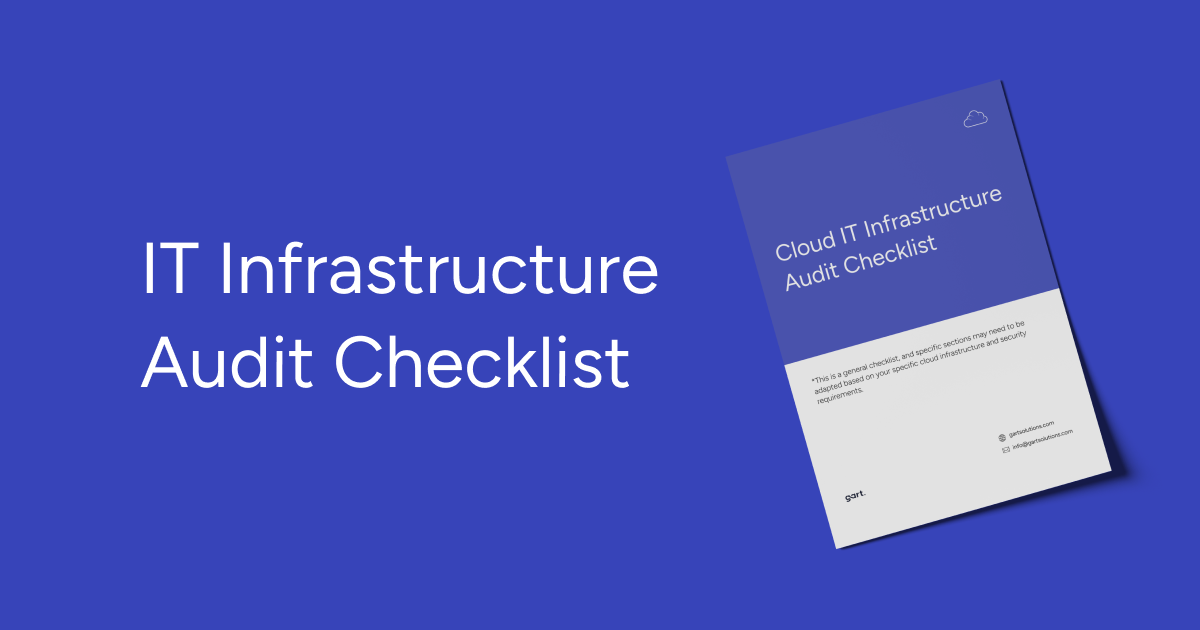
Cloud IT Infrastructure AuditDownload
It's a comprehensive list, but easy to follow along with. Helps ensure the audit is thorough and you're not missing any critical components of your IT setup. Just go through it step-by-step and you'll have a clear roadmap for the auditor to follow.
What You Should Receive After an Infrastructure Audit
Based on our structured audit deliverables audit, clients typically receive:
1. Audit Report (PDF + Editable Format)
Findings
Risks
Architecture gaps
Prioritized action list
2. Infrastructure Diagrams
Current (“as-is”) architecture
Proposed optimized structure
3. Migration or Modernization Roadmap
Phases
Timelines
Responsibilities
Risk mitigation plan
Testing & validation steps
4. Implementation Recommendations
Security hardening measures
Performance optimization steps
Cost reduction strategy
Backup and DR improvements
This transforms the audit from a report into a decision-making tool.
Common Infrastructure Audit Findings Across Industries
Across audits, the most frequent issues include:
IAM users without MFA
Overly permissive security groups
Lack of encryption on storage volumes
Missing production-level monitoring alerts
Unused or idle resources
Missing cost allocation tags
Incomplete disaster recovery testing
Shared prod/dev environments
No budget alerts configured
Underutilized auto-scaling
These are rarely intentional — they accumulate gradually as systems evolve.
Key Considerations when Vetting IT Infrastructure Auditors
Alright, let's talk about the common issues and challenges that organizations face when selecting an IT infrastructure auditor:
Auditor Qualifications. One of the main problems is determining the true qualifications and professionalism of the auditor. Customers often have a hard time evaluating the auditor's actual experience.
Accuracy and Objectivity. Ensuring the auditor will provide an unbiased, objective assessment is crucial. Customers want to be confident the auditor will thoroughly evaluate all aspects of the IT infrastructure without any preconceptions or subjectivity. Finding a reliable, responsible auditor who can guarantee the accuracy and objectivity of their work is a tricky task.
Service Costs. The cost of the auditor's services is another significant challenge. Customers need to strike the right balance between service quality and price. Comprehensive IT infrastructure audits can be quite expensive, putting them out of reach for some organizations. However, the lowest price isn't always the best criteria, as rock-bottom costs may signal low-quality work.
Availability and Timelines. Auditor availability and their ability to complete the work on schedule are other problems. Auditors are often booked on other projects or have time constraints, making it hard to find one who can fit the customer's schedule. Flexibility on timelines is important.
Trust Issues. Trusting the auditor is a core challenge. Customers need to be confident in the auditor's reliability and their ability to provide an accurate assessment. Checking references, reviews, and credentials can help address this.
Selecting an IT infrastructure auditor is a complex, high-stakes process. Thoroughly researching the auditor's background, experience, and reputation online can provide valuable insights. For example, at Gart Solutions, we publish client reviews and share details on our completed audit engagements.
How Often Should You Conduct IT Infrastructure Audits?
As a general rule, companies should conduct an IT infrastructure audit at least once a year. However, in some cases, more frequent audits might be necessary. For instance, companies handling sensitive data may require audits every six months or even quarterly.
The results of an IT infrastructure audit should lead to a series of action items, such as:
Addressing security vulnerabilities: The audit should identify any security weaknesses within the IT infrastructure, and steps should be taken to close those gaps.
Enhancing performance: The audit should pinpoint areas where IT infrastructure performance can be improved, and actions should be taken to implement those improvements.
Reducing costs: The audit should identify areas where IT infrastructure costs can be lowered, and actions should be taken to achieve those cost savings.
Developing a Business Continuity Plan (BCP): A BCP outlines how the company will continue operations in case of an IT outage. The audit should contribute to developing or updating an existing BCP.
A well-conducted IT infrastructure audit can significantly help businesses maintain a secure, performant, and cost-effective IT infrastructure.
The final report's got the full scoop on any issues or weaknesses they found in the infrastructure. This gives the leadership team a clear, unbiased view of where things are at and what needs to be fixed. Armed with those audit results, they can put together an action plan to boost the efficiency of the tech, optimize the processes, and shore up any vulnerabilities in the system.
The key is using that audit as a roadmap to getting the IT infrastructure operating at peak performance. No more guesswork - just cold, hard data to drive the improvements.
Gart Solutions - Your Trusted DevOps & Cloud Services Provider.
We have extensive experience conducting IT infrastructure audits that deliver the insights organizations need.
Our case studies:
Infrastructure Optimization and Data Management in Healthcare
AWS Infrastructure Optimization and CI/CD Transformation for a Crypto Exchange
New Infrastructure Design and GCP Cost Optimization for Telecom SaaS Application
AWS Migration & Infrastructure Localization for Sportsbook Platform
Infrastructure Audit Report Example
Infrastructure-Audit-ExampleDownload
Final Thoughts
An IT infrastructure audit is not a formality. It is a structured risk management and optimization strategy.
It enables organizations to:
Reduce security exposure
Improve performance
Control cloud costs
Strengthen compliance posture
Prepare for migration or scaling
Modernize with confidence
Skipping audits does not save money — it postpones problems.
A well-executed audit provides clarity, roadmap, and measurable improvements.
Fedir Kompaniiets
Co-founder & CEO, Gart Solutions · Cloud Architect & DevOps Consultant
Fedir is a technology enthusiast with over a decade of diverse industry experience. He co-founded Gart Solutions to address complex tech challenges related to Digital Transformation, helping businesses focus on what matters most — scaling. Fedir is committed to driving sustainable IT transformation, helping SMBs innovate, plan future growth, and navigate the "tech madness" through expert DevOps and Cloud managed services. Connect on LinkedIn.
What Is an IT Infrastructure Audit?
An IT infrastructure audit is a structured, evidence-based evaluation of your organization's technology environment — cloud, on-premises, or hybrid. It assesses architecture health, security controls, scalability, compliance readiness, reliability, and cost efficiency.
In plain terms: your team knows the systems "work." An audit tells you how well they work, where they will break under pressure, and what you are paying for that you don't need. The output is not a report for its own sake — it is a prioritized action plan grounded in your actual configuration data.
Key distinction from a security audit: An infrastructure audit covers architecture, scalability, performance, and cost in addition to security. A security audit focuses narrowly on access controls, vulnerabilities, and threat surface. A high-quality infrastructure audit blends both lenses, plus compliance alignment — which is what Gart's methodology is designed around.
63%
of organizations have significant cloud waste from over-provisioned resources
74%
of data breaches involve misconfigured IAM or access policies
$5.2M
average cost of a data breach in 2024 (IBM Security Report)
Why Growing Businesses Run Infrastructure Audits Now
As businesses scale, infrastructure stops being a background function and becomes a strategic growth constraint. Performance slows, cloud bills increase, security risks accumulate quietly, and compliance requirements tighten. Leadership begins asking: is technology enabling growth or limiting it?
These are the four business pressures that most often trigger an audit engagement:
Scaling pressure: "Can our architecture handle 5× the current load without a rebuild?"
Cost spike: "Why did our cloud bill increase 38% this quarter without a proportional increase in usage?"
Compliance deadline: "We have an ISO 27001 / HIPAA / SOC 2 audit in 90 days — where are our gaps?"
Migration risk: "We're planning to move to AWS — what dependencies and risks do we need to map first?"
The infrastructure audit is the instrument that replaces assumption with evidence across all four scenarios.
Gart's 5-Layer Audit Methodology
Unlike checklist-only reviews, Gart organizes every engagement around five interdependent layers. Each layer surfaces issues invisible to the others — which is why skipping any one of them produces blind spots in your remediation plan.
🏗️
Layer 1 — Architecture
Service topology, redundancy design, single points of failure, IaC coverage, and scalability headroom.
🔐
Layer 2 — Security & IAM
Least-privilege enforcement, MFA posture, secrets hygiene, encryption at rest & in transit, exposure management.
📊
Layer 3 — Observability
Logging completeness, alert signal-to-noise ratio, SIEM integration, and incident detection coverage.
✅
Layer 4 — Compliance
Control mapping to ISO 27001, NIST SP 800-53, GDPR, HIPAA, PCI DSS, or SOC 2 as applicable to your business.
💰
Layer 5 — Cost & Efficiency
Resource right-sizing, tagging discipline, idle asset cleanup, Reserved Instance & Savings Plan optimization.
🔄
Cross-Layer — DR & Resilience
Backup completeness, restore testing evidence, RTO/RPO feasibility, and multi-region failover readiness.
Why this matters: NIST SP 800-53 — the US federal standard for security and privacy controls — structures controls across similar domains: access control, audit & accountability, configuration management, contingency planning, and system & information integrity.
Gart's 5-layer model aligns with these categories so audit findings map directly to internationally recognized frameworks.
See: NIST SP 800-53 Rev. 5 → and AWS Well-Architected Framework
What an IT Infrastructure Audit Covers
A high-quality audit is broad enough to capture real risk but focused enough to produce an execution plan. The scope below reflects what mid-size and fast-growing organizations most commonly need.
Access, Identity & Secrets Management
Identity is where most modern incidents begin. The audit verifies IAM policies enforce the principle of least privilege, MFA is active on privileged accounts, user lifecycle processes are automated, and secrets are managed through a dedicated vault rather than hardcoded in repositories or environment variables.
External reference: AWS IAM Security Best Practices
Data Protection: Encryption, Backups & Recovery
Data protection is a chain. The audit confirms encryption for data at rest (AES-256 or equivalent) and in transit (TLS 1.2+), validates that backup policies exist and are consistently executed, verifies retention windows are defined, and — critically — checks that restore tests are documented and recent. If no one has tested a restore in six months, your backup is theoretical.
Observability: Logging, Monitoring & Alerting
The audit evaluates whether centralized logging covers all critical services (CloudTrail, VPC Flow Logs, application logs), whether monitoring platforms (Datadog, Prometheus, CloudWatch) produce actionable alerts or noise, and whether escalation paths for P0 incidents are documented and tested.
Exposure Management: Vulnerabilities, Patching & Baselines
Systematic vulnerability scanning (Nessus, AWS Inspector, Trivy for containers), patch management SLAs, CIS benchmark compliance for OS and cloud configurations, and penetration test recency. Open ports, permissive security groups, and outdated base images are common findings here.
Cost & Resource Optimization
Resource inventory, tagging practices, right-sizing analysis, identification of idle or orphaned assets, and Savings Plan / Reserved Instance coverage gaps. This layer alone often generates savings that pay for the audit multiple times over.
📋
Download: Cloud IT Infrastructure Audit Checklist
A ready-to-use PDF covering IAM, encryption, logging, backups, DR testing, and cost controls.
Download Free →
AWS Infrastructure Audit Walkthrough
Theory is necessary but insufficient. Here is a practical walkthrough of how a cloud infrastructure audit proceeds on AWS — including the specific tools used and the evidence collected at each step. The same logic applies to Azure and GCP, with tool equivalents.
Step 1 — IAM & Access Posture (Days 1–2)
Pull IAM credential report from aws iam generate-credential-report — identifies stale users, no-MFA accounts, unused access keys over 90 days
Run AWS Access Analyzer to detect externally accessible resources (S3 buckets, KMS keys, IAM roles with cross-account trust)
Review Service Control Policies (SCPs) across all accounts in the AWS Organization
Audit root account MFA status, active root sessions, and any root-created access keys (these should not exist)
Step 2 — Configuration & Compliance Drift (Days 2–3)
Enable AWS Config rules (or review existing findings): ec2-security-group-attached-to-eni, mfa-enabled-for-iam-console-access, rds-storage-encrypted, s3-bucket-public-read-prohibited
Run AWS Security Hub consolidated findings — aggregates GuardDuty, Inspector, Macie, and Config into a single risk score
Check CIS AWS Foundations Benchmark compliance score via Security Hub
Step 3 — Threat Detection & Observability (Days 3–4)
Review Amazon GuardDuty findings — look for high/critical severity findings, especially unauthorized API calls, credential exfiltration, and compromised EC2 behavior
Validate CloudTrail is enabled in all regions, logs are shipped to a dedicated S3 bucket with object lock, and CloudWatch alarms exist for root usage and unauthorized API calls
Assess VPC Flow Logs coverage and confirm logs are ingested into a SIEM or centralized log platform (CloudWatch Logs Insights, Splunk, Datadog)
Review alerting thresholds and escalation runbooks: are alerts actionable, or ignored?
Step 4 — Workload & Resilience Review (Days 4–5)
Map single points of failure: EC2 instances not in Auto Scaling Groups, RDS single-AZ deployments, load balancers without health checks configured
Validate backup policies: AWS Backup vault, retention periods, cross-region replication for DR
Check restore test records — when was the last restore drill? Is RTO/RPO actually achievable?
Review IaC coverage: what percentage of infrastructure is defined in Terraform or CloudFormation vs. manually configured?
Step 5 — Cost Optimization Analysis (Days 5–6)
Pull AWS Cost Explorer by service, tag, and team — identify top 10 cost drivers and compare against business value delivered
Run AWS Compute Optimizer recommendations — identifies over-provisioned EC2, Lambda, and EBS volumes
Audit Reserved Instance and Savings Plan coverage vs. on-demand usage ratio
Identify idle resources: EC2 instances with <5% CPU utilization over 30 days, unused Elastic IPs, unattached EBS volumes
Audit Area
Primary Tool (AWS)
Azure Equivalent
GCP Equivalent
IAM & Access
IAM AnalyzerCredential Report
Entra ID Access Review
IAM Recommender
Config & Compliance
AWS ConfigSecurity Hub
Azure PolicyDefender for Cloud
Security Command Center
Threat Detection
GuardDutyMacie
Microsoft Sentinel
Chronicle SIEM
Logging & Audit Trail
CloudTrailVPC Flow Logs
Azure MonitorActivity Log
Cloud Audit Logs
Vulnerability Scanning
AWS InspectorTrivy
Defender for Servers
Artifact Analysis
Cost Optimization
Cost ExplorerCompute Optimizer
Azure AdvisorCost Management
GCP Recommender
Audit Process — Step by Step
A good audit is not just “look around and send a report.” It’s a structured process designed to reduce uncertainty and produce an execution plan. In practice, the process follows four phases: scope, discovery, analysis, and delivery.
This approach is especially valuable before a migration or major change. One audit proposal explicitly frames the purpose as evaluating current infrastructure, identifying risks, and creating a clear roadmap for a secure and cost-efficient migration . That logic applies even if you are not migrating: you still want a roadmap built on evidence.
Phase 1 — Scope and Success Criteria
Scope is where audits succeed or fail. If the scope is too broad, you drown in details. If it’s too narrow, you miss the risks that actually matter.
This phase defines which environments are in scope (production, staging, multi-cloud, hybrid), what business goals the audit supports (scaling, compliance readiness, cost reduction, migration), and what evidence will be used. It also clarifies service expectations such as uptime targets, availability requirements, and disaster recovery objectives, often tied to SLAs .
A practical tip: define “success” in business language. For example, “reduce monthly cloud spend by addressing the top five waste drivers,” or “reach ISO 27001 audit readiness by closing priority security gaps.” That success framing makes it easier to prioritize findings later.
Phase 2 — Discovery and Architecture Mapping
Discovery is where assumptions get replaced with a map of reality.
Auditors gather configuration data and documentation across compute, networking (VPCs, subnets, routing, security groups), storage and backups, databases, monitoring and logging, HA and redundancy, and disaster recovery readiness . They also assess whether inventory and tagging practices provide full visibility of resources for identification and cost allocation .
This phase often uncovers “hidden dependencies” — services that are still in use but forgotten, older components that cannot be removed without breaking workflows, or workloads that depend on brittle networking rules. Those discoveries are gold, especially before a migration, because they reduce risk of downtime and data loss .
The most useful output here is a clear architecture view: what exists, how it connects, and where the critical paths are.
Phase 3 — Analysis and Prioritization
Now the audit turns raw information into decisions.
Security analysis evaluates IAM controls, least privilege enforcement, MFA status, secrets management, encryption practices, and exposure points . Compliance analysis maps controls to frameworks relevant to your business, such as ISO 27001, GDPR, or HIPAA . Performance analysis looks for bottlenecks, scaling limitations, reliability risks, and monitoring gaps . Cost analysis identifies waste, right-sizing opportunities, and budgeting and allocation improvements .
Prioritization matters. Not every issue is urgent. A good audit groups findings into:
Critical risks that could lead to breach or downtime
High-impact optimizations that improve performance or reduce cost fast
Strategic improvements that increase maturity over time
This is where a provider’s experience shows. The goal is not to list everything wrong. The goal is to choose what to fix first for maximum business impact.
Phase 4 — Report and Roadmap
A professional audit ends with a deliverable package that teams can execute.
Typical deliverables include a detailed audit report, risks and gaps, a prioritized action list, architecture diagrams, implementation recommendations, and a roadmap for the next phase — whether that is migration, optimization, or compliance readiness . This matches what organizations often request: clear recommendations and prioritized fixes, plus a phased plan to implement them safely .
This is also where “quick wins” belong. If you want immediate impact before deep changes, Gart Solutions shares practical guidance on fast improval.
How Different Roles Use IT Infrastructure Audit Results
An audit report is one document read through four completely different lenses depending on who is holding it. Understanding each perspective makes it easier to communicate findings across the organization — and to prioritize the right fixes first.
Recommendation: Produce role-specific summaries from the master audit report — a 2-page executive summary for the CFO and board, a detailed technical findings list for DevOps, and a control-mapping matrix for Compliance. The same evidence supports all three without duplication.
Case Studies: IT Infrastructure Audit Outcomes & Metrics
The most useful benchmark for an infrastructure audit is not what others generally claim — it is what actually changed after the work was done. Below are structured outcomes from real Gart engagements.
A documented case study shows how an AI art marketplace needed scalable AWS infrastructure to support 250,000 daily active users with 99.9 percent uptime, and the audit findings drove improvements across IAM security (MFA, least privilege), cost optimization (right-sizing and Reserved Instances), reliability (multi-AZ deployments, auto-scaling, monitoring), and data protection (backup policy gaps, Infrastructure as Code practices) . The business impact was exactly what leadership wants: higher reliability, cost savings, stronger security, and better long-term stability .
Another real scenario focused on ISO 27001 readiness and cloud migration preparation. The audit work included reviewing outstanding compliance tasks, securing cloud environments, implementing SSO with MFA, improving encryption and endpoint access controls, establishing a backup and disaster recovery plan, and reinforcing repository security measures . The result was compliance readiness progress, smoother migration execution, and stronger security alignment with ISO expectations .
If your goal is to promote audit work internally, these examples are useful for framing: audits are not “extra work,” they are the mechanism that turns growth and compliance pressure into a controlled plan.
Before vs. After: Infrastructure Architecture Comparison
The following comparison reflects the architecture state of a mid-size SaaS platform before and after a Gart infrastructure audit remediation cycle (90 days). It illustrates the shift from reactive to managed infrastructure.
Limitations of IT Infrastructure Audits
Transparent audit providers share what their process does not cover. Understanding these boundaries helps set realistic expectations and scope decisions properly.
⚠️ What an infrastructure audit does NOT guarantee
An audit is a point-in-time snapshot. Infrastructure changes daily. Findings from a 6-week audit engagement may be partially outdated by go-live if remediation is delayed.
It is not a penetration test. An audit identifies configuration and process risks. Active exploitation testing (red team / pentest) is a separate engagement requiring different methodology and authorization.
Compliance readiness ≠ certification. An audit can confirm controls are in place — but formal ISO 27001 or SOC 2 certification requires a certified external auditor. We prepare you for that audit; we don't replace it.
Findings require organizational change to close. Technical fixes for access control or logging take minutes. Organizational changes (process documentation, training, accountability structures) take weeks and require leadership buy-in.
Undocumented systems cannot be fully audited. If a service, integration, or data flow is unknown to the team providing access, it cannot appear in the findings. Discovery depends on the completeness of access and documentation provided.
IT Infrastructure Audit Cost & How to Think About ROI
Audit cost depends on scope, environment complexity, compliance requirements, and deliverable depth. A focused pre-migration or Quick Wins audit starts at $500 for approximately 10 hours of senior architect time — covering infrastructure, security posture, CI/CD workflow, and a prioritized report with presentation.
For larger environments, multi-cloud setups, regulated industries (HIPAA, PCI DSS, ISO 27001), or deep security testing requirements, costs scale proportionally with the evidence collection, analysis, and remediation planning required.
The ROI Calculation Most Teams Miss
The right comparison is not "audit cost vs. zero cost." It is audit cost versus the cost of the problems it prevents:
39%
Average cloud cost reduction achievable through right-sizing and RI adoption alone
$4.7M
Average business cost of unplanned downtime per hour (Gartner)
€20M
Maximum GDPR fine for a serious data breach or compliance failure
When audits identify over-provisioned resources saving $3,000–$8,000/month, or close security gaps that would have resulted in a breach or compliance penalty, the cost-benefit calculus is clear. The audit pays for itself in the first month of remediation, and continues paying through improved operational reliability.
What you typically receive from a Gart Solutions audit
A structured audit engagement is designed to leave you with clarity and execution momentum. One audit scope outlines deliverables such as full environment analysis, security and compliance review, performance and reliability assessment, cost optimization findings, infrastructure diagrams, migration readiness review, and prioritized recommendations plus a roadmap . This approach aligns with what many teams actually need: not a “perfect state,” but a prioritized plan to reach a better state quickly and safely.
If you want to understand the control areas in advance, use the IT Infrastructure Audit Checklist as a reference.It mirrors common audit coverage such as IAM and MFA enforcement, encryption, logging and SIEM integration, vulnerability management, backup and DR testing, and compliance logging .
Cost, and how to think about value
Audit cost depends on scope, complexity, compliance requirements, and deliverable depth. A focused pre-migration audit proposal lists a price point of $500 for a defined scope, with clear deliverables and roadmap outputs. For larger environments, multi-cloud setups, regulated industries, or deeper security testing, costs scale because evidence collection, analysis, and remediation planning require more time and specialized expertise.
The smarter way to evaluate cost is to compare it to:
Ongoing cloud waste from over-provisioning and unused resources
Downtime risk from untested DR and weak observability
Compliance penalties and deal friction when evidence is missing
Breach exposure from weak IAM and incomplete monitoring
This is where audits become high-ROI. Savings from right-sizing, improved reliability, reduced incident frequency, and faster compliance readiness often outweigh the audit cost — and you gain a more scalable foundation.
Why organizations choose Gart Solutions
An infrastructure audit is only as valuable as the expertise behind it. Gart Solutions combines DevOps engineering, cloud architecture, compliance engineering, and security best practices into one structured methodology, supported by real engagements focused on scalability, ISO readiness, and operational optimization .
If your organization is questioning whether its infrastructure can support upcoming business challenges, an audit is often the most strategic first step. Explore the full scope here
Conclusion
An IT Infrastructure Audit is not a technical luxury. It is a practical way to turn uncertainty into control.
It helps you prove whether your architecture can scale, whether access controls are truly safe, whether monitoring can detect incidents early, whether backups and disaster recovery will work under stress, and whether cloud spend matches real demand. It connects compliance expectations to actual configurations, which matters when frameworks like ISO 27001, GDPR, and HIPAA are part of your business reality .
If your infrastructure must support growth, audits are the moment you stop guessing and start managing with evidence. If you want a structured, execution-friendly audit that produces a clear roadmap, explore Gart Solutions’ IT Audit Services.
Contact Us and let's start your audit!