- What Is an IT Infrastructure Audit?
- Key Objectives of an IT Infrastructure Audit
- Core Objectives of an IT Infrastructure Audit:
- The Full IT Infrastructure Audit Checklist
- Checklist by Trigger: Which Domains to Prioritize
- What You Should Receive After an Infrastructure Audit
- When an IT Infrastructure Audit is Essential
- IT Infrastructure Audit Process: Step-by-Step
- IT Infrastructure Audit Checklist
- What You Should Receive After an Infrastructure Audit
- Common Infrastructure Audit Findings Across Industries
- Key Considerations when Vetting IT Infrastructure Auditors
- How Often Should You Conduct IT Infrastructure Audits?
- Infrastructure Audit Report Example
- Final Thoughts
The business world feels like it’s on fast forward these days. New tech pops up all the time, and keeping your data safe is getting trickier by the minute. No wonder businesses need to make sure their IT infrastructure is in tip-top shape! An IT infrastructure audit is basically a checkup for your tech systems, making sure they’re ready for whatever comes next.
An IT infrastructure audit evaluates your cloud environment, networking, compute, security controls, data management, and operational processes to ensure your systems are secure, performant, compliant, and cost-efficient.
What Is an IT Infrastructure Audit?
An IT infrastructure audit is a structured assessment of an organization’s technology environment. It evaluates architecture, security posture, resource utilization, compliance alignment, cost efficiency, and operational resilience.
The goal is to answer five critical questions:
- Is our infrastructure secure?
- Is it reliable and scalable?
- Are we overspending?
- Are we compliant with relevant regulations?
- Is our architecture ready for growth or migration?
In our audit engagements, we follow a structured scope similar to the one outlined in our migration audit proposal audit, covering infrastructure review, cost assessment, performance analysis, and security evaluation.
Key Objectives of an IT Infrastructure Audit
An IT infrastructure audit plays a crucial role in shaping an organization’s technical and business development plans. The technical plan outlines the requirements, goals, architecture, and resources for IT infrastructure development. An audit helps identify the strengths and weaknesses of the current system, define requirements for future development and improvement of IT infrastructure, and plan the necessary resources and budget to accomplish these tasks.
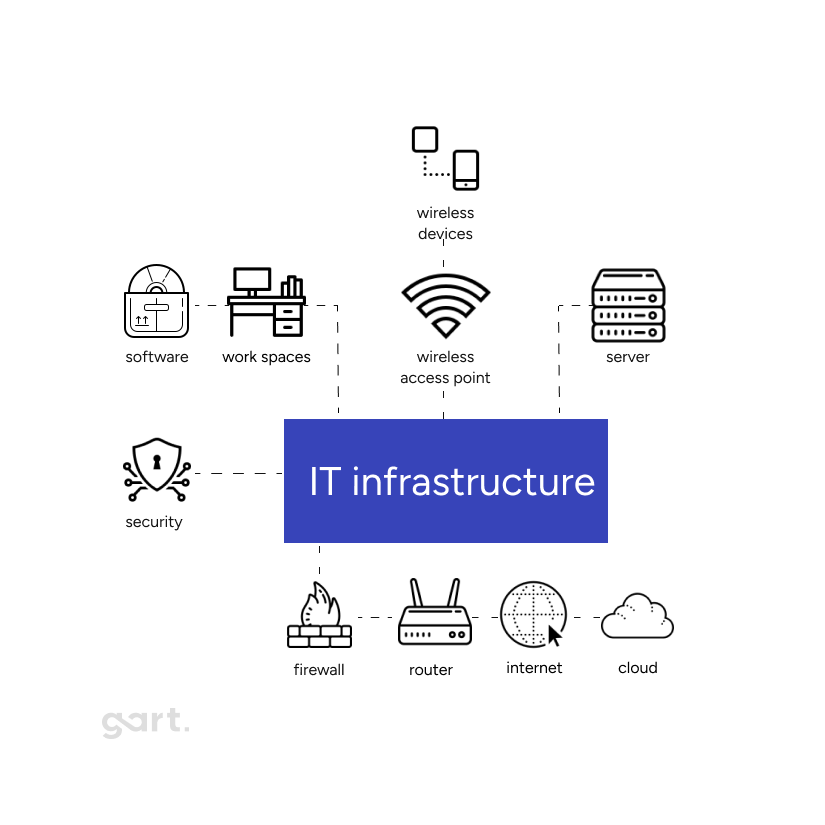
Core Objectives of an IT Infrastructure Audit:
1. Security & Compliance Evaluation
An audit performs a comprehensive review of:
- IAM configuration and access control
- Credential rotation policies
- Encryption practices (EBS, S3, databases)
- Security groups and network ACLs
- Backup integrity
- Logging and monitoring configuration
- Compliance alignment (ISO 27001, GDPR, HIPAA where applicable)
For example, in one recent audit Infrastructure Audit Example, we identified:
- Multiple IAM users without MFA enabled
- Security groups potentially unused
- Network ACLs allowing unrestricted inbound/outbound traffic
- EBS volumes lacking encryption
- Missing CloudWatch alarms for production services
- VPC Flow Logs not enabled in critical environments
These are common infrastructure risks that organizations often overlook until an incident occurs.
2. Cost Optimization & Resource Efficiency
Infrastructure audits uncover waste and hidden inefficiencies.
We typically analyze:
- Current cloud spend breakdown
- Over-provisioned or unused resources
- Reserved Instance/Savings Plan opportunities
- Tagging strategy effectiveness
- Budget and alert configuration
In our audit findings Infrastructure Audit Example, we frequently observe:
- Lack of cost allocation tags
- Missing AWS Budgets and billing alerts
- Underutilized instances that could be right-sized
- FARGATE workloads that could reduce cost by moving to ARM architecture
- Dev environments running inefficiently without spot instance usage
Even modest improvements in right-sizing and cost governance can reduce infrastructure spend by 15–30%.
3. Reliability & High Availability
An infrastructure audit evaluates your ability to withstand failure.
Key checks include:
- Multi-AZ deployment usage
- Disaster recovery readiness
- Snapshot automation
- Auto-scaling configuration
- Service limit monitoring
In one audit Infrastructure Audit Example, we identified that critical services such as RDS and ECS were not fully configured for Multi-AZ redundancy. While backups were enabled for RDS, other services lacked automated snapshot coverage.
These gaps can significantly increase recovery time during incidents.
4. Architecture & Networking Review
A structured infrastructure review includes:
- Compute resources
- Networking (VPCs, subnets, routing, security groups)
- Storage & backup configuration
- Databases and data flows
- Monitoring & logging setup
- High availability configuration
- Disaster recovery readiness
For example, we often detect architectural risks such as:
- Production and development environments sharing the same AWS account
- Insufficient isolation between VPCs
- Missing DNS health checks
- No VPC Flow Logs for traffic visibility Infrastructure Audit Example
Proper environment segregation reduces blast radius and improves governance.
5. Data Management & Backup Strategy
An audit also examines:
- Lifecycle policies for storage
- Backup frequency and testing
- Data retention compliance
- Database optimization
In one review Infrastructure Audit Example, lifecycle policies were applied only to selected S3 buckets, and backup testing was limited to RDS, leaving other critical services unverified.
Regular backup testing is just as important as backup creation.
The Full IT Infrastructure Audit Checklist
Work through each domain.
Mark items as ✅ Confirmed / ⚠️ Partial / ❌ Missing.
1. Network and Connectivity
- VPC/VNet design follows least-access network segmentation — production workloads are in private subnets, not directly internet-facing
- Security groups and network ACLs follow deny-by-default — no
0.0.0.0/0inbound rules on production systems - All open ports are reviewed and documented — no legacy or forgotten ports exposed
- Bastion hosts or VPN required for all administrative access — no direct SSH/RDP exposure to the internet
- VPC Flow Logs enabled in all production environments and accounts
- DNS health checks configured for all critical public and internal endpoints
- Web Application Firewall (WAF) deployed in front of all public-facing applications
- DDoS protection enabled for internet-facing resources (AWS Shield, Azure DDoS Protection, or equivalent)
- Private endpoints used for cloud service access where available (S3, databases, queues) to avoid unnecessary public traffic
- Network topology is documented and the diagram reflects actual current configuration — not an outdated drawing
- Inter-environment routing is reviewed — dev/staging traffic cannot reach production network segments
- VPN configuration is reviewed for split tunneling, encryption standards, and authentication requirements
2. Identity and Access Management (IAM)
- Principle of least privilege is enforced — no users or roles with broader permissions than required for their specific function
- Multi-Factor Authentication (MFA) is enabled for all accounts with console or production environment access — no exceptions
- Root/administrator accounts have no active API access keys — root account is used only for account-level operations
- All IAM policies are reviewed — unused policies are removed; overly permissive wildcards (
*) are documented with justification - Service accounts and machine identities are scoped to the specific resources they access — no shared credentials between services
- Access key rotation is enforced — no long-lived credentials older than 90 days in production
- Privileged access is time-limited where the platform supports it (just-in-time access, temporary role assumption)
- Orphaned accounts are identified and removed — all active accounts correspond to current employees or active services
- Third-party and vendor access is scoped, time-limited, logged, and reviewed quarterly
- Offboarding process removes access within 24 hours of employee departure — verified by reviewing recent offboarding events
- Secrets and API keys are stored in a secrets manager (AWS Secrets Manager, HashiCorp Vault, Azure Key Vault) — not in code, environment files, or Slack
- Service account keys are rotated on a defined schedule and there is a process to detect leaked credentials
3. Compute and Storage
- All compute resources (EC2 instances, VMs, containers, functions) are inventoried — no unknown or orphaned instances running
- All resources are tagged with at minimum: environment, owner, and project/cost center
- Instance types and sizes are validated against actual utilization — CPU, memory, and disk usage reviewed over the past 30 days
- Current-generation instance types are used — no deprecated or end-of-life compute left in production
- Auto-scaling is configured for variable workloads — scaling policies have been tested, not just configured
- Spot or preemptible instances are used for fault-tolerant and batch workloads to reduce cost
- All production EBS volumes and managed disks are encrypted at rest
- EBS volume type is reviewed — gp3 preferred over gp2 for cost efficiency; io2 used only where IOPS requirements justify it
- Snapshot schedules are configured for all critical volumes — retention period meets business requirements
- S3/object storage has encryption enabled and public access is blocked at the account level unless explicitly required
- S3 lifecycle policies are configured on all buckets — data is automatically tiered or expired based on access patterns
- Storage cost is reviewed — unused volumes, unattached disks, and aged snapshots are deleted on a defined schedule
- Container images are scanned for known vulnerabilities before deployment — base images are updated regularly
4. Databases
- All databases are encrypted at rest and in transit — no unencrypted database instances in production
- Database instances are not publicly accessible — access is through private endpoints, VPC peering, or VPN only
- Database credentials are stored in a secrets manager and rotated on a defined schedule — no hardcoded passwords
- Multi-AZ or equivalent high-availability configuration is enabled for all production databases
- Automated backups are enabled — retention period is documented and meets RPO requirements
- Backup restoration has been tested within the last 90 days — test results are documented
- Database audit logging is enabled — queries and administrative actions are logged and retained
- Database parameter groups are reviewed for security settings — verbose logging, slow query logs, and audit plugins where applicable
- Read replicas are evaluated — instances exist only where genuinely needed, not left from previous testing
- Database version is current and within vendor support lifecycle — no end-of-life engines in production
5. Monitoring, Logging, and Alerting
- Centralized logging is enabled across all production environments — logs flow to a single platform (CloudWatch, Datadog, Grafana Loki, Splunk, or equivalent)
- CloudTrail or equivalent audit logging is enabled in all regions and accounts — logs are stored in a separate, tamper-resistant location
- Log retention meets compliance requirements — minimum 90 days accessible, 1 year archived for most regulated industries
- VPC Flow Logs are enabled and retained — network traffic is visible for security investigation
- Alerts exist and are tested for: failed authentication attempts, privilege escalation events, resource deletion, cost anomalies, service degradation, and latency spikes
- Each alert has a defined owner and escalation path — “alert exists” is not the same as “alert is actioned”
- Alert volume is reviewed for fatigue — noisy or consistently ignored alerts are tuned or removed
- Dashboards exist for: infrastructure health, error rates, latency, cost trends, and security events
- SIEM integration is in place for environments with compliance or high-security requirements
- On-call rotation is defined and documented — there is always a named person responsible for production alerts outside business hours
- Incident response runbooks are in place for the most likely failure scenarios — they are accessible outside the production environment
6. Security and Compliance
- Applicable compliance frameworks are identified: GDPR, HIPAA, ISO 27001, SOC 2, PCI DSS, NIS2 — each requirement is mapped to a specific technical control
- Vulnerability scanning is conducted on a regular schedule — all production systems and container images are in scope
- Patch timelines are defined and enforced — critical vulnerabilities are patched within a documented SLA (typically 24–72 hours for critical, 30 days for high)
- Secure configuration baselines are defined for all major infrastructure components — drift from baseline triggers an alert or automated remediation
- Penetration testing is conducted at least annually for internet-facing systems and critical internal services
- Data residency requirements are met — personal data does not rest or transit through regions that violate compliance obligations
- Data Processing Agreements (DPAs) are in place with all cloud providers and vendors that process personal data
- Encryption standards are documented — TLS 1.2 minimum for data in transit; no deprecated cipher suites or SSL versions in use
- Incident response plan is documented, personnel are trained, and the plan has been tested within the last 12 months
- Evidence collection for compliance is automated or scheduled — not a manual scramble before each audit
- Security group and firewall rules are reviewed quarterly — rules are removed when the systems or services they served are decommissioned
7. Cost and Resource Governance
- Budget alerts are configured for each cloud account, subscription, or project — unexpected spend triggers notification within 24 hours
- Cost allocation is in place — each team, product, or project can see its cloud spend independently
- All resources have the minimum required tags — untagged resource creation is blocked via policy where the platform supports it
- Reserved Instances or Savings Plans are evaluated annually — baseline predictable workloads are covered, not running on On-Demand continuously
- Idle and unused resources are reviewed monthly — a documented process exists to identify and decommission them
- Dev and test environments scale to zero or shut down outside working hours where workload permits
- Cost anomaly detection is configured — automated detection flags unexpected spend patterns without requiring manual review
- Cost visibility reports are shared with engineering teams and leadership on a regular cadence — cloud spend is not a finance-only conversation
- Data transfer costs are reviewed — egress charges and cross-region transfers are mapped and minimized where possible (private endpoints, CDN, regional data locality)
8. CI/CD and Deployment Pipeline
- All deployments to production are automated through a CI/CD pipeline — no manual file transfers, FTP uploads, or ad-hoc changes to production
- Rollback procedures are documented and tested for all critical services — a deployment failure has a defined recovery path, not just “redeploy and hope”
- Secrets and credentials are injected at runtime via secrets manager — not stored in pipeline configuration files,
.envfiles, or source code - All infrastructure changes are version-controlled as code (Terraform, Pulumi, Ansible) and go through code review before apply
- Pipeline failures trigger alerts — there are no silent failures in production deployments
- Container image scanning is integrated into the CI pipeline — images with critical vulnerabilities do not proceed to production
- Pipeline permissions follow least privilege — CI/CD service accounts cannot access resources outside their required scope
- Staging environment mirrors production in configuration — test results on staging are meaningful indicators of production behavior
9. Backup and Disaster Recovery
- Automated backups are configured for all critical databases, stateful applications, storage, and infrastructure configuration state
- Backup frequency matches documented RPO (Recovery Point Objective) for each system — the most critical systems have the shortest backup intervals
- Backups are stored in a separate account, region, or physical location from production — a single event cannot destroy both production data and its backup
- Backup restoration has been successfully tested within the last 90 days — results are documented, not assumed
- Disaster recovery plan is written, reviewed within the last 12 months, and accessible outside the production environment
- RTO (Recovery Time Objective) targets are defined for each critical system — personnel know what “recovered” means and how long it should take
- DR drills are conducted at minimum annually — tabletop exercises are not a substitute for tested restoration
- Multi-AZ or multi-region deployment is validated for all systems with uptime SLAs — failover has been tested, not just configured
- Runbooks for the most likely failure scenarios are written, current, and available without requiring access to the failing system
- Business continuity plan covers the full recovery sequence from declaration to restored operations — not just the technical restore step
Checklist by Trigger: Which Domains to Prioritize
Not every situation requires equal depth across all domains. Use this guide to focus your effort based on why you’re running the audit.
Pre-Migration Checklist Focus
Preparing to move workloads to the cloud or between cloud providers:
- Priority 1: Networking (VPC design, connectivity, security groups) — architecture decisions made here are expensive to undo
- Priority 2: IAM (access patterns that need to change in the new environment)
- Priority 3: Compute and storage (right-sizing and storage type decisions before migration lock-in)
- Priority 4: Backup and DR (verify restore procedures before cutting over)
- Full compliance and cost governance review can follow migration
Compliance Readiness Checklist Focus
Preparing for ISO 27001, SOC 2, HIPAA, or GDPR audit:
- Priority 1: Security and compliance (controls mapping, evidence collection, vulnerability management)
- Priority 2: IAM (access control is a core requirement of every framework)
- Priority 3: Monitoring and logging (audit trail completeness is required for every framework)
- Priority 4: Backup and DR (business continuity controls are required by ISO 27001, SOC 2, and HIPAA)
- Compute cost optimization is lower priority for a compliance-driven audit
Annual Review Checklist Focus
Routine annual infrastructure health check:
- Run all domains at consistent depth
- Focus on changes since the last review — new services, new team members, new cloud accounts
- Pay particular attention to IAM (access accumulates over time) and cost governance (waste accumulates over time)
- Validate that DR procedures tested last year still work with the current infrastructure
Post-Incident Checklist Focus
Following a security incident, data breach, or significant outage:
- Priority 1: IAM (determine whether compromised credentials were involved)
- Priority 2: Monitoring and logging (determine whether the incident was detectable and what was missed)
- Priority 3: Security and compliance (identify the control gap that permitted the incident)
- Priority 4: Backup and DR (verify recovery procedures were followed and worked)
- Run a full audit after initial remediation to identify any lateral issues the incident may have exposed
What You Should Receive After an Infrastructure Audit
If you’ve worked through this checklist and engaged an external auditor, here is what a professional audit engagement should deliver — not just a report, but a usable roadmap:
Audit Report (PDF and editable format): Findings organized by domain, each finding classified by severity (critical, high, medium, low), with evidence and remediation guidance for each item.
Infrastructure Architecture Diagram: Current-state (“as-is”) architecture reflecting what was discovered during the audit — not what the documentation says exists.
Prioritized Action List: Findings ranked by business impact and remediation effort so that leadership can make investment decisions, not just receive an undifferentiated list of problems.
Cost Optimization Analysis: Identified savings opportunities with estimated monthly impact — specific resources, specific actions.
Compliance Gap Summary: For regulated organizations, a mapping of findings against the relevant framework controls with a gap classification for each.
Implementation Roadmap: Phased plan with timelines, ownership assignments, and dependencies — so findings move into execution rather than sitting in a PDF.
Gart Solutions’ Quick Wins IT Audit delivers an initial findings report in approximately 10 hours of senior architect time, starting at $500. It’s the right entry point if you’ve worked through this checklist, identified gaps, and want expert validation and prioritization before committing to a larger engagement. Learn more about the Quick Wins Audit.
How Often Should You Audit?
Annually at minimum for most organizations — covering all domains as a full review.
Every six months for organizations handling sensitive data, operating in regulated industries (healthcare, finance, payments), or running infrastructure at significant scale.
Before any major change — cloud migration, new compliance certification, acquisition or merger, significant headcount growth.
After any security incident — not as a punishment but as a diagnostic. The incident revealed at least one control gap; the audit finds whether others exist alongside it.
When an IT Infrastructure Audit is Essential
Alright, let’s talk about when you’d want to get that IT infrastructure audit done. These audits are crucial for organizations these days – they help make sure your tech is running smoothly and can handle whatever comes your way.
Here are some key times when you’d definitely want to get an audit going:
Implementing new systems and tech
Bringing in new software, hardware, or information systems? Get an audit done first. It’ll help you catch any potential issues or risks before you roll everything out, so you can make sure the new stuff integrates seamlessly and operates safely.
Your business is growing or changing
If your company is expanding, shifting gears, or just generally evolving, an audit can tell you if your IT infrastructure is ready to support those changes. It’ll help you identify any problem areas, optimize your processes, and make sure your tech can keep up with the new business demands.
Beefing up your security
With all the cyberthreats out there these days, evaluating your system security is huge. An audit will show you where your vulnerabilities lie so you can shore up your defenses and protect your critical data and resources.
Streamlining operations
Audits don’t just check for risks and problems – they can also uncover opportunities to optimize your processes and resources. Having that detailed look at how your tech is being used can help you cut costs, boost efficiency, and set the right performance metrics.
So in a nutshell, IT infrastructure audits are essential for organizations dealing with growth, changes, security concerns, or just a need to run a tighter, more cost-effective tech operation. They give you the insights you need to keep your systems performing at their best.
If you skip the audits, problems will just start piling up over time. Here’s what can happen:
Lack of info and unreliable data
No IT audits means limited intel on the current state of your systems. You could end up using outdated or just plain wrong data when making important decisions. That makes planning a real headache and can lead to some seriously misguided strategic calls.
Security risks and vulnerabilities
Without regular audits, your organization is wide open to cyberattacks, data breaches, and other security issues. If you’re not checking for weaknesses on the regular, you’ll have no idea where you’re vulnerable – and that’s a disaster waiting to happen.
Wasted resources
No audits means you could be over- or underutilizing your resources, which kills productivity and wastes money on ineffective solutions. That’s a surefire way to lose your competitive edge.
Doing those IT audits lets you get out in front of problems, optimize your resources, lock down your security, and make sure your tech is running like a well-oiled machine. It helps you make smart decisions, minimize risks, and keep up with your current needs.
IT Infrastructure Audit Process: Step-by-Step
A professional audit typically follows these phases:
1. Discovery & Scope Definition
Define systems, accounts, environments, and compliance scope.
2. Infrastructure Mapping
Document compute, networking, databases, storage, IAM, and dependencies.
3. Risk & Gap Analysis
Identify vulnerabilities, misconfigurations, and compliance gaps.
4. Performance & Cost Benchmarking
Analyze resource utilization and detect bottlenecks or waste.
5. Compliance & Governance Review
Evaluate policy alignment and monitoring coverage.
6. Deliverables & Roadmap Creation
Provide prioritized recommendations and remediation strategy.
IT Infrastructure Audit Checklist
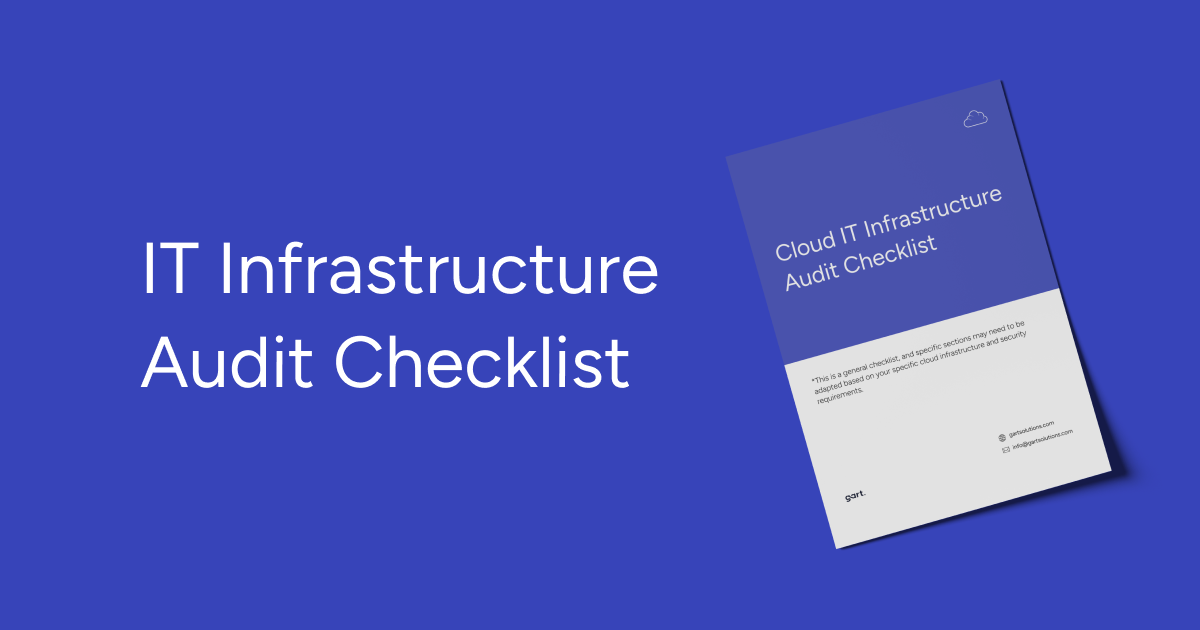
Alright, on top of that stuff about the challenges of selecting an IT auditor, we’ve also put together an IT infrastructure audit checklist for you. This is like a handy reference guide to make sure you’ve covered all your bases when getting that audit done.
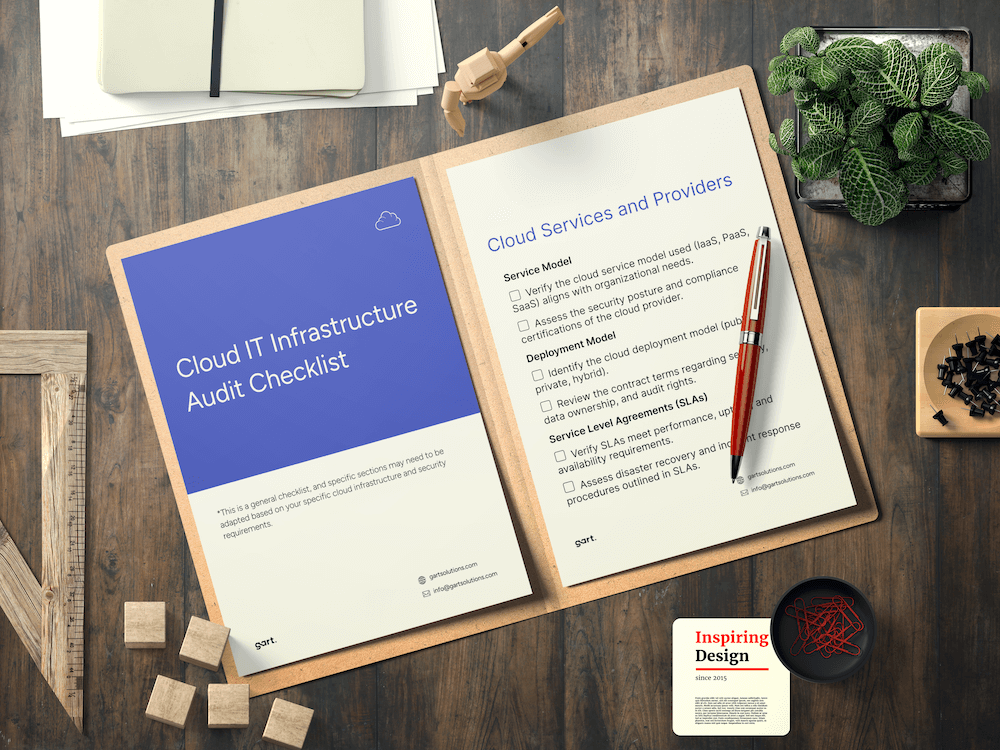
The checklist hits on all the major areas an auditor is gonna want to dig into – things like your cloud infrastructure, virtual environment, data storage, and overall service architecture. We break down the key things that need to be evaluated in each of those domains.
It’s a comprehensive list, but easy to follow along with. Helps ensure the audit is thorough and you’re not missing any critical components of your IT setup. Just go through it step-by-step and you’ll have a clear roadmap for the auditor to follow.
What You Should Receive After an Infrastructure Audit
Based on our structured audit deliverables audit, clients typically receive:
1. Audit Report (PDF + Editable Format)
- Findings
- Risks
- Architecture gaps
- Prioritized action list
2. Infrastructure Diagrams
- Current (“as-is”) architecture
- Proposed optimized structure
3. Migration or Modernization Roadmap
- Phases
- Timelines
- Responsibilities
- Risk mitigation plan
- Testing & validation steps
4. Implementation Recommendations
- Security hardening measures
- Performance optimization steps
- Cost reduction strategy
- Backup and DR improvements
This transforms the audit from a report into a decision-making tool.
Common Infrastructure Audit Findings Across Industries
Across audits, the most frequent issues include:
- IAM users without MFA
- Overly permissive security groups
- Lack of encryption on storage volumes
- Missing production-level monitoring alerts
- Unused or idle resources
- Missing cost allocation tags
- Incomplete disaster recovery testing
- Shared prod/dev environments
- No budget alerts configured
- Underutilized auto-scaling
These are rarely intentional — they accumulate gradually as systems evolve.
Key Considerations when Vetting IT Infrastructure Auditors
Alright, let’s talk about the common issues and challenges that organizations face when selecting an IT infrastructure auditor:
Auditor Qualifications. One of the main problems is determining the true qualifications and professionalism of the auditor. Customers often have a hard time evaluating the auditor’s actual experience.
Accuracy and Objectivity. Ensuring the auditor will provide an unbiased, objective assessment is crucial. Customers want to be confident the auditor will thoroughly evaluate all aspects of the IT infrastructure without any preconceptions or subjectivity. Finding a reliable, responsible auditor who can guarantee the accuracy and objectivity of their work is a tricky task.
Service Costs. The cost of the auditor’s services is another significant challenge. Customers need to strike the right balance between service quality and price. Comprehensive IT infrastructure audits can be quite expensive, putting them out of reach for some organizations. However, the lowest price isn’t always the best criteria, as rock-bottom costs may signal low-quality work.
Availability and Timelines. Auditor availability and their ability to complete the work on schedule are other problems. Auditors are often booked on other projects or have time constraints, making it hard to find one who can fit the customer’s schedule. Flexibility on timelines is important.
Trust Issues. Trusting the auditor is a core challenge. Customers need to be confident in the auditor’s reliability and their ability to provide an accurate assessment. Checking references, reviews, and credentials can help address this.
Selecting an IT infrastructure auditor is a complex, high-stakes process. Thoroughly researching the auditor’s background, experience, and reputation online can provide valuable insights. For example, at Gart Solutions, we publish client reviews and share details on our completed audit engagements.
How Often Should You Conduct IT Infrastructure Audits?
As a general rule, companies should conduct an IT infrastructure audit at least once a year. However, in some cases, more frequent audits might be necessary. For instance, companies handling sensitive data may require audits every six months or even quarterly.
The results of an IT infrastructure audit should lead to a series of action items, such as:
- Addressing security vulnerabilities: The audit should identify any security weaknesses within the IT infrastructure, and steps should be taken to close those gaps.
- Enhancing performance: The audit should pinpoint areas where IT infrastructure performance can be improved, and actions should be taken to implement those improvements.
- Reducing costs: The audit should identify areas where IT infrastructure costs can be lowered, and actions should be taken to achieve those cost savings.
- Developing a Business Continuity Plan (BCP): A BCP outlines how the company will continue operations in case of an IT outage. The audit should contribute to developing or updating an existing BCP.
A well-conducted IT infrastructure audit can significantly help businesses maintain a secure, performant, and cost-effective IT infrastructure.
The final report’s got the full scoop on any issues or weaknesses they found in the infrastructure. This gives the leadership team a clear, unbiased view of where things are at and what needs to be fixed. Armed with those audit results, they can put together an action plan to boost the efficiency of the tech, optimize the processes, and shore up any vulnerabilities in the system.
The key is using that audit as a roadmap to getting the IT infrastructure operating at peak performance. No more guesswork – just cold, hard data to drive the improvements.
Gart Solutions – Your Trusted DevOps & Cloud Services Provider.
We have extensive experience conducting IT infrastructure audits that deliver the insights organizations need.
Our case studies:
- Infrastructure Optimization and Data Management in Healthcare
- AWS Infrastructure Optimization and CI/CD Transformation for a Crypto Exchange
- New Infrastructure Design and GCP Cost Optimization for Telecom SaaS Application
- AWS Migration & Infrastructure Localization for Sportsbook Platform
Infrastructure Audit Report Example
Final Thoughts
An IT infrastructure audit is not a formality. It is a structured risk management and optimization strategy.
It enables organizations to:
- Reduce security exposure
- Improve performance
- Control cloud costs
- Strengthen compliance posture
- Prepare for migration or scaling
- Modernize with confidence
Skipping audits does not save money — it postpones problems.
A well-executed audit provides clarity, roadmap, and measurable improvements.
See how we can help to overcome your challenges