Looking to move your infrastructure to AWS but not sure which consulting partner to trust? You’re not alone. With cloud adoption continuing to skyrocket in 2026, finding the right AWS migration consultant can mean the difference between a smooth transformation — and a budget-draining nightmare.
Whether you’re migrating legacy applications, modernizing microservices, or scaling a SaaS platform, this guide breaks down the best AWS migration consultants out there today. We’ll explore both global leaders and AWS-specialized partners.
Global Market Overview: AWS Migration Consulting in 2026
Let’s take a step back.
Why is AWS migration still such a hot topic? Because cloud isn’t just an IT trend anymore — it’s now the infrastructure backbone for everything from finance to gaming. AWS remains the dominant player in the cloud space, with over 30% of the global market share. And according to Gartner, over 70% of enterprises will have moved at least half of their workloads to public cloud by the end of 2026.
The surge in digital transformation means more businesses are leaving outdated on-prem systems behind. But as workloads get more complex and compliance becomes tighter, DIY migration is rarely the best option.
That’s where expert AWS consultants come in.
Migration partners don’t just “move your stuff to AWS” — the best ones:
Redesign your architecture for performance and cost
Automate deployments and infrastructure
Ensure scalability and reliability from day one
And guide you beyond migration with long-term support
But not all consultants are built the same. Some are massive, slow-moving firms. Others offer lightweight, agile services — ideal for SaaS platforms, startups, or digital-native businesses.
Let’s explore both groups.
AWS-Centric Partners & Specialized Providers
Gart Solutions
If you’re looking for strategic consulting and deep technical delivery, this is where Gart Solutions excels.
Gart is an AWS-centric consultancy founded by engineers. The team partners closely with clients to design tailored migration strategies, implement automation-heavy infrastructure, and deliver sustainable cost optimization well beyond the migration itself.
Key strengths:
Engineering-focused AWS migrations, with DevOps embedded at every step
With expertise spanning fintech, SaaS, media, and digital infrastructure, Gart combines startup agility with enterprise-grade reliability. Their approach aligns particularly well with:
Gart Solutions stands out for its focus on outcomes, efficiency, and cloud-native thinking.
nClouds — DevOps & Modernization for Scalable AWS Adoption
nClouds is an AWS Premier Tier Services Partner and a leading name in DevOps-driven cloud consulting. Known for combining migration, modernization, and managed services, nClouds supports companies from startup to enterprise in designing scalable, resilient AWS environments.
Why they stand out:
AWS Migration, DevOps, and Data & Analytics Competency Partner
Expertise in EKS, ECS, Fargate, and Lambda architectures
Managed services offering full cloud lifecycle support
Case studies with major clients in healthcare, gaming, and logistics
nClouds is particularly strong in automation and modernization — ideal for organizations seeking to go cloud-native fast with CI/CD pipelines and microservices in play.
N-iX — Eastern European Engineering Powerhouse with AWS Expertise
N-iX is a multi-competency AWS Partner based in Ukraine and Poland with a growing global footprint. With over 2,000 engineers, they’ve helped businesses across fintech, retail, telecom, and automotive migrate and optimize AWS infrastructure.
Key differentiators:
AWS Advanced Consulting Partner with Migration, DevOps, and Data Analytics competencies
Deep pool of certified AWS architects, engineers, and DevOps pros
Strong presence in regulated industries like finance and healthcare
Emphasis on long-term partnerships and hybrid team integration
N-iX is ideal for mid-market and enterprise clients needing hands-on engineering teams at scale, especially for data-heavy workloads and custom software migration.
Caylent is a cloud-native consulting firm and AWS Migration Competency Partner known for its modernization-first approach. They work with clients across healthtech, fintech, AI/ML, and SaaS, bringing a blend of consulting, hands-on engineering, and continuous delivery.
Highlights:
Experts in Kubernetes (EKS), serverless (Lambda), and GitOps
Offers a unique “Caylent Catalysts” model for accelerating cloud-native adoption
Named a Rising Star in the AWS Partner Network
Focus on continuous cloud innovation, not just one-time migrations
If your architecture depends heavily on containers, automation, or event-driven computing, Caylent is one of the best AWS partners in this space.
Future Processing — Agile AWS Delivery from Central Europe
Future Processing is a mid-size AWS implementation partner headquartered in Poland, known for delivering high-quality software and infrastructure solutions for global clients. Their AWS team focuses on cloud migrations, refactoring, and infrastructure automation.
Strengths:
Strong track record with SMBs and startups
Emphasis on agile collaboration, cost transparency, and custom cloud roadmaps
Use of Terraform, CloudFormation, and serverless tools
Services include migration, CI/CD implementation, and performance monitoring
Future Processing is an excellent fit for companies looking for a balance between price, flexibility, and cloud expertise, especially for product-led companies in Europe and North America.
Logicworks — Secure AWS Infrastructure for Regulated Workloads
Logicworks, now part of Cloudreach (an Atos company), is an AWS Premier Consulting Partner with a strong focus on security, governance, and compliance.
They specialize in highly-regulated sectors, including:
Healthcare (HIPAA)
Financial services (PCI-DSS, SOX)
Government
Why they matter:
Offers AWS Well-Architected Reviews and modernization services
Built-in compliance frameworks for AWS environments
Hybrid cloud integration and DR/BCP support
Logicworks is best for enterprises with strict governance needs and regulatory compliance demands — those that can’t afford mistakes in security or data handling.
10Pearls — Cloud + UX + AI for Smart AWS Modernization
10Pearls is a digital transformation company that combines AWS consulting with user experience, product development, and data science. Their AWS services focus on migration, modernization, AI/ML integration, and DevSecOps.
What makes them unique:
AWS Advanced Tier Partner with a strong product-centric mindset
Works across fintech, healthtech, and media
Known for combining UX strategy with infrastructure optimization
Cross-functional delivery teams covering cloud, AI, mobile, and security
10Pearls is ideal for companies that need a partner who understands the full product lifecycle — not just infrastructure, but how it connects to user experience, business logic, and scalable architecture.
Major Global & Enterprise-Scale AWS Migration Consultants
These firms are known worldwide for enterprise IT transformation. If you’re a multinational enterprise or large-scale government agency, you’ve likely crossed paths with one of them.
Accenture
A long-time leader in AWS migrations, Accenture offers everything from assessment to execution, modernization, and security compliance. Their partnership with AWS goes deep — they’re often tapped for Fortune 500 migrations and large-scale digital transformation projects.
Deloitte
Another global heavyweight, Deloitte brings a blend of business strategy and technical cloud expertise. Their AWS practice includes migration roadmaps, cloud-native re-architecting, and security-first compliance — especially useful for heavily regulated industries.
Cognizant
With migration services spanning across verticals, Cognizant focuses on cloud transformation with embedded governance. Their AWS services often include app modernization and cross-cloud integration.
Capgemini
Capgemini emphasizes digital agility and cloud-first solutions. Their AWS capabilities span across assessment, migration, cloud-native dev, and security. Strong choice for large firms entering hybrid cloud models.
Wipro
Through its Cloud Studio and AWS Migration tools, Wipro accelerates cloud adoption across industries. Their automation-first strategy is a good fit for clients seeking faster time-to-value.
These firms are well-established, but often come with higher cost, longer lead times, and a templated approach. That’s where specialized AWS partners offer an edge — especially for mid-market and digital-first companies.
Key Factors to Consider When Choosing an AWS Migration Consultant
Choosing an AWS migration partner isn’t just about credentials — it’s about alignment with your business needs, infrastructure goals, and growth plans.
Here’s what truly matters:
1. AWS Certifications and Partner Tiers
AWS categorizes its consulting partners by tiers and specializations. Look for:
AWS Advanced or Premier Partner status
Migration Competency certification
Experience with AWS MAP (Migration Acceleration Program)
2. Migration Planning vs Execution Balance
Some firms are all strategy, with minimal hands-on support. Others rush execution but skip detailed planning. The best consultants strike a balance.
Migrating a gaming app isn’t the same as replatforming a bank. Look for consultants with case studies in your vertical, especially if compliance, scalability, or latency matter.
4. Post-Migration Services
Lift-and-shift migrations are dead. Real success happens after the move, through:
Cost optimization
Performance tuning
CI/CD and DevOps integrations
Observability setup
End-to-End AWS Migration Support by Gart
One of Gart’s strongest selling points is how comprehensive their AWS migration services are. It’s not just about moving workloads — it’s about making your cloud stack faster, smarter, and cheaper.
Here’s how their approach breaks down:
1. Cloud Readiness Assessment
Before any move, Gart evaluates your existing setup — technical debt, security, and business dependencies. They create a detailed, phase-based migration plan customized to your goals. 👉 Explore: Cloud Migration Strategy Guide
2. Workload Prioritization
Not everything should move at once. Gart helps identify:
Quick wins (e.g., stateless services)
Critical apps needing high-availability
Legacy systems that need refactoring or containerization
3. Architecture Redesign
You don’t want to “copy-paste” old infrastructure into AWS. Gart re-architects for:
Scalability
Cost-efficiency
Reliability
Security
4. Migration Execution
Whether it’s database transfers, app containerization, or hybrid connectivity, Gart executes it with minimal downtime and rollback safety.
5. Post-Migration Optimization
Once live on AWS, the team focuses on:
Cloud cost governance
Observability setup (CloudWatch, Grafana)
Performance and incident monitoring
Practical Engineering in Action: Gart’s DevOps DNA
Here’s where Gart sets itself apart.
Where most consulting firms hand over strategy slides, Gart delivers real code, real automation, and real deployments.
DevOps-Driven Migration
From CI/CD pipelines to Infrastructure as Code (IaC), Gart’s migration work is deeply tied to DevOps principles. This results in:
Faster releases
Lower cloud waste
Reduced human error
Rapid rollbacks and recovery
Tooling Expertise
Gart’s engineers are fluent in:
Terraform for IaC
AWS ECS, EKS, and Lambda for containerization and serverless workloads
The Go-To Partner for SaaS & Digital-Heavy Workloads
If your company runs on modern tech — SaaS, streaming, fintech, or APIs — Gart is especially suited for you.
Built for Platform Scalability
Gart doesn’t just migrate — it builds platforms that scale. From auto-scaling Kubernetes clusters to optimized media delivery, they’ve done it across industries.
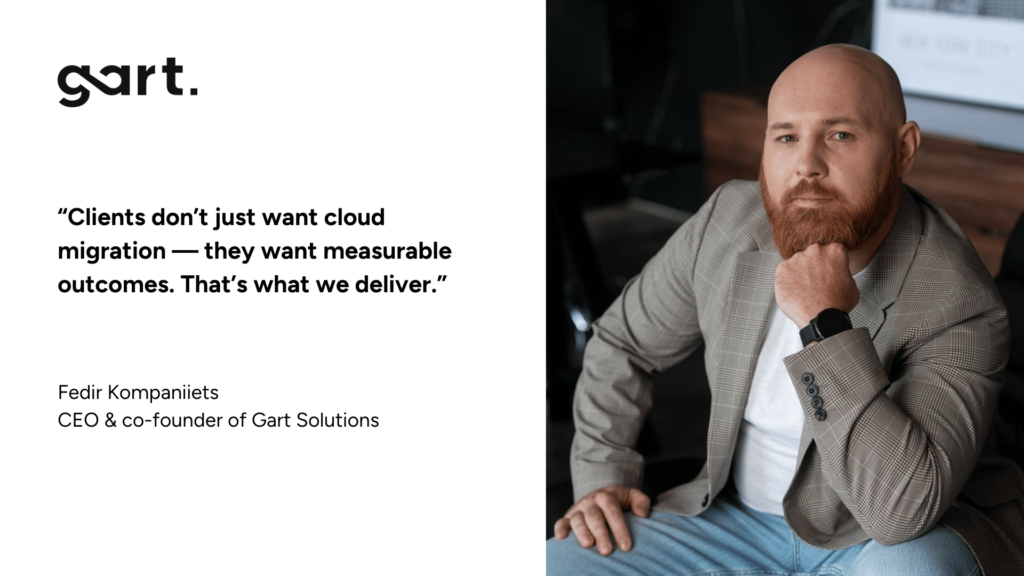
“Our clients don’t want a static AWS setup. They want a living, scaling, auto-healing machine. That’s what we build.” — Fedir Kompaniiets
Gart vs Enterprise Giants: Why Agile Beats Overhead
While the likes of Accenture, Deloitte, and Capgemini offer massive delivery teams and global reach, they often come with:
Slower onboarding timelines
Heavier pricing models
Templated engagement frameworks that don’t always fit agile or growth-stage companies
Gart Solutions takes a fundamentally different approach:
Lean, expert teams who get hands-on from day one
Custom-fit strategies instead of “cookie-cutter” playbooks
Focused on DevOps-native cultures, not legacy-heavy enterprises
If you’re running a SaaS startup, fintech company, or B2C platform, you’ll likely need:
Real-time observability
CI/CD and zero-downtime deployments
Scalability baked into architecture
Continuous cost governance
That’s exactly what Gart Solutions delivers — without the enterprise overhead.
“We don’t treat cloud like a one-time project. It’s a living system that needs continuous engineering. That’s why our clients stick with us long after migration.” — Fedir Kompaniiets, CEO of Gart
When Gart Is the Right Fit for Your Business
Wondering if Gart is your AWS migration partner? Here’s when to say yes:
You need both strategy and real engineering
Gart isn’t just a planning vendor — they ship production-grade infrastructure.
Your workloads are modern or need modernization
Have microservices? Monoliths to refactor? APIs to scale? Gart has you covered.
You’re scaling fast and need infrastructure to match
Gart helps SaaS, fintech, and media companies build scalable, cost-efficient AWS environments that don’t just run — they perform.
You want observability and automation baked in
From Grafana dashboards to automated deploys, Gart embeds visibility and control into every stack.
You need to reduce AWS costs post-migration
Gart doesn’t stop at “go live.” Their ongoing cost optimization helps teams cut 40–80% of unnecessary cloud spend.
Conclusion
As AWS continues to dominate cloud infrastructure in 2026, the need for trusted, capable migration partners grows daily. Whether you’re modernizing legacy systems or launching new digital products, choosing the right consultant defines your future success.
The field includes enterprise leaders like Accenture and Deloitte, but for companies that value agility, engineering, and cost-efficiency, specialized partners offer better alignment.
Gart Solutions, with its DevOps-first mindset, proven AWS expertise, and practical results, has emerged as one of the best AWS migration consultants — particularly for digital-native, product-led, and cloud-forward companies.
FAQ
Who are the best AWS migration consultants in 2026?
Accenture – Enterprise-scale AWS migrations and global cloud transformation
Deloitte – End-to-end AWS migration with strong governance and compliance focus
Capgemini – Cloud-first transformation and large-scale AWS adoption
Wipro – Automated AWS migration and modernization for enterprises
Gart Solutions – Engineering-led AWS migration, DevOps automation, and cost optimization for SaaS and digital-native companies
What makes Gart Solutions one of the best AWS migration consultants?
Engineering-first approach with hands-on AWS migration execution
Strong expertise in DevOps, CI/CD automation, and Infrastructure as Code
Proven AWS migration case studies in fintech, SaaS, and media industries
Focus on post-migration cost optimization and cloud efficiency
Cloud-native architecture design instead of basic lift-and-shift
How do AWS-centric migration consultants differ from large global consultancies?
AWS-centric consultants focus exclusively on AWS services and best practices
They provide deeper hands-on engineering and faster execution
Engagements are more flexible and tailored to the client’s architecture
Global consultancies prioritize scale and process, often with higher overhead
AWS specialists like Gart Solutions emphasize DevOps, automation, and cost control
What services should an AWS migration consultant provide?
Cloud readiness assessment and migration planning
Application and infrastructure migration to AWS
Architecture redesign for scalability and resilience
Security, compliance, and disaster recovery setup
Post-migration optimization, monitoring, and cost governance
Is Gart Solutions suitable for enterprise AWS migrations?
Yes, for mid-market and enterprise workloads requiring deep engineering expertise
Strong experience with regulated industries such as fintech
Enterprise-grade observability, disaster recovery, and security practices
More flexible and cost-efficient than large global consultancies
Best fit for enterprises with modern or modernizing architectures
What industries benefit most from working with AWS migration consultants like Gart Solutions?
SaaS and technology companies with scalable cloud workloads
Fintech and financial services requiring security and compliance
Media and entertainment platforms with high traffic demands
B2C digital platforms needing performance and cost efficiency
Startups transitioning from on-premise to cloud-native architectures
How long does an AWS migration typically take?
Small workloads: 2–4 weeks
Mid-size applications: 1–3 months
Complex enterprise systems: 3–6 months or longer
Timeline depends on architecture complexity, data volume, and compliance needs
Consultants like Gart Solutions use phased migration to reduce downtime
How do AWS migration consultants reduce cloud costs after migration?
Right-sizing compute and storage resources
Implementing autoscaling and load-based optimization
Using Reserved Instances and Savings Plans
Eliminating idle and unused AWS resources
Applying FinOps practices and continuous cost monitoring
What AWS services are commonly used during cloud migration projects?
AWS Migration Hub for tracking migration progress
AWS Database Migration Service (DMS)
AWS Application Migration Service
Amazon ECS, EKS, and Lambda for modern workloads
CloudWatch and Grafana for monitoring and observability
How do I choose between Gart Solutions and large AWS consulting firms?
Choose Gart Solutions for hands-on engineering, DevOps, and flexibility
Choose large firms for massive global rollouts and legacy-heavy enterprises
Gart is better for SaaS, product-led, and cloud-native organizations
Large firms suit highly structured, multi-country transformation programs
Decision depends on agility needs, budget, and technical complexity
In my experience optimizing cloud costs, especially on AWS, I often find that many quick wins are in the "easy to implement - good savings potential" quadrant.
[lwptoc]
That's why I've decided to share some straightforward methods for optimizing expenses on AWS that will help you save over 80% of your budget.
Choose reserved instances
Potential Savings: Up to 72%
Choosing reserved instances involves committing to a subscription, even partially, and offers a discount for long-term rentals of one to three years. While planning for a year is often deemed long-term for many companies, especially in Ukraine, reserving resources for 1-3 years carries risks but comes with the reward of a maximum discount of up to 72%.
You can check all the current pricing details on the official website - Amazon EC2 Reserved Instances
Purchase Saving Plans (Instead of On-Demand)
Potential Savings: Up to 72%
There are three types of saving plans: Compute Savings Plan, EC2 Instance Savings Plan, SageMaker Savings Plan.
AWS Compute Savings Plan is an Amazon Web Services option that allows users to receive discounts on computational resources in exchange for committing to using a specific volume of resources over a defined period (usually one or three years). This plan offers flexibility in utilizing various computing services, such as EC2, Fargate, and Lambda, at reduced prices.
AWS EC2 Instance Savings Plan is a program from Amazon Web Services that offers discounted rates exclusively for the use of EC2 instances. This plan is specifically tailored for the utilization of EC2 instances, providing discounts for a specific instance family, regardless of the region.
AWS SageMaker Savings Plan allows users to get discounts on SageMaker usage in exchange for committing to using a specific volume of computational resources over a defined period (usually one or three years).
The discount is available for one and three years with the option of full, partial upfront payment, or no upfront payment. EC2 can help save up to 72%, but it applies exclusively to EC2 instances.
Utilize Various Storage Classes for S3 (Including Intelligent Tier)
Potential Savings: 40% to 95%
AWS offers numerous options for storing data at different access levels. For instance, S3 Intelligent-Tiering automatically stores objects at three access levels: one tier optimized for frequent access, 40% cheaper tier optimized for infrequent access, and 68% cheaper tier optimized for rarely accessed data (e.g., archives).
S3 Intelligent-Tiering has the same price per 1 GB as S3 Standard — $0.023 USD.
However, the key advantage of Intelligent Tiering is its ability to automatically move objects that haven't been accessed for a specific period to lower access tiers.
Every 30, 90, and 180 days, Intelligent Tiering automatically shifts an object to the next access tier, potentially saving companies from 40% to 95%. This means that for certain objects (e.g., archives), it may be appropriate to pay only $0.0125 USD per 1 GB or $0.004 per 1 GB compared to the standard price of $0.023 USD.
Information regarding the pricing of Amazon S3
AWS Compute Optimizer
Potential Savings: quite significant
The AWS Compute Optimizer dashboard is a tool that lets users assess and prioritize optimization opportunities for their AWS resources.
The dashboard provides detailed information about potential cost savings and performance improvements, as the recommendations are based on an analysis of resource specifications and usage metrics.
The dashboard covers various types of resources, such as EC2 instances, Auto Scaling groups, Lambda functions, Amazon ECS services on Fargate, and Amazon EBS volumes.
For example, AWS Compute Optimizer reproduces information about underutilized or overutilized resources allocated for ECS Fargate services or Lambda functions. Regularly keeping an eye on this dashboard can help you make informed decisions to optimize costs and enhance performance.
Use Fargate in EKS for underutilized EC2 nodes
If your EKS nodes aren't fully used most of the time, it makes sense to consider using Fargate profiles. With AWS Fargate, you pay for a specific amount of memory/CPU resources needed for your POD, rather than paying for an entire EC2 virtual machine.
For example, let's say you have an application deployed in a Kubernetes cluster managed by Amazon EKS (Elastic Kubernetes Service). The application experiences variable traffic, with peak loads during specific hours of the day or week (like a marketplace or an online store), and you want to optimize infrastructure costs. To address this, you need to create a Fargate Profile that defines which PODs should run on Fargate. Configure Kubernetes Horizontal Pod Autoscaler (HPA) to automatically scale the number of POD replicas based on their resource usage (such as CPU or memory usage).
Manage Workload Across Different Regions
Potential Savings: significant in most cases
When handling workload across multiple regions, it's crucial to consider various aspects such as cost allocation tags, budgets, notifications, and data remediation.
Cost Allocation Tags: Classify and track expenses based on different labels like program, environment, team, or project.
AWS Budgets: Define spending thresholds and receive notifications when expenses exceed set limits. Create budgets specifically for your workload or allocate budgets to specific services or cost allocation tags.
Notifications: Set up alerts when expenses approach or surpass predefined thresholds. Timely notifications help take actions to optimize costs and prevent overspending.
Remediation: Implement mechanisms to rectify expenses based on your workload requirements. This may involve automated actions or manual interventions to address cost-related issues.
Regional Variances: Consider regional differences in pricing and data transfer costs when designing workload architectures.
Reserved Instances and Savings Plans: Utilize reserved instances or savings plans to achieve cost savings.
AWS Cost Explorer: Use this tool for visualizing and analyzing your expenses. Cost Explorer provides insights into your usage and spending trends, enabling you to identify areas of high costs and potential opportunities for cost savings.
Transition to Graviton (ARM)
Potential Savings: Up to 30%
Graviton utilizes Amazon's server-grade ARM processors developed in-house. The new processors and instances prove beneficial for various applications, including high-performance computing, batch processing, electronic design automation (EDA) automation, multimedia encoding, scientific modeling, distributed analytics, and machine learning inference on processor-based systems.
The processor family is based on ARM architecture, likely functioning as a system on a chip (SoC). This translates to lower power consumption costs while still offering satisfactory performance for the majority of clients. Key advantages of AWS Graviton include cost reduction, low latency, improved scalability, enhanced availability, and security.
Spot Instances Instead of On-Demand
Potential Savings: Up to 30%
Utilizing spot instances is essentially a resource exchange. When Amazon has surplus resources lying idle, you can set the maximum price you're willing to pay for them. The catch is that if there are no available resources, your requested capacity won't be granted.
However, there's a risk that if demand suddenly surges and the spot price exceeds your set maximum price, your spot instance will be terminated.
Spot instances operate like an auction, so the price is not fixed. We specify the maximum we're willing to pay, and AWS determines who gets the computational power. If we are willing to pay $0.1 per hour and the market price is $0.05, we will pay exactly $0.05.
Use Interface Endpoints or Gateway Endpoints to save on traffic costs (S3, SQS, DynamoDB, etc.)
Potential Savings: Depends on the workload
Interface Endpoints operate based on AWS PrivateLink, allowing access to AWS services through a private network connection without going through the internet. By using Interface Endpoints, you can save on data transfer costs associated with traffic.
Utilizing Interface Endpoints or Gateway Endpoints can indeed help save on traffic costs when accessing services like Amazon S3, Amazon SQS, and Amazon DynamoDB from your Amazon Virtual Private Cloud (VPC).
Key points:
Amazon S3: With an Interface Endpoint for S3, you can privately access S3 buckets without incurring data transfer costs between your VPC and S3.
Amazon SQS: Interface Endpoints for SQS enable secure interaction with SQS queues within your VPC, avoiding data transfer costs for communication with SQS.
Amazon DynamoDB: Using an Interface Endpoint for DynamoDB, you can access DynamoDB tables in your VPC without incurring data transfer costs.
Additionally, Interface Endpoints allow private access to AWS services using private IP addresses within your VPC, eliminating the need for internet gateway traffic. This helps eliminate data transfer costs for accessing services like S3, SQS, and DynamoDB from your VPC.
Optimize Image Sizes for Faster Loading
Potential Savings: Depends on the workload
Optimizing image sizes can help you save in various ways.
Reduce ECR Costs: By storing smaller instances, you can cut down expenses on Amazon Elastic Container Registry (ECR).
Minimize EBS Volumes on EKS Nodes: Keeping smaller volumes on Amazon Elastic Kubernetes Service (EKS) nodes helps in cost reduction.
Accelerate Container Launch Times: Faster container launch times ultimately lead to quicker task execution.
Optimization Methods:
Use the Right Image: Employ the most efficient image for your task; for instance, Alpine may be sufficient in certain scenarios.
Remove Unnecessary Data: Trim excess data and packages from the image.
Multi-Stage Image Builds: Utilize multi-stage image builds by employing multiple FROM instructions.
Use .dockerignore: Prevent the addition of unnecessary files by employing a .dockerignore file.
Reduce Instruction Count: Minimize the number of instructions, as each instruction adds extra weight to the hash. Group instructions using the && operator.
Layer Consolidation: Move frequently changing layers to the end of the Dockerfile.
These optimization methods can contribute to faster image loading, reduced storage costs, and improved overall performance in containerized environments.
Use Load Balancers to Save on IP Address Costs
Potential Savings: depends on the workload
Starting from February 2024, Amazon begins billing for each public IPv4 address. Employing a load balancer can help save on IP address costs by using a shared IP address, multiplexing traffic between ports, load balancing algorithms, and handling SSL/TLS.
By consolidating multiple services and instances under a single IP address, you can achieve cost savings while effectively managing incoming traffic.
Optimize Database Services for Higher Performance (MySQL, PostgreSQL, etc.)
Potential Savings: depends on the workload
AWS provides default settings for databases that are suitable for average workloads. If a significant portion of your monthly bill is related to AWS RDS, it's worth paying attention to parameter settings related to databases.
Some of the most effective settings may include:
Use Database-Optimized Instances: For example, instances in the R5 or X1 class are optimized for working with databases.
Choose Storage Type: General Purpose SSD (gp2) is typically cheaper than Provisioned IOPS SSD (io1/io2).
AWS RDS Auto Scaling: Automatically increase or decrease storage size based on demand.
If you can optimize the database workload, it may allow you to use smaller instance sizes without compromising performance.
Regularly Update Instances for Better Performance and Lower Costs
Potential Savings: Minor
As Amazon deploys new servers in their data processing centers to provide resources for running more instances for customers, these new servers come with the latest equipment, typically better than previous generations. Usually, the latest two to three generations are available. Make sure you update regularly to effectively utilize these resources.
Take Memory Optimize instances, for example, and compare the price change based on the relevance of one instance over another. Regular updates can ensure that you are using resources efficiently.
InstanceGenerationDescriptionOn-Demand Price (USD/hour)m6g.large6thInstances based on ARM processors offer improved performance and energy efficiency.$0.077m5.large5thGeneral-purpose instances with a balanced combination of CPU and memory, designed to support high-speed network access.$0.096m4.large4thA good balance between CPU, memory, and network resources.$0.1m3.large3rdOne of the previous generations, less efficient than m5 and m4.Not avilable
Use RDS Proxy to reduce the load on RDS
Potential for savings: Low
RDS Proxy is used to relieve the load on servers and RDS databases by reusing existing connections instead of creating new ones. Additionally, RDS Proxy improves failover during the switch of a standby read replica node to the master.
Imagine you have a web application that uses Amazon RDS to manage the database. This application experiences variable traffic intensity, and during peak periods, such as advertising campaigns or special events, it undergoes high database load due to a large number of simultaneous requests.
During peak loads, the RDS database may encounter performance and availability issues due to the high number of concurrent connections and queries. This can lead to delays in responses or even service unavailability.
RDS Proxy manages connection pools to the database, significantly reducing the number of direct connections to the database itself.
By efficiently managing connections, RDS Proxy provides higher availability and stability, especially during peak periods.
Using RDS Proxy reduces the load on RDS, and consequently, the costs are reduced too.
Define the storage policy in CloudWatch
Potential for savings: depends on the workload, could be significant.
The storage policy in Amazon CloudWatch determines how long data should be retained in CloudWatch Logs before it is automatically deleted.
Setting the right storage policy is crucial for efficient data management and cost optimization. While the "Never" option is available, it is generally not recommended for most use cases due to potential costs and data management issues.
Typically, best practice involves defining a specific retention period based on your organization's requirements, compliance policies, and needs.
Avoid using an undefined data retention period unless there is a specific reason. By doing this, you are already saving on costs.
Configure AWS Config to monitor only the events you need
Potential for savings: depends on the workload
AWS Config allows you to track and record changes to AWS resources, helping you maintain compliance, security, and governance. AWS Config provides compliance reports based on rules you define. You can access these reports on the AWS Config dashboard to see the status of tracked resources.
You can set up Amazon SNS notifications to receive alerts when AWS Config detects non-compliance with your defined rules. This can help you take immediate action to address the issue. By configuring AWS Config with specific rules and resources you need to monitor, you can efficiently manage your AWS environment, maintain compliance requirements, and avoid paying for rules you don't need.
Use lifecycle policies for S3 and ECR
Potential for savings: depends on the workload
S3 allows you to configure automatic deletion of individual objects or groups of objects based on specified conditions and schedules. You can set up lifecycle policies for objects in each specific bucket. By creating data migration policies using S3 Lifecycle, you can define the lifecycle of your object and reduce storage costs.
These object migration policies can be identified by storage periods. You can specify a policy for the entire S3 bucket or for specific prefixes. The cost of data migration during the lifecycle is determined by the cost of transfers. By configuring a lifecycle policy for ECR, you can avoid unnecessary expenses on storing Docker images that you no longer need.
Switch to using GP3 storage type for EBS
Potential for savings: 20%
By default, AWS creates gp2 EBS volumes, but it's almost always preferable to choose gp3 — the latest generation of EBS volumes, which provides more IOPS by default and is cheaper.
For example, in the US-east-1 region, the price for a gp2 volume is $0.10 per gigabyte-month of provisioned storage, while for gp3, it's $0.08/GB per month. If you have 5 TB of EBS volume on your account, you can save $100 per month by simply switching from gp2 to gp3.
Switch the format of public IP addresses from IPv4 to IPv6
Potential for savings: depending on the workload
Starting from February 1, 2024, AWS will begin charging for each public IPv4 address at a rate of $0.005 per IP address per hour. For example, taking 100 public IP addresses on EC2 x $0.005 per public IP address per month x 730 hours = $365.00 per month.
While this figure might not seem huge (without tying it to the company's capabilities), it can add up to significant network costs. Thus, the optimal time to transition to IPv6 was a couple of years ago or now.
Here are some resources about this recent update that will guide you on how to use IPv6 with widely-used services — AWS Public IPv4 Address Charge.
Collaborate with AWS professionals and partners for expertise and discounts
Potential for savings: ~5% of the contract amount through discounts.
AWS Partner Network (APN) Discounts: Companies that are members of the AWS Partner Network (APN) can access special discounts, which they can pass on to their clients. Partners reaching a certain level in the APN program often have access to better pricing offers.
Custom Pricing Agreements: Some AWS partners may have the opportunity to negotiate special pricing agreements with AWS, enabling them to offer unique discounts to their clients. This can be particularly relevant for companies involved in consulting or system integration.
Reseller Discounts: As resellers of AWS services, partners can purchase services at wholesale prices and sell them to clients with a markup, still offering a discount from standard AWS prices. They may also provide bundled offerings that include AWS services and their own additional services.
Credit Programs: AWS frequently offers credit programs or vouchers that partners can pass on to their clients. These could be promo codes or discounts for a specific period.
Seek assistance from AWS professionals and partners. Often, this is more cost-effective than purchasing and configuring everything independently. Given the intricacies of cloud space optimization, expertise in this matter can save you tens or hundreds of thousands of dollars.
More valuable tips for optimizing costs and improving efficiency in AWS environments:
Scheduled TurnOff/TurnOn for NonProd environments: If the Development team is in the same timezone, significant savings can be achieved by, for example, scaling the AutoScaling group of instances/clusters/RDS to zero during the night and weekends when services are not actively used.
Move static content to an S3 Bucket & CloudFront: To prevent service charges for static content, consider utilizing Amazon S3 for storing static files and CloudFront for content delivery.
Use API Gateway/Lambda/Lambda Edge where possible: In such setups, you only pay for the actual usage of the service. This is especially noticeable in NonProd environments where resources are often underutilized.
If your CI/CD agents are on EC2, migrate to CodeBuild: AWS CodeBuild can be a more cost-effective and scalable solution for your continuous integration and delivery needs.
CloudWatch covers the needs of 99% of projects for Monitoring and Logging: Avoid using third-party solutions if AWS CloudWatch meets your requirements. It provides comprehensive monitoring and logging capabilities for most projects.
Feel free to reach out to me or other specialists for an audit, a comprehensive optimization package, or just advice.
Organizations often expect to cut costs when migrating IT infrastructure from on-premises setups to the cloud. However, the reality can be starkly different. Various cost traps can emerge during cloud transformation, leading to unexpectedly high expenses if not carefully managed.
In this article, we will explore the most common cloud cost traps and provide strategies to avoid cloud expenditures during cloud transformation.
Estimating Cloud Transformation Expenses
Forecasting expenses during a cloud transformation can be challenging. In traditional IT setups, cost estimation is relatively straightforward, encompassing fixed costs such as data center rent, hardware, and licenses. Conversely, in a cloud environment, you pay based on usage, which can fluctuate greatly, complicating cost predictions.
This variability often leads to unforeseen cost spikes during cloud transformation.
At Gart Solutions, we help numerous organizations navigate their cloud transformation journeys and frequently encounter five key mistakes that can drive up costs.
Common Cloud Costs Optimization Traps Happening There:
1. The "Lift and Shift" Approach
A common mistake is migrating existing setups to the cloud without modifications, known as a "lift and shift." This method usually leads to high costs because it fails to leverage the cloud's unique advantages.
Instead, organizations should modernize their solutions through "refactoring." Refactoring involves changing or completely replacing applications or systems to exploit the cloud's benefits such as scalability, elasticity, self-service, and measurability. By optimizing resources for the cloud, organizations can achieve greater flexibility, efficiency, and cost savings.
2. Choosing the Wrong IT Architecture Setup
Selecting the right architecture for a cloud environment is critical. IT architecture must be carefully planned to maximize cloud benefits. Determining how services interact and which ones to use requires an architecture tailored to the organization’s needs. Poor architectural choices can result in an environment that does not meet security and scalability requirements, leading to costly adjustments. Hence, it's vital to seek expert advice, critically review recommendations, and explore alternatives that do not compromise functionality or performance.
Contact Gart & get the IT Infrastructure Consulting. Quick and long-term wins are guaranteed.
3. Overreliance on Enterprise Versions
Organizations often default to enterprise versions of cloud services without assessing their actual needs. This can result in unnecessarily high costs. Before opting for enterprise versions, it's crucial to evaluate if standard versions can meet the requirements.
Contact Gart & assess cloud services carefully.
4. Uncontrolled Capacity Planning
Accurately predicting capacity needs is a common challenge, where previous expertise is needed. Capacity requirements can vary — constant for some, linear for others, exponential for a third, and seasonal for a fourth. These variations can lead to over- or under-provisioning of resources, resulting in additional costs. Effective capacity planning involves basic estimates and continuous monitoring to detect changes in needs and adjust resources accordingly. Utilizing the built-in capabilities of cloud services for business alignment requires the right expertise.
Contact Gart to assess your resources and requirements and make optimal capacity planning.
5. Lack of Appropriate Skills
Cloud transformation increases IT delivery complexity and requires new skills. Without the right expertise, projects can become inefficient, leading to wrong decisions and increased costs.
Contact Gart - we are the trusted partner in cloud consulting, migration, and cost optimization.
6. Underestimating Data Transfer Costs
One often overlooked cost trap is data transfer. While moving data to the cloud might seem straightforward, the costs associated with data egress (data leaving the cloud) can be substantial. Organizations should be aware of these charges and plan data transfer strategies accordingly, such as optimizing data placement and minimizing data transfer needs.
7. Neglecting Long-term Cost Implications
Focusing solely on immediate cost savings can lead to higher long-term expenses. Organizations should consider the long-term implications of their cloud choices, including potential costs associated with scaling, maintenance, and upgrades. A comprehensive cost-benefit analysis that includes future scenarios can help in making more informed decisions.
8. Ignoring Security and Compliance Costs
Security and compliance are critical in cloud environments, and neglecting these aspects can lead to significant expenses. Ensuring that cloud deployments comply with regulatory standards and implementing robust security measures can prevent costly breaches and fines. Investing in security tools and expertise upfront is crucial for avoiding unexpected costs later.
Contact for consulting in security, architecture, and cloud technologies. Prevent unnecessary expenses and ensure a smooth transition.
9. Failing to Monitor and Optimize Usage
Continuous monitoring and optimization of cloud usage are essential for controlling costs. Without proper monitoring, organizations can easily overspend on unnecessary resources. Utilizing cloud management tools and implementing policies for regular audits and optimizations can help keep costs in check.
10. Overlooking Vendor Lock-in Risks
Vendor lock-in occurs when an organization becomes overly dependent on a single cloud provider, making it difficult and costly to switch providers. To mitigate this risk, organizations should adopt a multi-cloud strategy or ensure that their architecture allows for flexibility and portability across different cloud platforms.
11. Underutilizing Reserved Instances and Savings Plans
Cloud providers offer reserved instances and savings plans that can significantly reduce costs for predictable workloads. However, many organizations fail to take advantage of these options. By analyzing usage patterns and committing to long-term plans, organizations can achieve substantial savings compared to on-demand pricing.
12. Over-Provisioning Resources
Over-provisioning, or allocating more resources than needed, is a common cost trap. This often results from a lack of understanding of actual usage requirements. Implementing auto-scaling and right-sizing strategies can help in dynamically adjusting resources based on real-time demand, thus avoiding unnecessary expenses.
13. Lack of Governance and Policies
Effective governance and policies are crucial for managing cloud costs. Without proper governance, organizations can face uncontrolled spending and resource mismanagement. Establishing clear policies for resource usage, cost allocation, and accountability ensures that cloud resources are used efficiently, and costs are kept under control.
14. Neglecting to Decommission Unused Resources
Failing to decommission unused or idle resources can lead to wasted spending. Regularly reviewing and cleaning up unused instances, storage, and other resources can help in reducing unnecessary costs. Automation tools can assist in identifying and decommissioning these resources.
15. Ignoring Cloud Cost Management Tools
Most cloud providers offer cost management and optimization tools, but organizations often overlook these valuable resources. Utilizing these tools can provide insights into spending patterns, help identify cost-saving opportunities, and enable more effective budgeting and forecasting.
16. Misjudging Data Storage Costs
Data storage costs can add up quickly, especially if organizations do not manage their data efficiently. Implementing data lifecycle policies, such as archiving old data and deleting redundant data, can help control storage costs. Additionally, selecting the appropriate storage class based on access frequency and performance needs is essential.
17. Overlooking Software Licensing Costs
Cloud transformation can sometimes lead to increased software licensing costs, particularly if organizations do not review their licensing agreements carefully. It's important to understand the licensing implications of moving to the cloud and to negotiate contracts that align with cloud usage patterns.
18. Inadequate Backup and Disaster Recovery Planning
Backup and disaster recovery are critical components of cloud strategy, but inadequate planning in these areas can lead to unexpected costs. Organizations should ensure that their backup and recovery plans are cost-effective and align with their overall cloud strategy. This includes selecting the right tools and services for efficient data protection and recovery.
19. Failing to Leverage Cloud Provider Discounts
Cloud providers often offer discounts for committed usage, volume purchases, and other incentives. Failing to leverage these discounts can result in higher costs. Organizations should actively seek out and take advantage of available discounts to optimize their cloud spending.
Contact Gart and calculate cloud discounts for your case.
20. Not Considering Hidden Costs
Hidden costs, such as those related to network latency, data retrieval, and specialized support, can significantly impact the overall cloud budget. Organizations should thoroughly assess all potential costs, including those that may not be immediately apparent, to avoid budget surprises.
Final words
Cloud transformation requires specialized expertise & careful planning.
Contact us to address all organizational needs for a successful cloud transformation.
Gart Solutions can help your organization avoid common cost traps and achieve business objectives efficiently.
Review our latest Case Studies of our cloud migration & cost optimization projects.
How can AI tools enhance DevOps efficiency?AI tools like ChatGPT, Claude, GitHub Copilot, and VZero are transforming DevOps by automating coding, streamlining infrastructure management, and accelerating UI prototyping. These tools reduce development time, minimize human error, and free up engineers for strategic tasks.
We’re long past the debate about whether AI will take over jobs. In DevOps, AI is already reshaping how we work—automating routine tasks, assisting in decision-making, and enhancing speed and productivity.
Just two years ago, using AI for code generation was off-limits in many companies. Today, it’s not only permitted — it’s encouraged. The shift has been fast and profound.
In this guide, I’ll share real-world use cases of how I use AI tools as a DevOps engineer and cloud architect, showing you where they fit into daily workflows and how they boost performance.
The Rise of AI Assistants in DevOps
Let's dive into something that’s been on everyone’s radar lately: AI assistants. But don’t worry, we’re not going to talk about AI taking over our jobs or debating its future in society. Instead, let’s get practical and look at how we’re already using AI assistants in our daily work routines.
Just two years ago, when ChatGPT 3.5 was launched, most people couldn’t have predicted just how quickly these tools would evolve. AI’s rapid progress has been especially game-changing for the IT field. It’s as if IT professionals decided, "Why not automate parts of our own jobs first?" And here we are, seeing the impact of that decision. In just two years, AI has made strides that feel almost unreal.
I remember when many companies had strict no-AI policies. Legal restrictions were everywhere—using AI to analyze or write code was off the table. Fast forward to now, and it’s a whole different story. Many companies not only allow AI; they actively encourage it, seeing it as a way to work faster and more effectively. Tasks that used to take days can now be handed off to AI, letting us focus on deeper engineering work.
Today, I want to take you through how I, as a DevOps engineer and cloud architect, am using AI assistants to streamline different parts of my job.
https://youtu.be/4FNyMRmHdTM?si=F2yOv89QU9gQ7Hif
Key AI Tools in DevOps and Their Use Cases
ChatGPT: Your All-in-One Assistant for DevOps
Let’s start with ChatGPT. By now, it’s a household name, probably the most recognized AI assistant and where so much of this tech revolution began. So, why do I rely on ChatGPT?
First off, it’s built on some of the largest AI models out there, often debuting groundbreaking updates. While it might feel more like a generalist than a specialist in niche areas, its capabilities for everyday tasks are impressive.
I won’t go into too much detail about ChatGPT itself, but let’s look at some recent updates that are genuinely game-changing.
For starters, ChatGPT 4.0 is now the new standard, replacing previous models 3.5 and 4. It’s a foundational model designed to handle just about any task, as they say.
But the real excitement comes with ChatGPT’s new Search feature. This is a huge leap forward, as the model can now browse the internet in real-time. Previously, it was limited to its last training cutoff, with only occasional updates. Now, it can look up current information directly from the web.
Here’s a quick example: You could ask, “What’s the current exchange rate for the Ukrainian hryvnia to the euro?” and ChatGPT will fetch the latest answer from the internet. It can even calculate taxes based on the most recent rates and regulations.
Even better, you can see the sources it uses, so you can double-check the information. This feature positions ChatGPT as a potential Google alternative for many professional questions.
Another exciting addition is ChatGPT Canvas, which offers a more visual and interactive way to collaborate with the AI. This feature lets you create and adjust diagrams, flowcharts, and other visuals directly in the chat interface. It’s perfect for brainstorming sessions, project planning, and breaking down complex ideas in a more visual format.
Personally, I use ChatGPT for a range of tasks — from quick questions to brainstorming sessions. With Search and Canvas, it’s evolving into an even more versatile tool that fits a variety of professional needs. It’s like having an all-in-one assistant.
To summarise, ChatGPT is good for:
🔍 Real-Time Web Access with Search
ChatGPT’s built-in browser now retrieves up-to-date information, making it more than a static assistant. Whether you're checking the latest AWS pricing or debugging region-specific issues, this tool has you covered.
🧠 Complex Task Handling
From brainstorming pipeline structures to writing Bash scripts, ChatGPT handles high-level logic, templating, and document writing.
🗂️ Canvas: Visualizing Ideas
With Canvas, you can sketch infrastructure diagrams, brainstorm architectures, or visually debug pipeline issues—all within the same AI environment.
Use it for:
YAML templating
Cost estimation
Visual breakdowns of infrastructure
Researching live documentation
Transform Your DevOps Process with Gart's Automation Solutions!
Take your DevOps to the next level with seamless automation. Contact us to learn how we can streamline your workflows.
Claude: AI for Project Context and Helm Charts
Claude’s project memory and file management capabilities make it ideal for large, structured DevOps tasks.
Let’s dive into a more specialized AI tool I use: Claude. Unlike other AI assistants, Claude is structured to manage files and data in a way that’s incredibly practical for DevOps. One of the best features? The ability to organize information into project-specific repositories. This setup is a huge help when juggling different environments and configurations, making it easier to pick up complex projects exactly where you left off.
Here’s a quick example. Imagine I need to create a new Helm chart for an app that’s been running on other machines.
My goal is to create a universal deployment in Kubernetes. With Claude, I can start a project called "Helm Chart Creation" and load it up with essential context—best practices, reference files, and so on. Claude’s “Project Knowledge” feature is a game-changer here, allowing me to add files and snippets it should remember. If I need references from Bitnami’s Helm charts, which have an extensive library, I can just feed them directly into Claude.
Now, say I want to convert a Docker Compose file into a Helm chart. I can input the Docker Compose file and relevant Helm chart references, and Claude will scaffold the YAML files for me. Sure, it sometimes needs a bit of tweaking, but the initial output is structured, logical, and saves a massive amount of time.
In a recent project, we had to create Helm charts for a large number of services. A task that would’ve previously taken a team of two to four people several months now took just one person a few weeks, thanks to Claude’s ability to handle most of the code organization and structuring.
The only downside? You can only upload up to five files per request. But even with that limitation, Claude is a powerful tool that genuinely understands project context and writes better code.
To summarise, Claude is good for:
🧾 Project Knowledge Management
Organize your tasks by repository or project. Claude remembers past inputs and references, making it useful for tasks like:
Converting Docker Compose to Helm
Creating reusable Helm charts
Structuring Kubernetes deployments
GitHub Copilot for Code Generation
Next up, let’s talk about Copilot for Visual Studio. I’ve been using it since the early days when it was just GitHub Copilot, and it’s come a long way since then. The latest version introduces some great new features that make coding even more efficient.
One small change is that Copilot now opens on the right side of the Visual Studio window—just a layout tweak, but it keeps everything organized. More importantly, it now taps into both OpenAI models and Microsoft’s proprietary AI, plus it integrates with Azure. This means it can work directly within your cloud environment, which is super useful.
Copilot also gets smart about your project setup, reading the structure and indexing files so it understands what you’re working on. For example, if I need to spin up a Terraform project for Azure with a Terraform Cloud backend, I can just ask Copilot, and it’ll generate the necessary code and config files.
It’s great for speeding up code writing, starting new projects, and even handling cloud services, all while helping troubleshoot errors as you go. One of my favorite features is the “Explain” option. If I’m stuck on a piece of code, I can ask Copilot to break it down for me, which saves me from searching online or guessing. It’s a real timesaver, especially when working with unfamiliar languages or code snippets.
GitHub Copilot is good for:
🚀 Cloud-Specific Code Generation
Copilot now understands infrastructure-as-code contexts:
Launch a Terraform project for Azure in minutes
Create config files and debug errors automatically
💬 Code Explainability
One standout feature is the “Explain this code” function. If you're unfamiliar with a script, Copilot explains it clearly—perfect for onboarding or refactoring.
Use it for:
Cloud provisioning
Writing CI/CD scripts
Boilerplate code in unfamiliar languages
Effortless DevOps Automation with Gart!
Let us handle the heavy lifting in DevOps. Reach out to see how Gart can simplify and accelerate your processes.
VZero for UI and Front-End Prototyping
Finally, let’s take a look at VZero from Vercel. I don’t use it as often as other tools, but it’s impressive enough that it definitely deserves a mention.
VZero is an AI-powered tool that makes creating UI forms and interfaces fast and easy. For someone like me—who isn’t a frontend developer—it’s perfect for quickly putting together a UI concept. Whether I need to show a UI idea to a dev team, share a concept with contractors, or visualize something for stakeholders, VZero makes it simple.
For example, if I need a page to display infrastructure audit results, I can start by giving VZero a basic prompt, like “I want a page that shows infrastructure audit results.” Even with this minimal direction, VZero can create a functional, attractive UI.
One of the best things about VZero is how well it handles design context. I can upload screenshots or examples from our existing website, and it’ll match the design language—think color schemes, styles, and layout. This means the UI it generates not only works but also looks consistent with our brand.
The tool even generates real-time editable code, so if I need to make a quick tweak—like removing an extra menu or adjusting the layout—it’s easy to do. I can just ask VZero to make the change, and it updates the UI instantly.
There are two main ways I use VZero:
Prototyping: When I have a rough idea and want a quick prototype, VZero lets me visualize it without having to dive into frontend code. Then, I can pass it along to frontend developers to build out further.
Creating Simple Forms: Sometimes, I need a quick form for a specific task, like automating a workflow or gathering input for a DevOps process. VZero lets me create these forms without needing deep frontend expertise.
Since VZero is built on Vercel’s platform, the generated code is optimized for modern frameworks like React and Next.js, making it easy to integrate with existing projects. By using AI, VZero cuts down the time and effort needed to go from idea to working UI, making frontend design more accessible to non-experts.
VZero is good for:
✨ Design Context Awareness
Upload a screenshot of your existing product, and VZero will generate matching UI components. It mimics style guides, layouts, and brand consistency.
🧩 Use Cases:
Prototyping admin dashboards
Mocking audit interfaces
Creating forms for automation workflows
Built on modern React/Next.js frameworks, it outputs usable code for immediate integration.
AI’s Impact on Productivity and Efficiency
The cumulative impact of these AI tools on DevOps workflows is significant. What used to take entire teams months to complete can now be accomplished by a single engineer within weeks, thanks to AI-driven automation and structured project management. The cost-effectiveness of these tools is also noteworthy; a typical monthly subscription to all mentioned AI tools averages around $70. Given the efficiency gains, this represents a valuable investment for both individual professionals and organizations.
How to Use AI in DevOps Without Sacrificing Quality
To maximize AI’s potential, DevOps professionals must go beyond simple code generation and understand how to fully integrate these tools into their workflows. Successful use of AI involves knowing:
When to rely on AI versus manual coding for accuracy and efficiency.
How to assess AI-generated results critically to avoid errors.
The importance of providing comprehensive prompts and reference materials to get the best outcomes.
To maximize value:
🔍 Review AI output like you would a junior developer’s code.
🧠 Prompt engineering matters—give context, not just commands.
⚠️ Don’t outsource critical logic—review security and environment-specific settings carefully.
By mastering these skills, DevOps teams can ensure that AI tools support their goals effectively, adding value without compromising quality.
Conclusion
AI tools have become indispensable in DevOps, transforming how engineers approach their work and enabling them to focus on higher-level tasks. As these tools continue to evolve, they are likely to become even more integral to development operations, offering ever more refined support for complex workflows. Embracing AI in DevOps is no longer a choice but a necessity, and those who learn to use it wisely will enjoy substantial advantages in productivity, adaptability, and career growth.
If you’re not leveraging AI in DevOps yet, you're falling behind.Want to scale your DevOps efficiency with AI-backed automation?Connect with Gart Solutions to modernize your pipelines today.
Thank you for contacting us!
Please, check your email
Thank you
You've been subscribed
We use cookies to enhance your browsing experience. By clicking "Accept," you consent to the use of cookies. To learn more, read our Privacy Policy