The 20 traps listed here are drawn from recurring patterns observed across cloud migration, architecture review, and cost optimization engagements led by Gart's engineers. All provider-specific pricing references were verified against official AWS, Azure, and GCP documentation and FinOps Foundation guidance as of April 2026. This article was last substantially reviewed in April 2026.
Organizations moving infrastructure to the cloud often expect immediate cost savings. The reality is frequently more complicated. Without deliberate cloud cost optimization, cloud bills can grow faster than on-premises costs ever did — driven by dozens of hidden traps that are easy to fall into and surprisingly hard to detect once they compound.
At Gart Solutions, our cloud architects review spending patterns across AWS, Azure, and GCP environments every week. This article distills the 20 most damaging cloud cost optimization traps we encounter — organized into four cost-control layers — along with the signals that reveal them and the fastest fixes available.
Is cloud waste draining your budget right now? Our Infrastructure Audit identifies exactly where spend is leaking — typically within 5 business days. Most clients uncover 20–40% in recoverable cloud costs.
⚡ TL;DR — Quick Summary
Migration traps (Traps 1–4): Lift-and-shift, wrong architecture, over-engineered enterprise tools, and poor capacity forecasting inflate costs from day one.
Architecture traps (Traps 5–9): Data egress, vendor lock-in, over-provisioning, ignored discounts, and storage mismanagement create structural waste.
Operations traps (Traps 10–15): Idle resources, licensing gaps, monitoring blind spots, and poor backup planning drain budgets silently.
Governance & FinOps traps (Traps 16–20): Missing tagging, no cost policies, weak tooling, hidden fees, and undeveloped FinOps practices are the root cause behind most budget overruns.
The biggest single lever: adopting a continuous FinOps operating cadence aligned to the FinOps Foundation framework.
32%
Average cloud waste reported by organizations without a FinOps practice
$0.09/GB
AWS standard egress cost that catches most teams off guard
72%
Maximum savings available via Reserved Instances vs on-demand
20 Cloud Cost Optimization Traps
Use this table to quickly scan every trap and identify where your environment is most exposed before diving into the detailed breakdowns below.
#TrapWhy It HurtsTypical SignalFastest Fix1Lift-and-Shift MigrationPays cloud prices for on-prem designHigh instance costs, poor utilizationRefactor high-cost workloads first2Wrong ArchitectureScalability failures → expensive reworkManual scaling, outages at traffic peaksArchitecture review before migration3Overreliance on Enterprise EditionsPaying for features you don't useEnterprise licenses on dev/stagingAudit licenses by environment tier4Uncontrolled Capacity PlanningOver- or under-provisioned resourcesIdle capacity OR repeated scaling crisesDemand-based autoscaling + monitoring5Underestimating Data EgressEgress fees add up faster than computeData transfer line items spike monthlyVPC endpoints + region co-location6Ignoring Vendor Lock-in RiskSwitching costs explode over timeAll workloads on a single providerAdopt portable abstractions (K8s, Terraform)7Over-Provisioning ResourcesPaying for idle CPU/RAMAvg CPU utilization <20%Right-sizing + Compute Optimizer8Skipping Reserved Instances & Savings PlansOn-demand premium for predictable workloadsNo commitments in billing dashboardAnalyze 3-month usage → commit on stable workloads9Misjudging Storage CostsWrong storage class for access patternS3 Standard used for rarely accessed dataEnable S3 Intelligent-Tiering10Neglecting to Decommission ResourcesPaying for forgotten resourcesUnattached EBS volumes, stopped EC2Weekly idle resource audit + automation11Overlooking Software LicensingBYOL vs license-included confusionDuplicate license chargesLicense inventory before migration12No Monitoring or Optimization LoopWaste compounds undetectedNo cost anomaly alerts configuredEnable AWS Cost Anomaly Detection / Azure Budgets13Poor Backup & DR PlanningOver-replicated data or recovery failuresDR spend exceeds 15% of total cloud billTiered backup strategy with lifecycle policies14Not Using Cloud Cost ToolsInvisible spend patternsNo regular Cost Explorer reportsSchedule weekly cost review cadence15Inadequate Skills & ExpertiseWrong decisions compound into structural debtManual fixes, repeated incidentsEngage a certified cloud partner16Missing Governance & TaggingNo cost attribution = no accountabilityUntagged resources >30% of billEnforce tagging policy via IaC17Ignoring Security & Compliance CostsBreaches cost far more than preventionNo WAF, no encryption at restSecurity baseline as part of onboarding18Missing Hidden FeesNAT, cross-AZ, IPv4, log retention surprisesUnexplained line items in billingDetailed billing breakdown monthly19Not Leveraging Provider DiscountsPaying full price unnecessarilyNo EDP, PPA, or partner program enrollmentWork with an AWS/Azure/GCP partner for pricing20No FinOps Operating CadenceCost decisions made reactivelyNo monthly cloud cost review meetingAdopt FinOps Foundation operating modelCloud Cost Optimization Traps
Traps 1–4: Migration Strategy Mistakes That Set the Wrong Foundation
Cloud cost problems often originate at the very first decision: how to migrate. Poor migration strategy creates structural inefficiencies that become exponentially harder and more expensive to fix after go-live.
Trap 1 - The "Lift and Shift" Approach
Migrating existing infrastructure to the cloud without architectural changes — commonly called "lift and shift" — is the single most widespread source of cloud cost overruns. Cloud economics reward cloud-native design. When you move an on-premises architecture unchanged, you keep all of its inefficiencies while adding cloud-specific cost layers.
A typical example: an on-premises database server running at 15% utilization, provisioned for peak load. In a data center, that idle capacity has no additional cost. In AWS or Azure, you pay for the full instance 24/7. That same pattern repeated across 50 services can double your effective cloud spend versus what a refactored equivalent would cost.
The right approach is "refactoring" — redesigning or partially rewriting applications to use cloud-native services such as managed databases, serverless compute, and event-driven architectures. Refactoring does require upfront investment, but it consistently delivers 30–60% lower steady-state costs compared to lift-and-shift.
Risk: High compute costs; pays cloud prices for on-prem design decisions
Signal: Low CPU/memory utilization (<25%) on most instances post-migration
Fix: Identify the top 5 cost drivers; prioritize those for refactoring in Sprint 1
Trap 2 - Choosing the Wrong IT Architecture
Architecture decisions made before or during migration determine your cost ceiling for years. A monolithic deployment that requires a large EC2 instance to function at all will always cost more than a microservices-based design that can scale individual components independently. Similarly, choosing synchronous service-to-service calls when asynchronous queuing would work causes unnecessary instance sizing to handle peak concurrency.
Poor architectural choices also create security and scalability gaps that require expensive remediation. We have seen clients spend more fixing architectural decisions in year two than their original migration cost.
What to do: Conduct a formal architecture review before migration. Map how services interact, identify coupling points, and evaluate whether managed cloud services (RDS, SQS, ECS Fargate, Lambda) can replace self-managed components. Seek an independent review — internal teams often have blind spots around the architectures they built.
Risk: Expensive rework; environments that don't scale without large instance upgrades
Signal: Manual vertical scaling during traffic events; frequent infrastructure incidents
Fix: Infrastructure audit pre-migration with explicit architecture recommendations
Trap 3 - Overreliance on Enterprise Editions
Many organizations default to enterprise tiers of cloud services and SaaS tools without validating whether standard editions cover their actual requirements. Enterprise editions can cost 3–5× more than standard equivalents while delivering features that 80% of teams never activate.
This is especially common in managed database services, monitoring platforms, and identity management. A 50-person engineering team paying for enterprise database licensing at $8,000/month when a standard tier at $1,200/month would meet their SLA requirements is a straightforward optimization many teams overlook.
What to do: Build a license inventory as part of your migration plan. Map every service tier to actual feature usage. Apply enterprise editions only where specific features — such as advanced security controls or SLA guarantees — are genuinely required. Use non-production environments to validate that standard tiers meet your needs before committing.
Risk: 3–5× cost premium for unused enterprise features
Signal: Enterprise licenses deployed uniformly across all environments including dev/staging
Fix: Feature-usage audit per service; downgrade where usage doesn't justify tier
Trap 4 - Uncontrolled Capacity Planning
Capacity needs differ dramatically by workload type. Some workloads are constant, some linear, some follow exponential growth curves, and some are highly seasonal (e-commerce spikes, payroll runs, end-of-quarter reporting). Without workload-specific capacity models, teams either over-provision to be safe — paying for idle capacity — or under-provision and face service disruptions that result in emergency spending.
A practical example: an e-commerce platform provisioning its peak Black Friday capacity year-round would spend roughly 4× more than a platform using autoscaling with predictive scaling policies and spot instances for burst capacity.
What to do: Model capacity by workload pattern type. Use cloud-native autoscaling with predictive policies (AWS Auto Scaling predictive scaling, Azure VMSS autoscale) for variable workloads. Use Reserved Instances only for the steady-state baseline that you can reliably forecast 12 months out. Review capacity assumptions quarterly.
Risk Persistent over-provisioning or costly emergency scaling events
Signal Flat autoscaling policies; no predictive scaling configured
Fix Workload classification + autoscaling policy tuning + quarterly capacity review
Traps 5–9: Architectural Decisions That Create Structural Waste
Even with a sound migration strategy, specific architectural choices can lock in cost inefficiencies. These traps are particularly dangerous because they are not visible in compute cost reports — they hide in network fees, storage charges, and pricing tiers.
Trap 5 - Underestimating Data Transfer and Egress Costs
Data transfer costs are the most consistently underestimated line item in cloud budgets. AWS charges $0.09 per GB for standard egress from most regions. Azure and GCP follow similar models. For an application that moves 100 TB of data monthly between services, regions, or to end users, that's $9,000 per month from egress alone — often invisible during initial cost modeling.
Beyond external egress, cross-Availability Zone (cross-AZ) data transfer is a hidden cost that catches many teams by surprise. In AWS, cross-AZ traffic costs $0.01 per GB in each direction. A microservices application making frequent cross-AZ calls can generate thousands of dollars in monthly cross-AZ fees that appear in no single obvious dashboard item.
NAT Gateway charges are another overlooked trap: at $0.045 per GB processed (AWS), a data-heavy workload can generate NAT costs that rival compute. Use VPC Interface Endpoints or Gateway Endpoints for S3, DynamoDB, SQS, and other AWS-native services to eliminate unnecessary NAT Gateway traffic entirely.
Risk $0.09+/GB egress; cross-AZ and NAT fees compound quickly at scale
Signal Data transfer line items represent >15% of total cloud bill
Fix Deploy VPC endpoints; co-locate communicating services in same AZ; use CDN for user-facing egress
Trap 6 - Overlooking Vendor Lock-in Risks
Vendor lock-in is not merely an architectural concern — it is a cost risk. When 100% of your workloads are tightly coupled to a single cloud provider's proprietary services, your negotiating position on pricing is zero, migration away from bad pricing agreements is prohibitively expensive, and you are exposed to any pricing changes the provider makes.
Using open standards — Kubernetes for container orchestration, Terraform or Pulumi for infrastructure as code, PostgreSQL-compatible databases rather than proprietary variants — preserves optionality without meaningful cost or performance tradeoffs for most workloads. The Cloud Native Computing Foundation (CNCF) maintains an extensive ecosystem of portable tooling that reduces lock-in risk while supporting enterprise-grade requirements.
Risk Zero pricing leverage; multi-year migration cost if you need to switch
Signal All infrastructure uses proprietary managed services with no portable alternatives
Fix Adopt open standards (K8s, Terraform, open-source databases) for new workloads
Trap 7 - Over-Provisioning Resources
Over-provisioning — allocating more compute, memory, or storage than workloads actually need — is one of the most common and most correctable sources of cloud waste. Industry benchmarks consistently show that average CPU utilization across cloud environments sits below 20%. That means 80% of compute capacity is idle on an average day.
AWS Compute Optimizer analyzes actual utilization metrics and generates rightsizing recommendations. In a typical engagement, Gart architects find that 30–50% of EC2 instances are candidates for downsizing by one or more instance sizes, often without any measurable performance impact. The same pattern applies to managed database instances, where default sizing is frequently 2× what the actual workload requires.
For Kubernetes workloads, idle node waste is a particularly common issue. If EKS nodes run at <40% average utilization, Fargate profiles for low-utilization pods can reduce compute costs significantly by charging only for the CPU and memory actually requested by each pod — not the entire node.
Risk Paying for 80% idle capacity on average; compounds across every service
Signal Average CPU <20%; CloudWatch showing consistent low utilization
Fix Run AWS Compute Optimizer or Azure Advisor; right-size top 10 cost drivers first
Trap 9 - Skipping Reserved Instances and Savings Plans
On-demand pricing is the most expensive way to run predictable workloads. AWS Reserved Instances and Compute Savings Plans offer discounts of up to 72% versus on-demand rates for 1- or 3-year commitments — discounts that are documented in AWS's official pricing documentation. Azure Reserved VM Instances and GCP Committed Use Discounts offer comparable savings.
Despite the size of these savings, many organizations run the majority of their workloads on on-demand pricing, either because they lack the forecasting confidence to commit or because no one has owned the decision. For production workloads with predictable usage — databases, core application servers, monitoring stacks — there is almost never a good reason to use on-demand pricing exclusively.
Practical approach: Analyze your last 90 days of usage. Identify the minimum baseline usage across all instance types — that is your "floor." Commit Reserved Instances to cover that floor. Use Savings Plans (more flexible, applying across instance families and regions) to cover the next layer of predictable usage. Keep only genuine burst capacity on on-demand or Spot.
Risk Paying 72% more than necessary for stable workloads
Signal No active reservations or savings plans in billing console
Fix 90-day usage analysis → commit on the steady-state baseline; layer Savings Plans on top
Trap 10 - Misjudging Data Storage Costs
Storage costs are deceptively easy to ignore when an organization is small — and surprisingly painful when data volumes grow. Three specific patterns create disproportionate storage costs:
Wrong storage class. Storing rarely-accessed data in S3 Standard at $0.023/GB when S3 Glacier Instant Retrieval costs $0.004/GB is a 6× overspend on archival data. S3 Intelligent-Tiering solves this automatically for access patterns you cannot predict — it moves objects between tiers based on access history and can deliver savings of 40–95% on archival content.
EBS volume type mismatch. Most workloads still use gp2 EBS volumes by default. Migrating to gp3 reduces cost by approximately 20% ($0.10/GB vs $0.08/GB in us-east-1) while delivering better baseline IOPS. A team with 5 TB of EBS saves $100/month with a configuration change that takes minutes.
Observability retention bloat. CloudWatch Log Groups with retention set to "Never Expire" accumulate months or years of logs that no one reviews. Setting a 30- or 90-day retention policy on non-compliance logs is one of the simplest cost reductions available and can represent significant monthly savings for data-heavy applications.
Risk Up to 6× overpayment on archival storage; compounding log retention costs
Signal All S3 data in Standard class; CloudWatch retention set to "Never"
Fix Enable Intelligent-Tiering; migrate EBS to gp3; set log retention policies immediately
Traps 10–15: Operational Habits That Drain the Budget Silently
Operational cloud cost traps are the result of what teams do (and don't do) day to day. They are often smaller individually than architectural traps, but they compound quickly and are the most common source of the "unexplained" portion of cloud bills.
Trap 10 - Neglecting to Decommission Unused Resources
Cloud environments accumulate ghost resources — stopped EC2 instances, unattached EBS volumes, unused Elastic IPs, orphaned load balancers, forgotten RDS snapshots — faster than most teams realize. Each item carries a small individual cost, but across a mature cloud environment these can represent 10–20% of the total bill.
Starting from February 2024, AWS charges $0.005 per public IPv4 address per hour — approximately $3.65/month per address. An environment with 200 public IPs that have never been audited pays $730/month in IPv4 fees alone, often without anyone noticing. Transitioning to IPv6 where supported eliminates this cost entirely.
Best practice: Schedule a monthly idle-resource audit using AWS Trusted Advisor, Azure Advisor, or a dedicated FinOps tool. Automate shutdown of non-production resources outside business hours. Set lifecycle policies on EBS snapshots, RDS snapshots, and ECR images to automatically prune old versions.
Risk 10–20% of bill in ghost resources; IPv4 fees accumulate invisibly
Signal Unattached EBS volumes; stopped instances still appearing in billing
Fix Automated weekly cleanup script + lifecycle policies on snapshots and images
Trap 11 - Overlooking Software Licensing Costs
Cloud migration can inadvertently increase software licensing costs in two ways: activating license-included instance types when you already hold bring-your-own-license (BYOL) agreements, or losing license portability by moving to managed services that bundle licensing at a premium.
Windows Server and SQL Server licenses are particularly high-value areas. Running SQL Server Enterprise on a license-included RDS instance can cost significantly more than using a BYOL license on an EC2 instance with an optimized configuration. Understanding your existing software agreements before migration — and mapping them to cloud deployment options — can save substantial amounts annually.
Risk Duplicate licensing costs; paying for bundled licenses when BYOL applies
Signal No license inventory reviewed before migration; license-included instances for Windows/SQL Server
Fix Software license audit pre-migration; map existing agreements to BYOL eligibility in cloud
Trap 12 - Failing to Monitor and Optimize Usage Continuously
Cloud cost optimization is not a one-time project — it is a continuous operational practice. Without ongoing monitoring, cost anomalies go undetected, new services are provisioned without review, and seasonal workloads retain peak-period sizing long after demand has subsided.
AWS Cost Anomaly Detection, Azure Cost Management alerts, and GCP Budget Alerts all provide free anomaly detection capabilities that most organizations never configure. Setting budget thresholds with alert notifications takes less than an hour and provides immediate visibility into unexpected spend spikes.
Recommended monitoring stack: cloud-native cost dashboards (Cost Explorer / Azure Cost Management) for historical analysis, budget alerts for real-time anomaly detection, and a weekly team review of the top 10 cost drivers by service.
Risk Waste compounds for months before anyone notices
Signal No cost anomaly alerts configured; no regular cost review meeting
Fix Enable anomaly detection; schedule weekly cost review; assign cost ownership per team
Trap 13 - Inadequate Backup and Disaster Recovery Planning
Backup and disaster recovery strategies that aren't cost-optimized can inflate cloud bills significantly. Common mistakes include retaining identical backup copies across multiple regions for all data regardless of criticality, keeping backups indefinitely without a lifecycle policy, and running full active-active DR environments for workloads where a simpler warm standby or pilot light approach would meet RTO/RPO requirements.
Cost-effective DR design starts with classifying workloads by criticality tier. Not every application needs a hot standby. Many workloads with RTO requirements of 4+ hours can be recovered efficiently from S3-based backups at a fraction of the cost of a full multi-region active replica. For S3, enabling lifecycle rules that transition backup data to Glacier Deep Archive after 30 days reduces storage cost by up to 95%.
Risk DR costs exceeding 15–20% of total cloud bill for non-critical workloads
Signal Uniform DR strategy applied to all workloads regardless of criticality tier
Fix Workload criticality classification → tiered DR strategy → S3 Glacier lifecycle policies
Trap 14 - Ignoring Cloud Cost Management Tools
Every major cloud provider ships cost management and optimization tools that the majority of organizations either ignore or underuse. AWS Cost Explorer, AWS Compute Optimizer, AWS Trusted Advisor, Azure Advisor, and GCP Recommender collectively surface rightsizing recommendations, reserved capacity suggestions, and idle resource reports — all free of charge.
Third-party FinOps platforms (CloudHealth, Apptio Cloudability, Spot by NetApp) provide cross-provider views and more sophisticated anomaly detection for multi-cloud environments. For organizations spending more than $50K/month on cloud, the ROI on a dedicated FinOps tool typically exceeds 10:1 within the first quarter.
Risk Missing savings recommendations that providers generate automatically
Signal No regular review of Trusted Advisor / Azure Advisor recommendations
Fix Enable all native cost tools; schedule weekly review of top recommendations
Trap 15 - Lack of Appropriate Cloud Skills
Cloud cost optimization requires specific expertise that is not automatically present in teams that migrate from on-premises environments. Teams without cloud-native skills tend to default to familiar patterns — large VMs, manual scaling, on-demand pricing — that systematically cost more than cloud-optimized equivalents.
The skill gap is not just about knowing which services exist. It is about understanding the cost implications of architectural decisions in real time — knowing that choosing a NAT Gateway over a VPC endpoint has a measurable monthly cost, or that a managed database defaults to a larger instance tier than necessary for a given workload.
Gart's approach:We embed a cloud architect alongside your team during the first 90 days post-migration. That direct knowledge transfer prevents the most expensive mistakes during the period when cloud spend is most volatile.
Risk Repeated costly mistakes; structural technical debt from uninformed decisions
Signal Manual infrastructure changes; frequent cost surprises; no IaC adoption
Fix Engage a certified cloud partner for the migration and 90-day post-migration period
Traps 16–20: Governance and FinOps Failures That Undermine Everything Else
The most technically sophisticated cloud architecture can still generate runaway costs without adequate governance. These final five traps operate at the organizational level — they are about processes, policies, and culture as much as technology.
Trap 16 - Missing Governance, Tagging, and Cost Policies
Without a resource tagging strategy, cloud cost reports show you what you're spending but not who is spending it, on what, or why. This makes accountability impossible and optimization very difficult. Untagged resources in a mature cloud environment commonly represent 30–50% of the total bill — a figure that makes cost attribution to business units, projects, or environments nearly impossible.
Effective tagging policies include mandatory tags enforced at provisioning time via Service Control Policies (AWS), Azure Policy, or IaC templates. Minimum viable tags: environment (production/staging/dev), team, project, and cost-center. Resources that fail tagging checks should be prevented from provisioning in production.
Governance beyond tagging includes spending approval workflows for new service provisioning, budget alerts per team, and quarterly cost reviews that compare actual vs. planned spend by business unit.
Risk No cost accountability; optimization impossible without attribution
Signal >30% of resources untagged; no per-team budget visibility
Fix Enforce tagging at IaC level; SCPs/Azure Policy for tag compliance; team-level budget dashboards
Trap 17 - Ignoring Security and Compliance Costs
Under-investing in cloud security creates a different kind of cost trap: the cost of a breach or compliance failure vastly exceeds the cost of prevention. The average cost of a cloud data breach reached $4.9M in 2024 (IBM Cost of a Data Breach report). WAF, encryption at rest, secrets management, and compliance automation are not optional overhead — they are cost controls.
Security-related compliance requirements (SOC 2, HIPAA, GDPR, PCI DSS) also have cloud cost implications: they constrain which storage services, regions, and encryption configurations you can use. Understanding these constraints before architecture is finalized prevents expensive rework and compliance-driven re-migration.
For implementation guidance, the Linux Foundation and cloud provider security frameworks provide open standards for cloud security baselines that are both compliance-aligned and cost-efficient.
Risk Breach costs far exceed prevention investment; compliance rework is expensive
Signal No WAF; secrets in environment variables; no encryption at rest configured
Fix Security baseline as part of initial architecture; compliance audit before go-live
Trap 18 - Not Considering Hidden and Miscellaneous Costs
Beyond compute and storage, cloud bills contain dozens of smaller line items that collectively represent a significant portion of total spend. The most commonly overlooked hidden costs we see in client audits:
Public IPv4 addressing: $0.005/hour per IP in AWS = $3.65/month per address. 100 addresses = $365/month that many teams have never noticed.
Cross-AZ traffic: $0.01/GB in each direction. Microservices with chatty inter-service communication across AZs can generate thousands per month.
NAT Gateway processing: $0.045/GB processed through NAT. Services that use NAT to reach AWS APIs instead of VPC endpoints pay this fee unnecessarily.
CloudWatch log ingestion: $0.50 per GB ingested. Verbose application logging without sampling can generate large CloudWatch bills.
Managed service idle time: RDS instances, ElastiCache clusters, and OpenSearch domains running 24/7 for development workloads that operate 8 hours/day.
Risk Cumulative hidden fees representing 10–25% of total bill
Signal Unexplained or unlabeled line items in billing breakdown
Fix Monthly detailed billing review; enable Cost Allocation Tags; use VPC endpoints to eliminate NAT fees
Trap 19 - Failing to Leverage Cloud Provider Discounts
Beyond Reserved Instances and Savings Plans, cloud providers offer several discount programs that most organizations never explore. AWS Enterprise Discount Program (EDP), Azure Enterprise Agreement (EA) pricing, and GCP Committed Use Discounts can deliver negotiated rates of 10–30% on overall spend for organizations with committed annual volumes.
Working with an AWS, Azure, or GCP partner can also unlock reseller discount arrangements and technical credit programs. Partners in the AWS Partner Network (APN) and Microsoft Partner Network can often pass on pricing that is not directly available to end customers. Gart's AWS partner status allows us to structure engagements that include pricing advantages for qualifying clients — an arrangement that can save 5–15% of annual cloud spend independently of any architectural optimization.
Provider credit programs (AWS Activate for startups, Google for Startups, Microsoft for Startups) are also frequently overlooked by companies that don't realize they qualify. Many Series A and Series B companies are still eligible for substantial credits.
Risk Paying full list price when negotiated rates of 10–30% are available
Signal No EDP, EA, or partner program enrollment; no credits applied
Fix Engage a cloud partner to assess discount program eligibility and negotiate pricing
Trap 20 - No FinOps Operating Cadence
The final and most systemic trap is the absence of an organized FinOps practice. FinOps — Financial Operations — is the cloud financial management discipline that brings financial accountability to variable cloud spend, enabling engineering, finance, and product teams to make informed trade-offs between speed, cost, and quality. The FinOps Foundation defines the framework that leading cloud-native organizations use to govern cloud economics.
Without a FinOps operating cadence, cloud cost optimization is reactive: teams respond to bill shock rather than preventing it. With FinOps, cost optimization becomes embedded in engineering workflows — part of sprint planning, architecture review, and release processes.
Core FinOps practices to adopt immediately:
Weekly cloud cost review meeting with engineering leads and finance representative
Cost forecasts updated monthly by service and team
Budget alerts set at 80% and 100% of monthly targets
Anomaly detection enabled on all accounts
Quarterly optimization sprints with dedicated engineering time for cost improvements
Risk All other 19 traps compound without FinOps to catch them
Signal No regular cost review; cost surprises discovered at invoice receipt
Fix Adopt FinOps Foundation operating model; assign cloud cost owner per account.
Cloud Cost Optimization Checklist for Engineering Leaders
Use this checklist to rapidly assess where your cloud environment stands across the four cost-control layers. Items you cannot check today represent your highest-priority optimization opportunities.
Cloud Cost Optimization Checklist
Migration & Architecture
✓
Workloads have been evaluated for refactoring opportunities, not just lifted and shifted
✓
Architecture has been formally reviewed for cost and scalability by an independent expert
✓
All software licenses have been inventoried and mapped to BYOL vs. license-included options
✓
Data egress paths have been mapped; VPC endpoints used for AWS-native service communication
✓
EBS volumes migrated from gp2 to gp3; S3 storage classes reviewed
Compute & Capacity
✓
Reserved Instances or Savings Plans cover at least 60% of steady-state compute
✓
Autoscaling policies are configured with predictive scaling for variable workloads
✓
AWS Compute Optimizer or Azure Advisor recommendations reviewed and actioned
✓
Non-production environments scheduled to scale down outside business hours
✓
Kubernetes node utilization above 50% average; Fargate evaluated for low-utilization pods
Operations & Monitoring
✓
Monthly idle resource audit completed; unattached EBS volumes and unused IPs removed
✓
CloudWatch log group retention policies set on all groups
✓
Cost anomaly detection enabled on all cloud accounts
✓
Weekly cost review cadence established with team leads
✓
DR strategy tiered by workload criticality; not all workloads on active-active
Governance & FinOps
✓
Tagging policy enforced at provisioning time via IaC or cloud policy
✓
<10% of resources untagged in production environments
✓
Per-team or per-project cloud budget dashboards visible to engineering and finance
✓
Cloud discount programs (EDP, EA, partner programs) evaluated and enrolled where eligible
✓
FinOps operating cadence established with quarterly optimization sprints
Stop Guessing. Start Optimizing.
Gart's cloud architects have helped 50+ organizations recover 20–40% of their cloud spend — without sacrificing performance or reliability.
🔍 Cloud Cost Audit
We analyze your full cloud bill and deliver a prioritized savings roadmap within 5 business days.
🏗️ Architecture Review
Identify structural inefficiencies like over-provisioning and redesign for efficiency without disruption.
📊 FinOps Implementation
Operating cadence, tagging governance, and cost dashboards to keep cloud spend under control.
☁️ Ongoing Optimization
Monthly or quarterly retainers that keep your spend aligned with business goals as workloads evolve.
Book a Free Cloud Cost Assessment →
★★★★★
Reviewed on Clutch 4.9 / 5.0
· 15 verified reviews
AWS & Azure certified partner
Roman Burdiuzha
Co-founder & CTO, Gart Solutions · Cloud Architecture Expert
Roman has 15+ years of experience in DevOps and cloud architecture, with prior leadership roles at SoftServe and lifecell Ukraine. He co-founded Gart Solutions, where he leads cloud transformation and infrastructure modernization engagements across Europe and North America. In one recent client engagement, Gart reduced infrastructure waste by 38% through consolidating idle resources and introducing usage-aware automation. Read more on Startup Weekly.
The Market Reality: Legacy IT Is the Hidden Anchor of Enterprise Value
In the heart of nearly every large enterprise sits a massive constraint: accumulated technical debt embedded in legacy systems.
Across Fortune 500 companies, roughly 70% of core enterprise software was built 20+ years ago. These systems run billing engines, transaction processors, underwriting platforms, ERPs, and supply chains. They are stable — but not adaptable.
For decades, modernization was deferred because:
Programs cost hundreds of millions
Timelines stretched 5–7 years
Risk of disruption was high
ROI was unclear
Systems “still worked”
That equation has changed.
Technology now drives about 70% of value creation in major business transformations. AI, cloud, robotics, and automation demand modern digital foundations. Companies cannot extract value from generative AI, advanced analytics, or automation on top of fragmented, tightly coupled, undocumented legacy stacks.
Meanwhile, retirement of legacy-skilled engineers increases risk every year.
Legacy modernization is no longer an IT initiative. It is a CEO-level growth decision.
The Economics Have Shifted: Why AI Changes the Business Case
Three years ago, modernizing a large financial transaction processing system could cost well over $100M. Today, with AI-assisted modernization, similar programs can cost less than half — while moving significantly faster.
Organizations using generative AI in modernization programs are seeing:
40–50% acceleration in modernization timelines
~40% reduction in tech debt–related costs
Measurable improvement in output quality
Direct tracking of tech debt impact on P&L
Previously “too expensive” modernization efforts are now viable.
But only if AI is used strategically.
What Legacy Systems Actually Cost
When people search “cost of legacy systems” or “how much does legacy software cost,” they usually mean license fees.
The real cost is broader.
1. Direct IT Spend
Maintenance contracts
Vendor lock-in pricing
On-prem infrastructure
Custom integration upkeep
In many enterprises, 60–80% of IT budgets go to maintaining existing systems.
2. Productivity Loss
Developers spending significant time managing technical debt
Business users relying on spreadsheets and manual workarounds
Slower product delivery cycles
3. Risk & Compliance Exposure
Security patching complexity
Difficulty implementing regulatory updates
Increased downtime probability
4. Opportunity Cost
Technology debt can represent up to 40–50% of total investment spend impact. That is capital not going toward innovation.
Why AI Modernization Is Not Just Code Translation
One major mistake in AI-driven modernization is what experts call “code and load.”
This happens when:
Old code is simply converted to a new language
Architecture remains unchanged
Business logic inefficiencies persist
That approach merely moves technical debt into a modern shell.
Real modernization requires:
Redesigning architecture
Re-evaluating business processes
Eliminating unnecessary complexity
Targeting business outcomes, not code syntax
AI should support transformation — not automate technical debt migration.
How AI Actually Improves Legacy Modernization
AI delivers leverage in three major areas:
1. Business Outcome Optimization
Instead of modernizing everything, AI helps identify:
What systems generate the most business risk
Where modernization unlocks revenue
Which components can be retired
2. Autonomous AI Agents
Modern AI systems can deploy coordinated agents to:
Analyze dependencies
Generate test cases
Propose refactoring
Create documentation
Assist migration workflows
When orchestrated correctly, these agents significantly reduce manual engineering workload.
3. Industrialized Scaling
The real value appears when AI modernization becomes repeatable:
Standardized workflows
Automated test pipelines
Governance and oversight
Measurable cost reduction tracking
Scaling AI across modernization efforts turns it into a compounding advantage.
A Practical AI-Driven Modernization Framework
Phase 1: AI-Assisted Discovery & Audit
Before touching code:
Map all applications and integrations
Quantify tech debt exposure
Identify cost concentration
Detect hidden dependencies
AI reduces months of manual analysis into days.
Phase 2: Prioritization Based on Value
Search behavior shows leaders ask:
“When should you replace legacy systems?”
“Is modernization worth it?”
Answer: modernize what creates measurable business value.
Focus on:
Systems blocking AI adoption
Compliance risk hotspots
High maintenance cost clusters
Revenue-critical applications
Phase 3: Target Architecture Definition
Modern systems must include:
API-first architecture
Modular services
Event-driven patterns
Observability and monitoring
CI/CD automation
Infrastructure as Code
Without redesigning architecture, modernization fails long term.
Phase 4: AI Guardrails Before Refactoring
AI generates:
Regression test suites
Test data scenarios
Change impact analysis
Code documentation
This reduces modernization risk significantly.
Phase 5: Incremental Replacement
Instead of rewriting everything:
Wrap legacy with APIs
Replace bounded domains
Validate via automated testing
Decommission gradually
This approach minimizes operational disruption.
It aligns with structured Legacy Application Modernization.
Market Forces Accelerating AI-Driven Legacy Modernization
AI-driven modernization is not a niche trend. It is the convergence point of multiple structural shifts in enterprise technology, economics, and competitive dynamics.
Across industries, modernization is accelerating because the underlying pressures are compounding — not cyclical.
1. Generative AI Has Exposed Legacy Constraints
The explosive adoption of generative AI has revealed a structural problem:
Most enterprises cannot fully leverage AI on top of fragmented, tightly coupled legacy systems.
Modern AI requires:
Clean, structured, accessible data
API-driven architectures
Scalable cloud infrastructure
Observability and automation pipelines
Legacy systems — often monolithic, undocumented, and heavily customized — struggle to provide these prerequisites.
Industry research shows that organizations attempting AI adoption without modern digital foundations experience:
Slower deployment cycles
Poor integration between AI tools and core systems
Limited measurable ROI
As a result, AI adoption itself has become a catalyst for modernization.
Modernization is no longer about cost savings alone — it is about unlocking AI capability.
2. The Economics of Modernization Have Changed
Historically, modernization programs were delayed because they were:
Extremely expensive
Multi-year transformation efforts
High-risk and disruptive
But generative AI has fundamentally recalibrated that equation.
Recent industry findings indicate:
40–50% acceleration in modernization timelines when AI is orchestrated correctly
Roughly 40% reduction in costs associated with technical debt remediation
Significant reduction in manual documentation and testing effort
Projects that once exceeded $100M and required 5–7 years can now be executed faster and at materially lower cost when AI agents support code analysis, test generation, documentation, and refactoring workflows.
This shift makes previously “unjustifiable” modernization initiatives economically viable.
3. Technology Debt Is Now a P&L Issue
In many enterprises, technical debt accounts for up to 40–50% of total technology investment impact.
That means:
Capital is tied up in maintenance rather than innovation
Engineering capacity is diverted to firefighting
Business transformation ROI is diluted
Organizations are increasingly able to quantify tech debt’s financial impact, tying it directly to:
Delayed product launches
Reduced operational efficiency
Higher infrastructure costs
Increased security risk exposure
Once tech debt is visible in financial terms, modernization becomes a CFO and CEO conversation — not just an IT backlog item.
4. Cloud ROI Pressure Is Forcing Architectural Rethinks
Many enterprises migrated legacy systems to the cloud without fully modernizing them.
The result:
“Lift-and-shift” systems running inefficiently in cloud environments
High cloud spend with limited scalability gains
Persistent architectural constraints
AI-driven modernization allows organizations to:
Identify redundant services
Optimize workloads
Decompose monoliths
Improve cloud resource utilization
Cloud optimization and AI modernization are increasingly intertwined.
Organizations are not just modernizing to move to cloud — they are modernizing to make cloud economically efficient.
5. Regulatory and Security Pressures Are Increasing
Regulatory frameworks in finance, healthcare, and critical infrastructure are tightening around:
Operational resilience
Cybersecurity
Data protection
Auditability
Legacy systems often lack:
Modern logging and observability
Fine-grained access control
Real-time monitoring
Automated compliance reporting
Modernization becomes a risk mitigation strategy, reducing exposure to:
Downtime penalties
Data breaches
Regulatory fines
In highly regulated sectors, modernization is increasingly driven by resilience mandates.
6. Engineering Talent Scarcity Is a Structural Constraint
Many legacy platforms rely on:
Obsolete programming languages
Custom-built frameworks
Undocumented integrations
The engineers who built and maintained these systems are reaching retirement age.
Meanwhile:
Younger engineers prefer modern stacks
Hiring for legacy expertise becomes more expensive
Knowledge concentration creates single points of failure
AI mitigates this constraint by:
Extracting documentation automatically
Generating tests
Assisting in translating and restructuring code
Reducing dependence on scarce specialists
Talent scarcity is accelerating AI adoption inside modernization programs.
7. Competitive Acceleration Is Redefining the Risk Profile
Digital-native competitors operate on:
Cloud-native architectures
Modular systems
Rapid deployment pipelines
AI-integrated workflows
Incumbents constrained by legacy stacks face:
Slower innovation cycles
Longer feature release timelines
Limited personalization capabilities
Reduced experimentation velocity
Modernization is no longer defensive cost reduction.
It is offensive strategy — enabling:
Faster product development
AI-enhanced customer experiences
Real-time data decisioning
Market expansion
Organizations that modernize effectively gain compounding competitive advantage.
The Strategic Shift in Legacy Modernization in the era of AI
Historically:Modernization was delayed because the system “still worked.”
Today:Modernization is pursued because the business must evolve.
AI has not eliminated the complexity of modernization — but it has shifted the cost curve, reduced the time horizon, and increased predictability.
The question is no longer whether modernization is necessary.
The question is whether it is being approached strategically — with AI as an orchestrated accelerator rather than a superficial code conversion tool.
Common Challenges in Legacy System Modernization
Leaders frequently ask about challenges.
Key risks include:
Incomplete documentation
Deeply coupled systems
Organizational resistance
Underestimated scope
Lack of business alignment
Governance gaps for AI use
The solution is disciplined orchestration — not aggressive automation.
How Long Does AI-Driven Modernization Take?
Traditional programs: 3-5 years.AI-accelerated programs: 40–50% faster when structured correctly.
Timelines depend on:
System complexity
Governance maturity
Testing coverage
Architecture clarity
Is AI Modernization Worth the Investment?
When executed properly:
Cost reductions compound
Engineering productivity increases
Security posture improves
Cloud ROI improves
AI adoption becomes feasible
P&L impact becomes measurable
Organizations that track tech debt impact on financial performance often discover modernization is overdue — not optional.
Final Perspective
AI does not eliminate modernization complexity.
But it fundamentally reshapes its economics.
What was once too expensive, too slow, and too risky is now executable — if orchestrated correctly.
The organizations that combine disciplined engineering, strategic prioritization, and AI acceleration will convert legacy from an anchor into an advantage.
Ready to Modernize with AI?
Legacy modernization is no longer a multi-year leap of faith.
With the right strategy, disciplined engineering, and AI used as a structured accelerator — not a shortcut — modernization becomes measurable, phased, and financially justified.
At Gart Solutions, we help organizations:
Quantify the real cost of legacy systems
Identify high-impact modernization priorities
Design AI-accelerated transformation roadmaps
Reduce technical debt safely and incrementally
Build cloud-native, AI-ready architectures
Optimize modernization ROI with DevOps and platform engineering practices
Whether you're exploring modernization for the first time or need to rescue a stalled initiative, we can help you move forward with clarity.
Let’s assess where you stand — and what’s possible.
Book a strategic consultation or request a legacy modernization audit to receive:
A technical debt exposure overview
Risk and cost concentration mapping
AI-readiness assessment
A phased, realistic modernization roadmap
Contact us today to start your AI-driven modernization journey.
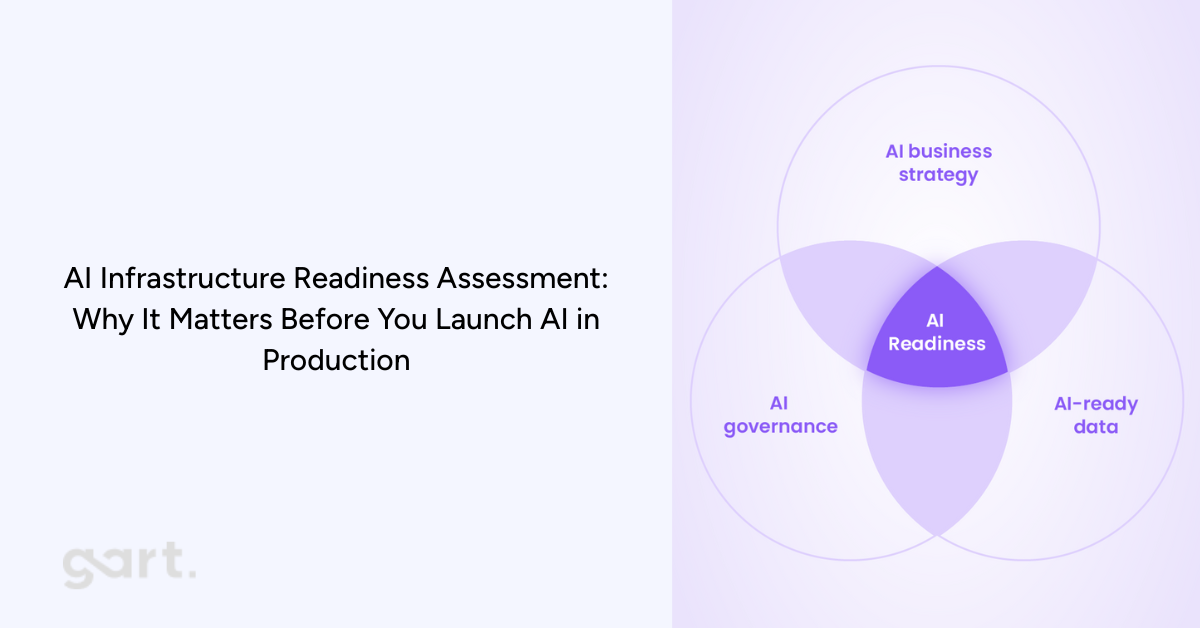
Why AI Fails Without the Right Infrastructure
Artificial intelligence is transforming entire industries — but ironically, most AI initiatives don’t fail because of weak models. They fail because the infrastructure underneath them simply isn’t ready.
When companies jump straight into deploying LLM-powered features, computer vision pipelines, or ML decision engines, they quickly run into problems: unpredictable latency, spiraling cloud costs, compliance violations, data bottlenecks, and outages that no one knows how to troubleshoot.
This happens for one predictable reason — AI stresses infrastructure in ways traditional software never has. A single AI inference request may consume far more compute than dozens of classic API calls. Sensitive data may need to move through new pipelines. Models require versioning, isolation, and rollback strategies. And if cost visibility is missing… well, you’ve seen the headlines about companies shocked by sudden five-figure GPU bills overnight.
That’s exactly why organizations are now prioritizing an AI infrastructure readiness assessment before they even begin building or integrating AI features. According to the brochure provided (p.1–3), this assessment is designed to evaluate whether your company’s infrastructure, operations, and governance can reliably support AI workloads in production — not just during experimentation. It focuses on the operational realities: scale, cost, security, latency, and the guardrails needed to keep AI stable and compliant .
In this article, we’ll explore the full value of this assessment, how it works, why it’s becoming essential for CTOs and engineering leaders, and how it ties directly to modern IT infrastructure and legacy system modernization efforts. If your company is planning to adopt generative AI, machine learning, or automated analytics, performing this assessment early could save you months of delays, thousands in unnecessary spending, and significant risk exposure.
2. What Is an AI Infrastructure Readiness Assessment?
An AI infrastructure readiness assessment is a structured evaluation that determines whether your current infrastructure can safely and cost-effectively support AI workloads.
2.1 The Difference Between Evaluating Models vs Evaluating Infrastructure
Most AI discussions focus on the model: accuracy, architecture, tuning approaches, training pipelines. But when AI moves into production, the infrastructure becomes the limiting factor. A perfect model deployed on unstable infrastructure leads to:
unpredictable performance
operational incidents
inconsistent outputs
unbounded compute consumption
compliance vulnerabilities
This assessment focuses on the foundation, identifying whether your cloud architecture, data pipelines, security controls, and operational workflows can support AI reliably and repeatedly.
2.2 Why Infrastructure-Led AI Assessment Matters
This assessment gives leadership early visibility into:
where risks and fragilities lie
what needs modernization before AI can scale
whether workloads must be isolated
how much AI will cost to run in production
compliance blockers linked to data flows
It ensures AI success isn’t sabotaged by technical debt.
3. Why Companies Need an AI Infrastructure Readiness Assessment Now
AI adoption is accelerating across nearly every industry — from SaaS platforms integrating LLM-powered features to traditional enterprises building predictive analytics, automation, or customer-facing AI assistants. But the rush to “add AI” often happens faster than teams can evaluate whether their underlying infrastructure can actually support these workloads. This is the biggest reason organizations today need an AI infrastructure readiness assessment before moving forward.
Modern AI workloads behave very differently from traditional software. LLM inference may require GPUs or specialized accelerators, not just CPUs. Data pipelines must be reproducible, regulated, and auditable. Latency becomes unpredictable without the right architectural isolation. Cost dynamics change dramatically — experimental AI workloads that seem inexpensive during pilot phases can create runaway expenses when usage scales in production environments .
Another reason companies need this assessment now is compliance. Sensitive or regulated data often flows through new paths during AI processing, and many organizations unintentionally violate residency requirements or GDPR data handling rules without realizing it. The assessment identifies these risks early (p.8), preventing costly future corrections or audit failures .
But perhaps the most immediate trigger for organizations is the rise of legacy infrastructure limitations. Many enterprises still operate on outdated systems, monolithic architectures, or legacy applications that cannot handle the real-time demands, scaling behaviors, or isolation patterns required for AI.
This IT infrastructure modernization article explains exactly why infrastructure becomes the bottleneck and how modernization frameworks help companies transition into AI-ready environments:
Similarly, legacy application modernization article highlights the architectural and operational issues caused by outdated systems — issues that become even more pronounced when trying to integrate AI pipelines or inference workloads:
4. Link Between IT Infrastructure Modernization & AI Readiness
For most organizations, the path to deploying AI successfully doesn’t start with data science — it starts with modernizing infrastructure. Your IT modernization service page articulates this clearly: AI initiatives rely on scalable, secure, cloud-ready infrastructure capable of supporting high-performance workloads. Without this foundation, production AI becomes nearly impossible.
4.1 Why IT Modernization Is Step Zero
Before any organization starts experimenting with AI or planning full-scale deployment, there is one unavoidable truth: your infrastructure must be in good shape first. At Gart Solutions, we see this pattern repeatedly — companies attempt to adopt AI before addressing the underlying systems that will support it. The result? Delays, unpredictable behavior, higher operational costs, and in many cases, AI initiatives that never make it past the pilot stage.
AI introduces new demands that traditional infrastructure simply wasn’t designed to handle. Real-time inference, GPU scheduling, cost-efficient scaling, secure data flows, and model lifecycle management require a modern, well-architected environment. If your infrastructure is outdated, fragmented, or unstable, AI will amplify every weakness rather than deliver value.
This is why IT modernization becomes Step Zero in any AI strategy.
Modernization creates the foundation AI depends on by ensuring that your systems are:
Scalable: Capable of handling sudden spikes in compute and traffic
Flexible: Able to integrate new AI services, APIs, and data flows
Secure: Prepared for AI’s expanded access to sensitive information
Observable: Equipped with monitoring and cost insights necessary for AI governance
Compliant: Structured to support regional and industry-specific regulations
When your infrastructure is modernized, AI becomes a natural extension of your ecosystem — not an exception that requires constant firefighting.
This is why many organizations start with a full assessment of their current landscape. Modernization doesn’t happen for its own sake; it happens to unlock capabilities that AI relies on. Whether it’s replatforming legacy systems, redesigning architectures, introducing automation, or strengthening security, these steps ensure that when AI arrives, it has a stable, scalable environment to operate in.
Simply put:If the foundation is weak, AI will expose it. If the foundation is strong, AI will elevate it.
4.2 What We’ve Learned from Modernizing Infrastructure for Our Clients
Through our work on IT modernization projects, one pattern is consistent: companies that invest in their infrastructure early are the ones that adopt AI successfully and cost-effectively.
Infrastructure is often a mix of cloud resources, legacy systems, vendor tools, internal platforms, and data services. Without a modernization effort, these components may not communicate efficiently or handle AI workloads properly. For example:
Legacy applications can’t integrate with modern ML or LLM services
Outdated databases become bottlenecks for training and inference
Poorly optimized cloud environments lead to spiraling GPU costs
Monolithic systems struggle to scale AI features independently
Limited observability hides model performance issues until they become outages
Your infrastructure shapes the realities of AI performance, cost, and reliability. Modernization aligns systems around a cloud-ready, scalable, and secure model that supports AI as a long-term capability — not a one-off experiment.
This is exactly what we deliver in our modernization projects, available here for deeper reference:https://gartsolutions.com/it-infrastructure-modernization/
4.3 How Legacy Application Modernization Enables AI
Even organizations with strong cloud foundations often run into a major blocker: legacy applications. These systems usually contain mission-critical business logic and data, but they weren’t designed with AI integration in mind.
Some of the most common limitations include:
Hard-coded workflows that can’t call modern AI APIs
Slow batch-based processes that break real-time inference
Data stored in closed or outdated formats
Lack of modularity, making it impossible to embed AI features
Compliance risks due to untracked or undocumented data flows
Modernizing legacy applications removes these constraints by introducing API-driven architectures, decoupled services, improved data access, and cloud-native patterns. Suddenly, AI can plug into business processes seamlessly.
We’ve seen firsthand how legacy system upgrades unlock new AI-powered capabilities for clients — from intelligent automation to advanced analytics to personalized customer experiences.More here: https://gartsolutions.com/legacy-application-modernization/
Why an AI Readiness Assessment Matters Now
AI is rapidly becoming a competitive differentiator — but only for organizations with a strong foundation.
Take the assessment: https://tally.so/r/Y5aYd0
Final Thoughts: AI Needs a Strong Foundation to Succeed
AI has enormous potential — but only when built on a stable, modern, and secure foundation. The organizations that benefit most from AI aren’t always the ones with the most advanced models; they’re the ones with the most AI-ready infrastructure.
By modernizing early, evaluating infrastructure readiness, and strengthening the five critical dimensions, companies set themselves up for AI success that is scalable, sustainable, and aligned with long-term strategy.
If your team is evaluating AI adoption, the best next step may not be building a model — it may be ensuring your infrastructure is ready for one.
Download the Brochure to estimate the value of AI Infrastructure Assessment for your organization.
Contact Us if you need a support.
AI-Infrastructure-and-Readiness-AssessmentDownload