Every growing organization eventually faces the same pivotal question: should workloads run in the cloud or on your own servers? The answer shapes your IT budget, your security posture, your team's agility, and your long-term competitive position.
The cloud vs. on-premises debate is no longer a binary choice between "modern" and "outdated." In 2026, both models coexist — sometimes even inside the same organization — each solving different problems better than the other. What matters is knowing which problems each solves, so you can build infrastructure that fits your strategy instead of the other way around.
This guide covers every dimension that actually matters: total cost of ownership, security, scalability, compliance, control, and operational overhead. By the end, you'll have a clear, data-backed framework for your decision — and you'll know exactly when to call in a specialist to help you execute it.
What Does Cloud Computing Mean and Why Most Enterprises Use It?
Cloud computing delivers computing resources — servers, storage, databases, networking, software, analytics, and intelligence — over the internet ("the cloud") on a pay-as-you-go basis. Instead of owning and operating physical data centers, you rent capacity from a provider that manages the underlying infrastructure.
The three major cloud deployment models are:
Public Cloud — Resources are owned and operated by a third-party provider (AWS, Microsoft Azure, Google Cloud) and shared across multiple customers. Highest elasticity, lowest upfront cost.
Private Cloud — Cloud infrastructure dedicated exclusively to one organization, either on-site or hosted by a third party. More control, less sharing.
Hybrid Cloud — A combination of public and private cloud environments integrated to allow data and applications to move between them. The dominant model in enterprise IT by 2026.
The three primary cloud service models are IaaS (Infrastructure as a Service), PaaS (Platform as a Service), and SaaS (Software as a Service) — each shifting a different amount of management responsibility from your team to the provider.
As of 2019, 94% of enterprises used cloud services (Source: Flexera), and by 2025, 85% of IT strategies will be cloud-first (Source: Gartner).
Why?
Cloud eliminates the upfront costs of buying and maintaining hardware. You only pay for the resources you use, leading to significant potential savings.
Cloud providers handle software updates and security patches, freeing up your IT staff for other tasks. Access your data and applications from anywhere with an internet connection, promoting remote work and collaboration.
Key Cloud Benefits:
Elastic Resources: Scale up or down instantly.
Reduced Maintenance: Providers handle updates, patches, and uptime.
Cost Efficiency: Pay only for what you use (OpEx model).
Remote Access: Support distributed teams and collaboration.
Innovation Ready: Experiment faster with new tools and services.
What Is On-Premises Infrastructure?
On-premises (on-prem) infrastructure means that all hardware and software is physically located within your organization's own facilities — your office, your data center, or a co-location space you lease. Your IT team is responsible for purchasing, installing, maintaining, securing, and eventually replacing every component. Also known as bare metal, it refers to computing resources physically located and managed within your organization’s facilities.
On-premises deployments give organizations full physical and logical control over their data and systems. There are no shared tenancy concerns, no egress fees, and no dependency on a third-party provider's uptime or policy changes. The trade-off is that all of that responsibility — and cost — falls entirely on your own team.
Key distinction:
On-premises is sometimes confused with "private cloud." A private cloud can be hosted off-site by a managed services provider; on-premises always means the hardware is physically in your building or a dedicated facility under your control.
While cloud is trending, on-premises still holds relevance for:
Customization: Full control over hardware/software.
Data Security Preference: Some industries view on-prem as more secure.
Regulatory Pressure: Industries like finance or defense may require data to stay in-house.
The global bare metal cloud market was valued at $5.6B in 2021 and is expected to reach $56.6B by 2031 (CAGR of 26.1%).
On-Premises Infrastructure
On-premises or bare metal refers to a computing infrastructure that is installed and run on computers on the premises of the organization using the software, rather than at a remote facility or in the cloud. The global bare metal cloud market was valued at $5.6 billion in 2021, and is projected to reach $56.6 billion by 2031, growing at a CAGR of 26.1% from 2022 to 2031. (Source: Verified Market Research).
On average, organizations using on-premises infrastructure spend 55% of their IT budgets on maintenance, compared to 45% for cloud users (Source: Deloitte).
While cloud computing is gaining traction, on-premises solutions still hold value for some businesses:
You have complete control over your hardware and software, allowing for high levels of customization.
Some businesses might prefer to keep sensitive data in-house, perceived to be more secure. However, with advanced security measures, reputable cloud providers offer robust data protection.
Certain industries may have strict data residency regulations that favor on-premises storage.
Key Market Statistics for 2026
The infrastructure landscape has shifted dramatically. Here's where the market stands today:
90%
of enterprises expected to adopt hybrid/multi-cloud by 2027
54%
of enterprises already using hybrid cloud infrastructure in 2025
51%
of enterprise IT spending projected to shift to cloud (Gartner)
94%
of businesses saw improved security after moving to cloud
Despite the cloud's rapid growth, on-premises infrastructure remains firmly in the picture. Regulated industries, mission-critical workloads with predictable demand, and organizations with strict data residency requirements continue to run significant on-prem footprints — often alongside cloud environments.
Cost & Total Cost of Ownership (TCO)
Cost is almost always the first factor organizations compare — and it's the most frequently misunderstood. A simple monthly bill comparison misses the true picture. Proper evaluation requires a full Total Cost of Ownership (TCO) analysis across a 3–7 year horizon.
Cloud Cost Structure
Cloud follows an operational expenditure (OpEx) model. You pay a recurring subscription or usage-based fee with no large upfront capital investment. This lowers the barrier to entry significantly and preserves capital for core business activities.
No hardware purchasing, rack space, or power infrastructure costs
No depreciation schedules or hardware refresh cycles
Costs scale with usage — you only pay for what you consume
Potential "bill shock": 60%+ of organizations have received unexpectedly high cloud bills without proper FinOps governance
Data egress fees can accumulate rapidly for data-intensive workloads
On-Premises Cost Structure
On-premises follows a capital expenditure (CapEx) model. You invest heavily upfront in hardware, facilities, power, cooling, and networking — but the ongoing costs are more predictable once the infrastructure is in place.
High upfront hardware, licensing, and facility costs
Hardware refresh cycles every 3–5 years create recurring CapEx spikes
Staffing: full-time engineers, system administrators, and security specialists
Predictable monthly costs once the environment is built and stable
No per-GB egress fees; internal data movement is essentially free
Cloud uses an OpEx model (pay-as-you-go), while on-premises requires CapEx (hardware + setup). However, the total cost includes hidden factors, such as maintenance, refresh cycles, and staff, which can make on-prem more expensive over time.
FeatureCloud ComputingOn-Premises (Bare Metal)Initial InvestmentLow (OpEx)High (CapEx)Hidden CostsFewer (no cooling, staffing)Higher (power, cooling, facilities, staff)Hardware RefreshHandled by providerRequires internal planning and expenseResource UtilizationPay only for what you useRisk of overprovisioning and idle hardwareScalabilityInstant, elastic, cost-efficientRequires physical scaling and long lead times
Key Insights:
On-prem may appear cheaper upfront, but over time, TCO (Total Cost of Ownership) can be significantly higher.
Many organizations overspend due to underused hardware and frequent refresh cycles.
5-Year TCO Reality Check
For a 50–150 user organization, independent TCO analysis shows: 5-year cloud TCO ranges from approximately $350,000–$820,000, versus $553,000–$1,138,000 for fully loaded on-premises. However, for stable, high-volume compute workloads at larger scale, on-premises can be more cost-efficient over a 7-year horizon — but only when all staffing, maintenance, power, and refresh costs are included in the comparison.
Bottom line on cost: Cloud wins on Year 1 cash outlay and variable workloads. On-premises can be cheaper long-term for stable, predictable, high-volume workloads — provided the hidden costs of staffing and operations are properly accounted for. Neither answer is universal.
Security & Compliance
Security is often cited as the primary concern when evaluating cloud vs. on-premises — and it deserves a nuanced analysis, because the conversation in 2026 is no longer about which model is inherently safer. It's about who retains decision-making authority over security controls.
Cloud Security
Major cloud providers invest billions of dollars annually in security infrastructure that no mid-sized organization could match independently. They employ thousands of dedicated security engineers, operate globally distributed threat intelligence networks, and continuously update defenses against emerging attack vectors.
Enterprise-grade DDoS protection, intrusion detection, and WAFs included by default
End-to-end encryption at rest and in transit, built into the platform
Regular third-party audits and certifications: SOC 2, ISO 27001, HIPAA, PCI DSS
Automatic security patching for managed services — no patching lag
Shared responsibility model: the provider secures the infrastructure; you secure your data, identities, and applications running on it
On-Premises Security
On-premises gives you complete ownership of your security stack. Every firewall rule, access control list, encryption key, and audit log is under your jurisdiction — which can be a competitive advantage for organizations with mature security teams and strict regulatory requirements.
Full physical security control — no shared tenant risk
No dependency on a vendor's security policies or disclosure timelines
Air-gapped environments possible for ultra-sensitive workloads
Requires dedicated security staff to implement and maintain all controls
Patching and vulnerability management is entirely your responsibility — delays create risk
A RapidScale study found that 94% of businesses saw an improvement in security after switching to the cloud, and 91% said cloud makes it easier to meet government compliance requirements. This reflects the operational advantage of provider-managed security — but doesn't diminish the value of on-prem control for organizations that can invest in it properly.
Compliance Considerations
Compliance requirements often dictate infrastructure decisions more than any other factor. Key frameworks to evaluate against include GDPR, HIPAA, SOC 2, ISO 27001, PCI DSS, and sector-specific regulations.
Cloud: Providers offer extensive compliance documentation, built-in audit tools, and hold certifications across major frameworks. Data residency options allow you to keep data in specific geographic regions.
On-premises: You hold every certification independently, which can be burdensome but also offers the most control over what data leaves your environment and how it's handled.
Scalability & Performance
The ability to scale resources quickly and efficiently is one of the most important operational capabilities for modern businesses — and it's where cloud infrastructure holds its most significant structural advantage.
Cloud Scalability
Cloud infrastructure was architected for elasticity. Resources can be provisioned or de-provisioned in minutes, automatically scaling to match demand spikes — a product launch, a seasonal surge, a viral event — without any advance planning or procurement lead time.
Vertical scaling: Upgrade CPU, RAM, or storage with a configuration change
Horizontal scaling: Add more instances automatically via auto-scaling groups
Global distribution: Deploy to 20+ regions worldwide; serve users from the edge
Disaster recovery: Multi-region redundancy with RPO/RTO in minutes
On-Premises Scalability
Scaling on-premises requires physical procurement: ordering hardware, waiting for delivery, installing, configuring, and integrating it — a process that can take weeks or months. Organizations must anticipate future capacity needs and over-provision to handle peak demand, leading to underutilized resources during normal operations.
Lead times of 4–12 weeks for server procurement and deployment
Over-provisioning is common — paying for unused capacity to handle peaks
DR/HA requires maintaining a full secondary facility or significant co-lo investment
Performance for low-latency, on-network workloads can exceed cloud
Performance nuance: For workloads with extremely low-latency requirements or heavy local data processing, on-premises can outperform cloud — particularly when data doesn't need to traverse public networks. Many real-time manufacturing, financial trading, and edge processing workloads benefit from on-premises deployment.
Control & Customization
Control is the domain where on-premises retains a genuine, lasting advantage — and why it remains the right choice for certain use cases regardless of what cloud technology achieves.
On-Premises Control
Full access to hardware configuration, BIOS settings, network topology
Custom kernel builds, specialized OS configurations, proprietary software stacks
No vendor lock-in to specific APIs or proprietary services
Absolute certainty about where data resides — down to the physical drive
No risk of vendor price changes, service discontinuations, or policy shifts
Cloud Control
Infrastructure-as-Code (IaC) tools (Terraform, CloudFormation, Pulumi) provide precise, version-controlled environment management
Managed services abstract complexity — less control over underlying stack, but less to manage
Multi-cloud strategies can reduce lock-in risk
Vendor dependency is a real consideration for mission-critical services
Some regulated data cannot legally reside on third-party infrastructure in certain jurisdictions
Maintenance & Operational Overhead
The operational burden of maintaining infrastructure is one of the most underestimated costs in the cloud vs. on-premises decision — both financially and in terms of team capacity.
Cloud: Reduced Operational Overhead
One of cloud's most compelling advantages is the shift of operational burden to the provider. Managed services handle patching, updates, backups, redundancy, and hardware failure — allowing your team to focus on building and improving your product.
No physical hardware maintenance, parts replacement, or facility management
Automatic updates for managed services (databases, compute, networking)
24/7 provider-side monitoring and infrastructure incident response
Smaller internal IT team required for day-to-day operations
On-Premises: Full Operational Responsibility
On-premises demands a dedicated, skilled IT team capable of handling everything from cable management to zero-day patch deployments. For organizations without that team, on-premises becomes a liability rather than an asset.
Regular hardware maintenance, replacement, and capacity planning
24/7 monitoring and on-call rotation for incident response
Manual patch management across OS, firmware, and application layers
Facilities management: power, cooling, fire suppression, physical access
Performance and Scalability: Cloud vs. Bare Metal
Cloud offers elastic scalability— ideal for dynamic workloads. Bare-metal provides raw power and consistency — ideal for latency-sensitive, compute-heavy tasks.
Cloud computing offers elasticity, allowing you to rapidly scale resources (processing power, storage) up or down based on real-time demand. This ensures optimal performance during peak loads without sacrificing resources during low usage periods. A 2023 study by Flexera found that 73% of businesses reported improved application performance after migrating to the cloud.
Examples:
▪️ You can choose from a range of instance types optimized for different workloads, such as compute-optimized, memory-optimized, and storage-optimized instances. For example, an m5.2xlarge instance provides 8 vCPUs and 32 GB of memory, suitable for high-performance computing tasks.
▪️ Azure offers virtual machine sizes tailored for specific scenarios, such as the D-series for general-purpose workloads and the H-series for high-performance computing.
Bare metal servers often provide superior performance for certain high-demand workloads due to their dedicated hardware. This can be critical for applications requiring high I/O throughput, low latency, or substantial computational power. With bare metal, you have the flexibility to configure hardware to meet specific performance requirements. This is particularly beneficial for specialized applications, such as machine learning models or high-frequency trading platforms.
Examples:
▪️ A bare metal server with Intel Xeon Platinum CPUs and NVMe SSDs can handle large-scale databases or data-intensive applications with minimal latency. For instance, benchmarks show that a single bare metal server can achieve up to 1 million IOPS (input/output operations per second) compared to 100,000 IOPS for a typical cloud SSD instance.
▪️ IBM offers customizable bare metal servers with up to 192 GB of RAM and 16 vCPUs, providing the raw performance needed for demanding workloads. These servers are often used for tasks that require consistent, high-speed performance without the overhead of virtualization.
Scaling on-premises infrastructure typically requires purchasing and installing additional hardware. This process involves significant planning, procurement, and installation time. For example, scaling from a small data center to a larger one may involve several months of lead time for new hardware and infrastructure.
Compliance, Data Sovereignty & Security: Cloud vs. On‑Premises
Cloud providers offer robust security and global compliance, but you must manage shared responsibilities. On-premises gives full control, but also full accountability.
Major cloud providers comply with a range of international and industry-specific standards. For example:
AWS Compliance: AWS holds certifications such as ISO 27001, SOC 1/2/3, GDPR compliance, and HIPAA compliance.
Azure Compliance: Microsoft Azure is compliant with standards including ISO 27001, SOC 1/2/3, GDPR, and HIPAA.
Google Cloud Compliance: Google Cloud complies with standards like ISO 27001, SOC 1/2/3, GDPR, and HIPAA.
Read more: Gart’s Expertise in ISO 27001 Compliance Empowers Spiral Technology for Seamless Audits and Cloud Migration
Cloud providers offer data residency options, allowing organizations to choose the geographical location where their data is stored. For instance, AWS provides data centers across various regions globally, and users can select the region that aligns with their data sovereignty requirements.
Cloud providers ensure compliance with local data protection laws, such as the EU's General Data Protection Regulation (GDPR), which mandates that data of EU citizens must be stored within the EU or in countries with adequate protection levels.
On‑Prem Compliance Pros and Cons:
Full control over data and infrastructure.
Ideal for strict regulations in finance, defense, or healthcare.
But: You’re fully responsible for audits, reporting, and security hardening.
A study by IAPP found that GDPR compliance costs average $1.5M per organization — cloud providers often absorb parts of this burden via shared responsibility.
On-premises environments require organizations to ensure compliance with local and industry regulations. This often involves implementing complex data protection measures and ensuring that all aspects of the infrastructure adhere to regulatory standards.
With on-premises infrastructure, organizations have complete control over their data and its location, which can be advantageous for meeting specific data sovereignty requirements. However, this also means that the organization is fully responsible for implementing and maintaining compliance measures.
Cloud Provider Security Measures vs. In-House Security
In cloud environments, security is a shared responsibility between the cloud provider and the customer. Providers like AWS, Azure, and Google Cloud are responsible for the security of the cloud infrastructure, including physical security, network security, and virtualization layers. Customers are responsible for securing their data, applications, and configurations within the cloud.
On-premises security involves dedicated resources for managing physical security, network security, and data protection. This includes physical access controls, firewalls, intrusion detection systems, and regular security audits.
According to a Ponemon Institute study, organizations with in-house security teams spend an average of $3.6 million annually on security, compared to $2.6 million for organizations using managed security services. This highlights the potential cost advantage of cloud security solutions, where many security services are included as part of the subscription.
Full Cloud vs. On-Premises Comparison
Here's a comprehensive side-by-side breakdown of both infrastructure models across all critical dimensions:
FactorCloudOn-PremisesWinnerUpfront CostMinimal — pay-as-you-go OpEx model; no hardware purchase requiredHigh CapEx — servers, networking, facilities, licensing all required upfrontCloudLong-term TCOCan exceed on-prem for stable, high-volume workloads; egress fees add upPotentially lower over 7+ years for predictable workloads with proper planningDependsScalabilityInstant, elastic scaling — up or down — in minutesSlow procurement process; over-provisioning required for peak capacityCloudSecurityEnterprise-grade, provider-managed; shared responsibility modelFull owner-controlled security; air-gap possible; higher internal costDependsComplianceBuilt-in certifications (SOC 2, ISO 27001, HIPAA); data residency optionsIndependent certification required; complete control over data locationDependsPerformanceExcellent globally; slight latency for ultra-low-latency local workloadsOptimal for latency-sensitive, on-network, or local processing tasksDependsControlHigh via IaC and APIs; some limits on underlying hardwareComplete — hardware, OS, network, software stack, firmwareOn-PremVendor Lock-inRisk with proprietary services; mitigated via multi-cloud strategyNo vendor dependency; full portability of data and systemsOn-PremMaintenance BurdenLow — provider handles hardware, patching, and infrastructure upkeepHigh — dedicated team required for all hardware and software maintenanceCloudDisaster RecoveryBuilt-in multi-region redundancy; fast failover; low RTO/RPORequires separate DR site or significant co-lo investmentCloudDeployment SpeedMinutes to hours — new environments provisioned via API or IaCWeeks to months — hardware procurement, delivery, and configurationCloudData SovereigntyRegion-locking available but data still on provider infrastructureAbsolute — data never leaves your physical premisesOn-PremIT Staff RequirementsSmaller ops team; cloud engineers and FinOps specialists neededLarger team required: sysadmins, network engineers, security specialistsCloudInnovation VelocityAccess to cutting-edge AI, ML, analytics, and managed services instantlySlower adoption; must evaluate, procure, and integrate new technologyCloudFull Cloud vs. On-Premises Comparison
The Future is Hybrid
Many businesses are adopting a hybrid approach, combining cloud and on-premises infrastructure. This allows them to leverage the benefits of both: cost-effectiveness, scalability, and control over sensitive data.
FeatureCloud ComputingOn-premises/Bare MetalDeployment ModelOff-site, delivered over the internetOn-site, within your data centerScalabilityEasy to scale up or down resourcesScaling can be slow and expensiveCostPay-as-you-go modelHigh upfront costs for hardware, software, and IT staffAccessibilityAccessible from anywhere with an internet connectionAccess might be restricted to the local networkSecurityRobust security features offered by cloud providersRequires strong internal security measuresMaintenanceManaged by the cloud providerRequires in-house IT staff for maintenanceControlLess control over hardware and softwareFull control over hardware and softwareCustomizationLimited customization optionsHighly customizableHybrid Cloud computing approach
Why Hybrid Works:
Critical apps or sensitive data stay on-premises.
Web apps, backups, and analytics move to the cloud.
You gain cost-efficiency, resilience, and agility.
When to Choose Cloud
Cloud infrastructure is the right primary choice in the following scenarios:
☁️
Variable or Unpredictable Workloads
SaaS or consumer apps with traffic spikes
Seasonal peaks (e-commerce, events)
Dev/test environments that run intermittently
Analytics jobs that run on demand
🚀
Fast-Growing Startups & Scale-Ups
Rapid iteration requires speed over stability
Capital preservation is critical in early stages
Global expansion without data center investments
No in-house infrastructure team yet
🌐
Globally Distributed Teams or Users
Need to serve users across multiple continents
Remote team collaboration and access
Multi-region redundancy is a business requirement
Edge computing and CDN integration needed
🤖
AI, ML, & Analytics Workloads
GPU access for training without hardware costs
Managed data warehouses and ML pipelines
Rapid experimentation with new services
Integration with cloud-native AI offerings
When to Choose On-Premises
On-premises infrastructure is the right choice — or a necessary component — in these situations:
🔒
Strict Regulatory or Data Sovereignty
Government or defense workloads with classified data
Healthcare with specific data residency mandates
Financial institutions with strict regulatory frameworks
Jurisdictions restricting cross-border data transfer
📊
Predictable, High-Volume Stable Workloads
Large-scale manufacturing or ERP systems
High-frequency trading requiring microsecond latency
Video rendering or large-scale batch processing
Databases processing terabytes of local data daily
🔬
Specialized Hardware Requirements
Custom FPGA or GPU accelerator configurations
Specialized research computing equipment
Industrial control systems and OT networks
Custom network topology requirements
💡
Existing Infrastructure Investment
Recently refreshed hardware with years of life remaining
Mature, capable internal IT operations team
Legacy applications not cloud-compatible
CapEx budget available; OpEx not preferred
The Hybrid Approach: The Best of Both Worlds
For most organizations in 2026, the real question is not "cloud or on-premises" — it's "which workloads belong where?" More than 70% of enterprises now operate in hybrid or multi-cloud environments, and that number is expected to reach 90% by 2027.
A well-designed hybrid architecture places each workload in the environment best suited to its requirements:
🔄
Typical Hybrid Architecture Pattern
The most successful enterprise IT organizations in 2026 follow a clear workload-placement strategy to balance agility with control:
On-premises
Mission-critical databases, regulatory-restricted data, legacy applications, low-latency processing, and sensitive IP
Private cloud
Sensitive workloads that need cloud-like flexibility but dedicated infrastructure
Public cloud
Customer-facing applications, dev/test environments, analytics, disaster recovery, and AI/ML workloads
Edge
Real-time IoT data processing, latency-sensitive operational systems, and branch locations
Hybrid isn't simply "some things on-prem, some in the cloud." It requires deliberate architecture: consistent identity and access management across environments, encrypted connectivity between private and public infrastructure, unified monitoring and observability, and clear data governance policies for how data flows between environments.
Organizations that rush to hybrid without a clear strategy often end up with the complexity of both worlds and the benefits of neither. Getting the architecture right from the start — with expert guidance — is the difference between hybrid that works and hybrid that creates operational debt.
Pros & Cons Summary
Cloud Infrastructure
Cloud Infrastructure
Summary Analysis
✅ Pros
No upfront capital expenditure
Instant, elastic scalability
Built-in disaster recovery and redundancy
Global deployment in minutes
Access to cutting-edge managed services
Reduced maintenance and operational burden
Automatic security patching
Pay only for resources you use
❌ Cons
Ongoing costs can exceed on-prem long-term
Data egress fees for high-bandwidth
Vendor lock-in risk with proprietary services
Less control over underlying infrastructure
Internet dependency for performance
Requires FinOps discipline to avoid bill shock
Compliance complexity in regulated sectors
On-Premises Infrastructure
Summary Analysis
✅ Pros
Complete control over hardware and software
Absolute data sovereignty — physical custody
No vendor dependency or lock-in
Predictable costs for stable workloads
Optimal latency for local, on-network apps
Suitable for air-gapped environments
No egress fees for internal movement
❌ Cons
High upfront capital expenditure
Slow, expensive scaling process
Hardware refresh cycles add recurring costs
Full security and compliance burden falls on you
Requires large, skilled internal IT team
Disaster recovery is expensive and complex
Slower access to new technology
Conclusion: There Is No Universal Answer
The cloud vs. on-premises decision is not a choice between old and new, or safe and risky. It is a strategic decision about where to place each workload based on its requirements for cost efficiency, performance, security, compliance, and operational simplicity.
For most organizations in 2026, the answer is hybrid: cloud for agility, innovation velocity, and elastic workloads; on-premises for sensitive data, regulated workloads, and stable high-volume compute. The organizations that thrive are those that implement both deliberately — with a clear architecture, strong governance, and expert operational support across both environments.
The most expensive infrastructure decision is often not cloud or on-prem — it's making the wrong choice for a given workload, then spending years dealing with the consequences.
Not Sure Which Path Is Right for You?
With nearly 20 years of experience in cloud, DevOps, and infrastructure management, Gart Solutions helps SMBs, SaaS companies, and mid-sized enterprises design, migrate, and operate the right infrastructure — cloud, on-premises, or hybrid.
☁️
Cloud Computing
Full-stack architecture, migration, and optimization on AWS, Azure, and Google Cloud.
🖥️
Infrastructure Mgmt
Managed services for servers, networks, and databases with 24/7 monitoring included.
🔧
IT Consulting
Objective architecture consulting to evaluate cloud vs. on-prem and design hybrid roadmaps.
⚙️
DevOps Engineering
CI/CD pipelines, IaC, and container orchestration to accelerate your delivery velocity.
📡
SRE & Monitoring
Site Reliability Engineering and real-time observability to maximize uptime and reduce MTTR.
🚀
Digital Transformation
End-to-end strategy from legacy modernization to cloud-native application development.
Ready to find the right infrastructure strategy? Let's talk — no obligation.
Explore Our Services →
In Conclusion
Cloud computing has revolutionized how businesses manage IT. With elastic scalability, global reach, and reduced CapEx, it fits most modern businesses.
However, on-premises remains valuable for highly regulated, security-conscious, or performance-driven environments.
For many, a hybrid approach offers the best balance — agility, control, and cost-efficiency combined.
Still unsure?Let’s discuss your infrastructure needs and tailor a solution that fits both your tech and your compliance goals.
Roman Burdiuzha
Co-founder & CTO, Gart Solutions · Cloud Architecture Expert
Roman has 15+ years of experience in DevOps and cloud architecture, with prior leadership roles at SoftServe and lifecell Ukraine. He co-founded Gart Solutions, where he leads cloud transformation and infrastructure modernization engagements across Europe and North America. In one recent client engagement, Gart reduced infrastructure waste by 38% through consolidating idle resources and introducing usage-aware automation. Read more on Startup Weekly.
The Market Reality: Legacy IT Is the Hidden Anchor of Enterprise Value
In the heart of nearly every large enterprise sits a massive constraint: accumulated technical debt embedded in legacy systems.
Across Fortune 500 companies, roughly 70% of core enterprise software was built 20+ years ago. These systems run billing engines, transaction processors, underwriting platforms, ERPs, and supply chains. They are stable — but not adaptable.
For decades, modernization was deferred because:
Programs cost hundreds of millions
Timelines stretched 5–7 years
Risk of disruption was high
ROI was unclear
Systems “still worked”
That equation has changed.
Technology now drives about 70% of value creation in major business transformations. AI, cloud, robotics, and automation demand modern digital foundations. Companies cannot extract value from generative AI, advanced analytics, or automation on top of fragmented, tightly coupled, undocumented legacy stacks.
Meanwhile, retirement of legacy-skilled engineers increases risk every year.
Legacy modernization is no longer an IT initiative. It is a CEO-level growth decision.
The Economics Have Shifted: Why AI Changes the Business Case
Three years ago, modernizing a large financial transaction processing system could cost well over $100M. Today, with AI-assisted modernization, similar programs can cost less than half — while moving significantly faster.
Organizations using generative AI in modernization programs are seeing:
40–50% acceleration in modernization timelines
~40% reduction in tech debt–related costs
Measurable improvement in output quality
Direct tracking of tech debt impact on P&L
Previously “too expensive” modernization efforts are now viable.
But only if AI is used strategically.
What Legacy Systems Actually Cost
When people search “cost of legacy systems” or “how much does legacy software cost,” they usually mean license fees.
The real cost is broader.
1. Direct IT Spend
Maintenance contracts
Vendor lock-in pricing
On-prem infrastructure
Custom integration upkeep
In many enterprises, 60–80% of IT budgets go to maintaining existing systems.
2. Productivity Loss
Developers spending significant time managing technical debt
Business users relying on spreadsheets and manual workarounds
Slower product delivery cycles
3. Risk & Compliance Exposure
Security patching complexity
Difficulty implementing regulatory updates
Increased downtime probability
4. Opportunity Cost
Technology debt can represent up to 40–50% of total investment spend impact. That is capital not going toward innovation.
Why AI Modernization Is Not Just Code Translation
One major mistake in AI-driven modernization is what experts call “code and load.”
This happens when:
Old code is simply converted to a new language
Architecture remains unchanged
Business logic inefficiencies persist
That approach merely moves technical debt into a modern shell.
Real modernization requires:
Redesigning architecture
Re-evaluating business processes
Eliminating unnecessary complexity
Targeting business outcomes, not code syntax
AI should support transformation — not automate technical debt migration.
How AI Actually Improves Legacy Modernization
AI delivers leverage in three major areas:
1. Business Outcome Optimization
Instead of modernizing everything, AI helps identify:
What systems generate the most business risk
Where modernization unlocks revenue
Which components can be retired
2. Autonomous AI Agents
Modern AI systems can deploy coordinated agents to:
Analyze dependencies
Generate test cases
Propose refactoring
Create documentation
Assist migration workflows
When orchestrated correctly, these agents significantly reduce manual engineering workload.
3. Industrialized Scaling
The real value appears when AI modernization becomes repeatable:
Standardized workflows
Automated test pipelines
Governance and oversight
Measurable cost reduction tracking
Scaling AI across modernization efforts turns it into a compounding advantage.
A Practical AI-Driven Modernization Framework
Phase 1: AI-Assisted Discovery & Audit
Before touching code:
Map all applications and integrations
Quantify tech debt exposure
Identify cost concentration
Detect hidden dependencies
AI reduces months of manual analysis into days.
Phase 2: Prioritization Based on Value
Search behavior shows leaders ask:
“When should you replace legacy systems?”
“Is modernization worth it?”
Answer: modernize what creates measurable business value.
Focus on:
Systems blocking AI adoption
Compliance risk hotspots
High maintenance cost clusters
Revenue-critical applications
Phase 3: Target Architecture Definition
Modern systems must include:
API-first architecture
Modular services
Event-driven patterns
Observability and monitoring
CI/CD automation
Infrastructure as Code
Without redesigning architecture, modernization fails long term.
Phase 4: AI Guardrails Before Refactoring
AI generates:
Regression test suites
Test data scenarios
Change impact analysis
Code documentation
This reduces modernization risk significantly.
Phase 5: Incremental Replacement
Instead of rewriting everything:
Wrap legacy with APIs
Replace bounded domains
Validate via automated testing
Decommission gradually
This approach minimizes operational disruption.
It aligns with structured Legacy Application Modernization.
Market Forces Accelerating AI-Driven Legacy Modernization
AI-driven modernization is not a niche trend. It is the convergence point of multiple structural shifts in enterprise technology, economics, and competitive dynamics.
Across industries, modernization is accelerating because the underlying pressures are compounding — not cyclical.
1. Generative AI Has Exposed Legacy Constraints
The explosive adoption of generative AI has revealed a structural problem:
Most enterprises cannot fully leverage AI on top of fragmented, tightly coupled legacy systems.
Modern AI requires:
Clean, structured, accessible data
API-driven architectures
Scalable cloud infrastructure
Observability and automation pipelines
Legacy systems — often monolithic, undocumented, and heavily customized — struggle to provide these prerequisites.
Industry research shows that organizations attempting AI adoption without modern digital foundations experience:
Slower deployment cycles
Poor integration between AI tools and core systems
Limited measurable ROI
As a result, AI adoption itself has become a catalyst for modernization.
Modernization is no longer about cost savings alone — it is about unlocking AI capability.
2. The Economics of Modernization Have Changed
Historically, modernization programs were delayed because they were:
Extremely expensive
Multi-year transformation efforts
High-risk and disruptive
But generative AI has fundamentally recalibrated that equation.
Recent industry findings indicate:
40–50% acceleration in modernization timelines when AI is orchestrated correctly
Roughly 40% reduction in costs associated with technical debt remediation
Significant reduction in manual documentation and testing effort
Projects that once exceeded $100M and required 5–7 years can now be executed faster and at materially lower cost when AI agents support code analysis, test generation, documentation, and refactoring workflows.
This shift makes previously “unjustifiable” modernization initiatives economically viable.
3. Technology Debt Is Now a P&L Issue
In many enterprises, technical debt accounts for up to 40–50% of total technology investment impact.
That means:
Capital is tied up in maintenance rather than innovation
Engineering capacity is diverted to firefighting
Business transformation ROI is diluted
Organizations are increasingly able to quantify tech debt’s financial impact, tying it directly to:
Delayed product launches
Reduced operational efficiency
Higher infrastructure costs
Increased security risk exposure
Once tech debt is visible in financial terms, modernization becomes a CFO and CEO conversation — not just an IT backlog item.
4. Cloud ROI Pressure Is Forcing Architectural Rethinks
Many enterprises migrated legacy systems to the cloud without fully modernizing them.
The result:
“Lift-and-shift” systems running inefficiently in cloud environments
High cloud spend with limited scalability gains
Persistent architectural constraints
AI-driven modernization allows organizations to:
Identify redundant services
Optimize workloads
Decompose monoliths
Improve cloud resource utilization
Cloud optimization and AI modernization are increasingly intertwined.
Organizations are not just modernizing to move to cloud — they are modernizing to make cloud economically efficient.
5. Regulatory and Security Pressures Are Increasing
Regulatory frameworks in finance, healthcare, and critical infrastructure are tightening around:
Operational resilience
Cybersecurity
Data protection
Auditability
Legacy systems often lack:
Modern logging and observability
Fine-grained access control
Real-time monitoring
Automated compliance reporting
Modernization becomes a risk mitigation strategy, reducing exposure to:
Downtime penalties
Data breaches
Regulatory fines
In highly regulated sectors, modernization is increasingly driven by resilience mandates.
6. Engineering Talent Scarcity Is a Structural Constraint
Many legacy platforms rely on:
Obsolete programming languages
Custom-built frameworks
Undocumented integrations
The engineers who built and maintained these systems are reaching retirement age.
Meanwhile:
Younger engineers prefer modern stacks
Hiring for legacy expertise becomes more expensive
Knowledge concentration creates single points of failure
AI mitigates this constraint by:
Extracting documentation automatically
Generating tests
Assisting in translating and restructuring code
Reducing dependence on scarce specialists
Talent scarcity is accelerating AI adoption inside modernization programs.
7. Competitive Acceleration Is Redefining the Risk Profile
Digital-native competitors operate on:
Cloud-native architectures
Modular systems
Rapid deployment pipelines
AI-integrated workflows
Incumbents constrained by legacy stacks face:
Slower innovation cycles
Longer feature release timelines
Limited personalization capabilities
Reduced experimentation velocity
Modernization is no longer defensive cost reduction.
It is offensive strategy — enabling:
Faster product development
AI-enhanced customer experiences
Real-time data decisioning
Market expansion
Organizations that modernize effectively gain compounding competitive advantage.
The Strategic Shift in Legacy Modernization in the era of AI
Historically:Modernization was delayed because the system “still worked.”
Today:Modernization is pursued because the business must evolve.
AI has not eliminated the complexity of modernization — but it has shifted the cost curve, reduced the time horizon, and increased predictability.
The question is no longer whether modernization is necessary.
The question is whether it is being approached strategically — with AI as an orchestrated accelerator rather than a superficial code conversion tool.
Common Challenges in Legacy System Modernization
Leaders frequently ask about challenges.
Key risks include:
Incomplete documentation
Deeply coupled systems
Organizational resistance
Underestimated scope
Lack of business alignment
Governance gaps for AI use
The solution is disciplined orchestration — not aggressive automation.
How Long Does AI-Driven Modernization Take?
Traditional programs: 3-5 years.AI-accelerated programs: 40–50% faster when structured correctly.
Timelines depend on:
System complexity
Governance maturity
Testing coverage
Architecture clarity
Is AI Modernization Worth the Investment?
When executed properly:
Cost reductions compound
Engineering productivity increases
Security posture improves
Cloud ROI improves
AI adoption becomes feasible
P&L impact becomes measurable
Organizations that track tech debt impact on financial performance often discover modernization is overdue — not optional.
Final Perspective
AI does not eliminate modernization complexity.
But it fundamentally reshapes its economics.
What was once too expensive, too slow, and too risky is now executable — if orchestrated correctly.
The organizations that combine disciplined engineering, strategic prioritization, and AI acceleration will convert legacy from an anchor into an advantage.
Ready to Modernize with AI?
Legacy modernization is no longer a multi-year leap of faith.
With the right strategy, disciplined engineering, and AI used as a structured accelerator — not a shortcut — modernization becomes measurable, phased, and financially justified.
At Gart Solutions, we help organizations:
Quantify the real cost of legacy systems
Identify high-impact modernization priorities
Design AI-accelerated transformation roadmaps
Reduce technical debt safely and incrementally
Build cloud-native, AI-ready architectures
Optimize modernization ROI with DevOps and platform engineering practices
Whether you're exploring modernization for the first time or need to rescue a stalled initiative, we can help you move forward with clarity.
Let’s assess where you stand — and what’s possible.
Book a strategic consultation or request a legacy modernization audit to receive:
A technical debt exposure overview
Risk and cost concentration mapping
AI-readiness assessment
A phased, realistic modernization roadmap
Contact us today to start your AI-driven modernization journey.
Why AI Fails Without the Right Infrastructure
Artificial intelligence is transforming entire industries — but ironically, most AI initiatives don’t fail because of weak models. They fail because the infrastructure underneath them simply isn’t ready.
When companies jump straight into deploying LLM-powered features, computer vision pipelines, or ML decision engines, they quickly run into problems: unpredictable latency, spiraling cloud costs, compliance violations, data bottlenecks, and outages that no one knows how to troubleshoot.
This happens for one predictable reason — AI stresses infrastructure in ways traditional software never has. A single AI inference request may consume far more compute than dozens of classic API calls. Sensitive data may need to move through new pipelines. Models require versioning, isolation, and rollback strategies. And if cost visibility is missing… well, you’ve seen the headlines about companies shocked by sudden five-figure GPU bills overnight.
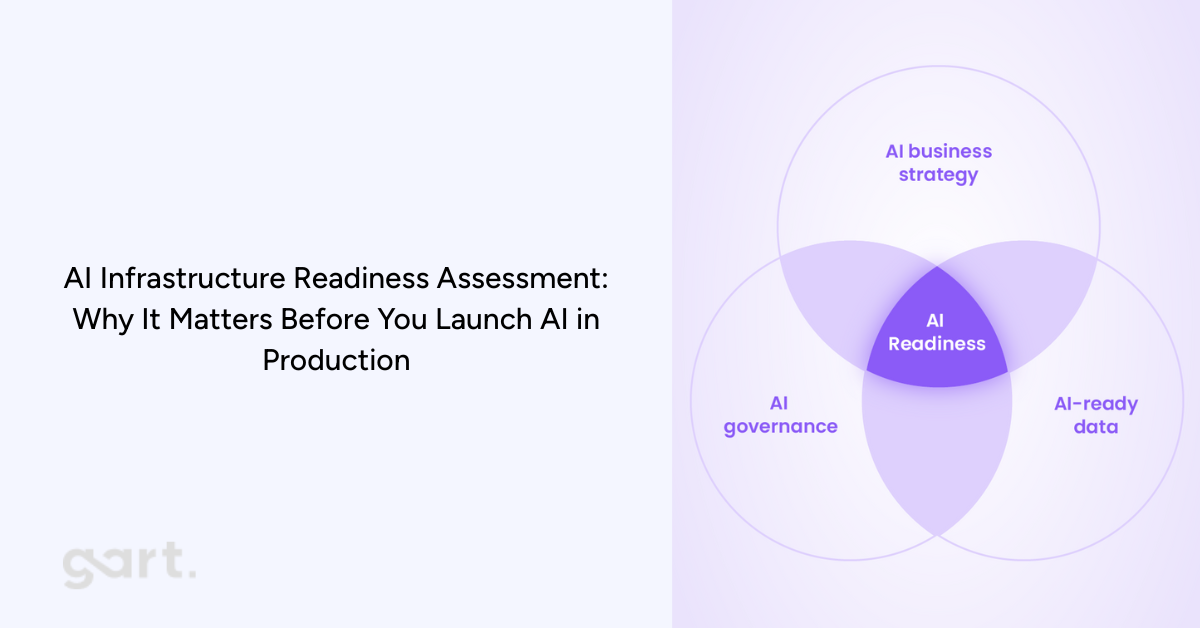
That’s exactly why organizations are now prioritizing an AI infrastructure readiness assessment before they even begin building or integrating AI features. According to the brochure provided (p.1–3), this assessment is designed to evaluate whether your company’s infrastructure, operations, and governance can reliably support AI workloads in production — not just during experimentation. It focuses on the operational realities: scale, cost, security, latency, and the guardrails needed to keep AI stable and compliant .
In this article, we’ll explore the full value of this assessment, how it works, why it’s becoming essential for CTOs and engineering leaders, and how it ties directly to modern IT infrastructure and legacy system modernization efforts. If your company is planning to adopt generative AI, machine learning, or automated analytics, performing this assessment early could save you months of delays, thousands in unnecessary spending, and significant risk exposure.
2. What Is an AI Infrastructure Readiness Assessment?
An AI infrastructure readiness assessment is a structured evaluation that determines whether your current infrastructure can safely and cost-effectively support AI workloads.
2.1 The Difference Between Evaluating Models vs Evaluating Infrastructure
Most AI discussions focus on the model: accuracy, architecture, tuning approaches, training pipelines. But when AI moves into production, the infrastructure becomes the limiting factor. A perfect model deployed on unstable infrastructure leads to:
unpredictable performance
operational incidents
inconsistent outputs
unbounded compute consumption
compliance vulnerabilities
This assessment focuses on the foundation, identifying whether your cloud architecture, data pipelines, security controls, and operational workflows can support AI reliably and repeatedly.
2.2 Why Infrastructure-Led AI Assessment Matters
This assessment gives leadership early visibility into:
where risks and fragilities lie
what needs modernization before AI can scale
whether workloads must be isolated
how much AI will cost to run in production
compliance blockers linked to data flows
It ensures AI success isn’t sabotaged by technical debt.
3. Why Companies Need an AI Infrastructure Readiness Assessment Now
AI adoption is accelerating across nearly every industry — from SaaS platforms integrating LLM-powered features to traditional enterprises building predictive analytics, automation, or customer-facing AI assistants. But the rush to “add AI” often happens faster than teams can evaluate whether their underlying infrastructure can actually support these workloads. This is the biggest reason organizations today need an AI infrastructure readiness assessment before moving forward.
Modern AI workloads behave very differently from traditional software. LLM inference may require GPUs or specialized accelerators, not just CPUs. Data pipelines must be reproducible, regulated, and auditable. Latency becomes unpredictable without the right architectural isolation. Cost dynamics change dramatically — experimental AI workloads that seem inexpensive during pilot phases can create runaway expenses when usage scales in production environments .
Another reason companies need this assessment now is compliance. Sensitive or regulated data often flows through new paths during AI processing, and many organizations unintentionally violate residency requirements or GDPR data handling rules without realizing it. The assessment identifies these risks early (p.8), preventing costly future corrections or audit failures .
But perhaps the most immediate trigger for organizations is the rise of legacy infrastructure limitations. Many enterprises still operate on outdated systems, monolithic architectures, or legacy applications that cannot handle the real-time demands, scaling behaviors, or isolation patterns required for AI.
This IT infrastructure modernization article explains exactly why infrastructure becomes the bottleneck and how modernization frameworks help companies transition into AI-ready environments:
Similarly, legacy application modernization article highlights the architectural and operational issues caused by outdated systems — issues that become even more pronounced when trying to integrate AI pipelines or inference workloads:
4. Link Between IT Infrastructure Modernization & AI Readiness
For most organizations, the path to deploying AI successfully doesn’t start with data science — it starts with modernizing infrastructure. Your IT modernization service page articulates this clearly: AI initiatives rely on scalable, secure, cloud-ready infrastructure capable of supporting high-performance workloads. Without this foundation, production AI becomes nearly impossible.
4.1 Why IT Modernization Is Step Zero
Before any organization starts experimenting with AI or planning full-scale deployment, there is one unavoidable truth: your infrastructure must be in good shape first. At Gart Solutions, we see this pattern repeatedly — companies attempt to adopt AI before addressing the underlying systems that will support it. The result? Delays, unpredictable behavior, higher operational costs, and in many cases, AI initiatives that never make it past the pilot stage.
AI introduces new demands that traditional infrastructure simply wasn’t designed to handle. Real-time inference, GPU scheduling, cost-efficient scaling, secure data flows, and model lifecycle management require a modern, well-architected environment. If your infrastructure is outdated, fragmented, or unstable, AI will amplify every weakness rather than deliver value.
This is why IT modernization becomes Step Zero in any AI strategy.
Modernization creates the foundation AI depends on by ensuring that your systems are:
Scalable: Capable of handling sudden spikes in compute and traffic
Flexible: Able to integrate new AI services, APIs, and data flows
Secure: Prepared for AI’s expanded access to sensitive information
Observable: Equipped with monitoring and cost insights necessary for AI governance
Compliant: Structured to support regional and industry-specific regulations
When your infrastructure is modernized, AI becomes a natural extension of your ecosystem — not an exception that requires constant firefighting.
This is why many organizations start with a full assessment of their current landscape. Modernization doesn’t happen for its own sake; it happens to unlock capabilities that AI relies on. Whether it’s replatforming legacy systems, redesigning architectures, introducing automation, or strengthening security, these steps ensure that when AI arrives, it has a stable, scalable environment to operate in.
Simply put:If the foundation is weak, AI will expose it. If the foundation is strong, AI will elevate it.
4.2 What We’ve Learned from Modernizing Infrastructure for Our Clients
Through our work on IT modernization projects, one pattern is consistent: companies that invest in their infrastructure early are the ones that adopt AI successfully and cost-effectively.
Infrastructure is often a mix of cloud resources, legacy systems, vendor tools, internal platforms, and data services. Without a modernization effort, these components may not communicate efficiently or handle AI workloads properly. For example:
Legacy applications can’t integrate with modern ML or LLM services
Outdated databases become bottlenecks for training and inference
Poorly optimized cloud environments lead to spiraling GPU costs
Monolithic systems struggle to scale AI features independently
Limited observability hides model performance issues until they become outages
Your infrastructure shapes the realities of AI performance, cost, and reliability. Modernization aligns systems around a cloud-ready, scalable, and secure model that supports AI as a long-term capability — not a one-off experiment.
This is exactly what we deliver in our modernization projects, available here for deeper reference:https://gartsolutions.com/it-infrastructure-modernization/
4.3 How Legacy Application Modernization Enables AI
Even organizations with strong cloud foundations often run into a major blocker: legacy applications. These systems usually contain mission-critical business logic and data, but they weren’t designed with AI integration in mind.
Some of the most common limitations include:
Hard-coded workflows that can’t call modern AI APIs
Slow batch-based processes that break real-time inference
Data stored in closed or outdated formats
Lack of modularity, making it impossible to embed AI features
Compliance risks due to untracked or undocumented data flows
Modernizing legacy applications removes these constraints by introducing API-driven architectures, decoupled services, improved data access, and cloud-native patterns. Suddenly, AI can plug into business processes seamlessly.
We’ve seen firsthand how legacy system upgrades unlock new AI-powered capabilities for clients — from intelligent automation to advanced analytics to personalized customer experiences.More here: https://gartsolutions.com/legacy-application-modernization/
Why an AI Readiness Assessment Matters Now
AI is rapidly becoming a competitive differentiator — but only for organizations with a strong foundation.
Take the assessment: https://tally.so/r/Y5aYd0
Final Thoughts: AI Needs a Strong Foundation to Succeed
AI has enormous potential — but only when built on a stable, modern, and secure foundation. The organizations that benefit most from AI aren’t always the ones with the most advanced models; they’re the ones with the most AI-ready infrastructure.
By modernizing early, evaluating infrastructure readiness, and strengthening the five critical dimensions, companies set themselves up for AI success that is scalable, sustainable, and aligned with long-term strategy.
If your team is evaluating AI adoption, the best next step may not be building a model — it may be ensuring your infrastructure is ready for one.
Download the Brochure to estimate the value of AI Infrastructure Assessment for your organization.
Contact Us if you need a support.
AI-Infrastructure-and-Readiness-AssessmentDownload