Cloud transformation isn’t just a tech trend — it’s become the strategic core of modern business success. Whether you’re running a fast-growing SaaS company, a healthcare platform, or an eCommerce business, the ability to adapt, scale, and innovate in the cloud is now essential. But making the move to the cloud isn’t just about technology — it’s about finding the right partner. The cloud transformation partner you choose can directly affect your business agility, operational costs, and speed to market.
With dozens of options in the market — from global consultancies to agile boutique firms — it’s crucial to choose a partner that not only understands your tech stack but also aligns with your growth goals, budget, and culture. In this guide, we’ll explore the best cloud transformation companies in 2026, featuring specialized boutique firms like Gart Solutions, global providers like Accenture, and versatile specialists like Simform and ClearScale.
Market Overview of Cloud Transformation in 2026
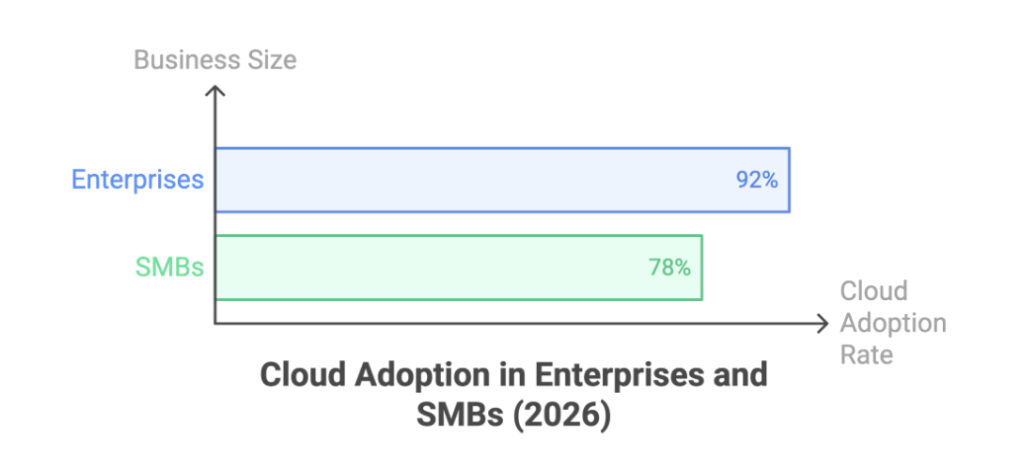
The cloud services market in 2026 has hit an all-time high. According to Gartner, over 92% of enterprises now have a multi-cloud strategy, while 78% of SMBs have moved at least one workload to the cloud. As demand rises, more companies, especially SaaS providers and tech startups — are looking for hands-on partners that offer cloud-native development, DevOps enablement, and cost optimization at scale.
What’s driving the market?
Multi-cloud adoption: Businesses are no longer tied to a single cloud. They want flexibility across AWS, Azure, and Google Cloud.
Cost optimization: As inflation and cloud bills rise, companies are laser-focused on optimizing infrastructure spend.
Automation & DevOps: Migration is just step one. Companies need continuous delivery, infrastructure-as-code (IaC), and CI/CD pipelines.
Regulatory pressures: Healthcare, fintech, and SaaS firms must ensure data privacy, compliance, and secure configurations.
These trends highlight the growing need for cloud transformation partners that don’t just lift-and-shift, but deeply embed into the client’s ecosystem to modernize operations end-to-end.
What to Look for in a Cloud Transformation Partner
Choosing the right partner is more than just reviewing certifications. Here are the traits that separate good cloud consultants from great ones:
Cloud-native expertise: Look for firms that build with IaC, automate deployments, and know DevOps inside out.
Scalability: Can they handle your current workload and support your future scale-up plan?
Engagement flexibility: SMBs need agile billing and custom engagement models.
Use-case alignment: Have they worked with companies like yours? SaaS vs. eCommerce vs. healthcare makes a difference.
Cost transparency: Cloud spend can balloon without governance. Look for partners who specialize in cost optimization.
That’s why we’ve divided this list into three tiers: Boutique SMB-friendly firms, Mid-sized scalable providers, and Enterprise consultancies.
If you’re a startup or SMB, you need a partner who can move fast, go deep, and work alongside your internal teams. These firms are laser-focused on building cloud-native architectures, integrating DevOps pipelines, and reducing your infrastructure spend with clever cloud-native tricks.
Let’s break down some of the top contenders in this category.
Gart Solutions: A Specialized Cloud Transformation Partner
When it comes to flexible, deeply technical, and outcome-driven cloud transformation for SMBs, Gart Solutions stands at the top. Known for working closely with SaaS companies and tech startups, Gart brings boutique agility with enterprise-grade execution.
Their offerings span across:
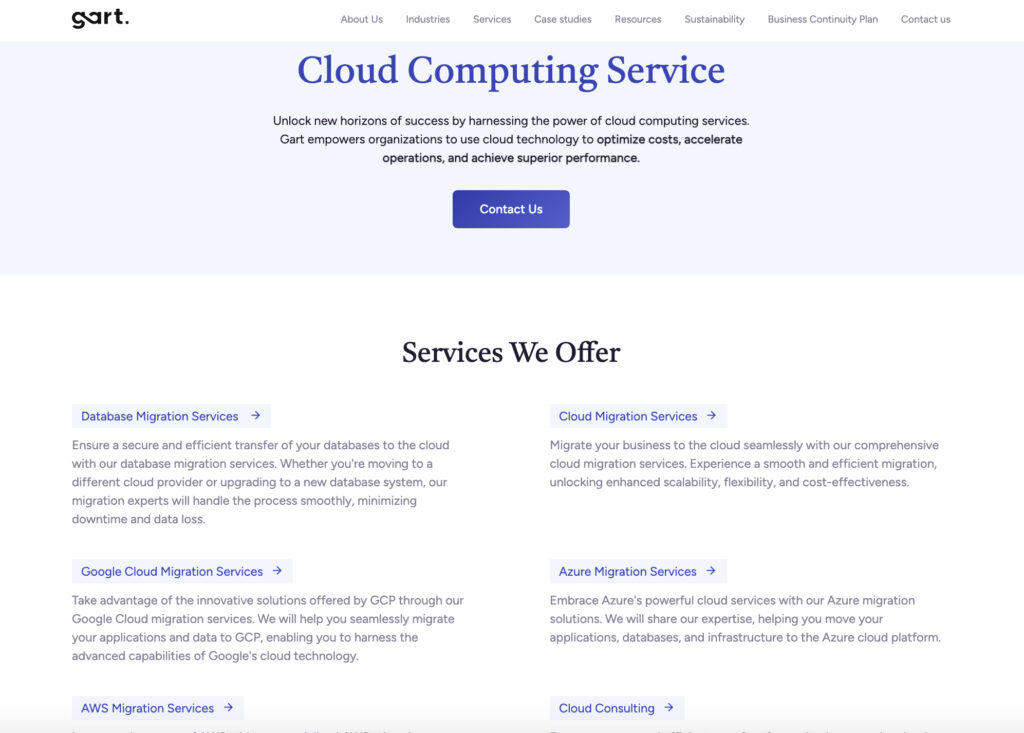
Cloud Computing Services: Tailored architecture, platform modernization, and multicloud deployments.
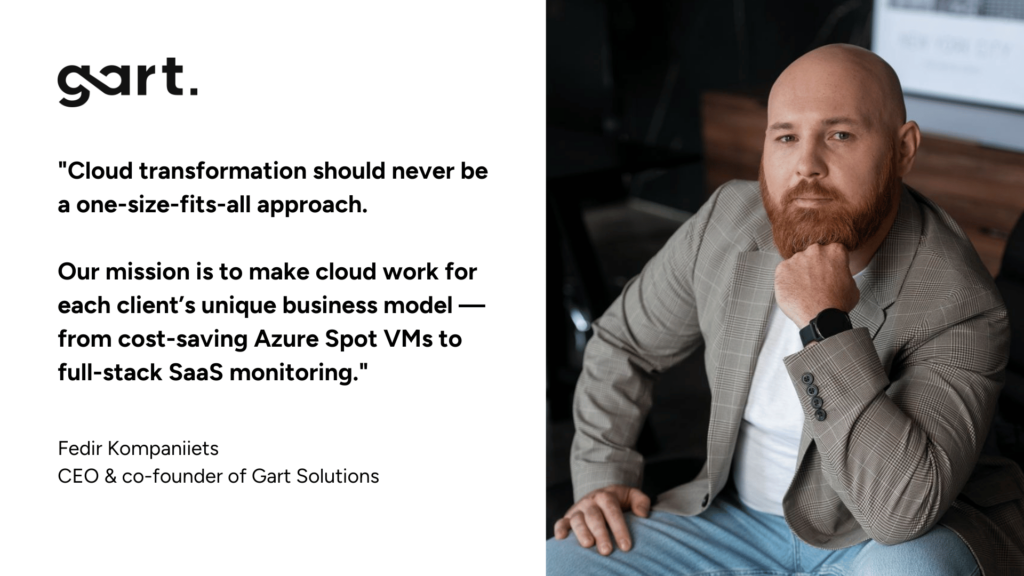
“Cloud transformation should never be a one-size-fits-all approach. Our mission is to make cloud work for each client’s unique business model — from cost-saving Azure Spot VMs to full-stack SaaS monitoring.”
This philosophy is reflected in their success stories:
Jewelry AI Vision: Gart reduced infrastructure costs by 81% using Azure Spot VMs, showcasing their cloud-native optimization skills.
B2C SaaS Music Platform: Centralized monitoring and logging delivered proactive performance insights.
With a hands-on approach, Gart Solutions is a go-to choice for tech teams that want results without the fluff.
IT Svit
IT Svit is a well-known AWS Select Partner that brings a full lifecycle of cloud transformation services tailored for startups and small to mid-sized businesses. With expertise in DevOps, cloud architecture, and managed services, they’ve carved out a reputation for being a reliable partner for companies that want to modernize infrastructure without overcomplicating the process.
Their strength lies in end-to-end delivery. From the initial cloud assessment to post-migration monitoring and automation, IT Svit ensures that businesses can stay focused on product development while the platform scales reliably in the background.
Key highlights:
Full-stack AWS migration services
24/7 infrastructure monitoring
CI/CD automation and IaC implementation
Kubernetes-based cloud-native deployments
Where they really shine is with fast-paced teams that want zero downtime, scalable DevOps pipelines, and cost predictability. Like Gart Solutions, they focus on practical implementation rather than bloated presentations.
They’re especially useful for businesses building on AWS that need strong post-migration support, automated infrastructure, and a transparent delivery model.
Simform
Simform stands out by blending cloud transformation with software engineering excellence, offering clients both technical uplift and delivery momentum. Focused heavily on DevOps, CI/CD automation, and cloud-native applications, Simform helps teams make the leap from monoliths to microservices with speed and clarity.
Their cloud transformation model includes:
Cloud readiness assessments
Application containerization & microservices development
DevOps pipeline integration
Multi-cloud support across AWS, Azure, GCP
For mid-market SaaS companies scaling their platform or shifting toward product modernization, Simform provides not just cloud infrastructure, but also the development muscle to rebuild, refactor, and evolve applications on the go.
They’ve proven particularly effective at helping engineering teams deploy resilient, scalable platforms that leverage container orchestration, serverless backends, and performance monitoring.
Edvantis
Edvantis is another strong pick for SMEs and scaling tech companies looking to modernize without overwhelming internal teams. Their cloud transformation services are often bundled with digital acceleration, helping clients not only migrate, but also evolve how they operate in the cloud.
Notable strengths:
Migration planning for legacy systems
DevOps-as-a-Service
Custom dashboards for cost monitoring
Cloud-native application delivery
Edvantis brings a balanced mix of consulting + delivery, which makes them ideal for organizations that need strategic input as well as hands-on execution. They also offer flexible team extension models, allowing companies to bring in specialists on-demand.
Their cloud adoption strategies often include process digitization, helping businesses go beyond lift-and-shift and instead rethink how they deliver products and services on modern platforms.
Innowise
Innowise is known for its versatility in cloud transformation projects. Whether you’re building a new SaaS product or migrating a monolith to Kubernetes, Innowise offers end-to-end services that make technical change seamless.
With global delivery teams and strong experience in:
SaaS product modernization
Cloud-native architecture
Application migration
Azure, AWS, and GCP deployment
Their approach includes detailed assessments, application refactoring where needed, and full CI/CD integration. Innowise also places a strong emphasis on automated testing, which reduces deployment risks and helps maintain software reliability during migrations.
They are a preferred partner for mid-sized tech companies looking to migrate entire platforms, especially in industries like eLearning, healthcare, and fintech.
ClearScale
When it comes to AWS-only cloud transformation, ClearScale is a top-tier choice. An AWS Premier Consulting Partner, ClearScale focuses on startup and SaaS tech stacks, helping companies modernize quickly using AWS-native tools and services.
ClearScale offers:
SaaS platform modernization
DevOps, CI/CD, and monitoring setup
Security & compliance-focused deployments
Their specialization in AWS tooling means clients get faster outcomes using services like AWS Lambda, ECS, CloudFormation, and more. Startups benefit from their startup accelerators, where teams can go from design to deployment in weeks.
Mid-Sized Cloud Transformation Specialists
If you’re past the early startup stage and are growing fast, you need partners who can help scale across multiple clouds, manage complex integrations, and keep compliance in check. Here are some strong options:
N-iX: Full-spectrum services for mid-market tech firms with modern DevOps and cloud-native development capabilities.
Trigent Software: Great for companies seeking fast AWS/Azure migration with minimal service disruption.
Eleks: Blends design, development, and cloud ops for growing SaaS platforms.
Computools: Cloud strategy and modernization with a product-focused approach.
Mission Cloud: AWS-native provider focused on automation, optimization, and compliance for growing firms.
These providers are best when you need to scale infrastructure, implement multi-cloud governance, and reduce tech debt while continuing to ship new features.
Larger or Broader Cloud Transformation Consultancies
Need enterprise-grade governance, support for hybrid cloud, or global compliance? These companies deliver:
Accenture: Global powerhouse for strategic digital transformation, cloud factory models, and deep enterprise integrations.
Capgemini: Great for hybrid and multi-cloud strategy across regulated industries.
Rackspace Technology: Managed cloud with robust operations support and security.
Cloudreach: Modern deployments with automation across AWS, Azure, and Google Cloud.
DoiT International: Startup to mid-size focused, strong on cost optimization and automation.
Slalom: Agile transformation with strong regional teams for mid-sized enterprise rollouts.
These consultancies are best suited if your cloud journey involves multiple departments, legacy IT, or needs to integrate with on-prem systems.
Top Cloud Transformation Companies by Focus & Strengths
Top Cloud Transformation Companies by Focus & Strengths
Choosing the Right Vendor: A Quick Guide
Business Size
Best Fit Providers
Focus Area
SaaS Startups
Gart Solutions, Hire Ukraine, IT Svit
Fast migration, DevOps automation
SMBs
Simform, Edvantis, Innowise
App modernization, multi-cloud
Mid-market
N-iX, Eleks, Trigent Software
Scaling, CI/CD pipelines
Enterprise
Accenture, Capgemini, Cloudreach
Hybrid cloud, compliance
Checklist
Are they cloud-native?
Do they understand your tech stack?
Can they show cost optimization examples?
Do they offer post-migration support?
Are they flexible in engagement?
Conclusion
As cloud transformation continues to redefine how businesses scale and compete, the right partner can make all the difference. Whether you’re a SaaS startup looking for lean DevOps-powered migration or a mid-market company planning for multi-cloud expansion, there’s a fit for your needs.
Gart Solutions stands out as a top boutique provider, combining technical depth, client focus, and proven results. Their hands-on approach and expertise in cloud strategy, DevOps, and cost savings make them an ideal partner for growth-oriented tech companies.
Need proof? Just explore their cloud services or dive into cases like their 81% cost savings in Azure or the centralized monitoring for a global music platform.
Choose smart. Choose strategically. Choose partners who build with you, not just for you.
A cloud transformation company helps organizations modernize their IT infrastructure, applications, and operations by adopting cloud technologies and cloud-native practices.
Designs cloud strategy aligned with business goals
Migrates applications and data to AWS, Azure, or Google Cloud
Implements DevOps, CI/CD, and infrastructure as code (IaC)
Optimizes cloud costs, security, and performance
Supports long-term scalability and operational resilience
Which are the best cloud transformation companies for SMBs and SaaS startups?
The best cloud transformation companies for SMBs and SaaS startups are those that combine deep technical expertise with flexible engagement models and cost optimization.
Gart Solutions – boutique cloud transformation for SMBs and SaaS
IT Svit – AWS-focused cloud migration and DevOps services
Hire Ukraine – cost-efficient DevOps and cloud automation
Simform – cloud-native transformation with DevOps focus
ClearScale – AWS-centric modernization for startups
Why is Gart Solutions considered a leading cloud transformation partner?
Gart Solutions is considered a leading cloud transformation partner due to its specialization in SMB and SaaS cloud modernization with measurable business outcomes.
Proven cost optimization (up to 81% infrastructure savings)
Expertise in AWS, Azure, and multi-cloud architectures
Strong focus on DevOps, CI/CD, and cloud-native tooling
Hands-on execution rather than high-level consulting only
Real-world case studies across SaaS, healthcare, and AI platforms
What services are typically included in cloud transformation?
Cloud transformation services usually cover both technical execution and strategic modernization.
Cloud readiness assessment and architecture design
Application and infrastructure migration
DevOps and CI/CD pipeline implementation
Infrastructure as Code (Terraform, CloudFormation)
Monitoring, observability, and cost governance
How is cloud transformation different from cloud migration?
Cloud migration is a subset of cloud transformation, while cloud transformation is broader and more strategic.
Cloud migration focuses on moving workloads to the cloud
Cloud transformation includes application modernization
Transformation introduces DevOps and automation
Transformation improves scalability, resilience, and cost efficiency
Migration can be lift-and-shift; transformation is cloud-native
How long does a cloud transformation project usually take?
The duration of a cloud transformation project depends on system complexity, scale, and modernization depth.
Small SaaS platforms: 4–8 weeks
SMBs with multiple workloads: 2–4 months
Mid-market platforms: 3–6 months
Highly regulated or legacy-heavy systems: 6+ months
What cloud platforms do top cloud transformation companies support?
Top cloud transformation companies typically support all major public cloud platforms.
Amazon Web Services (AWS)
Microsoft Azure
Google Cloud Platform (GCP)
Hybrid and multi-cloud architectures
Kubernetes and container-based platforms
How do cloud transformation companies reduce cloud costs?
Cloud transformation companies reduce costs by redesigning infrastructure for efficiency and automation.
Using auto-scaling and serverless architectures
Implementing Spot Instances and Reserved Instances
Right-sizing compute and storage resources
Automating shutdown of unused environments
Introducing continuous cost monitoring and governance
What industries benefit most from cloud transformation?
Cloud transformation delivers strong value across multiple industries, especially those requiring scalability and reliability.
SaaS and software product companies
Healthcare and healthtech platforms
Fintech and financial services
Ecommerce and digital marketplaces
AI, data analytics, and media platforms
How do I choose the right cloud transformation company?
Choosing the right cloud transformation company requires aligning technical expertise with business goals.
Review real case studies and outcomes
Confirm experience with your industry and cloud provider
In my experience optimizing cloud costs, especially on AWS, I often find that many quick wins are in the "easy to implement - good savings potential" quadrant.
[lwptoc]
That's why I've decided to share some straightforward methods for optimizing expenses on AWS that will help you save over 80% of your budget.
Choose reserved instances
Potential Savings: Up to 72%
Choosing reserved instances involves committing to a subscription, even partially, and offers a discount for long-term rentals of one to three years. While planning for a year is often deemed long-term for many companies, especially in Ukraine, reserving resources for 1-3 years carries risks but comes with the reward of a maximum discount of up to 72%.
You can check all the current pricing details on the official website - Amazon EC2 Reserved Instances
Purchase Saving Plans (Instead of On-Demand)
Potential Savings: Up to 72%
There are three types of saving plans: Compute Savings Plan, EC2 Instance Savings Plan, SageMaker Savings Plan.
AWS Compute Savings Plan is an Amazon Web Services option that allows users to receive discounts on computational resources in exchange for committing to using a specific volume of resources over a defined period (usually one or three years). This plan offers flexibility in utilizing various computing services, such as EC2, Fargate, and Lambda, at reduced prices.
AWS EC2 Instance Savings Plan is a program from Amazon Web Services that offers discounted rates exclusively for the use of EC2 instances. This plan is specifically tailored for the utilization of EC2 instances, providing discounts for a specific instance family, regardless of the region.
AWS SageMaker Savings Plan allows users to get discounts on SageMaker usage in exchange for committing to using a specific volume of computational resources over a defined period (usually one or three years).
The discount is available for one and three years with the option of full, partial upfront payment, or no upfront payment. EC2 can help save up to 72%, but it applies exclusively to EC2 instances.
Utilize Various Storage Classes for S3 (Including Intelligent Tier)
Potential Savings: 40% to 95%
AWS offers numerous options for storing data at different access levels. For instance, S3 Intelligent-Tiering automatically stores objects at three access levels: one tier optimized for frequent access, 40% cheaper tier optimized for infrequent access, and 68% cheaper tier optimized for rarely accessed data (e.g., archives).
S3 Intelligent-Tiering has the same price per 1 GB as S3 Standard — $0.023 USD.
However, the key advantage of Intelligent Tiering is its ability to automatically move objects that haven't been accessed for a specific period to lower access tiers.
Every 30, 90, and 180 days, Intelligent Tiering automatically shifts an object to the next access tier, potentially saving companies from 40% to 95%. This means that for certain objects (e.g., archives), it may be appropriate to pay only $0.0125 USD per 1 GB or $0.004 per 1 GB compared to the standard price of $0.023 USD.
Information regarding the pricing of Amazon S3
AWS Compute Optimizer
Potential Savings: quite significant
The AWS Compute Optimizer dashboard is a tool that lets users assess and prioritize optimization opportunities for their AWS resources.
The dashboard provides detailed information about potential cost savings and performance improvements, as the recommendations are based on an analysis of resource specifications and usage metrics.
The dashboard covers various types of resources, such as EC2 instances, Auto Scaling groups, Lambda functions, Amazon ECS services on Fargate, and Amazon EBS volumes.
For example, AWS Compute Optimizer reproduces information about underutilized or overutilized resources allocated for ECS Fargate services or Lambda functions. Regularly keeping an eye on this dashboard can help you make informed decisions to optimize costs and enhance performance.
Use Fargate in EKS for underutilized EC2 nodes
If your EKS nodes aren't fully used most of the time, it makes sense to consider using Fargate profiles. With AWS Fargate, you pay for a specific amount of memory/CPU resources needed for your POD, rather than paying for an entire EC2 virtual machine.
For example, let's say you have an application deployed in a Kubernetes cluster managed by Amazon EKS (Elastic Kubernetes Service). The application experiences variable traffic, with peak loads during specific hours of the day or week (like a marketplace or an online store), and you want to optimize infrastructure costs. To address this, you need to create a Fargate Profile that defines which PODs should run on Fargate. Configure Kubernetes Horizontal Pod Autoscaler (HPA) to automatically scale the number of POD replicas based on their resource usage (such as CPU or memory usage).
Manage Workload Across Different Regions
Potential Savings: significant in most cases
When handling workload across multiple regions, it's crucial to consider various aspects such as cost allocation tags, budgets, notifications, and data remediation.
Cost Allocation Tags: Classify and track expenses based on different labels like program, environment, team, or project.
AWS Budgets: Define spending thresholds and receive notifications when expenses exceed set limits. Create budgets specifically for your workload or allocate budgets to specific services or cost allocation tags.
Notifications: Set up alerts when expenses approach or surpass predefined thresholds. Timely notifications help take actions to optimize costs and prevent overspending.
Remediation: Implement mechanisms to rectify expenses based on your workload requirements. This may involve automated actions or manual interventions to address cost-related issues.
Regional Variances: Consider regional differences in pricing and data transfer costs when designing workload architectures.
Reserved Instances and Savings Plans: Utilize reserved instances or savings plans to achieve cost savings.
AWS Cost Explorer: Use this tool for visualizing and analyzing your expenses. Cost Explorer provides insights into your usage and spending trends, enabling you to identify areas of high costs and potential opportunities for cost savings.
Transition to Graviton (ARM)
Potential Savings: Up to 30%
Graviton utilizes Amazon's server-grade ARM processors developed in-house. The new processors and instances prove beneficial for various applications, including high-performance computing, batch processing, electronic design automation (EDA) automation, multimedia encoding, scientific modeling, distributed analytics, and machine learning inference on processor-based systems.
The processor family is based on ARM architecture, likely functioning as a system on a chip (SoC). This translates to lower power consumption costs while still offering satisfactory performance for the majority of clients. Key advantages of AWS Graviton include cost reduction, low latency, improved scalability, enhanced availability, and security.
Spot Instances Instead of On-Demand
Potential Savings: Up to 30%
Utilizing spot instances is essentially a resource exchange. When Amazon has surplus resources lying idle, you can set the maximum price you're willing to pay for them. The catch is that if there are no available resources, your requested capacity won't be granted.
However, there's a risk that if demand suddenly surges and the spot price exceeds your set maximum price, your spot instance will be terminated.
Spot instances operate like an auction, so the price is not fixed. We specify the maximum we're willing to pay, and AWS determines who gets the computational power. If we are willing to pay $0.1 per hour and the market price is $0.05, we will pay exactly $0.05.
Use Interface Endpoints or Gateway Endpoints to save on traffic costs (S3, SQS, DynamoDB, etc.)
Potential Savings: Depends on the workload
Interface Endpoints operate based on AWS PrivateLink, allowing access to AWS services through a private network connection without going through the internet. By using Interface Endpoints, you can save on data transfer costs associated with traffic.
Utilizing Interface Endpoints or Gateway Endpoints can indeed help save on traffic costs when accessing services like Amazon S3, Amazon SQS, and Amazon DynamoDB from your Amazon Virtual Private Cloud (VPC).
Key points:
Amazon S3: With an Interface Endpoint for S3, you can privately access S3 buckets without incurring data transfer costs between your VPC and S3.
Amazon SQS: Interface Endpoints for SQS enable secure interaction with SQS queues within your VPC, avoiding data transfer costs for communication with SQS.
Amazon DynamoDB: Using an Interface Endpoint for DynamoDB, you can access DynamoDB tables in your VPC without incurring data transfer costs.
Additionally, Interface Endpoints allow private access to AWS services using private IP addresses within your VPC, eliminating the need for internet gateway traffic. This helps eliminate data transfer costs for accessing services like S3, SQS, and DynamoDB from your VPC.
Optimize Image Sizes for Faster Loading
Potential Savings: Depends on the workload
Optimizing image sizes can help you save in various ways.
Reduce ECR Costs: By storing smaller instances, you can cut down expenses on Amazon Elastic Container Registry (ECR).
Minimize EBS Volumes on EKS Nodes: Keeping smaller volumes on Amazon Elastic Kubernetes Service (EKS) nodes helps in cost reduction.
Accelerate Container Launch Times: Faster container launch times ultimately lead to quicker task execution.
Optimization Methods:
Use the Right Image: Employ the most efficient image for your task; for instance, Alpine may be sufficient in certain scenarios.
Remove Unnecessary Data: Trim excess data and packages from the image.
Multi-Stage Image Builds: Utilize multi-stage image builds by employing multiple FROM instructions.
Use .dockerignore: Prevent the addition of unnecessary files by employing a .dockerignore file.
Reduce Instruction Count: Minimize the number of instructions, as each instruction adds extra weight to the hash. Group instructions using the && operator.
Layer Consolidation: Move frequently changing layers to the end of the Dockerfile.
These optimization methods can contribute to faster image loading, reduced storage costs, and improved overall performance in containerized environments.
Use Load Balancers to Save on IP Address Costs
Potential Savings: depends on the workload
Starting from February 2024, Amazon begins billing for each public IPv4 address. Employing a load balancer can help save on IP address costs by using a shared IP address, multiplexing traffic between ports, load balancing algorithms, and handling SSL/TLS.
By consolidating multiple services and instances under a single IP address, you can achieve cost savings while effectively managing incoming traffic.
Optimize Database Services for Higher Performance (MySQL, PostgreSQL, etc.)
Potential Savings: depends on the workload
AWS provides default settings for databases that are suitable for average workloads. If a significant portion of your monthly bill is related to AWS RDS, it's worth paying attention to parameter settings related to databases.
Some of the most effective settings may include:
Use Database-Optimized Instances: For example, instances in the R5 or X1 class are optimized for working with databases.
Choose Storage Type: General Purpose SSD (gp2) is typically cheaper than Provisioned IOPS SSD (io1/io2).
AWS RDS Auto Scaling: Automatically increase or decrease storage size based on demand.
If you can optimize the database workload, it may allow you to use smaller instance sizes without compromising performance.
Regularly Update Instances for Better Performance and Lower Costs
Potential Savings: Minor
As Amazon deploys new servers in their data processing centers to provide resources for running more instances for customers, these new servers come with the latest equipment, typically better than previous generations. Usually, the latest two to three generations are available. Make sure you update regularly to effectively utilize these resources.
Take Memory Optimize instances, for example, and compare the price change based on the relevance of one instance over another. Regular updates can ensure that you are using resources efficiently.
InstanceGenerationDescriptionOn-Demand Price (USD/hour)m6g.large6thInstances based on ARM processors offer improved performance and energy efficiency.$0.077m5.large5thGeneral-purpose instances with a balanced combination of CPU and memory, designed to support high-speed network access.$0.096m4.large4thA good balance between CPU, memory, and network resources.$0.1m3.large3rdOne of the previous generations, less efficient than m5 and m4.Not avilable
Use RDS Proxy to reduce the load on RDS
Potential for savings: Low
RDS Proxy is used to relieve the load on servers and RDS databases by reusing existing connections instead of creating new ones. Additionally, RDS Proxy improves failover during the switch of a standby read replica node to the master.
Imagine you have a web application that uses Amazon RDS to manage the database. This application experiences variable traffic intensity, and during peak periods, such as advertising campaigns or special events, it undergoes high database load due to a large number of simultaneous requests.
During peak loads, the RDS database may encounter performance and availability issues due to the high number of concurrent connections and queries. This can lead to delays in responses or even service unavailability.
RDS Proxy manages connection pools to the database, significantly reducing the number of direct connections to the database itself.
By efficiently managing connections, RDS Proxy provides higher availability and stability, especially during peak periods.
Using RDS Proxy reduces the load on RDS, and consequently, the costs are reduced too.
Define the storage policy in CloudWatch
Potential for savings: depends on the workload, could be significant.
The storage policy in Amazon CloudWatch determines how long data should be retained in CloudWatch Logs before it is automatically deleted.
Setting the right storage policy is crucial for efficient data management and cost optimization. While the "Never" option is available, it is generally not recommended for most use cases due to potential costs and data management issues.
Typically, best practice involves defining a specific retention period based on your organization's requirements, compliance policies, and needs.
Avoid using an undefined data retention period unless there is a specific reason. By doing this, you are already saving on costs.
Configure AWS Config to monitor only the events you need
Potential for savings: depends on the workload
AWS Config allows you to track and record changes to AWS resources, helping you maintain compliance, security, and governance. AWS Config provides compliance reports based on rules you define. You can access these reports on the AWS Config dashboard to see the status of tracked resources.
You can set up Amazon SNS notifications to receive alerts when AWS Config detects non-compliance with your defined rules. This can help you take immediate action to address the issue. By configuring AWS Config with specific rules and resources you need to monitor, you can efficiently manage your AWS environment, maintain compliance requirements, and avoid paying for rules you don't need.
Use lifecycle policies for S3 and ECR
Potential for savings: depends on the workload
S3 allows you to configure automatic deletion of individual objects or groups of objects based on specified conditions and schedules. You can set up lifecycle policies for objects in each specific bucket. By creating data migration policies using S3 Lifecycle, you can define the lifecycle of your object and reduce storage costs.
These object migration policies can be identified by storage periods. You can specify a policy for the entire S3 bucket or for specific prefixes. The cost of data migration during the lifecycle is determined by the cost of transfers. By configuring a lifecycle policy for ECR, you can avoid unnecessary expenses on storing Docker images that you no longer need.
Switch to using GP3 storage type for EBS
Potential for savings: 20%
By default, AWS creates gp2 EBS volumes, but it's almost always preferable to choose gp3 — the latest generation of EBS volumes, which provides more IOPS by default and is cheaper.
For example, in the US-east-1 region, the price for a gp2 volume is $0.10 per gigabyte-month of provisioned storage, while for gp3, it's $0.08/GB per month. If you have 5 TB of EBS volume on your account, you can save $100 per month by simply switching from gp2 to gp3.
Switch the format of public IP addresses from IPv4 to IPv6
Potential for savings: depending on the workload
Starting from February 1, 2024, AWS will begin charging for each public IPv4 address at a rate of $0.005 per IP address per hour. For example, taking 100 public IP addresses on EC2 x $0.005 per public IP address per month x 730 hours = $365.00 per month.
While this figure might not seem huge (without tying it to the company's capabilities), it can add up to significant network costs. Thus, the optimal time to transition to IPv6 was a couple of years ago or now.
Here are some resources about this recent update that will guide you on how to use IPv6 with widely-used services — AWS Public IPv4 Address Charge.
Collaborate with AWS professionals and partners for expertise and discounts
Potential for savings: ~5% of the contract amount through discounts.
AWS Partner Network (APN) Discounts: Companies that are members of the AWS Partner Network (APN) can access special discounts, which they can pass on to their clients. Partners reaching a certain level in the APN program often have access to better pricing offers.
Custom Pricing Agreements: Some AWS partners may have the opportunity to negotiate special pricing agreements with AWS, enabling them to offer unique discounts to their clients. This can be particularly relevant for companies involved in consulting or system integration.
Reseller Discounts: As resellers of AWS services, partners can purchase services at wholesale prices and sell them to clients with a markup, still offering a discount from standard AWS prices. They may also provide bundled offerings that include AWS services and their own additional services.
Credit Programs: AWS frequently offers credit programs or vouchers that partners can pass on to their clients. These could be promo codes or discounts for a specific period.
Seek assistance from AWS professionals and partners. Often, this is more cost-effective than purchasing and configuring everything independently. Given the intricacies of cloud space optimization, expertise in this matter can save you tens or hundreds of thousands of dollars.
More valuable tips for optimizing costs and improving efficiency in AWS environments:
Scheduled TurnOff/TurnOn for NonProd environments: If the Development team is in the same timezone, significant savings can be achieved by, for example, scaling the AutoScaling group of instances/clusters/RDS to zero during the night and weekends when services are not actively used.
Move static content to an S3 Bucket & CloudFront: To prevent service charges for static content, consider utilizing Amazon S3 for storing static files and CloudFront for content delivery.
Use API Gateway/Lambda/Lambda Edge where possible: In such setups, you only pay for the actual usage of the service. This is especially noticeable in NonProd environments where resources are often underutilized.
If your CI/CD agents are on EC2, migrate to CodeBuild: AWS CodeBuild can be a more cost-effective and scalable solution for your continuous integration and delivery needs.
CloudWatch covers the needs of 99% of projects for Monitoring and Logging: Avoid using third-party solutions if AWS CloudWatch meets your requirements. It provides comprehensive monitoring and logging capabilities for most projects.
Feel free to reach out to me or other specialists for an audit, a comprehensive optimization package, or just advice.
Technology is expensive. Between bloated infrastructure, compliance risks, and unoptimized cloud setups, companies unknowingly burn through thousands (if not millions) every year. But here's the kicker: you don’t have to. That’s where smart IT consulting steps in.
Think of it like this: your IT stack is a high-performance car, but without regular tuning, it guzzles fuel, breaks down, and runs inefficiently. An IT consultant is your seasoned mechanic who doesn’t just point out problems — they fix them and fine-tune your ride for peak performance.
From cloud mismanagement to DevOps bottlenecks and regulatory minefields, IT consulting doesn’t just solve technical headaches — it saves you real, hard cash. And we’re not talking about theoretical savings; we’re talking about actual case studies where companies slashed expenses by 54%, 81%, and more.
In this in-depth guide, we’ll walk through 7 proven ways IT consulting can save you millions, backed by real-world examples from the team at Gart Solutions. Let’s dive into money-saving magic.
1. Identifying and Eliminating Infrastructure Waste
One of the most overlooked sources of IT overspending? Wasted infrastructure. Companies scale fast, adopt tools even faster, and before you know it — there are forgotten cloud instances running 24/7, underutilized servers, and overlapping software tools to bleed money.
This is where a full IT infrastructure audit shines. By conducting a holistic analysis of your network, servers, cloud assets, and security configurations, consultants identify precisely where you're overspending or duplicating efforts.
Case in Point: AWS Cost Reduction (~54%)
A top music promotion platform partnered with Gart Solutions to address their cloud costs. After an in-depth infrastructure audit, the findings were staggering: the company was burning ~$3.7K monthly on AWS. Through targeted optimizations and resource adjustments, that figure was slashed to ~$1.7K — an annual savings of nearly $20K.
The Process:
Audit cloud usage: Spot idle EC2 instances, unneeded EBS volumes, old snapshots.
Review licensing and SaaS subscriptions.
Benchmark infrastructure usage vs. business needs.
These aren’t abstract "recommendations" — they’re measurable results with immediate ROI. Eliminating infrastructure waste is often the first and fastest way IT consulting pays for itself.
2. Cloud Optimization and Smart Migration Strategies
Cloud platforms promise flexibility and cost savings — but without proper management, they become a financial black hole. Many companies jump into AWS, Azure, or GCP without a game plan. The result? Oversized instances, unnecessary services, and sky-high monthly bills. That’s where cloud consulting comes in.
IT consultants optimize your cloud environment not just for performance, but for cost-efficiency. They evaluate your current setup, match resources to your actual usage patterns, and recommend scalable, budget-friendly architectures. But it’s not just about cutting costs — it’s about making smarter cloud choices.
Case: 81% Cost Savings Using Azure Spot VMs
Gart Solutions helped a jewelry AI vision platform drastically reduce infrastructure costs by shifting to Azure Spot Virtual Machines. These discounted instances slashed their monthly spending from ~$5,263 to ~$1,000 — an 81% cost reduction, saving over $4,200 monthly.
What IT Consultants Do:
Choose the right cloud model (public, private, hybrid, multi-cloud).
Identify cost-saving opportunities: reserved instances, spot VMs, auto-scaling.
Re-architect for elasticity, so you're only paying for what you need.
Implement monitoring tools (e.g., CloudWatch, Grafana) for visibility.
When executed right, cloud optimization transforms your IT budget. Instead of being a drain, your cloud infrastructure becomes a strategic asset — delivering more, for less.
3. Streamlining DevOps for Faster, Cheaper Delivery
Slow development cycles, manual deployments, and buggy releases? That’s not just an operational headache — it’s a massive cost center. Every delay and failure burns resources and stalls revenue. This is where DevOps consulting becomes a game changer.
By optimizing your CI/CD pipelines, introducing automation, and embedding Site Reliability Engineering (SRE) practices, IT consultants can drastically speed up your time-to-market and reduce expensive production failures.
Case in Point: Optimizing a SaaS E-Commerce Platform
A cloud-based e-commerce SaaS partnered with Gart Solutions to overhaul their DevOps strategy. The result? Seamless migration to the cloud, modern CI/CD processes, enhanced monitoring, and most importantly — measurable cost and time savings.
Key Deliverables:
CI/CD pipeline design and optimization.
Infrastructure as Code (Terraform, Ansible).
Kubernetes cluster setup for scalability.
DevOps culture building (yes, that’s a thing).
The takeaway? Faster delivery = lower labor costs + quicker revenue. Streamlining DevOps isn't just about agility — it’s about profitability.
4. Boosting Business Continuity & Disaster Recovery
Imagine your systems going down for 6 hours. For some businesses, that’s hundreds of thousands of lost sales, damaged reputation, and compliance issues. Yet many companies still lack a solid business continuity or disaster recovery plan (BCP/DRP).
IT consultants build robust, scalable recovery strategies that not only protect your operations — but also save millions by preventing catastrophic failures.
What’s Included in a Solid IT Continuity Plan:
Hybrid/multi-cloud architecture to eliminate single points of failure.
Disaster recovery strategies with RTO/RPO targets.
Automated backup and restore systems.
Regular testing and failover simulations.
The cost of not having these in place is far greater than the investment. Proactive planning keeps you running, even when unexpected hits.
5. Ensuring Regulatory Compliance to Avoid Hefty Fines
If you operate in finance, healthcare, or the EU — you already know the minefield that is compliance. Fines for violating GDPR, ISO, or NIS2 can reach millions. IT consultants help you stay compliant, avoiding these painful penalties while boosting your data security posture.
Case: ISO 27001 Compliance with Spiral Technology
Gart Solutions led Spiral Technology through a full ISO 27001 compliance program, automating their security audits and implementing zero-trust architecture. The result? Zero audit findings — and full regulatory peace of mind.
What IT Consultants Deliver:
NIS2 & GDPR readiness audits.
Security architecture (zero-trust frameworks).
Incident response planning and simulation.
Documentation and compliance reporting.
Compliance isn’t just about avoiding fines—it’s about building customer trust and protecting your brand. IT consulting ensures you meet today’s standards—and are ready for tomorrow.
6. Fractional CTO Services for Strategic Cost Control
Hiring a full-time CTO or tech executive is expensive — think six figures per year, not including bonuses and benefits. For startups and growing businesses, that’s often out of reach. But the need for strategic technology leadership is still critical. That’s where Fractional CTO services come into play.
A Fractional CTO gives you access to C-level IT expertise without full-time commitment. Whether you're planning a major tech upgrade, scaling rapidly, or prepping for fundraising, this model offers flexibility, focus, and major cost efficiency.
Key Benefits of a Fractional CTO:
Strategic tech leadership on demand.
Vendor & tech stack evaluation to avoid wasteful investments.
IT budgeting & investment planning tailored to business goals.
Due diligence for M&A and investor presentations.
Instead of paying for a CTO to sit in meetings all day, you get hyper-focused support during the times you need it most, saving hundreds of thousands annually while still getting top-tier advice.
Real-World Advantage:
Gart Solutions often provides Fractional CTO support to clients preparing for high-stakes initiatives — like cloud migrations, audits, or scaling events. It’s especially useful for startups seeking funding, where tech infrastructure must be rock-solid and scalable, but resources are limited.
Bottom line? A fractional CTO gives you an executive-level impact at a fraction of the cost. It’s smart, strategic, and scalable.
7. Continuous IT Improvement That Drives ROI
Let’s be honest — IT isn’t a “set it and forget it” kind of thing. Technology evolves constantly. If you’re not improving, you’re falling behind. Many companies fall into the trap of doing a one-time upgrade and calling it a day. But smart businesses know: continuous improvement = continuous savings.
IT consultants help implement a managed advisory model, meaning you get ongoing support, insights, and optimization, not just a one-time fix.
Case: Cloud-Based E-Commerce SaaS
Gart Solutions didn’t just help with cloud migration. They built a framework for continuous improvement, including monthly KPI monitoring, cost-performance dashboards, and quarterly innovation reviews. The result? Long-term operational efficiency and scalable growth.
What Continuous Improvement Includes:
Monthly IT performance & cost reviews.
Regular tech-stack modernization planning.
Monitoring and observability enhancements.
Proactive issue resolution and scalability assessments.
This approach isn’t just about fixing problems. It’s about preventing them from becoming expensive. Over time, the compound savings and performance boosts have become massive ROI driver.
Bonus: The Gart Solutions Difference
You’ve seen the strategies. You’ve seen the results. But what sets out a great IT consulting firm apart?
Gart Solutions isn’t just another advisory firm. They have engineering in their DNA. That means they don’t just tell you what to do — they build it, automate it, and run it alongside you.
What Makes Gart Unique:
Execution depth: Hands-on delivery, not just PowerPoint slides.
Engineering-first team: Deep DevOps and cloud-native expertise.
Flexible models: Project-based, fractional, or full-cycle.
Transparent ROI tracking: Every dollar spent is linked to outcome.
Global mindset: Cross-border expertise and EU data compliance ready.
Whether you’re optimizing AWS, navigating compliance, or planning your digital transformation, Gart’s team brings real, measurable value every step of the way.
IT-ConsultingDownload
Conclusion
Saving millions with IT consulting isn’t a pipe dream. It’s happening right now — across industries, across borders, for companies big and small. From cutting AWS costs by 54% to streamlining DevOps and preparing for ISO audits, smart IT strategies aren’t just technical wins — they’re financial game-changers.
The key? Working with consultants who combine strategy with execution. Whether you're scaling a startup, optimizing a SaaS platform, or going global — IT consulting could be your secret weapon.
So, what is the first step? Start with an IT audit. Uncover hidden inefficiencies, shore up your infrastructure, and begin your journey toward smarter, leaner, and more profitable operations.
Don’t let tech bloat, compliance risks, or outdated systems drain your budget.
The savings are real — and they’re waiting for you.
Organizations often expect to cut costs when migrating IT infrastructure from on-premises setups to the cloud. However, the reality can be starkly different. Various cost traps can emerge during cloud transformation, leading to unexpectedly high expenses if not carefully managed.
In this article, we will explore the most common cloud cost traps and provide strategies to avoid cloud expenditures during cloud transformation.
Estimating Cloud Transformation Expenses
Forecasting expenses during a cloud transformation can be challenging. In traditional IT setups, cost estimation is relatively straightforward, encompassing fixed costs such as data center rent, hardware, and licenses. Conversely, in a cloud environment, you pay based on usage, which can fluctuate greatly, complicating cost predictions.
This variability often leads to unforeseen cost spikes during cloud transformation.
At Gart Solutions, we help numerous organizations navigate their cloud transformation journeys and frequently encounter five key mistakes that can drive up costs.
Common Cloud Costs Optimization Traps Happening There:
1. The "Lift and Shift" Approach
A common mistake is migrating existing setups to the cloud without modifications, known as a "lift and shift." This method usually leads to high costs because it fails to leverage the cloud's unique advantages.
Instead, organizations should modernize their solutions through "refactoring." Refactoring involves changing or completely replacing applications or systems to exploit the cloud's benefits such as scalability, elasticity, self-service, and measurability. By optimizing resources for the cloud, organizations can achieve greater flexibility, efficiency, and cost savings.
2. Choosing the Wrong IT Architecture Setup
Selecting the right architecture for a cloud environment is critical. IT architecture must be carefully planned to maximize cloud benefits. Determining how services interact and which ones to use requires an architecture tailored to the organization’s needs. Poor architectural choices can result in an environment that does not meet security and scalability requirements, leading to costly adjustments. Hence, it's vital to seek expert advice, critically review recommendations, and explore alternatives that do not compromise functionality or performance.
Contact Gart & get the IT Infrastructure Consulting. Quick and long-term wins are guaranteed.
3. Overreliance on Enterprise Versions
Organizations often default to enterprise versions of cloud services without assessing their actual needs. This can result in unnecessarily high costs. Before opting for enterprise versions, it's crucial to evaluate if standard versions can meet the requirements.
Contact Gart & assess cloud services carefully.
4. Uncontrolled Capacity Planning
Accurately predicting capacity needs is a common challenge, where previous expertise is needed. Capacity requirements can vary — constant for some, linear for others, exponential for a third, and seasonal for a fourth. These variations can lead to over- or under-provisioning of resources, resulting in additional costs. Effective capacity planning involves basic estimates and continuous monitoring to detect changes in needs and adjust resources accordingly. Utilizing the built-in capabilities of cloud services for business alignment requires the right expertise.
Contact Gart to assess your resources and requirements and make optimal capacity planning.
5. Lack of Appropriate Skills
Cloud transformation increases IT delivery complexity and requires new skills. Without the right expertise, projects can become inefficient, leading to wrong decisions and increased costs.
Contact Gart - we are the trusted partner in cloud consulting, migration, and cost optimization.
6. Underestimating Data Transfer Costs
One often overlooked cost trap is data transfer. While moving data to the cloud might seem straightforward, the costs associated with data egress (data leaving the cloud) can be substantial. Organizations should be aware of these charges and plan data transfer strategies accordingly, such as optimizing data placement and minimizing data transfer needs.
7. Neglecting Long-term Cost Implications
Focusing solely on immediate cost savings can lead to higher long-term expenses. Organizations should consider the long-term implications of their cloud choices, including potential costs associated with scaling, maintenance, and upgrades. A comprehensive cost-benefit analysis that includes future scenarios can help in making more informed decisions.
8. Ignoring Security and Compliance Costs
Security and compliance are critical in cloud environments, and neglecting these aspects can lead to significant expenses. Ensuring that cloud deployments comply with regulatory standards and implementing robust security measures can prevent costly breaches and fines. Investing in security tools and expertise upfront is crucial for avoiding unexpected costs later.
Contact for consulting in security, architecture, and cloud technologies. Prevent unnecessary expenses and ensure a smooth transition.
9. Failing to Monitor and Optimize Usage
Continuous monitoring and optimization of cloud usage are essential for controlling costs. Without proper monitoring, organizations can easily overspend on unnecessary resources. Utilizing cloud management tools and implementing policies for regular audits and optimizations can help keep costs in check.
10. Overlooking Vendor Lock-in Risks
Vendor lock-in occurs when an organization becomes overly dependent on a single cloud provider, making it difficult and costly to switch providers. To mitigate this risk, organizations should adopt a multi-cloud strategy or ensure that their architecture allows for flexibility and portability across different cloud platforms.
11. Underutilizing Reserved Instances and Savings Plans
Cloud providers offer reserved instances and savings plans that can significantly reduce costs for predictable workloads. However, many organizations fail to take advantage of these options. By analyzing usage patterns and committing to long-term plans, organizations can achieve substantial savings compared to on-demand pricing.
12. Over-Provisioning Resources
Over-provisioning, or allocating more resources than needed, is a common cost trap. This often results from a lack of understanding of actual usage requirements. Implementing auto-scaling and right-sizing strategies can help in dynamically adjusting resources based on real-time demand, thus avoiding unnecessary expenses.
13. Lack of Governance and Policies
Effective governance and policies are crucial for managing cloud costs. Without proper governance, organizations can face uncontrolled spending and resource mismanagement. Establishing clear policies for resource usage, cost allocation, and accountability ensures that cloud resources are used efficiently, and costs are kept under control.
14. Neglecting to Decommission Unused Resources
Failing to decommission unused or idle resources can lead to wasted spending. Regularly reviewing and cleaning up unused instances, storage, and other resources can help in reducing unnecessary costs. Automation tools can assist in identifying and decommissioning these resources.
15. Ignoring Cloud Cost Management Tools
Most cloud providers offer cost management and optimization tools, but organizations often overlook these valuable resources. Utilizing these tools can provide insights into spending patterns, help identify cost-saving opportunities, and enable more effective budgeting and forecasting.
16. Misjudging Data Storage Costs
Data storage costs can add up quickly, especially if organizations do not manage their data efficiently. Implementing data lifecycle policies, such as archiving old data and deleting redundant data, can help control storage costs. Additionally, selecting the appropriate storage class based on access frequency and performance needs is essential.
17. Overlooking Software Licensing Costs
Cloud transformation can sometimes lead to increased software licensing costs, particularly if organizations do not review their licensing agreements carefully. It's important to understand the licensing implications of moving to the cloud and to negotiate contracts that align with cloud usage patterns.
18. Inadequate Backup and Disaster Recovery Planning
Backup and disaster recovery are critical components of cloud strategy, but inadequate planning in these areas can lead to unexpected costs. Organizations should ensure that their backup and recovery plans are cost-effective and align with their overall cloud strategy. This includes selecting the right tools and services for efficient data protection and recovery.
19. Failing to Leverage Cloud Provider Discounts
Cloud providers often offer discounts for committed usage, volume purchases, and other incentives. Failing to leverage these discounts can result in higher costs. Organizations should actively seek out and take advantage of available discounts to optimize their cloud spending.
Contact Gart and calculate cloud discounts for your case.
20. Not Considering Hidden Costs
Hidden costs, such as those related to network latency, data retrieval, and specialized support, can significantly impact the overall cloud budget. Organizations should thoroughly assess all potential costs, including those that may not be immediately apparent, to avoid budget surprises.
Final words
Cloud transformation requires specialized expertise & careful planning.
Contact us to address all organizational needs for a successful cloud transformation.
Gart Solutions can help your organization avoid common cost traps and achieve business objectives efficiently.
Review our latest Case Studies of our cloud migration & cost optimization projects.
Thank you for contacting us!
Please, check your email
Thank you
You've been subscribed
We use cookies to enhance your browsing experience. By clicking "Accept," you consent to the use of cookies. To learn more, read our Privacy Policy