The healthcare sector is gearing up for big changes, and cloud technology is quickly becoming a vital part of its IT backbone. As data demands grow and patient care and security needs become more complex, the cloud offers a scalable, efficient solution to improve healthcare operations.
Cloud computing in healthcare has crossed from a future aspiration to an operational baseline. Over 83% of healthcare organizations worldwide now use some form of cloud services, and the global market — valued at roughly $75 billion in 2026 — is growing at a 17% annual rate, on track to surpass $312 billion by 2035.
Yet many healthcare IT leaders still operate on partial, surface-level implementations — hosting some workloads in cloud while keeping the rest on aging on-premise systems, often without a coherent compliance or cost strategy. This guide addresses that gap directly.
What you'll find here is not a generic overview. It's a practitioner's resource built on real migration projects, compliance architecture patterns, and honest vendor comparisons — the kind of content that helps you make decisions, not just understand concepts.
Defining Cloud for Healthcare
"A cloud-based architecture can help overcome many of these challenges, turning IT from a backend support function into a strategic enabler of healthcare."
Jason Jones
The term “cloud” is often associated with innovation but also confusion, as various industries interpret it differently. In healthcare, cloud computing refers to delivering IT services—storage, applications, and networking — through remote servers rather than traditional on-premise systems.
Private Cloud: internal infrastructure managed by an organization.
Public Cloud: external services, e.g., AWS, Azure, offering flexible, on-demand resources but with security considerations.
Hybrid Cloud: combination of private and public, enabling flexible use for storage, scalability, and backup.
Cloud technology can be configured in several ways to meet the specific needs of healthcare providers:
Private Cloud
Managed internally within the organization, a private cloud offers control and security for sensitive healthcare data, ensuring that resources are exclusively used by the organization.
Public Cloud
"In healthcare, especially, we need systems that are horizontally and infinitely scalable based on organizational needs."
Tony Nunes, Pharmacoepidemiologist, Assistant Professor
Hosted by third-party providers like AWS or Microsoft Azure, public clouds offer scalable resources on demand, though concerns about data privacy and security often restrict their use for healthcare’s most sensitive information.
Hybrid Cloud
"The hybrid cloud approach really has become something that’s evolving to a point where today, a majority of healthcare providers...are looking to balance between an on-prem private cloud solution and a hybrid cloud public workload solution."
Chris Mohen
Combining private and public cloud, a hybrid model provides flexibility by allowing healthcare providers to scale with external resources while maintaining strict control over critical data.
For healthcare, the hybrid cloud often represents an ideal balance, offering an adaptable infrastructure that aligns with data privacy regulations while providing scalability. Steven Lazer, CTO of Healthcare at Dell EMC, suggests that healthcare has essentially been engaging in cloud practices for years under different labels, such as affiliate services, where remote access was given to necessary services
Lazer advocates for a “cloud-smart” approach, where healthcare organizations strategically place applications in the cloud or on-premises based on each application's unique needs. This model enhances flexibility, scalability, and data security while supporting both traditional and emerging healthcare needs.
Why Cloud Computing in Healthcare Matters Now
Several forces are converging in 2026 to make cloud adoption not just beneficial but structurally necessary for healthcare organizations:
Data volume explosion. Global healthcare data is projected to exceed 2,000 exabytes. Legacy on-premise infrastructure was never designed to handle this. Imaging alone — representing 80–85% of a hospital's total stored data — creates storage demands that simply cannot be met cost-effectively without cloud-scale infrastructure.
AI and real-time analytics requirements. Clinical AI — from diagnostic imaging models to sepsis prediction — requires the kind of elastic compute capacity that only public or hybrid cloud can deliver. Running these workloads on-premise means either prohibitive hardware investment or accepting that AI will remain a pilot program, never reaching production.
Telehealth is permanent infrastructure. Behavioral health telehealth adoption reached a 93% adoption rate by 2024, and over 30 million patients now use remote monitoring systems. These services run on cloud. Organizations without cloud infrastructure cannot reliably deliver them at scale.
Financial pressure on IT budgets. Healthcare margins compressed significantly post-pandemic. Cloud's pay-as-you-go model — combined with the elimination of hardware refresh cycles — delivers a tangible cost structure advantage over traditional data center operations for most workloads.
Cloud Deployment Models for Healthcare
Healthcare's regulatory and operational requirements make deployment model selection genuinely consequential — not just a technical preference. Here is how each model performs against the criteria that matter most to healthcare organizations:
ModelControlScalabilityCost StructureBest ForPrivate CloudHighestLimited — bounded by owned hardwareHigh CapEx; predictable OpExHighly regulated data; organizations with existing data center investmentPublic Cloud (AWS, Azure, GCP)Shared responsibilityElastic — scale on demandLow CapEx; variable OpExAnalytics, AI workloads, telehealth, dev/test environmentsHybrid CloudConfigurable per workloadHigh — burst to public cloudBalanced; architecture-dependentMost mid-to-large healthcare organizations; regulatory flexibilityMulti-CloudDistributedHighestComplex — requires FinOps disciplineLarge health systems with diverse workload needs; vendor risk mitigationCloud Deployment Models for Healthcare
In practice, the hybrid model dominates healthcare adoption. It lets organizations maintain strict control over PHI (Protected Health Information) in a private environment while using public cloud capacity for analytics, backup, and scalable patient-facing applications. Public cloud deployments captured about 42% of the market in 2025, while hybrid is the fastest-growing segment at an 18.2% CAGR through 2032 — reflecting exactly this pattern.
"The hybrid cloud approach has become something that's evolving to a point where today, a majority of healthcare providers are looking to balance between an on-prem private cloud solution and a hybrid cloud public workload solution."— Chris Mohen, Healthcare IT Leader
Key Benefits: What the Data Actually Shows
Generic benefit lists ("improved scalability," "cost savings") are not useful for decision-making. The table below maps each benefit category to a concrete metric from real healthcare deployments:
Benefit AreaMechanismReal-World MetricCost ReductionEliminate hardware refresh, consolidate data centers, use elastic capacity15–30% reduction in IT operational costs; up to 40% lower administrative overheadDeployment SpeedCI/CD pipelines, containerized environments, infrastructure-as-codeDeployment cycles reduced from days to hours (Gart client case study)Readmission ReductionIoT remote monitoring + cloud-based analytics trigger early interventionsUp to 38% reduction in 30-day readmission rates in documented programsDisaster RecoveryCloud-native backup, geo-redundant storage, automated failoverRTO reduced from hours to minutes for cloud-native architecturesCompliance PostureBuilt-in audit trails, encryption at rest and in transit, IAM controlsAudit preparation time reduced by 60%+ when using HIPAA-ready cloud frameworksAI EnablementElastic GPU compute for model training and inferenceDiagnostic AI models deployed in days vs months with cloud-native MLOps pipelinesKey Benefits of cloud computing
"As a CFO, I no longer am over-investing in our IT environments. Cloud has allowed us to consolidate and use only what is needed, without pools of unused storage or compute capacity."— Tony Nunes, Pharmacoepidemiologist & Healthcare IT Leader (22+ years)
Key Challenges in Cloud Adoption
Despite the clear benefits, healthcare’s journey to the cloud is marked by challenges that require careful planning and robust solutions:
Data Privacy and Security
Healthcare data is a prime target for cyberattacks, so security is essential. Although cloud providers offer strong protections, healthcare organizations must ensure strict access controls and encryption to comply with regulations like HIPAA.
Legislations related to Cloud security and healthcare:
Legal RequirementsPrivacy & Data ProtectionCybersecurityCloud SecurityHealthEU- General Data Protection Regulation (GDPR)- Network and Information Security Directive (NIS Directive)- None- Medical Device Regulation (MDR)- European Union Cybersecurity Act- Electronic Cross-Border Health Services Directive- Medical Device Directive (MDD)National- National data protection or privacy laws- National information and data security laws- National cloud security laws- National healthcare-related laws for data protection and cybersecurity Legislations related to Cloud security and healthcare:
Security remains a paramount concern as healthcare organizations adopt cloud technologies:
Data Encryption: Both symmetric and asymmetric encryption methods are essential to secure data at rest and in transit.
Access Controls: Multi-factor authentication and role-based access control ensure that only authorized personnel can access sensitive patient information.
Compliance with Regulations: Healthcare organizations must comply with frameworks such as HIPAA in the U.S., GDPR in Europe, and local privacy laws. Ensuring compliance helps mitigate risks associated with data breaches.
Continuous Monitoring: Tools such as Intrusion Detection Systems (IDS) and Security Information and Event Management (SIEM) platforms are vital for identifying and responding to threats in real-time.
Costs
Setting up and managing a cloud environment can be expensive, especially for hybrid models. But as bandwidth costs drop and security improves, the long-term gains in efficiency and scalability are making cloud solutions more affordable.
"As a CFO, I no longer am over-investing in our IT environments... Cloud has allowed us to consolidate and use only what is needed, without pools of unused storage or compute capacity."
Tony Nunes
Resistance to Change
Switching to cloud disrupts traditional IT roles, needing collaboration between IT and clinical teams. This shift requires cultural adjustments to align data access with security needs.
The bigger challenge isn’t technology—we can solve a lot of problems with technology—but rather, it’s the people and the process.
Jason Jones
Knowledge Gaps
Some organizations hesitate to adopt cloud tech due to limited understanding of how it integrates or improves their current systems. Demonstrating real-world successes can help show the cloud’s potential.
Dan Trott, a healthcare strategist with Dell EMC, highlights that while security used to be the foremost concern, now the greatest obstacle is educating stakeholders on how cloud solutions healthcare can work for them and how they can maximize cloud-based resources for better outcomes.
Healthcare Cloud Use Cases
The potential applications for cloud in healthcare are vast, ranging from managing data-heavy imaging systems to electronic health records (EHRs) and research initiatives.
Electronic Health Records (EHRs): Cloud-based EHRs enable seamless sharing of patient data among healthcare providers. Advanced encryption and access controls ensure data privacy and security.
Telemedicine and Remote Monitoring: Cloud technologies facilitate remote consultations and monitoring, expanding healthcare access in underserved regions. For instance, blockchain-based models enhance secure data sharing in telemedicine platforms.
Health Management and Predictions: Predictive analytics powered by cloud computing aids in identifying health trends and managing chronic diseases. Machine learning algorithms on cloud platforms have been used for mortality predictions and early disease detection.
Medical Imaging and Diagnostics: Cloud platforms allow the storage and analysis of high-resolution imaging data, enabling faster and more accurate diagnoses.
Collaboration and Research: Cloud services enable collaboration across healthcare providers, enhancing clinical research and innovation. Centralized platforms support multi-disciplinary teams in analyzing data efficiently.
Patient Population Analysis with Cloud Computing
Cloud computing revolutionizes patient population analysis by providing robust tools for aggregating, processing, and analyzing vast datasets from diverse demographics. Through centralized storage of electronic health records (EHRs), patient demographics, and social determinants of health, cloud platforms enable healthcare providers to identify disease patterns, predict outbreaks, and design targeted public health interventions. Advanced analytics tools hosted on cloud platforms, combined with real-time data from Internet of Things (IoT) devices, allow healthcare systems to monitor patient vitals and derive insights at scale.
The integration of Container as a Service (CaaS) and Continuous Integration/Continuous Deployment (CI/CD) pipelines further enhances population health analytics. CaaS enables the deployment and scaling of containerized applications, allowing healthcare organizations to run complex analytics tools and machine learning models efficiently. CI/CD ensures these applications are continuously updated and refined, fostering innovation and reducing downtime for critical services. For instance, a population health model can seamlessly incorporate new data sources or algorithm improvements without disrupting operations.
Moreover, cloud platforms promote interoperability, consolidating data from clinics, laboratories, and pharmacies into a unified system. This integrated approach helps address disparities in healthcare delivery by enabling targeted interventions in underserved populations. Security measures, such as encryption and pseudonymization, ensure patient privacy while permitting researchers and policymakers to access de-identified datasets for broader health studies. By leveraging CaaS and CI/CD alongside cloud computing, healthcare systems can transition from reactive to proactive care strategies, improving public health outcomes with greater agility and efficiency.
Medical Imaging
"Medical imaging represents 80-85% of the total amount of data any one hospital has to manage and store."
Dan Trott
Medical imaging is essential in healthcare, helping doctors diagnose, plan treatments, and monitor progress. As imaging tech has advanced, so has the size and complexity of imaging data, creating new challenges around storage, access, and security.
Here’s how cloud storage is transforming medical imaging:
Easier Storage & ScalabilityCloud storage handles large amounts of imaging data without the need for physical hardware. This scalability is especially helpful for smaller facilities that don’t want to invest in new servers as data needs grow.
Better Security & ComplianceLeading cloud providers offer strong security, like encryption and multi-factor authentication, often surpassing what on-site systems can do. These solutions are designed to meet healthcare regulations, making compliance easier.
Improved Data Sharing & CollaborationCloud-based imaging supports easy data sharing across healthcare facilities, which is crucial for patients seeing multiple providers. This ensures every provider has access to the same, up-to-date images.
Disaster Recovery & BackupCloud solutions automatically back up imaging data across locations, protecting against data loss from hardware failures or natural disasters.
Fast Image AccessStoring images in the cloud allows providers to access them instantly from anywhere, which is especially valuable in emergencies when quick access can impact patient outcomes.
Electronic Health Records (EHR)
Electronic Health Records (EHRs) are digital versions of patient charts and are a key part of modern healthcare. Unlike paper records, EHRs provide a complete, real-time, and secure way to manage patient information across different healthcare settings.
Using the cloud to store and manage EHRs is a big step forward, though it’s complicated by strict privacy laws and the need for strong security. While some providers offer hosted models, fully cloud-based EHR solutions are still a challenge due to the sensitivity of patient data. Here’s how cloud technology is helping to advance EHRs:
Scalability and Cost-EffectivenessCloud-based EHRs are more affordable and scalable, making them ideal for smaller practices and rural healthcare providers. By storing data in the cloud, organizations can reduce physical storage needs and avoid the high costs of running their own servers and data centers.
Improved Data Sharing and InteroperabilityCloud systems allow data to be accessed from anywhere, supporting better interoperability across healthcare facilities. This enables patient data to follow the patient through different providers, ensuring consistent care no matter the location.
"What the cloud provides is a way of outsourcing that information... putting it into a very large data center that has significant cost efficiency and volume efficiency."
Dan Trott
Enhanced Data SecurityMany cloud providers offer top-level security features like encryption, multi-factor authentication, and real-time monitoring. These protections often go beyond what traditional on-site systems provide, addressing security concerns while meeting healthcare regulations.
Automatic Updates and MaintenanceCloud-based EHR providers handle system updates and maintenance, so healthcare providers always have the latest security and functionality enhancements without disrupting their workflow. This is especially helpful for organizations without dedicated IT resources.
Disaster Recovery and Data BackupCloud storage includes built-in data backup and disaster recovery options, meaning patient information stays safe even if there’s a hardware failure or natural disaster. This added redundancy is essential for protecting patient data and keeping services running smoothly.
Clinical Research and Development
A cloud-based infrastructure is valuable for research-intensive organizations as it allows researchers to quickly scale resources for data processing. Data silos can be eliminated, providing a more seamless research process and helping projects launch faster. For instance, grants often require complex data environments, which can be set up more efficiently in a cloud environment.
These use cases demonstrate how the cloud supports efficiency and innovation by reducing physical storage needs and enhancing data security.
Compliance Deep-Dive: HIPAA, GDPR, and Beyond
Compliance in healthcare cloud is not a single certification — it is a continuously maintained architecture posture. The table below outlines the frameworks most relevant to healthcare cloud deployments and their practical implications for architecture decisions:
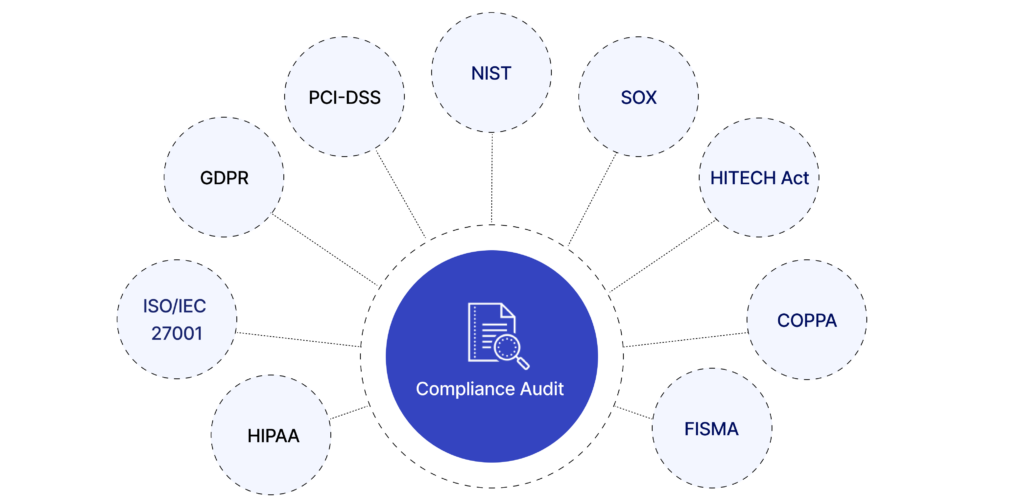
FrameworkScopeKey Architecture RequirementsHIPAAUS — PHI protectionEncryption at rest and in transit; access controls; audit logs; BAAs with cloud vendors; breach notification within 60 daysHITECH ActUS — EHR dataMeaningful use of health IT; HIPAA-compliant apps are HITECH compliant — aligns your obligationsGDPREU — all personal data including health recordsData minimization; consent management; right to erasure; data residency within EU for EU citizen data; DPA agreementsISO 27001Global — information securityRisk assessment framework; security controls; continuous monitoring; required by many enterprise healthcare buyers for vendor qualificationHL7 FHIRGlobal — interoperability standardAPI-first data exchange between systems; increasingly mandated for payer data sharing in the USPIPEDACanada — personal dataConsent for data collection; data accuracy; safeguards for personal information; closely aligned with GDPRCompliance Deep-Dive: HIPAA, GDPR, and Beyond
💡 Practical note: HIPAA-compliant architecture is also HITECH compliant. PIPEDA compliance typically maps well to GDPR requirements. If you are building for US + EU + Canada simultaneously, design to GDPR/ISO 27001 standards first — you will satisfy the others more efficiently.
AWS vs Azure vs GCP in Healthcare
Healthcare organizations frequently ask which cloud provider is best. The honest answer is that there is no universal winner — the right platform depends on your existing technology stack, geographic requirements, and specific workload profile. Here is a practical comparison based on real deployment patterns:
CriteriaAWSMicrosoft AzureGoogle Cloud (GCP)HIPAA BAAAvailable; broad service coverageAvailable; deep Microsoft 365 integrationAvailable; HIPAA-eligible services documentedGDPR ComplianceEU data residency optionsStrong EU presence, dedicated EU data boundaryEU data residency optionsEHR IntegrationStrong with AWS HealthLake (FHIR-native)Strong with Azure Health Data Services + Epic/Cerner partnershipsGoogle Cloud Healthcare API (FHIR, HL7v2, DICOM)Medical Imaging / DICOMAmazon HealthImaging — purpose-builtAzure API for DICOM — matureCloud Healthcare API includes DICOM supportAI / ML WorkloadsSageMaker — mature MLOps; largest model marketplaceAzure OpenAI integration; Copilot ecosystem; strong for .NET stacksVertex AI; strongest for organizations already using Google WorkspaceBest ForGreenfield healthcare SaaS; data-heavy workloads; startupsOrganizations with Microsoft stack (Office 365, Active Directory, .NET apps)Analytics-heavy workloads; organizations using Google WorkspaceTypical Cost PatternMost competitive for compute; storage pricing requires optimizationSignificant savings if you have existing Microsoft licensing (hybrid benefit)Competitive sustained use discounts; strong for BigQuery analytics workloadsAWS vs Azure vs GCP in Healthcare: Honest Breakdown
💡 Cost reality check: A mid-size hospital system (500 beds) migrating EHR and imaging workloads can expect first-year cloud spend of $600K–$1.2M depending on architecture choices, data volumes, and existing vendor agreements. The breakeven against on-premise infrastructure typically occurs in year 2–3, with ongoing savings accelerating as workloads are optimized. Organizations that skip FinOps discipline in year 1 often see costs 40–60% above initial estimates.
Cloud Migration Roadmap for Hospitals
The following roadmap is based on patterns from real healthcare cloud migration projects. It is designed to minimize compliance risk while delivering measurable value at each phase:
1. Infrastructure & Compliance Audit (Months 1–2)
Map all existing systems, data flows, and PHI touchpoints. Identify compliance gaps against HIPAA/GDPR/applicable frameworks. Assess current security posture, vendor contracts, and migration blockers. This audit defines the actual migration scope — organizations that skip it consistently underestimate complexity and cost.
2. Architecture Design & Vendor Selection (Months 2–3)
Select cloud provider(s) based on workload profile and existing stack. Design HIPAA-compliant architecture with encryption, IAM, audit trails, and data residency controls built in from the start. Execute BAA agreements. Define the deployment model (hybrid is most common at this stage).
3. Foundation Build & Security Controls (Months 3–5)
Deploy cloud landing zone with security controls active from day one. Implement MFA, RBAC, VPN/private connectivity, encryption, and continuous monitoring infrastructure. Set up CI/CD pipelines for infrastructure-as-code. Establish FinOps visibility before spending scales.
4. Non-Critical Workload Migration (Months 4–8)
Begin with lower-risk workloads: dev/test environments, analytics, backup, administrative systems. Build team confidence and operational processes. Identify integration issues before migrating clinical systems. Pilot remote monitoring or telehealth on cloud infrastructure.
5. Clinical System Migration (Months 6–14)
Migrate EHR, PACS, and clinical applications with parallel-run periods. Use phased cutover, not big-bang replacement. Validate compliance at each milestone. Ensure clinical staff training is completed before cutover — not after. Document all compliance evidence for audit readiness.
6. Optimize & Scale (Months 12+)
Continuous cost optimization via FinOps practices. Expand AI and analytics workloads using cloud-native services. Regular compliance audits and penetration testing. Expand hybrid cloud capabilities as workload patterns become established.
Top 5 Mistakes Hospitals Make When Moving to Cloud
Based on patterns observed across healthcare cloud projects, these are the failure modes that consistently derail migrations and inflate costs:
Treating security and compliance as a final step, not a foundation. Organizations that design their cloud architecture first and layer compliance on afterward create structural problems that are expensive to fix. HIPAA-compliant encryption, IAM, and audit trail architecture must be designed in from the first infrastructure decision.
Attempting a big-bang migration of clinical systems. Replacing all clinical systems simultaneously is among the highest-risk patterns in healthcare IT. The standard that works is: pilot with non-clinical workloads, build operational muscle, then migrate clinical systems in phases with parallel-run periods.
Underinvesting in FinOps from day one. Cloud costs are highly architecture-sensitive. Without tagging policies, budget alerts, and a designated FinOps function, healthcare organizations routinely overspend by 40–60% in the first 18 months. Visibility into cloud spend should be established before migration begins.
Treating cloud migration as an IT project, not a clinical change management initiative. Clinical staff who do not understand or trust new systems find workarounds. The most technically excellent EHR migration fails if nurses are keeping parallel paper records because the cloud interface is unfamiliar. Change management investment must match technology investment.
Not executing BAA agreements with all cloud vendors before handling PHI. A Business Associate Agreement is a legal prerequisite under HIPAA — not a formality. Organizations that move PHI to cloud environments without executed BAAs are in immediate violation, regardless of the underlying technical security of the implementation.
Emerging Trends: AI, Zero Trust & Confidential Computing
Cloud computing in healthcare is a rapidly evolving domain. The following developments will materially affect how healthcare IT leaders make architecture decisions in the next 2–3 years:
AI-Native Healthcare Cloud
Cloud providers are building healthcare-specific AI services directly into their platforms. Oracle Health launched an AI Center of Excellence for healthcare in September 2025. Anthropic launched Claude for Healthcare in January 2026 — a HIPAA-ready product specifically built for healthcare providers, payers, and health tech companies. The trend is toward AI services that are compliance-ready by default, reducing the integration overhead for healthcare organizations.
Zero Trust Architecture
The traditional perimeter security model — where everything inside the network is trusted — is structurally incompatible with cloud and hybrid environments. Zero Trust operates on the principle of "never trust, always verify" — every access request is authenticated and authorized regardless of network location. For healthcare, where staff access PHI from clinical workstations, personal devices, and remote locations simultaneously, Zero Trust is becoming the mandatory security architecture rather than an advanced option.
Confidential Computing
Confidential computing secures data during processing — not just at rest and in transit — by performing computations within hardware-protected enclaves. This enables healthcare organizations to run analytics on sensitive patient data without exposing it to the underlying cloud infrastructure, opening new possibilities for multi-organization research collaborations that were previously impossible due to privacy constraints.
Edge Computing + Cloud
IoT medical devices in ICUs, operating rooms, and remote patient monitoring programs generate data that cannot always be sent to central cloud for processing due to latency requirements. Edge computing processes this data locally and sends results — not raw data — to cloud platforms. This architecture is becoming standard for real-time clinical monitoring systems.
Hybrid Cloud Growth
Hybrid cloud is the fastest-growing deployment model in healthcare at an 18.2% CAGR through 2032. This reflects the reality that most healthcare organizations will maintain on-premise systems for at least some workloads — either due to regulatory requirements, existing infrastructure investment, or specific clinical applications — while scaling cloud for new workloads and analytics.
Cloud as a Disruptor in Healthcare IT
The move to cloud computing is shaking up healthcare IT and redefining traditional roles. With the cloud, healthcare providers can use “bimodal IT,” where stable systems work alongside fast, DevOps-driven setups. This approach meets both steady operational needs and the quick-paced demands of data-driven patient care.
"This concept of 'bimodal IT' — where you can use infrastructure in a consolidated way while still delivering essential services — really enables healthcare to enhance the quality and value of the care system."
Steven Lazer
Changing IT Roles
Cloud computing in healthcare pushes IT teams to move from specialized, separate roles (like storage or security) to a more service-oriented and collaborative approach. This shift brings IT closer to clinical workflows, enabling faster data sharing and quicker response times for patient care.
Cost Savings
Consolidating IT into unified cloud platforms cuts down on “maintenance-only” spending. For example, Dell EMC estimates significant cost reductions when switching to cloud systems, allowing more resources to go toward innovative patient care solutions.
Delivering Higher Value
With cloud solutions, healthcare IT can focus on real impact rather than routine tasks. For example, a developer environment can be set up and taken down in just 48 hours, allowing rapid innovation while keeping resources directed at high-impact areas.
"The next step of evolution we’re going to see in cloud is around the concept of a virtual private cloud—using shared infrastructure but isolated resources."
Steven Lazer
Мirtual private clouds are the next phase, where organizations can gain the scalability benefits of public cloud while maintaining the security of private cloud through isolated resources on shared infrastructure.
Cloud computing in healthcare is rapidly evolving, with emerging technologies enhancing its capabilities:
Zero Trust Architecture: Adopting a Zero Trust model ensures no implicit trust for any user or system, enhancing security in cloud environments.
AI and Machine Learning: Real-time threat detection and advanced predictive models are becoming integral to healthcare cloud solutions.
Blockchain Integration: Blockchain provides decentralized and immutable data storage, enhancing trust and transparency in healthcare operations.
Confidential Computing: Techniques to secure data during processing are gaining traction, enabling sensitive operations without exposing data to risks.
Cloud is disrupting the old IT model, building a fast, scalable, and integrated infrastructure that directly supports better care delivery.
Conclusion: The Future of Cloud in Healthcare
"Cloud really becomes a disruptor of the status quo within IT."
Tony Nunes
As healthcare organizations continue adopting cloud solutions, they are poised to deliver more reliable, efficient, and scalable services to patients. The cloud enables them to break free from traditional IT limitations, reduce costs, enhance data security, and improve operational resilience. As demonstrated by the success at Wake Forest Baptist Medical Center and other institutions, healthcare is ready to move into a new era where the cloud not only supports IT but also becomes integral to patient-centered care and operational excellence.
Through a thoughtful approach to cloud adoption, healthcare organizations can unlock new potential for innovation, efficiency, and patient satisfaction, transforming how care is delivered in a digitally connected world.
The following experts contributed valuable insights and perspectives, which were instrumental in the creation of this article:
Tony Nunes: 22+ years in healthcare IT.
Chris Mohen: Experience in clinical areas and transformative IT solutions.
Steven Lazer: Global Healthcare & Life Sciences CTO - Dell Technologies at Dell Technologies
Jason Jones: 15+ years, focusing on cloud strategies for healthcare.
Dan Trott: Extensive experience since 2010, working with clinical and IT solutions.
Planning a Cloud Migration for Your Healthcare Organization?
Gart Solutions has delivered HIPAA-compliant cloud migrations, DevOps transformations, and ISO 27001 certifications for health tech companies globally. We deliver quick wins from day one — and a compliance architecture built to last.
☁️
Cloud Migration
AWS, Azure, GCP — HIPAA-compliant by design
⚙️
DevOps & CI/CD
Automate deployments, reduce downtime
🔍
IT Audit & Compliance
HIPAA, ISO 27001, GDPR readiness
🏗️
Infrastructure Management
Managed services, SRE, monitoring
👔
Fractional CTO
Strategic tech leadership for scaling
🔄
Digital Transformation
End-to-end strategy & execution
Book a Free Consultation →
★ 4.9 rating
·
15+ verified reviews on Clutch
·
Trusted by healthcare tech companies globally
Roman Burdiuzha
Co-founder & CTO, Gart Solutions · Cloud Architecture Expert
Roman has 15+ years of experience in DevOps and cloud architecture, with prior leadership roles at SoftServe and lifecell Ukraine. He co-founded Gart Solutions, where he leads cloud transformation and infrastructure modernization engagements across Europe and North America. In one recent client engagement, Gart reduced infrastructure waste by 38% through consolidating idle resources and introducing usage-aware automation. Read more on Startup Weekly.

Imagine this: You’re busy running your clinic, pharmacy, or health tech firm when suddenly an email arrives – you’re getting audited for HIPAA compliance. Panic sets in. What if your policies aren’t updated? What if employee training is outdated? What if a single misstep costs you millions in fines?
This isn’t an imaginary worst-case scenario. HIPAA audits are real, random, and rigorous. With penalties ranging from $50,000 per incident to $1.5 million per year, failing an audit can financially and reputationally cripple your business.
But here’s the good news: You can prepare in advance. This guide will break down everything you need to know in simple, practical steps to ensure you’re not just compliant on paper but audit-ready anytime.
We’ll cover:
What HIPAA really is (without jargon)
Who needs to comply (it’s not just hospitals)
What gets audited
The three main HIPAA rules
Step-by-step HIPAA audit preparation checklist
How to avoid common pitfalls
How experts like Gart Solutions can help you stay secure and compliant
Ready to protect your business and your patients’ trust? Let’s dive in.
What is PHI (Protected Health Information)?
HIPAA's main goal is to keep patients' medical records and personal health details safe from being shared without permission. It sets nationwide rules to make sure that health information stays private, accurate, and accessible only to the right people. These rules apply to health plans, doctors, hospitals, and any businesses that handle patient information.
Protected Health Information (PHI) is any health-related data that can be traced back to a specific person. This includes things like medical records, names, social security numbers, and even fingerprints or other biometric data. HIPAA requires that all health information connected to personal details is considered PHI and must be kept secure.
The U.S. Department of Health and Human Services (HHS) has defined 18 unique identifiers that classify health information as PHI, including but not limited to:
Names
Dates (except years)
Social security numbers
Medical record numbers
Email addresses
Device identifiers
Biometric data (fingerprints, face scans)
Who Must Comply with HIPAA?
HIPAA compliance is mandatory for entities that handle PHI, including:
Healthcare providers: Hospitals, clinics, nursing homes, pharmacies.
Health plans: Health insurance companies, Medicare, Medicaid.
Health clearinghouses: Organizations that process health data like billing services and data management firms.
Business associates: Third-party vendors, including billing companies, consultants, and cloud service providers, who handle PHI on behalf of covered entities.
HIPAA compliance extends beyond healthcare providers to include business associates—third-party entities that perform services involving the use or disclosure of Protected Health Information (PHI) on behalf of covered entities like hospitals or clinics. Examples of business associates include:
Billing companies
Cloud service providers
Consultants
Transcription services
Data storage firms
Business associates are required to ensure the same level of protection for PHI as the primary covered entities, such as hospitals and insurance companies. This means they must adhere to HIPAA’s Privacy, Security, and Breach Notification rules. If a breach occurs or there’s non-compliance, business associates face the same penalties, ranging from $50,000 fines per incident to $1.5 million annually.
Key takeaway:If you store, process, access, or transmit PHI in any capacity, HIPAA applies to you. No exceptions.
The Three Main Rules of HIPAA
HIPAA compliance is governed by three primary rules:
Privacy Rule
This rule controls how personal health information (PHI) can be used and shared. It focuses on keeping patient information safe from unauthorized access while still allowing healthcare providers to share it when needed for treatment or running their services. It limits who can see a patient’s health information and under what conditions it can be shared, giving patients control over their personal health details.
Security Rule
This rule is about protecting electronic health information (ePHI). It requires security measures like encryption, access controls, and monitoring logs to keep data safe from breaches. Whether the data is being stored or sent, this rule ensures it is protected. It also requires healthcare organizations to have administrative, physical, and technical safeguards in place to keep electronic health data secure.
Breach Notification Rule
If there’s a breach involving unsecured health information, this rule requires healthcare providers to notify the affected individuals and, in some cases, the government and media. The individuals must be informed within 60 days if their health information was accessed without permission. If the breach is large, the Department of Health and Human Services (HHS) and the media may also need to be notified.
Penalties for Non-Compliance
Failing to comply with HIPAA can lead to severe consequences. Financial penalties range from $50,000 per incident to $1.5 million per violation category per year. Persistent violations or multiple breaches can result in multi-million-dollar fines, and in some cases, criminal charges.
Even if an organization is found to be compliant today, they may face fines for any previous deficiencies. These penalties can be financially debilitating, highlighting the importance of maintaining a thorough and consistent compliance plan.
What Is a HIPAA Audit?
A HIPAA audit is a formal assessment conducted by the Department of Health and Human Services (HHS) Office for Civil Rights (OCR) to verify that healthcare providers, health plans, and their business associates comply with HIPAA’s privacy and security requirements.
Why do HIPAA audits happen?
Random selection for proactive audits
Complaints filed by patients or staff
Data breach incidents reported to OCR
These audits are not just paperwork reviews. They evaluate your actual practices, training programs, and technical safeguards. In recent years, OCR contracted firms like FCI Federal to conduct these audits, expanding audit frequency and depth.
Types of HIPAA audits:
Desk audits – You submit requested documentation electronically within a strict timeframe (usually 10-14 days).
On-site audits – Auditors visit your physical office to observe operations, interview staff, and inspect security practices.
If deficiencies are found, you may be required to submit a Corrective Action Plan (CAP) and could face monetary penalties depending on severity.
Key takeaway:A HIPAA audit tests your real-world compliance, not just your written policies.
What Gets Audited During a HIPAA Audit?
Auditors review both current and historical compliance efforts, meaning that even if you updated policies last week, outdated practices from last year can still lead to penalties.
Areas commonly audited:
Privacy policies and procedures: Are they up to date and aligned with HIPAA standards?
Security risk assessment reports: Have you identified and addressed vulnerabilities in your systems?
Employee training records: Has your staff been trained regularly on HIPAA requirements?
Business Associate Agreements (BAAs): Are they signed, current, and compliant with HIPAA rules?
Breach notification procedures: Do you have a documented and tested plan in place?
Technical safeguards: Encryption, access controls, audit logs, and authentication systems.
Physical safeguards: Locked storage, secure facility access, workstation security policies.
Incident response plans: Are you prepared to handle and report breaches effectively?
What is the auditor looking for?
They want proof that:
You understand HIPAA requirements
You have implemented policies, procedures, and safeguards
Your team is trained and compliant
You maintain documentation to demonstrate compliance
Failure to provide these quickly can trigger deeper investigations or fines.
Implementation and Best Practices
HIPAA compliance requires organizations to adopt several best practices, including:
Employee Training: All employees handling PHI must be thoroughly trained on HIPAA policies and procedures.
Risk Management: Organizations should regularly assess risks to PHI and take necessary steps to mitigate them.
Access Control: Only authorized personnel should have access to PHI, ensuring that medical information is protected from unauthorized access.
HIPAA compliance checklist
HIPAA-Compliance-ChecklistDownload
Common Mistakes to Avoid During HIPAA Audits
Even organizations with good intentions fail audits due to avoidable errors. Here are critical mistakes to avoid:
Incomplete risk assessments – Simply checking boxes without thorough evaluation.
Outdated policies – Using templates created years ago without updates.
No employee training records – Failing to document who attended HIPAA training and when.
Unencrypted data – Storing PHI in cloud or local systems without proper encryption.
Weak password policies – Allowing default passwords or sharing logins.
Missing BAAs – Working with vendors handling PHI without signed Business Associate Agreements.
Ignoring small breaches – Failing to document or notify minor unauthorized disclosures.
No audit logs – Lack of monitoring for who accesses PHI and when.
Avoid these pitfalls by conducting internal audits regularly, keeping policies current, and working with compliance experts who can identify gaps before OCR finds them.
How Gart Solutions Can Help with HIPAA Audits
Preparing for a HIPAA audit isn’t just about checking off compliance boxes – it’s about implementing security and privacy best practices that protect your patients and your business long-term. This is where Gart Solutions comes in.
Here’s how Gart Solutions can support your HIPAA compliance:
Cloud Infrastructure DesignDesign and deploy cloud environments compliant with HIPAA standards, ensuring scalable and secure PHI storage.Cloud Infrastructure DesignDesign and deploy cloud environments compliant with HIPAA standards, ensuring scalable and secure PHI storage.
Data Encryption ImplementationEncrypt sensitive data in transit and at rest to prevent unauthorized access.
Automated Compliance MonitoringUse DevOps practices to continuously scan for misconfigurations and vulnerabilities, resolving them in real time.
Audit Trail CreationDeploy logging and monitoring tools to track system activity and demonstrate compliance during audits.
Incident Response AutomationDevelop automated procedures to minimize breach impact and ensure fast compliance with HIPAA breach notification rules.
Risk Assessment and ManagementConduct thorough risk assessments, implement remediation plans, and monitor for ongoing compliance.
Backup and Disaster RecoverySet up secure backup systems and disaster recovery plans to ensure data is always recoverable.
Business Associate Agreements (BAA) ManagementHelp draft and maintain compliant BAAs with cloud vendors and business associates.
By partnering with Gart Solutions, you not only prepare for HIPAA audits but also build a resilient and secure IT environment that earns your patients’ trust and protects your business.
Gart Solutions can design and implement cloud infrastructure that adheres to HIPAA security and privacy standards. This includes ensuring that the architecture is secure, scalable, and meets the technical safeguards required for protected health information (PHI) handling.
One of the core requirements for HIPAA compliance is ensuring that sensitive data, such as PHI, is encrypted both in transit and at rest. Gart Solutions can implement encryption protocols on cloud services, ensuring that all data is protected from unauthorized access.
Using DevOps practices, Gart Solutions can automate the monitoring of cloud environments for HIPAA compliance. By setting up automated scans and alert systems, they can ensure that any misconfigurations or potential breaches are identified and resolved in real-time.
HIPAA requires that organizations maintain a record of access and activity for all systems handling PHI. Gart Solutions can deploy logging and monitoring tools to ensure a robust audit trail. This makes it easier to demonstrate compliance during an audit.
In case of a security incident, a fast and effective response is critical. Gart Solutions can automate incident response procedures, minimizing response time and ensuring that any HIPAA violations are addressed immediately.
Gart Solutions can conduct regular risk assessments, helping organizations identify vulnerabilities in their cloud infrastructure. They can then implement remediation plans and continuously monitor the environment to reduce the risk of non-compliance.
HIPAA requires that organizations have plans for backup and disaster recovery in place. Gart Solutions can set up automated, secure backups and disaster recovery solutions, ensuring that data is always recoverable and protected from loss.
For any cloud services provided to healthcare organizations, a BAA is required to establish responsibilities for HIPAA compliance. Gart Solutions can help navigate the process of drafting and maintaining BAAs with cloud vendors, ensuring proper legal protection and compliance.
These services ensure that organizations meet HIPAA requirements while maintaining efficient, secure cloud operations.
Conclusion
HIPAA serves as a cornerstone of healthcare privacy and security regulations, ensuring that individuals' health data is protected. Healthcare providers, insurance companies, and associated businesses must understand and adhere to HIPAA's rules to avoid heavy penalties and safeguard patient trust.
The HITECH (Health Information Technology for Economic and Clinical Health) Act has changed how healthcare providers handle patient information by promoting the use of Electronic Health Records (EHR) and creating a strong compliance framework.
A key part of this framework is the audit process, which ensures that healthcare organizations follow HIPAA's rules on privacy, security, and notifying patients in case of a breach.
One important aspect is the possibility of an audit by the Office for Civil Rights (OCR), which checks for compliance and can impose serious penalties for violations.
In this article, we’ll break down the HITECH audit process and share practical steps that healthcare providers can take to get ready, with helpful insights from healthcare IT expert Anupam Sahai.
Quick summary:
📍 HITECH Act audits typically take several weeks to a few months to complete, depending on the complexity of the organization and the scope of the audit.
📍 The HITECH Act increased the potential penalties for HIPAA violations significantly. Fines can range from $100 to $50,000 per violation, with a maximum annual penalty of $1.5 million for repeated violations.
📍 The Office for Civil Rights (OCR) conducts audits on a random sample of covered entities and business associates. While there is no set schedule, the OCR aims to audit about 200 organizations each year as part of its compliance initiative.
📍 The OCR has established a detailed audit protocol that includes 125 audit steps, covering areas such as administrative safeguards, physical safeguards, technical safeguards, and policies and procedures.
📍 Gart Solutions can help your business with HITECH Act and HIPAA Audits
Understanding the HITECH Act and HIPAA Audits
The HITECH Act, passed in 2009, built on the privacy and security rules set by HIPAA (Health Insurance Portability and Accountability Act). Its main goal is to encourage healthcare providers to adopt health information technology, especially Electronic Health Records (EHRs), to improve patient care. To make sure these rules are followed, the HITECH Act introduced stricter data protection measures and required audits.
HIPAA audits are carried out by the Office for Civil Rights (OCR), which is part of the Department of Health and Human Services (HHS). These audits are important because they check that healthcare providers and their partners are following the necessary privacy, security, and breach notification rules. Depending on the organization’s risk level, these audits can be done remotely (desk audits) or in person (on-site audits).
Together, the HITECH Act and HIPAA aim to make healthcare better by improving how patient information is managed and reducing costs. HIPAA specifically focuses on protecting patient information and requires that all healthcare providers, insurers, and other organizations that handle this data put strong safeguards in place to keep electronic patient information safe.
These audits cover both covered entities (CEs) and business associates (BAs), raising the stakes for organizations that don't comply:
▪️ Fines: The maximum fine for a HIPAA violation has jumped to $1.5 million for each incident, and there’s no limit to how many times fines can be imposed.
▪️ Whistleblower Incentives: The HITECH Act encourages people to report non-compliance by offering them a share of the penalties collected.
▪️ Liability Expansion: Business associates and subcontractors are now held to the same standards as covered entities. This creates a "liability chain," meaning everyone involved in handling patient information is responsible for following the rules.
OCR Audits: Key Elements and Findings
Pilot Audit Program (2012)In 2012, the OCR started a pilot audit program to check how well covered entities were following HIPAA privacy and security rules. They found that smaller organizations had a tougher time meeting these requirements. Some of the key issues included:
Many organizations didn’t do proper security risk analyses.
There were weak controls over who could access Protected Health Information (PHI).
Few organizations had plans to deal with data breaches or system failures.
Ongoing and Future AuditsSince then, the OCR has made the audit program permanent and expanded it to include business associates (BAs)—the vendors or contractors that provide services to healthcare providers and have access to PHI.
Starting in 2015, the OCR began sending out pre-audit surveys to about 1,200 covered entities to collect information about them. From those, 200 entities were chosen for desk audits. The OCR is using these audits not only to find common compliance problems but also to offer guidance to healthcare providers on how to improve their practices.
Preparing for an OCR Audit
Getting ready for an OCR audit means being proactive and showing you have the right policies and procedures in place for HIPAA and HITECH compliance. Here’s how healthcare providers can prepare:
Step 1: Conduct a Security Risk AnalysisThe HIPAA Security Rule requires covered entities and business associates to perform a risk analysis to find weaknesses in handling Protected Health Information (PHI). This analysis should cover:
How PHI is stored, shared, and accessed.
Potential risks to PHI security.
Steps to reduce these risks.
This is especially important for those in the Meaningful Use program, which requires an annual risk analysis. Make sure PHI is encrypted when stored and sent, using tools like firewalls and VPNs to block unauthorized access.
Step 2: Implement Risk Management PlansAfter the risk analysis, create a risk management plan to address vulnerabilities. Have a contingency plan ready to respond to data breaches, natural disasters, or system failures that could impact PHI.
Step 3: Update Privacy PoliciesKeep your Privacy Rule policies current, including:
Procedures for patient access to their health information.
Rules for using and sharing PHI.
An updated Notice of Privacy Practices (NPP) to inform patients of their rights.
Step 4: Review Business Associate Agreements (BAAs)If a contractor or vendor handles PHI, ensure there’s a Business Associate Agreement (BAA) in place. This holds them accountable for protecting PHI and outlines their responsibilities in case of a breach.
Step 5: Ensure Breach Notification ComplianceThe Breach Notification Rule requires notifying affected individuals, HHS, and sometimes the media if a data breach affects 500 or more people. For smaller breaches, notifications can be delayed but must still be reported annually. Make sure your breach notification procedures meet these standards.
Specific Areas of Focus for 2024 Audits
In 2024, OCR audits will continue to emphasize important compliance areas, including:
HIPAA Security Rule: There will be a focus on risk analysis, how devices and media are controlled, encryption, and securing data during transmission.
HIPAA Privacy Rule: Auditors will look at policies related to access to Protected Health Information (PHI), workforce training, and administrative safeguards.
Business Associate Audits: The OCR will keep auditing business associates (BAs), especially regarding the Breach Notification Rule and their adherence to security requirements.
Preparing for CMS Meaningful Use Audits
Along with OCR audits, healthcare providers involved in the CMS Meaningful Use program will also face audits to confirm they are meeting the program's core measures. Providers must show:
They have adopted certified EHR technology.
They can provide documentation that supports their claims of meeting core measures, such as giving patients electronic access to their health records.
A significant part of these audits will focus on the security risk analysis, which is a key requirement under both Stage 1 and Stage 2 of Meaningful Use.
How Gart Solutions Can Help Businesses with HITECH Act Audits
Gart Solutions offers a comprehensive suite of services designed to streamline and enhance the compliance readiness of healthcare organizations, ensuring they are fully prepared for HITECH Act audits.
1. Infrastructure Assessment and Risk Analysis
One of the key requirements of the HITECH Act is conducting a comprehensive security risk analysis, a critical component of the HIPAA Security Rule. Gart Solutions specializes in evaluating IT infrastructure to identify vulnerabilities, gaps, and security risks related to PHI storage, transmission, and access.
Comprehensive Risk Assessments
Gart Solutions conducts detailed assessments to identify potential weaknesses in your IT systems. These assessments cover areas such as network security, endpoint protection, data encryption, and access control mechanisms.
Risk Mitigation Strategies
After identifying vulnerabilities, Gart Solutions helps you develop a risk management plan to address and mitigate these risks. This ensures that your organization is prepared to meet the audit's security and compliance requirements.
2. Cloud Services and Data Encryption
Healthcare organizations increasingly rely on cloud-based solutions for EHR management and storage. However, maintaining HIPAA-compliant security in the cloud can be challenging. Gart Solutions offers cloud infrastructure services tailored to meet the HITECH Act’s strict data protection guidelines.
HIPAA-Compliant Cloud Solutions
Gart Solutions helps businesses implement secure, HIPAA-compliant cloud environments that ensure the confidentiality, integrity, and availability of ePHI (electronic protected health information). By leveraging secure cloud infrastructure, your organization can securely store, manage, and process sensitive health data.
Data Encryption
Encryption is a key safeguard required by HIPAA. Gart Solutions ensures that your data is encrypted both at rest and in transit, protecting it from unauthorized access during storage or transmission. This reduces the risk of data breaches and helps your organization meet audit requirements.
3. DevOps for Compliance Automation
Preparing for HITECH Act audits can be resource-intensive, requiring constant monitoring and documentation of compliance measures. Gart Solutions’ DevOps services automate many of the tasks associated with maintaining HIPAA and HITECH compliance.
Automated Compliance Monitoring
Through DevOps automation, Gart Solutions enables continuous monitoring of your systems and networks for vulnerabilities, misconfigurations, and non-compliant activities. Automated alerts and reports ensure your organization can quickly address issues before they escalate.
Policy Enforcement and Logging
Gart Solutions integrates tools that enforce compliance policies in real-time, ensuring that every system change or user access is logged and documented for audit purposes. This continuous auditing capability ensures that your business is always prepared for an OCR audit.
4. Business Associate Agreements (BAA) and Vendor Management
The HITECH Act expands liability to include business associates (BAs), such as vendors and service providers who handle PHI on behalf of healthcare organizations. Gart Solutions can assist in managing your BA agreements and ensuring your vendors are HIPAA-compliant.
Vendor Risk Management
Gart Solutions helps you assess the compliance readiness of your business associates, ensuring they adhere to the same security standards as your organization. By reviewing vendor policies and procedures, you can reduce risks related to third-party breaches.
BAA Support
Gart Solutions assists with the creation, review, and management of BAAs, ensuring that all legal agreements are in place and comply with HIPAA’s requirements. This helps mitigate risk during HITECH audits and ensures that third-party vendors are accountable for PHI security.
5. HIPAA-Compliant Infrastructure as a Service (IaaS)
For businesses that require scalable and flexible infrastructure, Gart Solutions offers HIPAA-compliant IaaS solutions that are fully tailored to healthcare industry needs. Gart Solutions designs and deploys infrastructure environments that meet HIPAA’s physical, administrative, and technical safeguards. This includes access control, physical security, and secure backups
Conclusion: Why Choose Gart Solutions?
As the regulatory environment around healthcare data continues to evolve, being prepared for a HITECH Act audit is crucial for protecting your business and your patients. Gart Solutions provides expert guidance and technological solutions to help healthcare organizations stay compliant, secure their IT infrastructure, and confidently manage the audit process.
By leveraging our expertise in DevOps, cloud, and infrastructure services, your business can enhance its compliance posture, minimize risks, and ensure you are fully prepared for any HITECH or HIPAA audit.
Let Gart Solutions handle the technical complexities of compliance so you can focus on delivering exceptional healthcare services to your patients.