Picking a cloud provider used to be a fairly contained decision: compare a few price sheets, check which region is closest to your users, and sign up. In 2026 it's a different kind of decision. AI workloads now make up roughly 19% of total cloud spending, Kubernetes runs in production at 82% of organizations using containers, and the cost of getting the choice wrong shows up two years later as a migration project nobody budgeted for.
This guide explains how to choose a cloud provider the way we actually do it with clients at Gart Solutions: not by picking a "winner," but by scoring AWS, Microsoft Azure, and Google Cloud Platform (GCP) against your specific workloads, team, budget, and compliance reality. We've rebuilt this article from the ground up — pricing examples, a proprietary evaluation framework, decision paths by company type, common mistakes we see in cloud assessments, and an FAQ section pulled from the questions clients actually ask us.
[lwptoc]
But fear not! In this comprehensive blog post, we'll delve into various cloud providers and assist you in identifying the ideal choice for your organization.
CriteriaAmazon Web Services (AWS)Microsoft AzureGoogle Cloud Platform (GCP)PricingOffers various pricing models and options, including pay-as-you-go and reserved instances.Flexible pricing options, including pay-as-you-go and discounted reserved instances.Offers pay-as-you-go pricing and committed use discounts.Compute ServicesProvides a wide range of compute services, including EC2, Lambda, and Elastic Beanstalk.Offers compute services like Virtual Machines, App Service, and Azure Functions.Provides compute services such as Compute Engine, App Engine, and Kubernetes Engine.Storage OptionsProvides various storage services, including S3, EBS, and Glacier.Offers storage services like Blob Storage, File Storage, and Azure Disk Storage.Provides storage services such as Cloud Storage, Cloud SQL, and Cloud Bigtable.Machine Learning and AI CapabilitiesOffers comprehensive AI and machine learning services with Amazon SageMaker, Rekognition, and more.Provides AI and ML capabilities through services like Azure Machine Learning, Cognitive Services, and more.Offers AI and ML services through Google Cloud AI, AutoML, and TensorFlow.Database ServicesProvides a wide range of database options, including Amazon RDS, DynamoDB, and Redshift.Offers database services like Azure SQL Database, Cosmos DB, and Azure Database for MySQL.Provides database services such as Cloud SQL, Firestore, and BigQuery.NetworkingOffers extensive networking capabilities, including Amazon VPC, Route 53, and CloudFront.Provides networking services like Azure Virtual Network, Azure DNS, and Azure ExpressRoute.Offers networking services such as Virtual Private Cloud (VPC), Cloud DNS, and Cloud Load Balancing.Global InfrastructureOperates in numerous regions worldwide with a large number of data centers.Has an extensive global presence with data centers located in many regions.Has a global network of data centers and regions to provide wide coverage.SupportProvides extensive documentation, support forums, and options for technical support.Offers comprehensive documentation, support options, and access to Azure support engineers.Provides documentation, community support, and access to Google Cloud support resources.A high-level overview of the different cloud providers
Cloud Market Snapshot: Who Actually Leads in 2026
Before comparing features, it helps to know where each provider actually stands. According to Synergy Research Group's Q1 2026 figures, worldwide cloud infrastructure spending reached $129 billion, up 35% year-over-year — the ninth consecutive quarter of accelerating growth, driven largely by AI deployments.
ProviderQ1 2026 Market ShareYoY GrowthAWS28%~19%Microsoft Azure21%~40%Google Cloud14%~63%Cloud Market Snapshot: Who Actually Leads in 2026
Source: Synergy Research Group, Q1 2026
The key takeaway isn't who's "winning" — it's the growth differential. AWS still leads on absolute share, while Microsoft and Google are growing substantially faster, largely on the back of AI workloads. Market share tells you about ecosystem maturity and hiring pools, not which provider is right for your specific stack.
Key takeaway: Market leadership and product fit are different questions. AWS's scale buys you the deepest service catalog and the largest hiring pool. Azure's growth is fueled by enterprises already standardized on Microsoft. Google's growth is fueled almost entirely by AI/ML workloads moving onto Vertex AI and TPU infrastructure.
AWS vs Azure vs Google Cloud: Core Comparison
CriteriaAWSAzureGoogle CloudPricing modelPay-as-you-go, Reserved Instances, Savings Plans, SpotPay-as-you-go, Reserved VM Instances, Hybrid BenefitPay-as-you-go, Committed Use Discounts, automatic sustained-use discountsComputeEC2, Lambda, ECS, Fargate, Elastic BeanstalkVirtual Machines, Functions, Container Instances, App ServiceCompute Engine, Cloud Functions, Cloud Run, App EngineManaged KubernetesEKS — ~42% of managed K8s usageAKS — ~23% of managed K8s usageGKE — ~27% of managed K8s usage, reference implementationAI / ML platformSageMaker, Bedrock, RekognitionAzure AI Foundry, Azure OpenAI Service, Cognitive ServicesVertex AI, AutoML, TPU v5 custom siliconDatabasesRDS, DynamoDB, Aurora, RedshiftAzure SQL Database, Cosmos DB, PostgreSQL/MySQLCloud SQL, Firestore, BigQuery, SpannerStrongest fitBroadest service catalog, largest talent poolMicrosoft-stack enterprises, hybrid cloudData analytics, AI/ML-heavy workloadsAWS vs Azure vs Google Cloud: Core Comparison
Pros and Cons of Each Provider
Amazon Web Services (AWS)
Best for: Teams that want maximum service breadth and the deepest hiring pool, and don't mind a steeper learning curve in exchange for flexibility.
Pros: Largest service catalog in the industry; mature ecosystem of third-party integrations and consultants; strongest track record for high-availability, high-scale architectures; broadest compliance certification coverage.
Cons: Pricing complexity makes cost forecasting genuinely hard without dedicated FinOps practice; the sheer number of services creates a steep onboarding curve for new teams; support tiers below Business/Enterprise can feel slow.
Microsoft Azure
Best for: Organizations already standardized on Microsoft 365, Active Directory, or .NET, and anyone running a serious hybrid cloud estate.
Pros: Tight integration with Active Directory, Microsoft 365, and the .NET ecosystem; strongest hybrid cloud tooling via Azure Arc; enterprise procurement is frictionless if you already hold a Microsoft Enterprise Agreement.
Cons: Teams without Microsoft background face a real learning curve; some services mature later than their AWS or GCP equivalents; the Marketplace has fewer third-party options, though this gap is narrowing.
Google Cloud Platform (GCP)
Best for: Data-intensive and AI/ML-first companies, and engineering-led teams that want Kubernetes built by the people who invented it.
Pros: Vertex AI and TPU infrastructure lead on AI/ML price-performance for many training workloads; BigQuery remains a best-in-class data warehouse; GKE is the reference Kubernetes implementation; pricing is comparatively simple, with automatic sustained-use discounts.
Cons: Smaller market share means a smaller talent pool and fewer specialized consultants in some regions; historically perceived as developer/startup-centric, though enterprise capability has expanded significantly; fewer pre-built enterprise integrations than AWS or Azure.
Still unsure which provider fits your specific workload?
Gart Solutions runs structured cloud assessments for engineering leaders who need a defensible, documented answer — not a guess. Talk to our team
The GART Cloud Selection Framework
Generic comparison tables answer "what does each cloud offer." They don't answer "what should I pick." Over dozens of cloud assessments, we've standardized the questions we ask clients into a five-axis scoring framework. We're sharing it here because it's the same structure we use internally — score each provider 1–5 on each axis, weight the axes by what matters most to your business, and the highest weighted total is your fit, not just the market leader.
AxisWhat we're really asking1. Technical FitDo this provider's managed services match our actual workload types (compute pattern, data volume, latency needs) without heavy custom engineering?2. Cost PredictabilityCan we forecast spend within a reasonable margin, or will billing surprises be routine?3. Team ExpertiseDoes our team already know this platform, or are we budgeting for a 3–6 month ramp-up and hiring against a smaller talent pool?4. Compliance & EcosystemDoes the provider hold the certifications we need (HIPAA, PCI DSS, SOC 2, regional data residency), and does our existing toolchain integrate cleanly?5. Future AI/Scale RoadmapWhere is our AI/ML roadmap headed in 18–24 months, and which provider's model catalog, GPU/TPU access, and pricing supports that without a re-platform?The GART Cloud Selection Framework
In practice, axis weighting is where most of the real decision-making happens. A healthcare SaaS company weights Compliance and Cost Predictability heavily; an AI-native startup weights Future AI Roadmap and Technical Fit. The framework doesn't produce a single universal answer — it produces your answer.
Which Cloud Is Best for Startups?
For early-stage companies, the calculus is different from enterprise selection. Three things matter disproportionately: credits, community support, and how fast you can hire.
Startup credit programs: All three offer credits (AWS Activate, Microsoft for Startups, Google for Startups), typically $1,000–$350,000 depending on funding stage and accelerator affiliation. Credits expire — don't pick a cloud purely because of a 12-month credit grant you'll outgrow.
Talent availability: AWS has the deepest junior-to-senior hiring pool globally, which matters if you're scaling an engineering team quickly without months of platform onboarding.
Ecosystem maturity: AWS and Azure have the largest marketplace of pre-built SaaS integrations (billing, observability, security tooling), which reduces the "glue code" tax for a small team.
Simplicity bias: GCP's pricing model and console are frequently cited by founding engineers as the easiest to reason about without a dedicated DevOps hire — relevant if you're pre-Series A and your CTO is still managing infrastructure personally.
Best for: AWS if you're optimizing for hiring speed and integration breadth; GCP if your team is small and AI/data-heavy; Azure if your first enterprise customers are Microsoft-stack organizations and procurement simplicity matters.
AWS vs Azure vs GCP for AI Workloads
AI is now the single biggest driver of cloud growth — it's why Azure and Google Cloud are growing two to three times faster than AWS in percentage terms, even from a smaller base. Each provider has a distinct AI strategy:
ProviderAI PlatformStrongest forAWSSageMaker, BedrockProduction ML pipelines, broadest foundation-model selection via BedrockAzureAzure AI Foundry, Azure OpenAI ServiceEnterprise generative AI with native OpenAI model access and Microsoft governance toolingGoogle CloudVertex AI, TPU v5Large-scale model training and inference price-performance, Gemini model familyAWS vs Azure vs GCP for AI Workloads
Per the CNCF's 2025 Annual Cloud Native Survey, 66% of organizations running generative AI models use Kubernetes to manage at least part of their inference workloads — which means your AI platform choice and your Kubernetes choice are no longer separate decisions for most teams.
AWS vs Azure vs GCP for Kubernetes
Kubernetes adoption is now close to universal — 82% of container users run it in production. The decision usually isn't "should we use Kubernetes," it's which managed flavor fits your stack:
EKS (AWS): The largest installed base among managed Kubernetes services, around 42% of managed K8s usage. Deepest integration with the rest of AWS's networking and IAM stack. Marginally more setup overhead than GKE out of the box.
GKE (Google Cloud): Built by the team that created Kubernetes; widely considered the smoothest managed Kubernetes experience, with strong Autopilot mode for hands-off cluster management. Around 27% of managed K8s usage.
AKS (Azure): Around 23% of managed K8s usage. Best choice if your cluster needs to integrate tightly with Azure AD, Azure Policy, or an existing Azure-based CI/CD pipeline.
For teams referencing platform standards, the Cloud Native Computing Foundation and the Platform Engineering community are useful ongoing sources for what "good" looks like as Kubernetes operating practices mature.
Which Cloud Is Best for Regulated Industries?
For healthcare, fintech, and other regulated sectors, the deciding factor usually isn't a feature gap — all three providers hold the major certifications (HIPAA-eligible services, PCI DSS Level 1, SOC 2 Type II, ISO 27001). It's about how compliance tooling fits your existing governance model.
Healthcare (HIPAA): All three support HIPAA-eligible architectures via signed Business Associate Agreements. Azure tends to be a faster path for organizations already running Microsoft-based EHR integrations or Active Directory-based identity for clinical staff.
Fintech (PCI DSS, SOC 2): AWS's maturity in this space and its breadth of compliance automation tooling (AWS Audit Manager, Config) often wins out for fintech, particularly where the team is already AWS-native.
EU data residency: All three operate EU regions, but sovereign-cloud requirements are evolving fast. Initiatives like Gaia-X are shaping how European data sovereignty standards get defined going forward — worth tracking if your customer base is EU-regulated.
A note from real assessments: A fintech client initially leaned toward Azure for "enterprise familiarity" before we ran a workload analysis. AWS's stronger ecosystem support for their specific payment-processing stack and easier horizontal scaling for transaction volume made it the better technical fit. After migration, infrastructure management overhead dropped by roughly 22% within six months — not because Azure was wrong in general, but because it was wrong for that workload.
Pricing Examples: What It Actually Costs
Generic "pay-as-you-go" descriptions don't help much when you're trying to budget. Here's a simplified illustration of how the three providers' pricing models differ in structure for a common mid-size workload — a general-purpose compute instance running continuously:
Pricing leverAWSAzureGoogle CloudOn-demand discount pathSavings Plans (1–3yr commitment)Reserved VM Instances (1–3yr commitment)Automatic sustained-use discount — no commitment requiredSpot/preemptible pricingUp to ~90% off via Spot InstancesUp to ~90% off via Spot VMsUp to ~91% off via Spot VMsEgress/data transfer feesTiered, can be significant at scaleTiered, comparable to AWSTiered, often slightly lower for inter-region transferForecasting difficultyHigh — requires dedicated FinOps practice at scaleMedium — simplified if on an Enterprise AgreementLower — fewer pricing tiers and SKUs to trackPricing Examples: What It Costs
This is why total cost of ownership (TCO) modeling matters more than sticker price. The FinOps Foundation publishes vendor-neutral frameworks for exactly this kind of cross-cloud cost modeling, and it's worth applying before signing a multi-year commitment with any provider.
Read more: Azure Cost Optimization for a Software Development Company — how we reduced network costs by 90% and saved a client up to $400/day through infrastructure restructuring, without sacrificing performance or security.
Mistakes Companies Make When Choosing a Cloud
Across cloud assessments, the same handful of mistakes show up repeatedly:
Selecting based solely on credits. A $100K credit grant that expires in 12 months shouldn't outweigh a multi-year architecture fit. Credits buy runway, not a platform decision.
Choosing multi-cloud too early. Running production workloads across two providers before you have a dedicated platform team multiplies operational complexity without a proportional benefit. Multi-cloud is a maturity stage, not a starting point.
Ignoring internal skill gaps. Picking the "technically superior" provider when your team has zero hands-on experience with it adds months of ramp-up that rarely gets budgeted into the migration timeline.
Overestimating portability. Containerization helps, but managed services (databases, queues, auth) create real lock-in regardless of provider. Plan for it honestly rather than assuming Kubernetes alone solves portability.
Skipping a real workload analysis. Comparing providers on generic feature lists instead of mapping your actual top 5–10 workloads against each provider's strengths is the single most common gap we see in DIY cloud assessments.
Cloud Provider Selection Checklist
Before you start vendor conversations, work through this list internally:
Do we have an existing Microsoft ecosystem (AD, M365, .NET) that favors Azure integration?
What regulatory or data residency requirements apply to our industry and customer base?
Are our workloads Kubernetes-heavy, and if so, which managed K8s service fits our operational model?
What does our AI/ML roadmap look like 18–24 months out, and which provider's model catalog and GPU/TPU access supports it?
What's our internal team's existing cloud expertise, and what's the realistic ramp-up cost if we pick an unfamiliar platform?
Have we modeled total cost of ownership — including egress, support tiers, and reserved-capacity commitments — not just sticker compute pricing?
What's our disaster recovery and multi-region requirement, and does the provider's regional footprint match our customer geography?
Have we run a proof-of-concept with our actual workload before committing to a multi-year contract?
Cloud Migration Considerations
Choosing a provider is half the decision — the other half is getting there without breaking production. A few considerations that matter more than they're usually given credit for:
Hidden costs: Data egress during migration, dual-running both environments during cutover, and re-architecting services that don't have a direct equivalent on the new platform.
Sequencing: Migrate stateless services first, validate, then move stateful workloads (databases, queues) last, with a tested rollback plan at every stage.
Team readiness: Budget for training time, not just infrastructure cost. A migration that's technically clean but leaves the team unable to operate the new platform independently isn't actually finished.
Vendor lock-in mitigation: Favor managed services with open-source equivalents (PostgreSQL over a fully proprietary database engine, for example) where the workload allows it, to keep future portability realistic.
When Multi-Cloud Actually Makes Sense
Multi-cloud gets pitched as a default best practice more often than it should be. It genuinely makes sense when:
You have regulatory requirements mandating provider diversification or specific data residency that no single provider satisfies alone.
You're running best-of-breed workloads — for example, AI training on Google Cloud's TPUs while keeping core application infrastructure on AWS for ecosystem reasons.
You've grown through M&A and inherited infrastructure on multiple providers, and full consolidation isn't yet cost-justified.
You have a mature platform engineering team capable of maintaining consistent tooling, security posture, and observability across providers.
It makes less sense as a "just in case" hedge against vendor lock-in for a team without dedicated platform engineering capacity — the operational tax usually outweighs the theoretical risk reduction for most companies under a certain scale.
How We Evaluated These Providers
This comparison draws on Gart Solutions' hands-on cloud architecture and migration engagements across AWS, Azure, and Google Cloud, cross-referenced against current published data: Synergy Research Group's Q1 2026 market share report, the CNCF 2025 Annual Cloud Native Survey, and each provider's own architecture documentation (AWS Well-Architected Framework, Azure Architecture Center, Google Cloud Architecture Framework). Pricing structures reflect each provider's publicly published rate cards as of Q2 2026 and are illustrative rather than quoted; always confirm current rates directly with the provider for budgeting purposes. We review and refresh this article as market share data, pricing models, and AI platform capabilities shift — cloud is not a "set and forget" topic, and this guide isn't either.
Beyond the Big Three: Other Cloud Providers
AWS, Azure, and GCP dominate the market, but they're not the only options. Depending on your needs, these are worth knowing about:
IBM Cloud: Enterprise-grade security and hybrid cloud capabilities, with deep ties to IBM's legacy enterprise customer base.
Oracle Cloud Infrastructure: Strong fit for organizations already running Oracle databases and applications.
Alibaba Cloud: Dominant in the Asia-Pacific region, particularly for businesses operating in or selling into China.
DigitalOcean: Developer-focused, simple pricing, popular for small-to-mid-size teams that don't need hyperscaler complexity.
OVHcloud: European provider with a strong emphasis on data privacy and EU regulatory compliance.
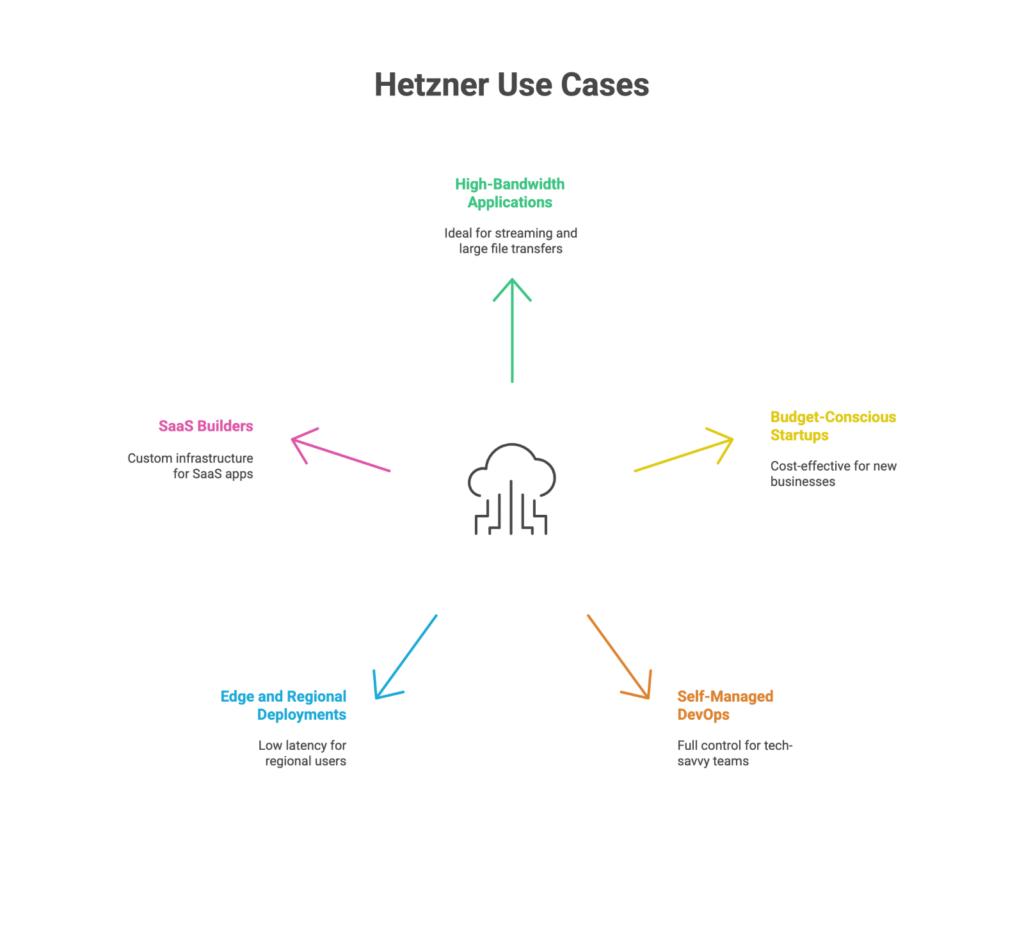
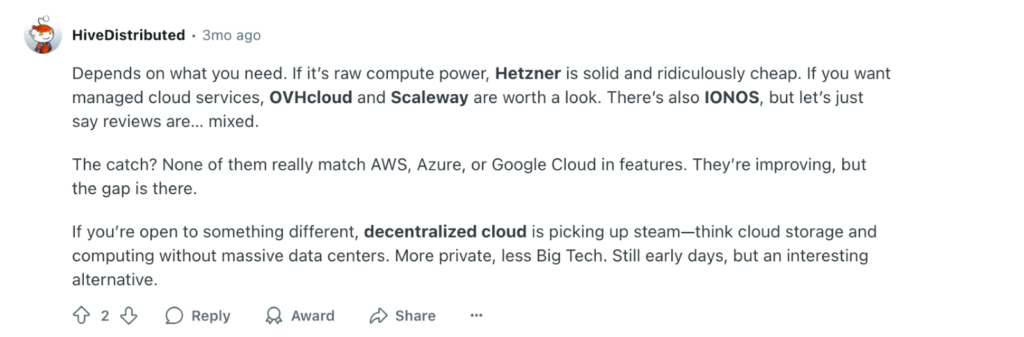
Hetzner Cloud: German provider known for competitive pricing and reliable performance, popular for cost-sensitive workloads.
Pros and Cons: AWS vs Azure vs Google Cloud
Amazon Web Services (AWS)
Pros:
Extensive Service Offering: AWS has a vast range of services, including compute, storage, databases, AI/ML, networking, and more, providing comprehensive solutions for various business needs.
Market Leader: AWS is the leading cloud provider with a strong track record, extensive customer base, and a robust ecosystem of third-party integrations.
Global Infrastructure: AWS has a vast global infrastructure with multiple data centers worldwide, allowing businesses to have low-latency access and meet data sovereignty requirements.
Scalability and Flexibility: AWS offers auto-scaling features and flexible resource allocation, enabling businesses to easily scale up or down based on demand.
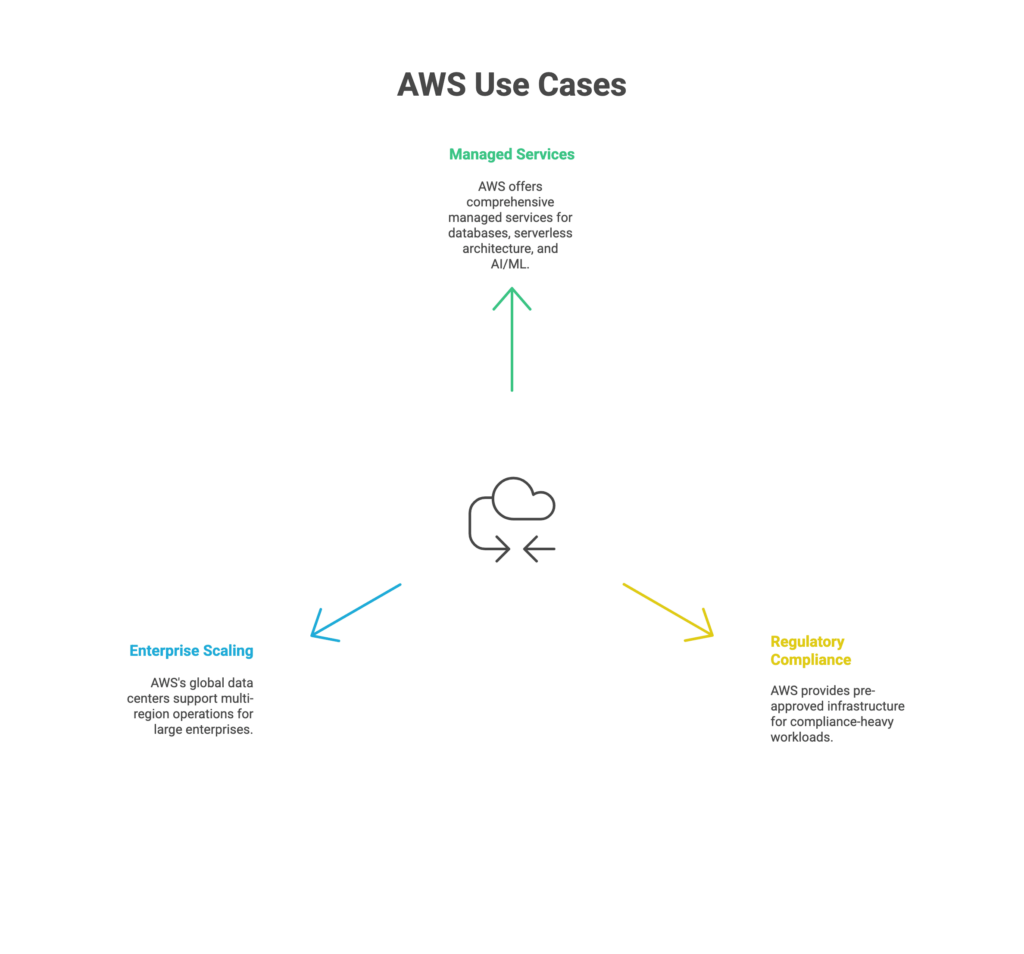
Strong Security Measures: AWS provides a wide range of security tools, encryption options, and compliance certifications to ensure the protection of data and meet regulatory requirements.
Cons:
Complex Pricing Structure: AWS pricing can be complex, especially when using a variety of services. Understanding the pricing models, estimating costs, and optimizing expenses may require careful planning and monitoring.
Steep Learning Curve: AWS has a rich set of services and features, which can make it challenging for beginners to navigate and fully utilize the platform. Learning resources and training may be necessary for effective usage.
Limited Support Options: While AWS provides documentation and support forums, some users have reported challenges with response times and the availability of personalized support.
Microsoft Azure
Pros:
Seamless Integration with Microsoft Products: Azure offers seamless integration with popular Microsoft tools and technologies, making it attractive for businesses already using the Microsoft ecosystem.
Hybrid Cloud Capabilities: Azure provides strong support for hybrid cloud scenarios, allowing businesses to seamlessly integrate on-premises infrastructure with the cloud.
Wide Range of Services: Azure offers a comprehensive set of services, including compute, storage, databases, analytics, and more, catering to diverse business needs.
Strong Enterprise Focus: Azure is well-suited for enterprise environments, with features like Active Directory integration, strong governance tools, and compliance certifications.
Global Presence: Azure has a wide global presence with data centers located in various regions, enabling businesses to have a global reach and meet local compliance requirements.
Cons:
Learning Curve for Non-Microsoft Users: Users not familiar with Microsoft technologies may face a learning curve when navigating Azure's services and features.
Some Services Still Maturing: While Azure offers a wide range of services, some may still be evolving and may not have the same maturity or feature set as those of AWS.
Limited Marketplace Offerings: The Azure Marketplace may have a smaller selection of third-party solutions compared to AWS, although it continues to grow.
Google Cloud Platform (GCP)
Pros:
Strong AI and ML Capabilities: GCP is known for its advanced AI and ML services, offering pre-trained models, custom machine learning, and data analytics capabilities.
Cost-Effective Pricing: GCP's pricing structure is known for its simplicity and cost-effectiveness, with competitive pricing options and sustained usage discounts.
Scalable and Elastic Infrastructure: GCP provides flexible scaling options, allowing businesses to easily handle varying workloads and traffic spikes.
Global Network and Performance: GCP offers a high-performance global network, enabling businesses to deliver applications and services with low latency.
Developer-Friendly: GCP provides a range of developer tools and integration options, making it attractive for developers and DevOps teams.
Cons:
Smaller Market Share: GCP currently has a smaller market share compared to AWS and Azure, which may result in a comparatively smaller ecosystem and fewer third-party integrations.
Limited Enterprise Focus: GCP may be perceived as more focused on startups and developer-centric use cases, although it continues to expand its enterprise capabilities.
Learning Curve for Non-Google Users: Users who are not familiar with Google's technologies may need to invest time in learning and adapting to GCP's platform and services.
? Unable to choose a cloud provider? Seek expert guidance from Gart. Our experienced team can help you navigate the complexities of cloud computing and select the optimal provider for your business.
How to Choose a Cloud Service Provider
Choosing a cloud service provider requires careful consideration of several factors. Here are the key steps to guide you in selecting the right cloud service provider for your business:
Define Your Business Requirements:
Understand your business requirements and goals.
Evaluate services, performance, and security measures.
Consider global infrastructure and data centers.
Assess integration capabilities and ease of migration.
Evaluate disaster recovery options and pricing models.
Seek feedback and conduct trials to make an informed choice.
To begin the process of selecting the right cloud service provider for your business, it is crucial to gain a deep understanding of your organization's needs, objectives, and unique requirements in relation to cloud services. Take into account various factors, such as the types of workloads you handle, your storage and computing requirements, scalability expectations, compliance obligations, and any industry-specific regulations that apply.
Conduct a comprehensive workload analysis to assess the specific applications and workloads your business relies on. Consider the nature of these workloads, whether they involve web hosting, data analytics, AI/ML processing, e-commerce, or other operations. Identify the computing resources, storage needs, and network prerequisites associated with each workload.
This table provides a brief overview of the compute services offered by each cloud provider:
Cloud ProviderCompute ServicesAWSAmazon EC2 (Elastic Compute Cloud)AWS Lambda (Serverless Computing)Amazon ECS (Elastic Container Service)AWS Batch (Batch Computing)AWS Elastic Beanstalk (Platform-as-a-Service)AzureAzure Virtual MachinesAzure Functions (Serverless Computing)Azure Container InstancesAzure Batch (Batch Computing)Azure App Service (Platform-as-a-Service)GCPGoogle Compute EngineGoogle Cloud Functions (Serverless Computing)Google Kubernetes Engine (Managed Kubernetes)Google Cloud Run (Container Instances)Google App Engine (Platform-as-a-Service)A table comparing the compute services offered by AWS vs Azure vs Google Cloud
Determine the scalability and flexibility your business demands. Evaluate whether you require the capability to quickly scale resources up or down in response to fluctuating demands. Consider whether potential cloud providers offer features like auto-scaling, elastic load balancing, and flexible resource allocation to meet your scalability requirements effectively.
Evaluate your data storage and database needs. Analyze the volume of data your business needs to store and process, as well as the specific data access patterns (real-time, batch processing) that are crucial to your operations. Consider the level of data durability, redundancy, and availability required. Assess the availability of different storage options (such as object storage or block storage) and the variety of database solutions (relational or NoSQL) offered by each cloud service provider.
Here's a table comparing the database and storage services offered by AWS, Azure, and GCP
Cloud ProviderDatabase ServicesStorage ServicesAWSAmazon RDS (Relational Database Service)Amazon S3 (Simple Storage Service)Amazon DynamoDB (NoSQL Database)Amazon EBS (Elastic Block Store)Amazon Aurora (Managed Relational Database)Amazon Elastic File System (EFS)Amazon DocumentDB (MongoDB-compatible Document Database)Amazon FSx (File Storage)Amazon Neptune (Graph Database)Amazon Glacier (Long-term Archive Storage)AzureAzure SQL DatabaseAzure Blob StorageAzure Cosmos DB (NoSQL Database)Azure Files (Managed File Storage)Azure Database for MySQLAzure Disk StorageAzure Database for PostgreSQLAzure Archive Storage (Long-term Archive Storage)Azure Synapse Analytics (Data Warehousing)Azure Data Lake StorageGCPGoogle Cloud SQL (Managed Relational Database Service)Google Cloud StorageGoogle Cloud Firestore (NoSQL Document Database)Google Cloud Persistent DiskGoogle Cloud Spanner (Horizontally Scalable Relational Database)Google Cloud FilestoreGoogle Cloud Bigtable (Wide-column NoSQL Database)Google Cloud Storage Nearline (Long-term Archive Storage)Google Cloud Datastore (NoSQL Database)Google Cloud Archive Storage (Long-term Archive Storage)AWS vs Azure vs Google Cloud: database and storage services
Assess the security and compliance features provided by each cloud service provider, especially if your business operates in an industry with specific regulatory requirements such as healthcare (HIPAA) or financial services (PCI DSS). Pay attention to aspects like data encryption, access controls, compliance certifications, and auditing capabilities offered by potential providers.
Take into account your business's geographic presence and any data sovereignty obligations you may have. Determine whether the cloud provider has data centers located in regions that align with your operations or customer base. Ensure that the provider can meet local data residency requirements and provide low-latency access for optimal performance.
Evaluate the compatibility and integration capabilities of the cloud provider with your existing systems, applications, and IT infrastructure. Look for pre-built integrations, APIs, and software development kits (SDKs) that facilitate seamless connectivity and data exchange. Consider the ease of migrating your current applications and data to the platform of the cloud service provider under consideration.
Assess your disaster recovery and business continuity needs. Determine whether the cloud provider offers robust backup and disaster recovery solutions, including data replication across multiple regions, automated backup processes, and options for high availability and fault tolerance. These features are critical to ensure the uninterrupted operation of your business.
Consider your budget and cost expectations for cloud services. Evaluate the pricing models, cost structures, and billing options provided by each cloud service provider. Take into account factors such as compute and storage costs, data transfer fees, and potential discounts or cost optimization tools offered by the provider.
By conducting a thorough analysis and defining your business requirements across these dimensions, you will be better equipped to evaluate different cloud service providers and select the one that aligns most effectively with your organization's needs, goals, and constraints.
Still undecided on the right cloud provider? Get in touch with us now and embark on your cloud transformation journey!
Consider Performance and Reliability
Performance and reliability are crucial for smooth operations. Evaluate the uptime guarantees and service level agreements (SLAs) provided by cloud providers. Look for low-latency connections, robust network infrastructure, and features like content delivery networks (CDNs) and load balancing that can enhance performance and improve user experience.
AWS Networking Services
Amazon VPC (Virtual Private Cloud)
Amazon CloudFront (Content Delivery Network)
Amazon Route 53 (Domain Name System)
AWS Direct Connect (Dedicated Network Connection)
AWS Elastic Load Balancer (Application Load Balancer, Network Load Balancer)
Azure Networking Services
Azure Virtual Network
Azure CDN (Content Delivery Network)
Azure DNS (Domain Name System)
Azure ExpressRoute (Dedicated Network Connection)
Azure Load Balancer (Application Gateway, Traffic Manager)
GCP Networking Services
Google VPC (Virtual Private Cloud)
Cloud CDN (Content Delivery Network)
Cloud DNS (Domain Name System)
Cloud Interconnect (Dedicated Network Connection)
Load Balancing (HTTP/HTTPS, TCP/SSL)
Assess Security and Compliance
It is essential to carefully evaluate the security measures and certifications provided by each cloud provider. This evaluation should encompass considerations such as encryption options, access controls, identity and access management (IAM) capabilities, and the provider's compliance with industry regulations that are relevant to your business. Ensuring that the chosen cloud provider meets your specific security and compliance requirements is crucial for safeguarding your data and maintaining regulatory compliance.
Review Pricing and Cost Structures
When reviewing the pricing and cost structures of various cloud providers, it is important to gain a comprehensive understanding of their pricing models, cost structures, and billing options. Evaluate key factors such as pay-as-you-go pricing, the availability of reserved instances, costs associated with data storage, and fees for data transfers. It is crucial to consider the total cost of ownership (TCO) over time and compare it with your budget and cost expectations. To effectively manage expenses, look for cost optimization tools and explore available options that can assist in optimizing and controlling your cloud-related costs. By conducting a thorough evaluation of pricing and cost structures, you can make informed decisions that align with your financial objectives while maximizing the value derived from your chosen cloud provider.
Read more: Azure Cost Optimization for a Software Development Company
This case study highlights how Gart assisted Appsurify.com, a software development and testing company, in optimizing their Microsoft Azure infrastructure costs. By conducting a thorough analysis of the client's cloud infrastructure and identifying cost drivers, our team implemented strategic changes to reduce network costs by 90%. Additionally, the solution improved performance, security, and reliability while saving the client up to $400 per day in network and infrastructure expenses. The case study demonstrates the effectiveness of Azure cost optimization in achieving significant savings and enhancing overall infrastructure performance.
Consider Global Infrastructure and Data Centers
The proximity of data centers to your target audience can play a vital role in minimizing latency and ensuring optimal performance. Additionally, it is crucial to consider data sovereignty requirements and choose a provider that can comply with the regulations specific to the regions where you operate. Evaluating the cloud provider's content delivery network (CDN) capabilities is also important, as it can enhance performance by delivering content efficiently to end users across various locations. By carefully considering global infrastructure and data center availability, you can ensure a seamless and responsive user experience while meeting regulatory obligations.
The three major cloud providers each have an extensive global presence:
Amazon Web Services (AWS) operates in 25 geographic regions, which are further divided into 81 availability zones. They have a vast network of 218+ edge locations and 12 Regional Edge Caches.
Microsoft Azure has a footprint in over 60 regions worldwide. Each region is equipped with a minimum of three availability zones, ensuring high availability. Additionally, they have established more than 116 edge locations, also known as Points of Presence (PoPs).
Google Cloud Platform (GCP) is available in 27 cloud regions, and within these regions, there are a total of 82 zones. GCP further extends its network reach through 146 edge locations across the globe.
Evaluate Support and Documentation
Consider the level of support and customer service provided by each cloud provider. Look for availability of support channels, response times, and the quality of documentation, tutorials, and knowledge base resources. A responsive and knowledgeable support team can be crucial in resolving issues promptly.
Consider Vendor Lock-in and Portability
Assess the level of vendor lock-in associated with each provider. Evaluate the ease of migrating to and from the cloud provider, as well as the compatibility and portability of your applications and data. Consider strategies to mitigate vendor lock-in risks and ensure future flexibility.
Seek Feedback and References
Look for feedback from other businesses or industry peers who have experience with the cloud providers you are considering. Research case studies and success stories to understand how well the providers have supported similar organizations in achieving their goals.
Conduct Proof-of-Concept (PoC) or Trial Periods
Before making a final decision, consider conducting a proof-of-concept or taking advantage of trial periods offered by cloud providers. This allows you to test the provider's services, performance, and compatibility with your applications and workloads before committing fully.
By following these steps and thoroughly evaluating each cloud service provider based on your specific business requirements, you can make an informed decision and choose the cloud service provider that best fits your needs and goals.
Don't let the cloud provider decision overwhelm you. Gart is here to help.
Exploring Other Cloud Providers: Beyond AWS, Azure, and GCP
In addition to AWS vs Azure vs Google Cloud, there are several other notable cloud providers in the market. Here are a few examples:
IBM Cloud
IBM's cloud platform that offers a range of services including compute, storage, AI, and blockchain. It emphasizes enterprise-grade security and hybrid cloud capabilities.
Oracle Cloud
Oracle's cloud platform provides services for infrastructure, databases, applications, AI, and data analytics. It focuses on integrating with existing Oracle software and technologies.
Alibaba Cloud
Alibaba's cloud platform offers a comprehensive suite of cloud services, including compute, storage, networking, AI, and big data analytics. It has a strong presence in the Asia-Pacific region.
DigitalOcean
DigitalOcean is a developer-focused cloud provider that specializes in providing simple and cost-effective infrastructure services such as virtual machines, storage, and Kubernetes clusters.
Vultr
Vultr is a cloud provider known for its high-performance and affordable infrastructure services. It offers scalable compute, storage, and networking resources across multiple data centers worldwide.
Rackspace
Rackspace provides managed cloud services and expertise across various cloud platforms, including AWS, Azure, and GCP. It offers support, migration, and optimization services to help businesses leverage the benefits of the cloud.
Salesforce Cloud
Salesforce offers a suite of cloud-based applications for customer relationship management (CRM), sales, marketing, and service management. Its platform-as-a-service (PaaS), known as Salesforce Platform, allows businesses to build and deploy custom applications.
Tencent Cloud
Tencent Cloud is a leading cloud provider in China, offering a wide range of cloud services including computing, storage, databases, AI, and IoT. It focuses on serving businesses in the Chinese market.
OVHcloud
OVHcloud is a European cloud provider offering a broad portfolio of services, including virtual private servers, dedicated servers, storage, and network solutions. It emphasizes data privacy and compliance with European regulations.
Hetzner Cloud
Hetzner Cloud is a German cloud provider offering a range of infrastructure services, including virtual machines, storage, and networking. It is known for its competitive pricing and reliable performance.
Conclusion: There's No Universal "Best" Cloud Provider
AWS, Azure, and Google Cloud are all enterprise-grade, all capable of running mission-critical infrastructure, and all investing heavily in AI. The right answer depends on your workloads, your team's existing expertise, your compliance obligations, and where your AI roadmap is headed — not on which provider has the biggest market share this quarter. Run the framework above against your actual requirements, weight it honestly, and you'll have a defensible answer instead of a guess.
As the cloud computing market continues to grow, businesses face a critical decision: which type of cloud deployment best suits their needs? Public clouds like AWS, Microsoft Azure, and Google Cloud dominate the global market, offering scalability, flexibility, and cost savings. Yet, many European companies opt for private clouds.
Here’s a deep dive into why private clouds are gaining traction despite the apparent advantages of public cloud platforms.
1. Data Sovereignty and Compliance
European companies operate under stringent data protection regulations, such as the General Data Protection Regulation (GDPR), which governs how personal data is stored and processed. Private cloud providers like OVHcloud, Scaleway, and Ionos ensure data remains within European jurisdictions, simplifying compliance and avoiding extraterritorial laws like the U.S. CLOUD Act.
Key Statistics:
45% of EU enterprises used cloud computing services in 2023, a 4.2% increase from 2021.
GDPR compliance is a top priority, especially for sectors like healthcare and public administration.
By leveraging private clouds, EU companies can mitigate risks associated with non-EU regulations, ensuring full control over their data.
2. Cost Efficiency for High-Traffic Workloads
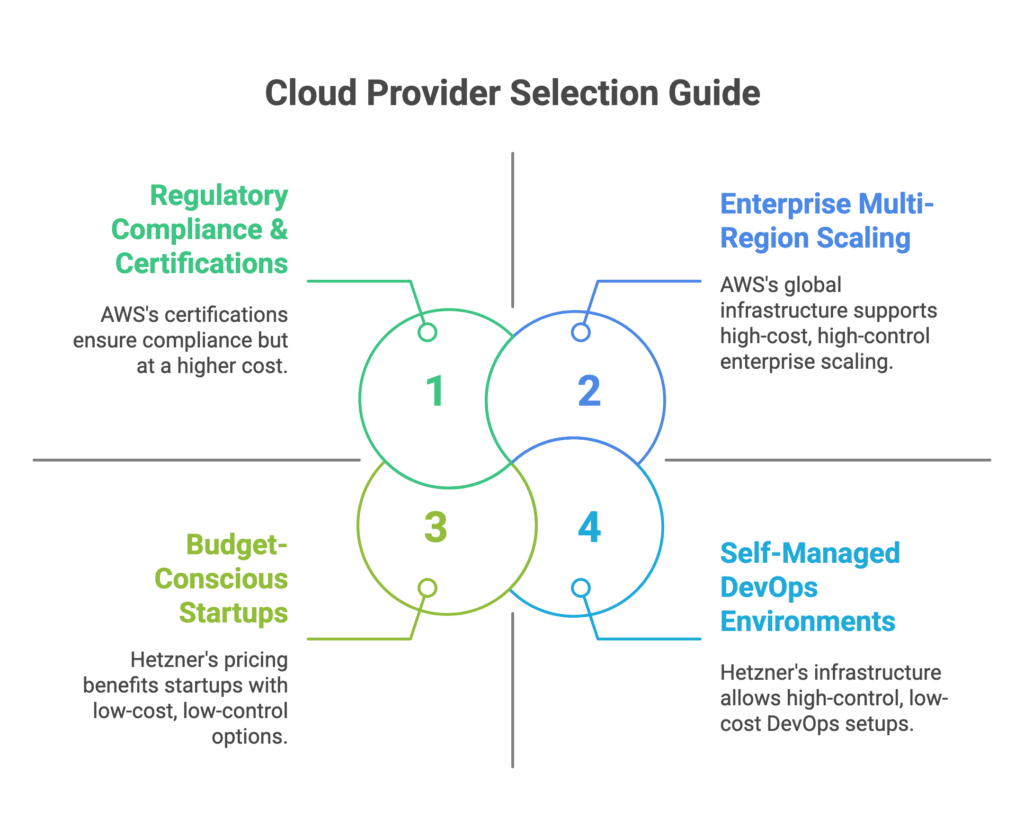
While public clouds use a pay-as-you-go model, hidden costs—such as data transfer fees—can quickly escalate, especially for businesses with heavy traffic. Private cloud providers offer predictable pricing structures, making them cost-effective for industries like gaming, streaming, and SaaS.
Hetzner Online (Germany) provides scalable solutions at transparent rates, avoiding unexpected costs for bandwidth or storage.
Example:A gambling company that initially planned to deploy their platform on AWS found that traffic costs would make their business model unsustainable. By switching to Hetzner’s private cloud, they significantly reduced infrastructure costs and ensured long-term profitability despite high traffic volumes from non-paying users. Read the full case study here.
3. Localized Infrastructure and Support
Private cloud providers maintain data centers across Europe, reducing latency for local users—a critical factor for e-commerce and gaming industries.
Case Studies:
UpCloud (Finland) utilizes maxIOPS technology for superior speed.
Ikoula (France) offers eco-friendly practices alongside GDPR compliance.
With dedicated customer support tailored to regional needs, EU-based private cloud providers ensure a more personalized and efficient service.
4. Customization and Control
Unlike public clouds, private clouds allow businesses to tailor infrastructure to their specific requirements. This flexibility extends to dedicated resources, ensuring consistent performance and reliability.
Example: Scaleway provides Kubernetes-based solutions, enabling companies to customize setups without vendor restrictions.
Organizations can align their cloud environments with their operational goals, optimizing for security, performance, and cost.
5. Avoiding Vendor Lock-In
Public cloud providers often rely on proprietary technologies, creating dependencies that can limit flexibility and increase costs over time. Private clouds leverage open-source platforms like OpenStack and Kubernetes, reducing long-term risks.
Insight:
OpenStack enables businesses to deploy private clouds with features comparable to public cloud environments.
Kubernetes standardizes container orchestration, ensuring portability and consistency across deployments.
This freedom allows companies to adapt their infrastructure as needed, avoiding the pitfalls of vendor lock-in.
6. Energy Efficiency and Sustainability
Sustainability is a growing priority for European businesses. Many private cloud providers, such as Greenhost and OVHcloud, prioritize renewable energy and eco-friendly practices.
Fact: The European Commission’s IPCEI-CIS initiative has allocated €1.2 billion to develop cutting-edge cloud and edge technologies, emphasizing sustainability and digital sovereignty.
By choosing private clouds, companies align with their environmental goals while supporting regional innovation.
7. Geopolitical Stability
European companies face risks associated with geopolitical tensions and trade restrictions affecting non-EU providers. Private clouds mitigate these risks by ensuring data sovereignty and compliance with local regulations.
Comparison of EU-Friendly Private Cloud Providers and Hosting Solutions
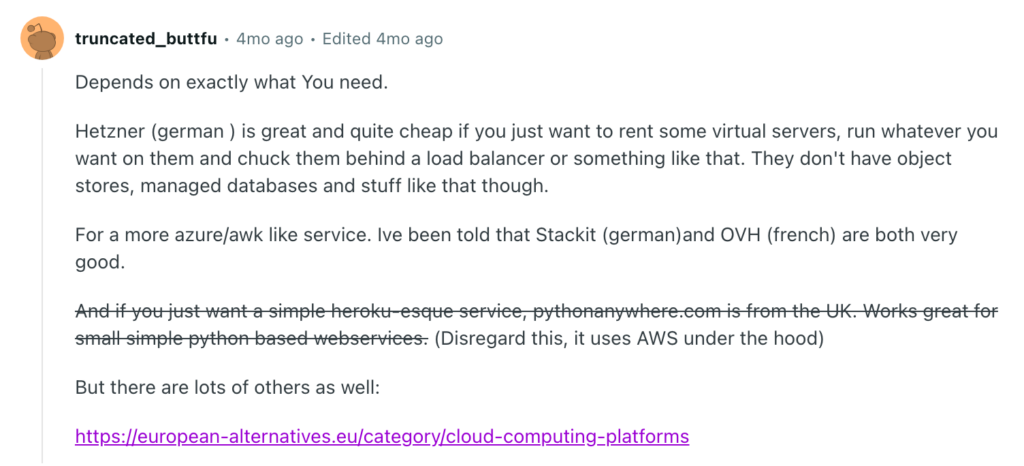
ProviderKey FeaturesWhy ChooseOVHcloud (France)Private cloud, public cloud, bare-metal servers. Competitive pricing, strong emphasis on data sovereignty.Ensures GDPR compliance, robust European presence with numerous data centers.Scaleway (France)Private cloud, bare-metal servers, Kubernetes-based solutions.Simple, competitively priced, and sustainable. Popular with startups and SMBs in Europe.Ionos by 1&1 (Germany)Private cloud, managed hosting, enterprise cloud services.GDPR-compliant, excellent customer support, cost-effective for high-performance workloads.Leaseweb (Netherlands)Private cloud, bare-metal servers, hybrid cloud setups.Flexible infrastructure, transparent pricing, ideal for traffic-heavy workloads.Hetzner Online (Germany)Private cloud, dedicated servers, colocation services.Predictable pricing, cost-efficient for scalable solutions.UpCloud (Finland)High-performance private cloud and virtual servers with maxIOPS technology.Reliable, simple, competitive pricing, EU-based data centers.Vultr (Global, EU Presence)Private cloud, bare-metal servers, strong European presence.Flexible plans, transparent pricing for cost optimization.DigitalOcean (Global, EU Data Centers)Cloud services for developers, startups, small businesses.Simple pricing, user-friendly, with EU data center options.Linode (Akamai Cloud) (Global, EU Locations)Private cloud, virtual servers, developer-friendly approach.Affordable, reliable hosting, European data centers, and enhanced global reach under Akamai.Greenhost (Netherlands)Secure, sustainable hosting services, private cloud, managed hosting.Ideal for sustainability-focused, GDPR-compliant companies.Ikoula (France)Private cloud, managed servers, VPS solutions, eco-friendly practices.Affordable, customer-focused, ideal for European businesses.These providers offer scalable, GDPR-compliant, and cost-effective infrastructure solutions for high-traffic businesses while reducing dependency on U.S.-based public cloud services.
Despite their advantages, private clouds come with challenges:
Initial Costs: Significant upfront investment in hardware and infrastructure.
Expertise Requirements: Skilled personnel are essential for managing complex environments.
Scalability Limitations: Scaling resources in private clouds is less flexible compared to public clouds.
Conclusion
For European businesses, private clouds offer a compelling alternative to public clouds, combining data sovereignty, cost efficiency, customization, and sustainability. By addressing unique regional needs and regulatory requirements, private clouds empower companies to maintain control over their infrastructure while fostering innovation and resilience.
Data is power. But in Europe, much of that power is still in foreign hands.
Despite Europe’s strong regulations and fast-growing tech sector, the continent remains heavily dependent on cloud services from American companies like Amazon, Microsoft, and Google.
While American these tech giants dominate the cloud computing landscape, European leaders are asking a crucial question: How can Europe achieve true digital independence without sacrificing innovation and economic growth?
Can Europe really call itself digitally sovereign?
Why Digital Sovereignty Matters
Digital sovereignty means having control over your digital infrastructure — including where your data is stored, how it is protected, and who can access it. It’s not about isolation. It’s about resilience, freedom of choice, and protection from external risks.
Today, the situation looks troubling:
92% of Western data is hosted in the U.S.
80% of global cloud data is controlled by just five non-European companies
Microsoft and Amazon alone control 38% of the European cloud market
That means that even if your data is physically stored in Europe, it may still be under the legal reach of U.S. authorities — thanks to laws like the CLOUD Act and FISA 702, which allow American surveillance of data stored abroad by U.S. companies.
The problem goes beyond simple market competition. When critical data and digital infrastructure rely on foreign-controlled systems, Europe loses control over its digital destiny. Sensitive government information, business data, and personal information of European citizens flow through systems governed by foreign laws and policies.
Digital sovereignty isn't just about nationalism – it's about practical control and security. When a European hospital's patient records are stored on American servers, or when a government's classified information passes through foreign-controlled networks, real questions arise about privacy, security, and independence.
The EU's digital sovereignty agenda aims to reduce reliance on foreign technology, enhance infrastructure, and address privacy concerns while facing challenges from U.S. and Chinese dominance. This isn't about shutting out the world, but about having genuine alternatives and maintaining strategic autonomy.
“Europe missed the first wave of the cloud. If we miss the second one, we’ll be stuck in digital dependency.”
– Thierry Breton, EU Commissioner for the Internal Market
Real Risks from Real Cases
This isn’t just a theoretical concern. Several well-known cases have exposed how foreign control over cloud infrastructure can impact European users:
The Microsoft Ireland case: U.S. officials requested access to emails stored on Irish servers. This raised alarm about how far U.S. legal power can reach.
The Privacy Shield collapse: An EU-U.S. data-sharing deal was invalidated because U.S. surveillance conflicted with European privacy laws.
Dutch government disruption: U.S. sanctions led to service interruptions in Europe, affecting even innocent bystanders.
These examples prove that relying on non-EU cloud providers exposes Europe to legal uncertainty, geopolitical risks, and potential data misuse.
The AI Factor: More Data, More Dependency
The rise of AI adds another layer of urgency. Modern AI systems need huge amounts of computing power, which is mostly available through major cloud platforms. But if European AI models are trained or hosted on non-EU infrastructure, it creates legal and ethical conflicts, especially with the new EU AI Act.
Hosting AI in the wrong cloud can violate EU data protection rules — even if developers follow best practices. That’s why digital sovereignty is not just a legal issue anymore. It’s becoming a strategic priority.
Get a sample of IT Audit
Sign up now
Get on email
Loading...
Thank you!
You have successfully joined our subscriber list.
European Alternatives Taking Shape
Europe has started several initiatives to build its own cloud capacity. Some key projects include:
Slow adoption, lack of traction, and the gap between European ambitions and current reality.
1. Gaia-X: The Ambitious (But Struggling) Vision
“Europe contributes nearly 25% of global cloud revenues but owns less than 2% of cloud infrastructure.”
– Gaia-X
Gaia-X was Europe's flagship attempt at creating a federated cloud infrastructure. Launched with great fanfare, it promised to be "a federated European cloud platform big enough to challenge the market dominance of the US hyperscale providers and meet the data sovereignty needs of businesses".
However, the project has faced significant challenges. Critics argue that by including major American tech companies in the initiative, Gaia-X risks becoming what some call "a trojan horse for Big Tech in Europe". Six years after its launch, that promise of digital sovereignty "rings hollow".
2. EuroStack: The New Hope
Learning from Gaia-X's struggles, a new initiative called EuroStack is gaining momentum. The EuroStack is described as "the continent's last chance for technological sovereignty in the era of AI".
Unlike Gaia-X, EuroStack takes a more focused approach to building genuinely European alternatives. By 2025, EuroStack is expected to expand into AI regulation, blockchain identity, and provide businesses with sovereign cloud Europe solutions, AI governance frameworks, and open-source software alternatives to AWS and Azure.
3. AWS European Sovereign Cloud: A Compromise Solution
Even American companies are responding to European demands for sovereignty. AWS European Sovereign Cloud, launching in 2025, offers enhanced digital sovereignty for EU organisations. While this isn't a European-owned solution, it represents an attempt to address sovereignty concerns within existing market structures.
4. The Cloud and AI Development Act
The European Commission is taking legislative action. In 2025, the Commission will propose the Cloud and AI Development Act, with the aim to at least triple the EU's data centre capacity within the next 5 to 7 years and fully meet the needs of EU businesses and public administrations by 2035.
What Makes a Real European Alternative?
For Europe to achieve genuine digital autonomy, several key elements must be in place:
Local Ownership and Control: The infrastructure must be owned and operated by European entities, subject to European law and governance.
Open Standards: Unlike proprietary systems that create vendor lock-in, European alternatives should embrace open standards that promote competition and innovation.
Privacy by Design: European solutions must put privacy and data protection at their core, reflecting European values and legal requirements like GDPR.
Economic Viability: Alternatives must be competitive in terms of performance, reliability, and cost. Sovereignty without competitiveness is not sustainable.
Innovation Capacity: European solutions need to keep pace with technological advancement, particularly in areas like artificial intelligence and machine learning.
Are There Any European Cloud Alternatives?
Yes — and their number is growing. While they may not yet match AWS or Azure in size, they offer better compliance, lower legal risk, and strong alignment with European values.
Some examples include:
OVHcloud (France) – A leader in sovereign and secure cloud infrastructure
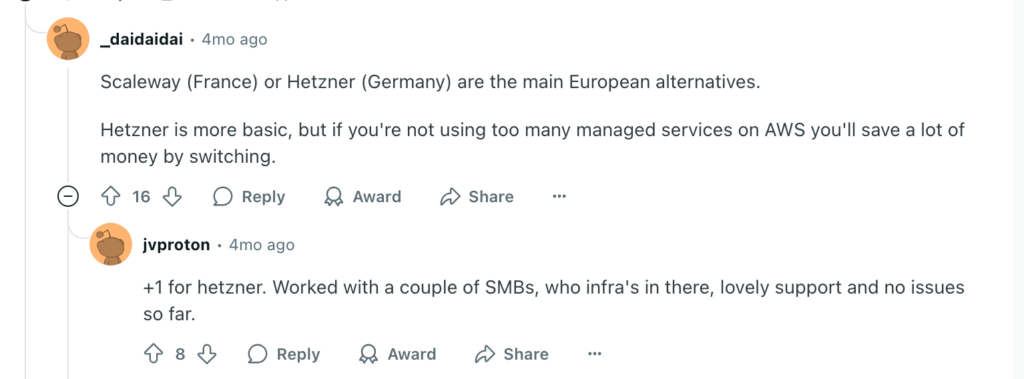
Hetzner (Germany) – Affordable, high-performance hosting with full EU compliance
Elastx (Sweden) – Sustainable, Kubernetes-based cloud for developers
Scaleway (France) – Eco-friendly provider with a wide range of cloud services
STACKIT (Germany) – Designed for enterprise needs and full data control
IONOS Cloud (Germany/UK) – Reliable infrastructure for EU-based clients
These providers prioritize GDPR compliance, data residency, and open-source standards — things global hyperscalers often struggle with.
Public vs. Local Cloud: What’s the Difference?
CriteriaPublic Hyperscalers (AWS, Azure, GCP)EU-Based Providers (OVH, Hetzner, etc.)Data SovereigntyMay store data worldwideHosted entirely in the EULegal RiskSubject to U.S. lawsGoverned by EU lawsSupportGlobal, but less localizedLocal support, EU languagesPerformanceFast globallyOptimized for EU performanceFlexibilityMany services, but risk of lock-inCloud-agnostic, easier to migrateComplianceGeneral certificationsTailored to EU-specific regulations
How to Build Cloud Independence
European companies and governments don’t have to “go it alone” or cut ties with global platforms. Instead, they can take a hybrid and strategic approach:
Mix Providers: Use both global and local providers. Keep sensitive workloads in EU-based clouds.
Classify Workloads: Not all data is equal. Critical or regulated data should always stay on sovereign infrastructure.
Ensure Portability: Use open standards like containers and Infrastructure-as-Code (IaC) to avoid vendor lock-in.
Audit Regularly: Know where your data lives, who controls it, and whether you can move it if needed.
What Comes Next?
Digital independence doesn’t happen overnight. It’s a journey — and Europe is now on the path. The key is not to reject collaboration with U.S. providers, but to make smarter choices:
✅ Choose partners that match your values✅ Protect your data with the right legal frameworks✅ Plan for long-term resilience, not just short-term convenience
As Margrethe Vestager, VP of the European Commission, put it: “Digital infrastructure is no longer just technical — it’s geopolitical.”
And as the experts at Gart Solutions say:
“Cloud independence isn’t about cutting ties. It’s about choosing your ties wisely.”
✅ Start with a Cloud Audit
You can’t manage what you don’t measure.Ask yourself:
Where is your data stored?
Which jurisdictions govern it?
Are you prepared to switch providers if needed?
A simple cloud audit will reveal your current risks and help you make smarter, future-proof decisions.
👉 Need help getting started? Contact us for guidance on building your path to cloud independence.
Conclusion
The future of European cloud is not just about technology. It’s about trust, freedom, and control. By investing in sovereign solutions and rethinking cloud strategies, Europe can finally take back ownership of its digital destiny.